Erstellen Sie eine AgentCore Erinnerung
Sie können einen AgentCore Speicher mit der AgentCore CLI, der AWS Konsole oder mit dem CreateMemory AWS SDK-Vorgang erstellen. Beim Erstellen eines Speichers können Sie Einstellungen wie Name, Beschreibung, Verschlüsselungseinstellungen, Ablaufzeitstempel für Rohereignisse und Speicherstrategien konfigurieren, wenn Sie Langzeitspeicher extrahieren möchten.
Beachten Sie bei der Erstellung eines AgentCore Speichers die folgenden Faktoren, damit er den Anforderungen Ihrer Anwendung entspricht:
Aufbewahrung von Ereignissen — Wählen Sie aus, wie lange Rohereignisse (bis zu 365 Tage) für das Kurzzeitgedächtnis aufbewahrt werden sollen.
eventExpiryDurationwird pro Ereignis zum Zeitpunkt des Schreibens angewendet. Die Aktualisierung wirkt sich nur auf Ereignisse aus, die nach der Änderung erstellt wurden. Zuvor gespeicherte Ereignisse behalten ihren ursprünglichen Ablauf und können nicht verlängert werden, und abgelaufene Ereignisse können nicht wiederhergestellt werden.
Sicherheitsanforderungen — Wenn Ihre Anwendung vertrauliche Informationen verarbeitet, sollten Sie die Verwendung eines vom Kunden verwalteten AWS KMS-Schlüssels für die Verschlüsselung in Betracht ziehen. Der Dienst verschlüsselt Daten weiterhin mit einem vom Service verwalteten Schlüssel, auch wenn Sie keinen vom Kunden verwalteten AWS KMS-Schlüssel bereitstellen.
Speicherstrategien — Definieren Sie, wie Ereignisse mithilfe von integrierten Strategien oder integrierten Strategien mit Überschreibungen zu aussagekräftigen Langzeiterinnerungen verarbeitet werden. Wenn Sie keine Strategie definieren, wird nur das Kurzzeitgedächtnis gespeichert, das Rohereignisse enthält. Weitere Informationen finden Sie unter Langzeitgedächtnis verwenden.
Benennungskonventionen — Verwenden Sie klare, aussagekräftige Namen, anhand derer der Zweck der einzelnen AgentCore Speicher leichter zu erkennen ist, insbesondere wenn Ihre Anwendung mehrere Speicher verwendet.
Beispiel
- AgentCore CLI
-
-
Die AgentCore CLI-Speicherbefehle müssen in einem vorhandenen Agentcore-Projekt ausgeführt werden. Wenn Sie noch keins haben, erstellen Sie zuerst ein Projekt:
agentcore create --name my-agent --no-agent
cd my-agent
Erstellen Sie ein Basisgedächtnis (nur für kurze Zeit):
agentcore add memory --name my_agent_memory
agentcore deploy
Schaffen Sie ein Gedächtnis mit langfristigen Strategien:
agentcore add memory --name ShoppingSupportAgentMemory \
  --strategies SUMMARIZATION,USER_PREFERENCE
agentcore deploy
Überprüfen Sie den Speicherstatus:
agentcore status
- Interactive
-
-
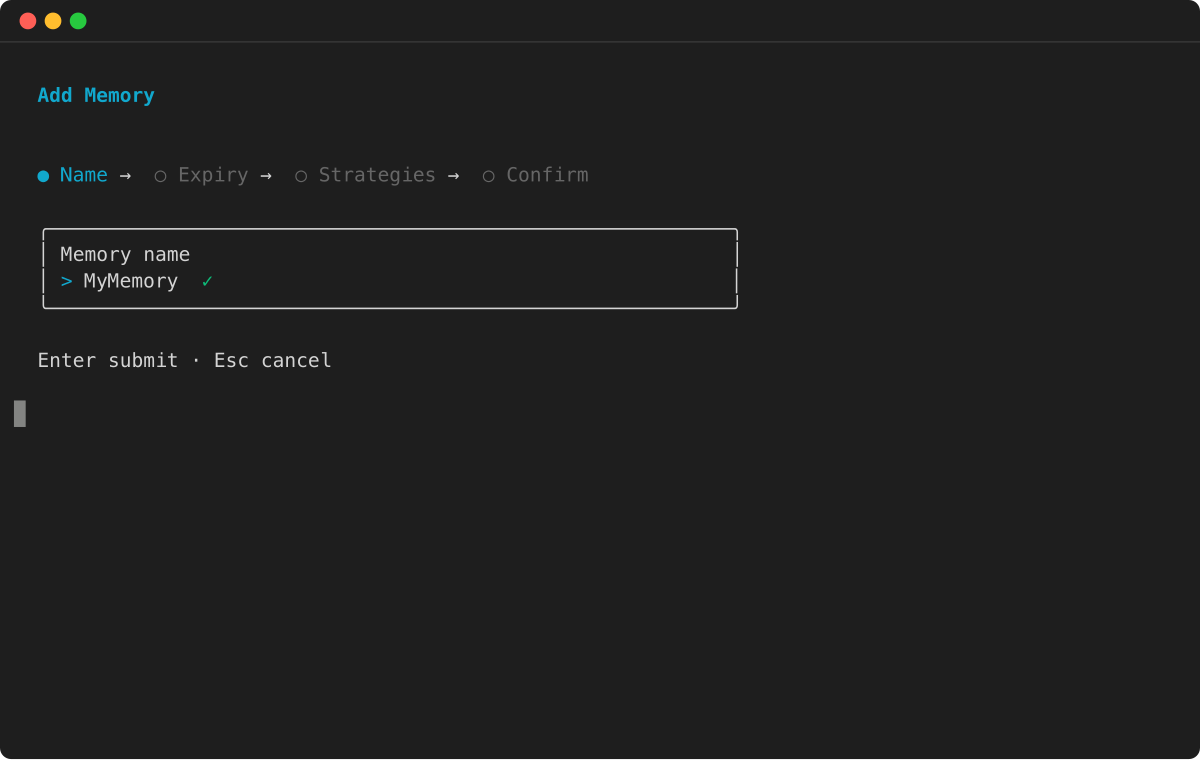
Starten Sieagentcore, um die TUI zu öffnen, wählen Sie dann Hinzufügen und dann Speicher:
-
Geben Sie den Speichernamen ein:
-
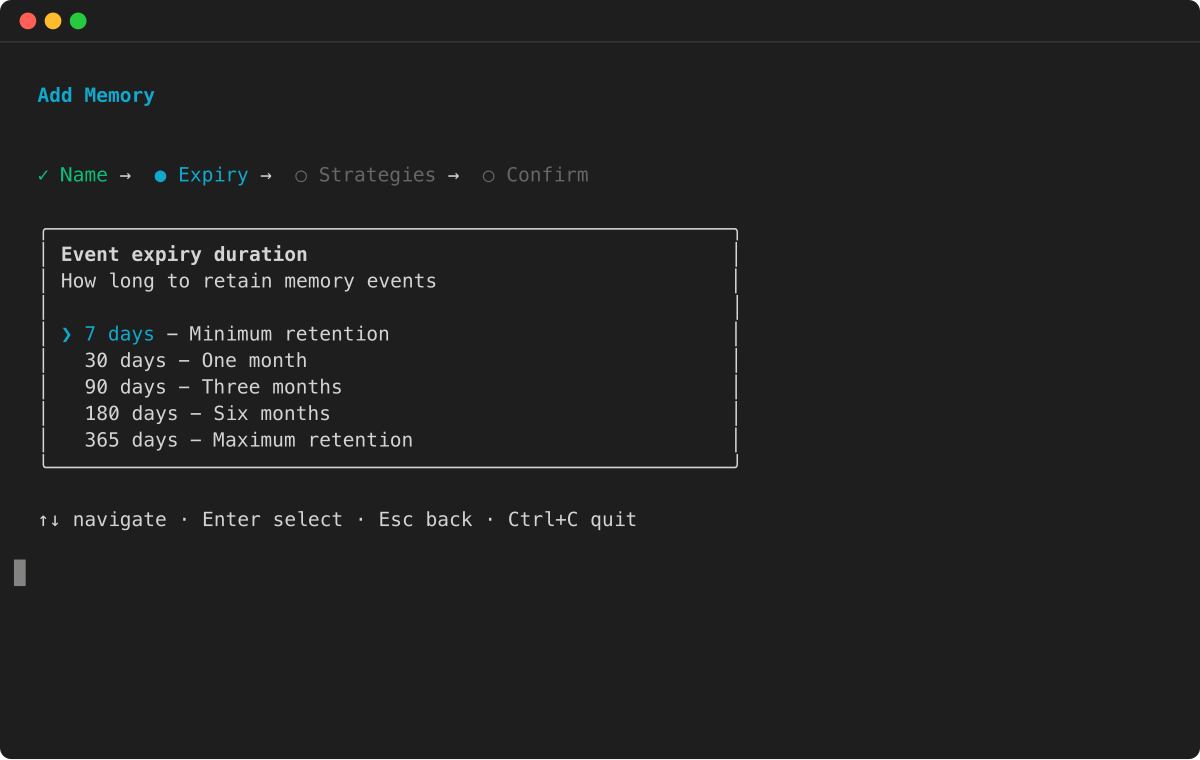
Wählen Sie die Ablaufdauer des Ereignisses aus:
-
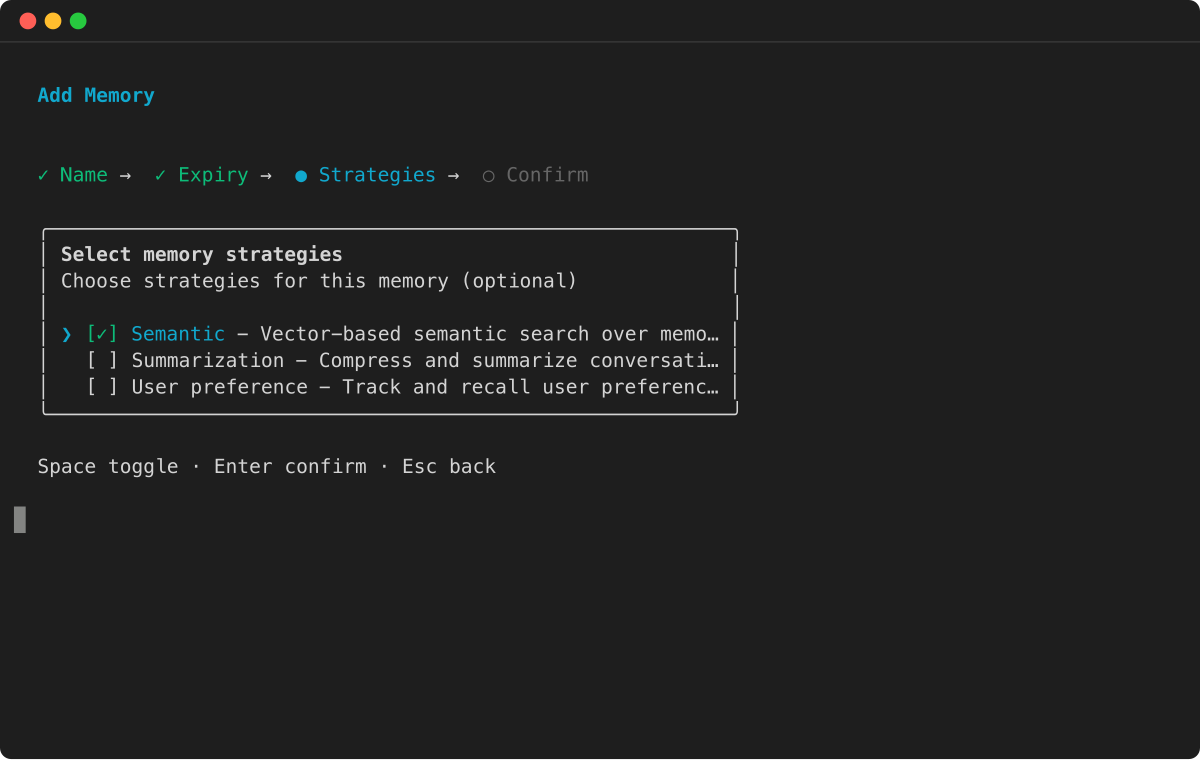
Wählen Sie Speicherstrategien für die Extraktion des Langzeitgedächtnisses:
-
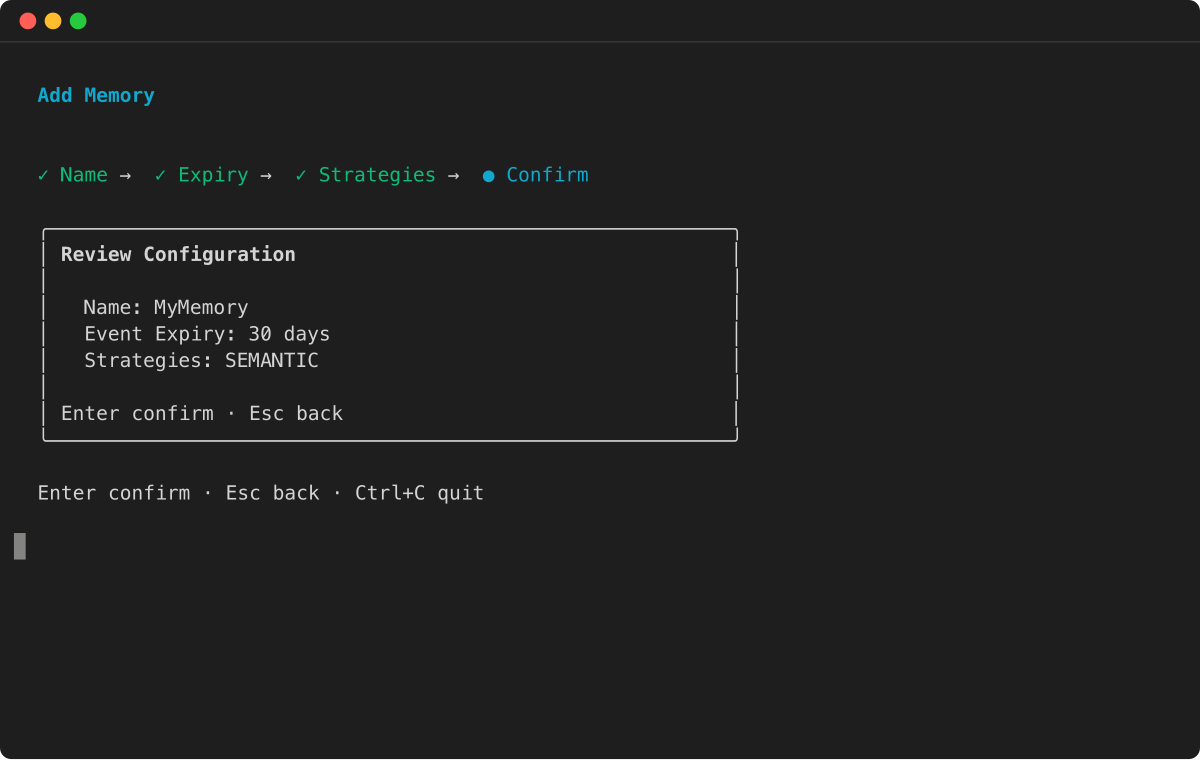
Überprüfen Sie die Konfiguration und drücken Sie die Eingabetaste, um Folgendes zu bestätigen:
- AWS SDK
-
-
Weitere Informationen finden Sie unter AWS SDK.
import boto3
import time

# Initialize the Boto3 clients for control plane and data plane operations
control_client = boto3.client('bedrock-agentcore-control')
data_client = boto3.client('bedrock-agentcore')

print("Creating a new memory resource...")

# Create the memory resource with defined strategies
response = control_client.create_memory(
    name="ShoppingSupportAgentMemory",
    description="Memory for a customer support agent.",
    memoryStrategies=[
        {
            'summaryMemoryStrategy': {
                'name': 'SessionSummarizer',
                'namespaceTemplates': ['/summaries/{actorId}/{sessionId}/']
            }
        },
        {
            'userPreferenceMemoryStrategy': {
                'name': 'UserPreferenceExtractor',
                'namespaceTemplates': ['/users/{actorId}/preferences/']
            }
        }
    ]
)

memory_id = response['memory']['id']
print(f"Memory resource created with ID: {memory_id}")

# Poll the memory status until it becomes ACTIVE
while True:
    mem_status_response = control_client.get_memory(memoryId=memory_id)
    status = mem_status_response.get('memory', {}).get('status')
    if status == 'ACTIVE':
        print("Memory resource is now ACTIVE.")
        break
    elif status == 'FAILED':
        raise Exception("Memory resource creation FAILED.")
    print("Waiting for memory to become active...")
    time.sleep(10)
- Console
-
-
====== Um einen AgentCore Speicher zu erstellen
-
Öffnen Sie die Amazon-Bedrock-Konsole AgentCore.
-
Wählen Sie im linken Navigationsbereich Speicher.
-
Wählen Sie Speicher erstellen aus.
-
Geben Sie unter Speichername einen Namen für den AgentCore Speicher ein.
-
(Optional) Geben Sie für den Ablauf des Short-term Speichers (Rohereignis) die Dauer (Tage) an, für die der AgentCore Speicher Ereignisse speichert.
-
(Optional) Stellen Sie unter Zusätzliche Konfigurationen Folgendes ein:
-
Geben Sie unter Speicherbeschreibung eine Beschreibung für den AgentCore Speicher ein.
-
Wenn Sie Ihren eigenen AWS KMS-Schlüssel zum Verschlüsseln Ihrer Daten verwenden möchten, gehen Sie wie folgt vor:
-
Wählen Sie unter KMS-Schlüssel die Option Verschlüsselungseinstellungen anpassen (erweitert) aus.
-
Wählen Sie unter AWS KMS-Schlüssel auswählen den ARN eines vorhandenen AWS KMS-Schlüssels aus oder geben Sie ihn ein. Wählen Sie alternativ Create an AWS KMS aus, um einen neuen AWS KMS-Schlüssel zu erstellen.
-
(Optional) Wählen Sie für Strategien zur Long-term Speicherextraktion eine oder mehrere Speicherstrategien aus. Weitere Informationen:
-
Wählen Sie Speicher erstellen, um den AgentCore Speicher zu erstellen.