建立線上評估
CreateOnlineEvaluationConfig API 會建立新的線上評估組態,以使用即時流量持續監控代理程式的效能。此非同步操作會設定 服務,以在正常操作期間產生代理程式追蹤時對其進行評估。
當您建立線上評估時,您可以指定唯一的組態名稱、要監控的資料來源 (CloudWatch 日誌群組或客服人員端點的清單),以及要套用的評估者清單 (最多 10 個,結合內建和自訂的評估者)。您也可以提供執行的 IAM 服務角色 ARN。需要 enableOnCreate 參數,並判斷評估是否在建立後立即開始執行 ( executionStatus = true) 或保持停用狀態,直到明確啟用 ( executionStatus = false)。
執行狀態控制
executionStatus 參數會判斷評估任務是否主動處理追蹤:
您可以使用 CLI 控制執行狀態:
# Pause a running online evaluation
agentcore pause online-eval "your_config_name"

# Resume a paused online evaluation
agentcore resume online-eval "your_config_name"
評估器保護
當您建立將 executionStatus 設為 ENABLED 的評估組態時,系統會自動鎖定您選取的任何自訂評估器。鎖定後:
AgentCore CLI、AgentCore SDK 和 AWS SDK 的程式碼範例
下列程式碼範例示範如何使用不同的開發方法建立線上評估組態。選擇最適合您的開發環境和偏好設定的方法。
範例
- AgentCore CLI
-
-
# Create online evaluation configuration
agentcore add online-eval \
  --name "your_config_name" \
  --runtime "your_runtime_name" \
  --evaluator "Builtin.GoalSuccessRate" "Builtin.Helpfulness" \
  --sampling-rate 1.0 \
  --enable-on-create
此命令會將線上評估組態新增至本機 agentcore.json 。執行 agentcore deploy 在您的 AWS 帳戶中建立它。
從 AgentCore 專案目錄 (使用 建立) agentcore create 內執行此操作。
- Interactive
-
-
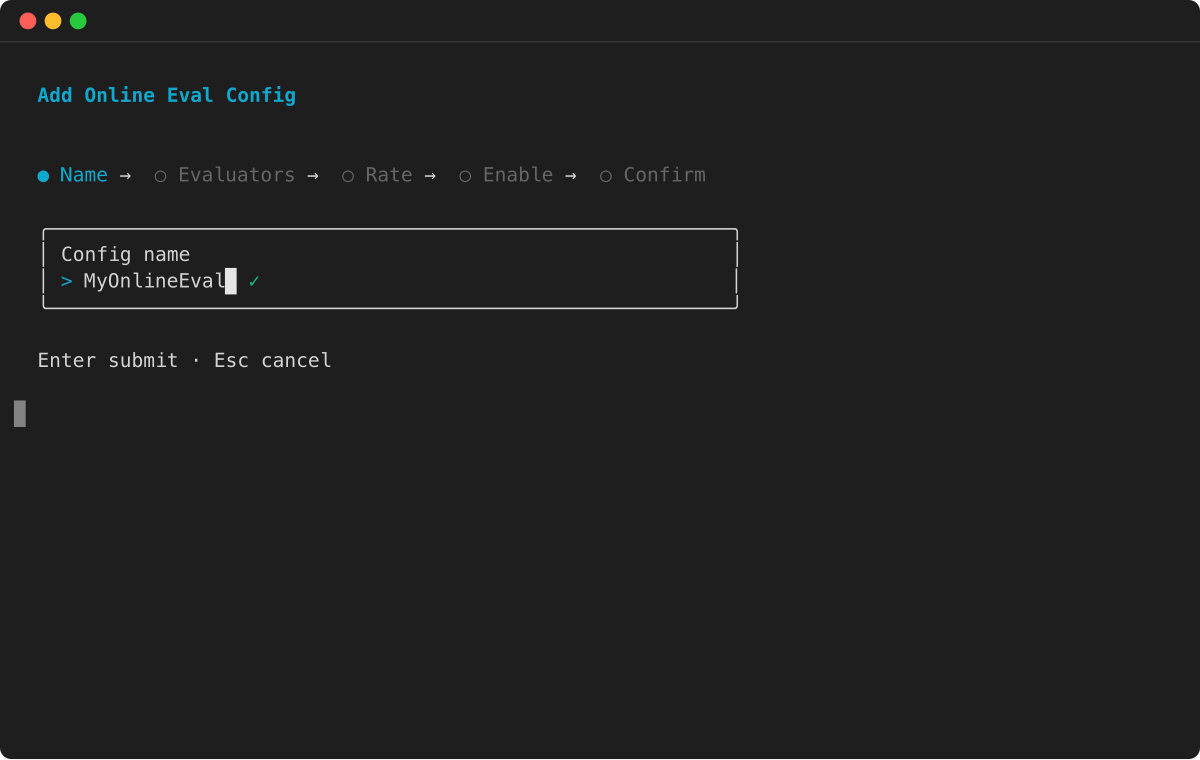
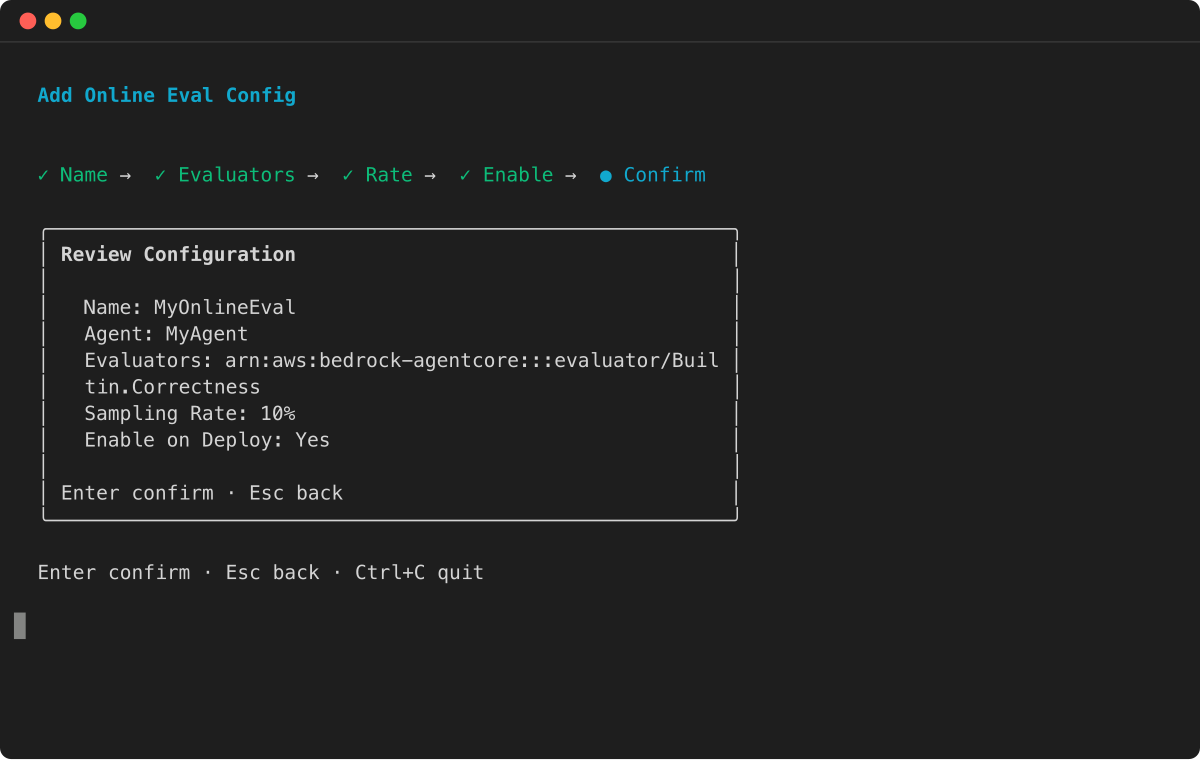
輸入線上評估組態的名稱。
-
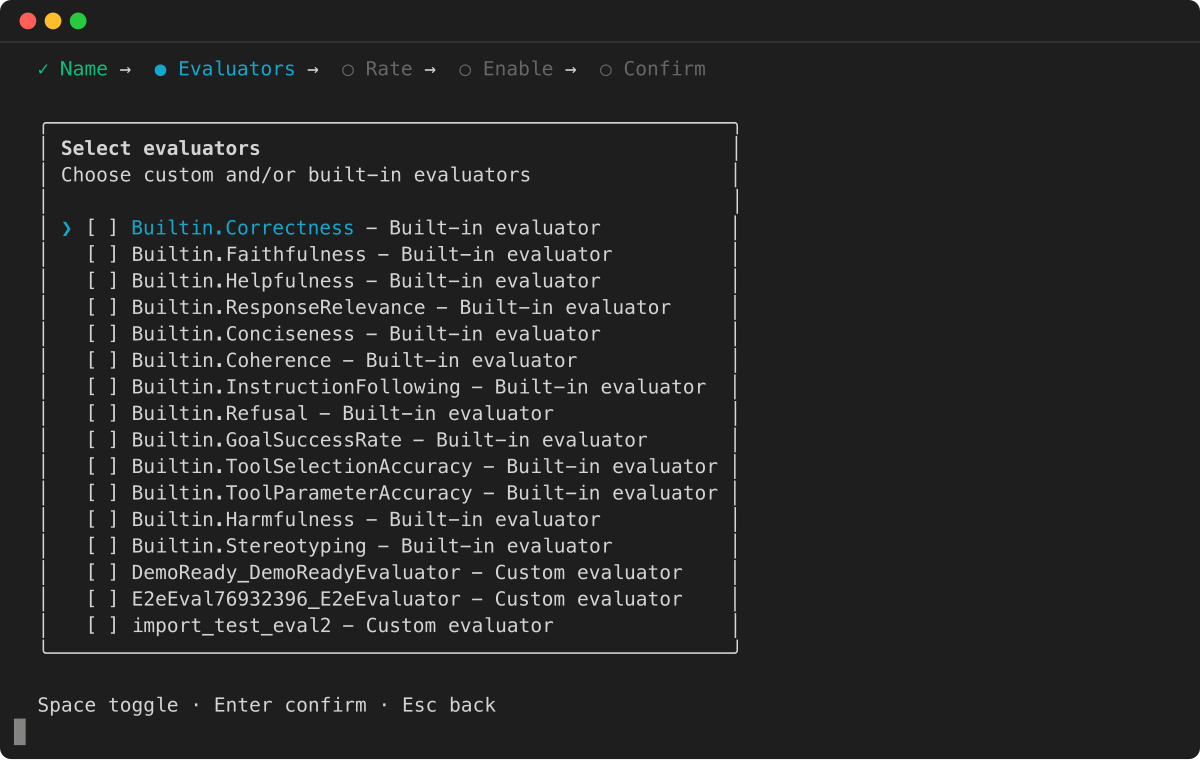
選取要包含的評估者。您可以從內建評估者和您建立的任何自訂評估者中進行選擇。
-
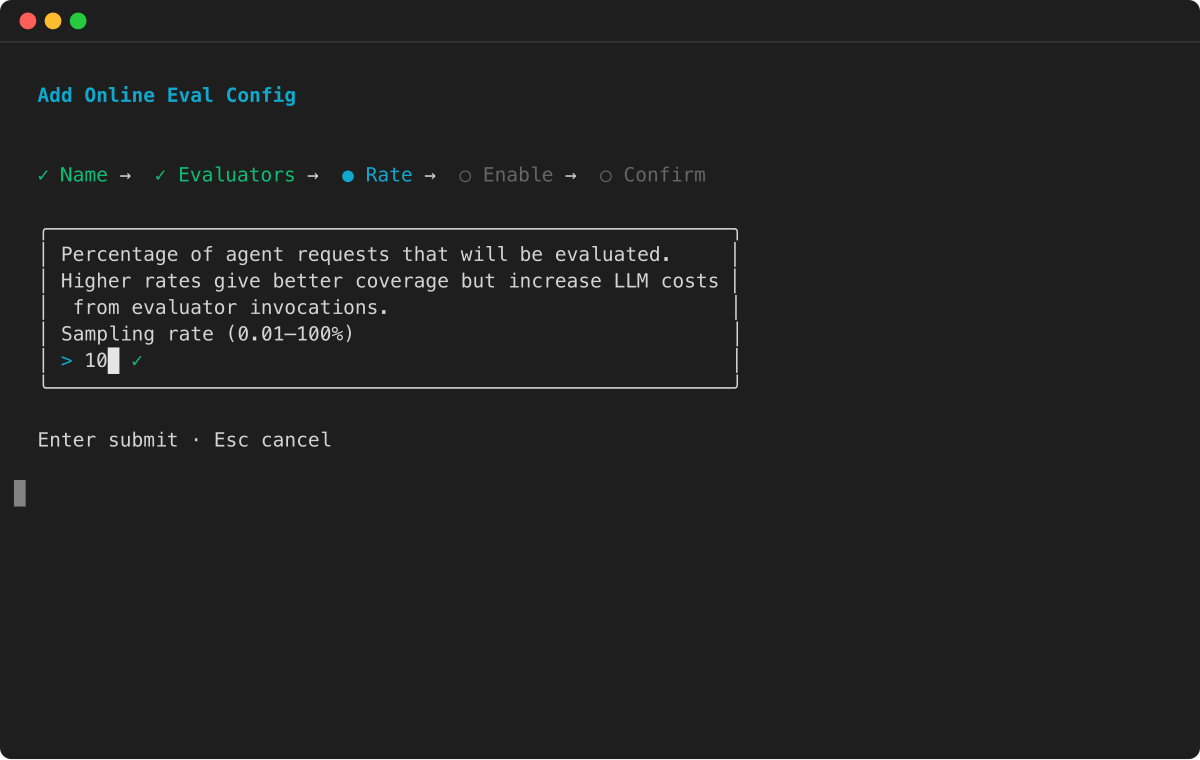
設定取樣率 — 將評估的客服人員請求百分比。
-
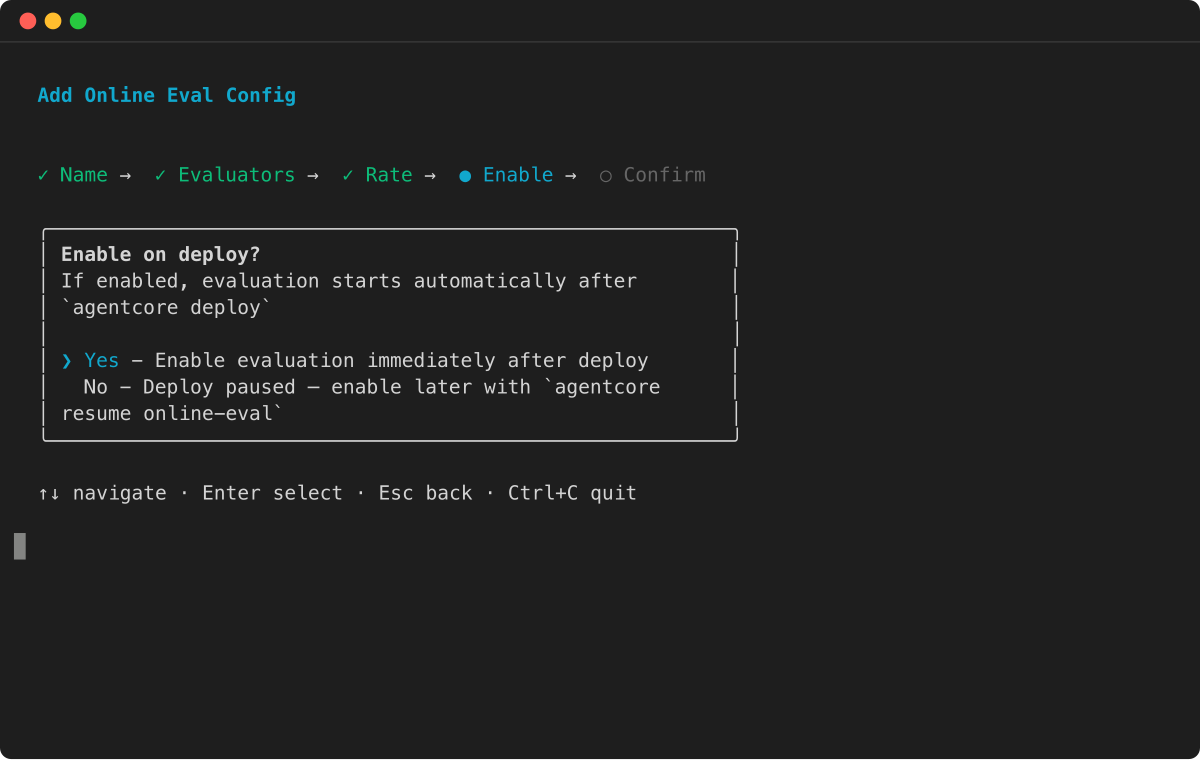
選擇是否要在部署後自動啟用評估。
-
檢閱組態,然後按 Enter 鍵確認。
- AgentCore SDK
-
-
from bedrock_agentcore_starter_toolkit import Evaluation

# Initialize the evaluation client
eval_client = Evaluation()

# Replace these with your actual values
config_name = "YOUR_CONFIG_NAME"
agent_id = "YOUR_AGENT_ID"  # e.g., agent_myagent-ABC123xyz

# Create online evaluation configuration
config = eval_client.create_online_config(
    config_name=config_name,                  # Must use underscores, not hyphens
    agent_id=agent_id,                        # Agent ID (e.g., agent_myagent-ABC123xyz)
    sampling_rate=1.0,                        # Percentage to evaluate (0-100). 1.0 = evaluate 1% of interactions
    evaluator_list=["Builtin.GoalSuccessRate", "Builtin.Helpfulness"],  # List of evaluator IDs
    config_description="Online Evaluation Config",  # Optional description
    auto_create_execution_role=True,          # Automatically creates IAM role (default: True)
    enable_on_create=True                     # Enable immediately after creation (default: True)
)

print("✅ Online evaluation configuration created!")
print(f"Config ID: {config['onlineEvaluationConfigId']}")
print(f"Status: {config['status']}")

# Save the config ID for later operations
config_id = config['onlineEvaluationConfigId']
print(f"\nSaved config_id: {config_id}")
- AWS SDK
-
-
import boto3

# Your input log group that contains agent traces
LOG_GROUP_NAME = "/aws/agentcore/test-agent-traces"

# The service.name attribute from Otel
SERVICE_NAME = "strands_healthcare_single_agent.DEFAULT"

# The role created earlier with the required permissions for eval
role_arn = f"arn:aws:iam::{ACCOUNT_ID}:role/AgentCoreEvaluationRole"

client = boto3.client('bedrock-agentcore-control')

create_config_response = client.create_online_evaluation_config(
    onlineEvaluationConfigName="strands_healthcare_agent_1",
    description="Continuous evaluation of a healthcare agent",
    rule={
        "samplingConfig": {"samplingPercentage": 80.0}
    },
    dataSourceConfig={
        "cloudWatchLogs": {
            "logGroupNames": [LOG_GROUP_NAME],
            "serviceNames": [SERVICE_NAME]
        }
    },
    evaluators=[{"evaluatorId":"Builtin.Helpfulness"}],
    evaluationExecutionRoleArn=role_arn,
    enableOnCreate=True
)
- AWS CLI
-
-
aws bedrock-agentcore-control create-online-evaluation-config \
    --online-evaluation-config-name "strands_healthcare_agent_1" \
    --description "Continuous evaluation of a healthcare agent" \
    --rule '{"samplingConfig": {"samplingPercentage": 80.0}}' \
    --data-source-config '{"cloudWatchLogs": {"logGroupNames": ["/aws/agentcore/test-agent-traces"], "serviceNames": ["strands_healthcare_single_agent.DEFAULT"]}}' \
    --evaluators '[{"evaluatorId": "Builtin.Helpfulness"}]' \
    --evaluation-execution-role-arn "arn:aws:iam::{YOUR_ACCOUNT_ID}:role/AgentCoreEvaluationRole" \
    --enable-on-create
主控台
您可以使用 Amazon Bedrock AgentCore 主控台的視覺化界面建立線上評估組態。此方法提供引導式表單和驗證,協助您設定評估設定。
建立 AgentCore 線上評估
-
開啟 Amazon Bedrock AgentCore 主控台。
-
在左側導覽窗格中,選擇評估。
-
選擇建立評估組態。
-
(選用) 針對評估名稱 ,輸入線上評估組態的名稱。
-
(選用) 若要在建立評估組態後啟用評估組態,請選取評估名稱下的核取方塊。
-
(選用) 針對評估組態描述 ,輸入 AgentCore 評估組態的描述。
-
(選用) 針對工作階段閒置逾時 ,輸入介於 1 到 60 分鐘之間的持續時間。預設值為 15 分鐘。
-
針對資料來源 ,選擇下列其中一項:
-
使用代理程式端點定義 - 選擇您先前在 AgentCore 執行期建立的代理程式,或選擇代理程式 來建立新的代理程式。然後,從代理程式中選擇端點。
-
選取 CloudWatch 日誌群組 – 選取最多 5 個日誌群組。輸入代理程式用於觀察的服務名稱。對於在 AgentCore 執行期上託管的代理程式,服務名稱遵循格式 <agent-runtime-name>.<agent-runtime-endpoint-name>。對於在 AgentCore 執行期外執行的代理程式,服務名稱是在 OTEL_RESOURCE_ATTRIBUTES 環境變數中設定。
-
針對評估者 ,每個評估組態最多選取 10 個評估者,包括內建和自訂評估者。
-
(選用) 針對篩選條件 ,新增最多 5 個篩選條件,以識別要評估的工作階段。
-
(選用) 對於取樣 ,選擇介於 0.01% 到 100% 之間的百分比,以控制評估的工作階段百分比。預設值為 10%。
-
針對 Amazon Bedrock IAM 角色 ,選擇下列其中一項:
-
使用現有角色 – 選取已具有必要許可的 IAM 服務角色。
-
建立新的角色 – 建立新的 IAM 服務角色。
-
選擇建立評估組態以建立 AgentCore 線上評估組態。