本文為英文版的機器翻譯版本,如內容有任何歧義或不一致之處,概以英文版為準。
在 CloudWatch 中檢視 Performance Insights 指標小工具
在 Amazon RDS Performance Insights 儀表板中選取 Performance Insights 指標小工具,並在 CloudWatch 主控台中檢視指標資料。
在 CloudWatch 主控台中匯出指標小工具和檢視指標資料
前往 https://console.aws.amazon.com/rds/
,開啟 Amazon RDS 主控台。 -
在左側導覽窗格中,選擇 Performance Insights (績效詳情)。
-
選擇資料庫執行個體。
資料庫執行個體的績效詳情儀表板即會出現。
-
向下捲動至指標。
依預設,具有 Performance Insights 指標的預先設定儀表板即會出現。
-
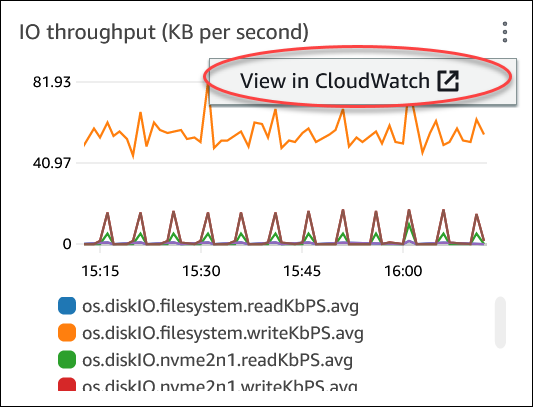
選擇指標小工具,然後在功能表中選擇在 CloudWatch 中檢視。
指標資料會出現在 CloudWatch 主控台中。
