根据洞察结果生成推荐
查看见解结果后,您可以使用相同的代理跟踪来生成改进的系统提示。指向已完成StartRecommendation的批量评估,该评估产生了您的见解结果。
目前仅支持生成Builtin.Insight.FailureAnalysis见解的推荐,目前仅提供系统提示建议。
启动系统提示建议
提供您当前的系统提示并参考包含跟踪的批量评估:
例
- AgentCore CLI
-
根据已完成的见解运行生成建议:
agentcore run recommendation --from-insights <id> --type system-prompt --bundle-name my_bundle --json
或者直接参考批量评估 ARN:
agentcore run recommendation --batch-evaluation-arn <arn> --type system-prompt --bundle-name my_bundle --json
- Interactive
-
-
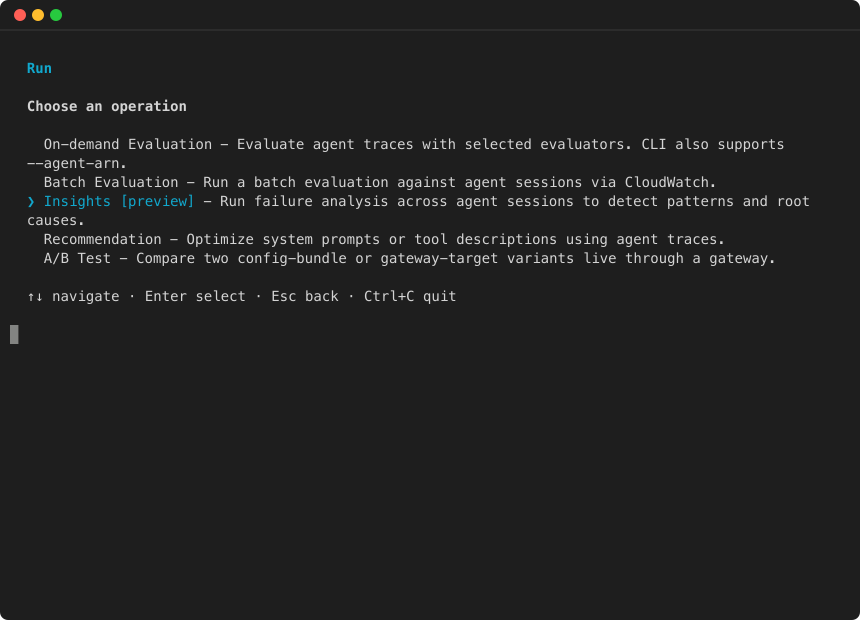
运行打开 agentcore TUI,然后选择运行并选择推荐:
该向导将指导您选择跟踪来源(见解运行或批量评估 ARN)、推荐类型和配置包。
- AWS SDK (boto3)
-
import boto3
import uuid

client = boto3.client("bedrock-agentcore", region_name="us-west-2")

response = client.start_recommendation(
    name=f"fix-rate-limiting-{uuid.uuid4().hex[:8]}",
    type="SYSTEM_PROMPT_RECOMMENDATION",
    recommendationConfig={
        "systemPromptRecommendationConfig": {
            "systemPrompt": {
                "text": "You are a helpful customer support assistant. Help users with their orders and returns."
            },
            "agentTraces": {
                "batchEvaluation": {
                    "batchEvaluationArn": "arn:aws:bedrock-agentcore:us-west-2:123456789012:batch-evaluate/insights-run-ABC1234567"
                }
            },
        }
    },
    clientToken=str(uuid.uuid4()),
)

recommendation_id = response["recommendationId"]
print(f"Started recommendation: {recommendation_id}")
检索推荐的提示音
轮询直到完成,然后检索结果:
import time

while True:
    rec = client.get_recommendation(recommendationId=recommendation_id)
    if rec["status"] in ("COMPLETED", "FAILED"):
        break
    time.sleep(15)

if rec["status"] == "COMPLETED":
    result = rec["recommendationResult"]["systemPromptRecommendationResult"]
    print(f"Recommended prompt:\n{result['recommendedSystemPrompt']}")
    print(f"\nExplanation:\n{result['explanation']}")
替代追踪源
除了引用批量评估之外,您还可以通过 CloudWatch 日志提供跟踪:
"agentTraces": {
    "cloudwatchLogs": {
        "logGroupArns": [
            "arn:aws:logs:us-west-2:123456789012:log-group:/aws/bedrock-agentcore/runtimes/MyAgent-abc123-DEFAULT"
        ],
        "serviceNames": ["MyAgent.DEFAULT"],
        "startTime": "2026-05-27T00:00:00Z",
        "endTime": "2026-06-03T00:00:00Z",
    }
}