As traduções são geradas por tradução automática. Em caso de conflito entre o conteúdo da tradução e da versão original em inglês, a versão em inglês prevalecerá.
Cenário: um agente de IA de suporte ao cliente usando AgentCore memória
Nesta seção, você aprenderá a criar um agente de IA de suporte ao cliente que usa a AgentCore Memória para fornecer assistência personalizada, mantendo o histórico de conversas e extraindo insights de longo prazo sobre as preferências do usuário. O tópico inclui exemplos de código para a AgentCore CLI e o AWS SDK.
Considere uma cliente, Sarah, que interage com o agente de IA de suporte do seu site de compras para perguntar sobre um pedido atrasado. O fluxo de interação por meio das APIs de AgentCore memória ficaria assim:
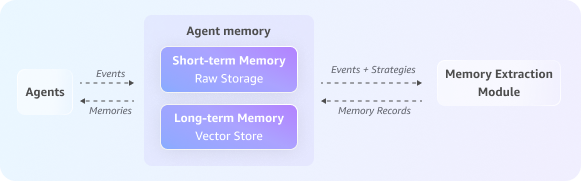
Tópicos
Etapa 1: criar uma AgentCore memória
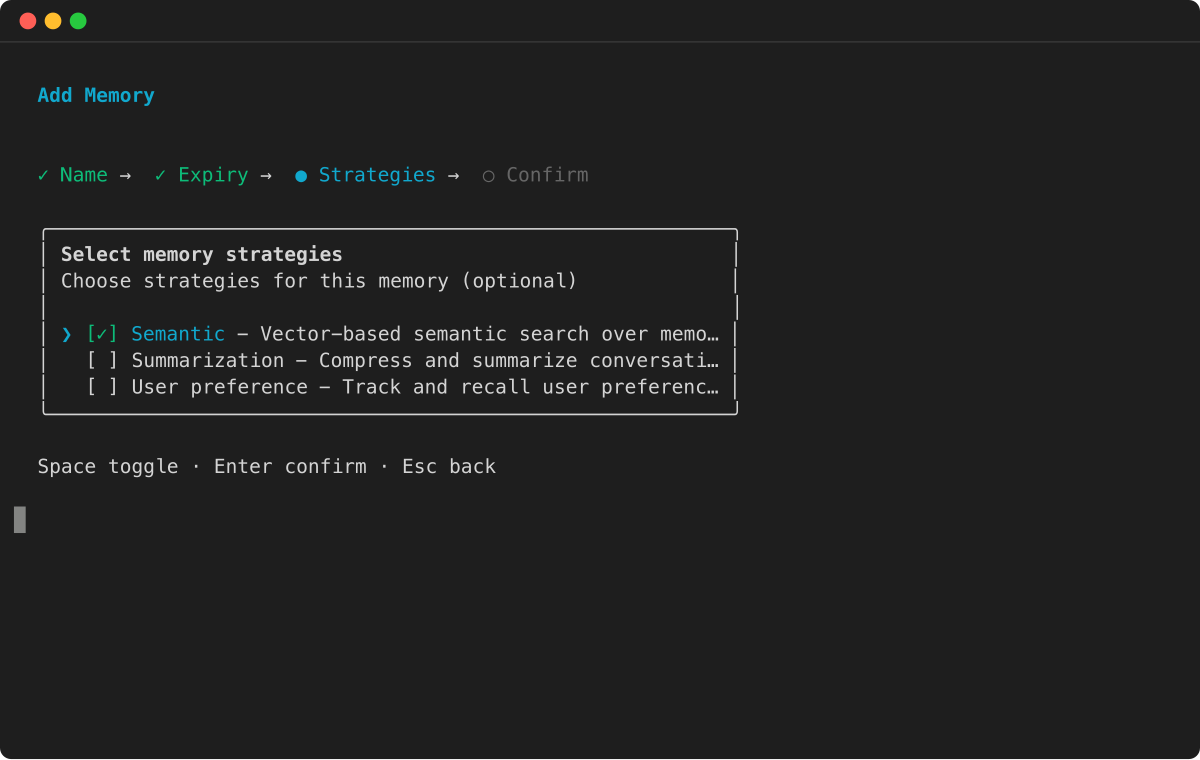
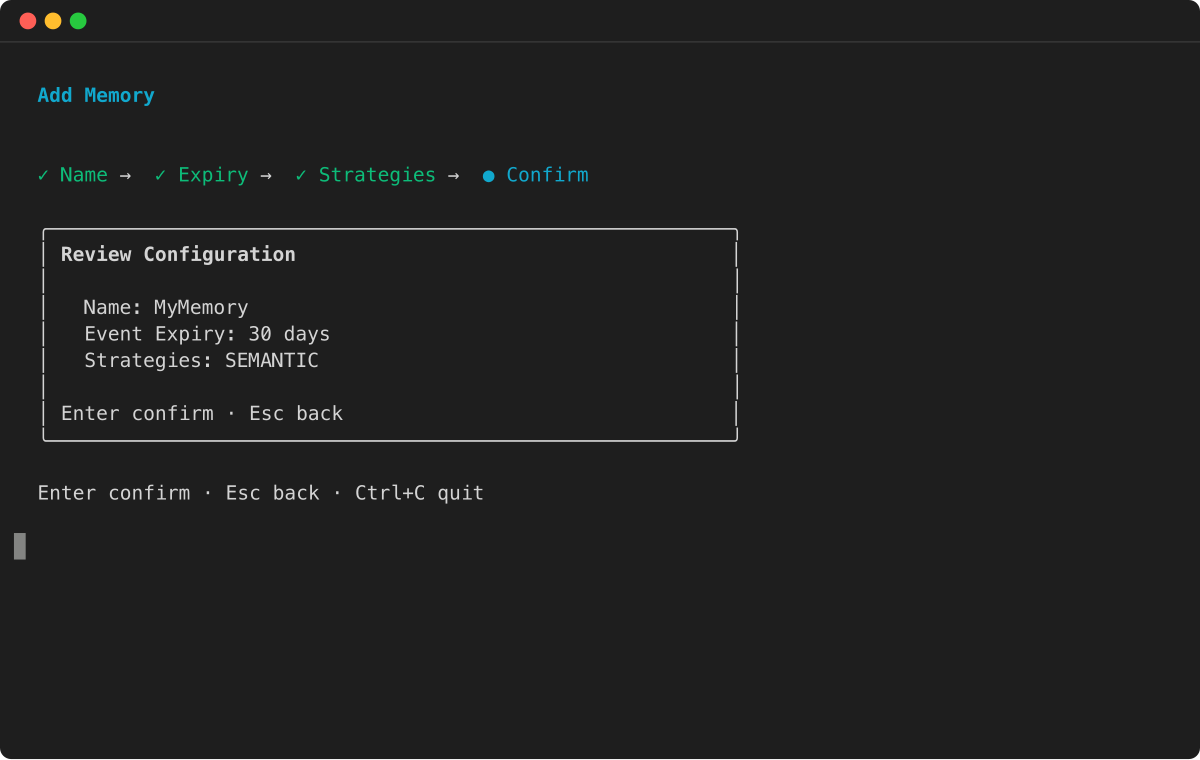
Primeiro, você cria um recurso de memória com recursos de memória de curto e longo prazo, configurando as estratégias para quais informações de longo prazo devem ser extraídas.
exemplo
Etapa 2: iniciar a sessão
Quando Sarah inicia a conversa, o agente cria um ID de sessão novo e exclusivo para rastrear essa interação separadamente.
# Unique identifier for the customer, Sarah
sarah_actor_id = "user-sarah-123"

# Unique identifier for this specific support session
support_session_id = "customer-support-session-1"

print(f"Session started for Actor ID: {sarah_actor_id}, Session ID: {support_session_id}")
Etapa 3: capturar o histórico da conversa
Enquanto Sarah explica seu problema, o agente captura cada turno da conversa (tanto suas perguntas quanto as respostas do agente). Isso preenche a conversa completa na memória de curto prazo e fornece os dados brutos para as estratégias de memória de longo prazo processarem.
print("Capturing conversational events...")

full_conversation_payload = [
    {
        'conversational': {
            'role': 'USER',
            'content': {'text': "Hi, my order #ABC-456 is delayed."}
        }
    },
    {
        'conversational': {
            'role': 'ASSISTANT',
            'content': {'text': "I'm sorry to hear that, Sarah. Let me check the status for you."}
        }
    },
    {
        'conversational': {
            'role': 'USER',
            'content': {'text': "By the way, for future orders, please always use FedEx. I've had issues with other carriers."}
        }
    },
    {
        'conversational': {
            'role': 'ASSISTANT',
            'content': {'text': "Thank you for that information. I have made a note to use FedEx for your future shipments."}
        }
    }
]

data_client.create_event(
    memoryId=memory_id,
    actorId=sarah_actor_id,
    sessionId=support_session_id,
    eventTimestamp=datetime.now(),
    payload=full_conversation_payload
)

print("Conversation history has been captured in short-term memory.")
Etapa 4: gerar memória de longo prazo
Em segundo plano, o processo de extração assíncrona é executado. Esse processo analisa os eventos brutos recentes usando suas estratégias de memória configuradas para extrair memórias de longo prazo, como resumos, fatos semânticos ou preferências do usuário, que são então armazenadas para uso futuro.
Etapa 5: Recuperar interações passadas da memória de curto prazo
Para fornecer assistência contextual, o agente carrega o histórico de conversas atual. Isso ajuda o agente a entender quais problemas Sarah levantou no bate-papo contínuo.
print("\nRetrieving current conversation history from short-term memory...")

response = data_client.list_events(
    memoryId=memory_id,
    actorId=sarah_actor_id,
    sessionId=support_session_id,
    maxResults=10
)

# Reverse the list of events to display them in chronological order
event_list = reversed(response.get('events', []))

for event in event_list: print(event)
Etapa 6: use memórias de longo prazo para obter assistência personalizada
O agente realiza uma pesquisa semântica nas memórias de longo prazo extraídas para encontrar informações relevantes sobre as preferências, o histórico de pedidos ou as preocupações anteriores de Sarah. Isso permite que o agente forneça assistência altamente personalizada sem precisar pedir que Sarah repita as informações que ela já compartilhou em bate-papos anteriores.
# Wait for the asynchronous extraction to finish
print("\nWaiting 60 seconds for long-term memory processing...")
time.sleep(60)

# --- Example 1: Retrieve the user's shipping preference ---
print("\nRetrieving user preferences from long-term memory...")
preference_response = data_client.retrieve_memory_records(
    memoryId=memory_id,
    namespace=f"/users/{sarah_actor_id}/preferences/",
    searchCriteria={"searchQuery": "Does the user have a preferred shipping carrier?"}
)
for record in preference_response.get('memoryRecordSummaries', []):
    print(f"- Retrieved Record: {record}")

# --- Example 2: Broad query about the user's issue (across sessions with the help of namespacePath) ---
print("\nPerforming a broad search for user's reported issues...")
issue_response = data_client.retrieve_memory_records(
    memoryId=memory_id,
    namespacePath=f"/summaries/{sarah_actor_id}/",
    searchCriteria={"searchQuery": "What problem did the user report with their order?"}
)
for record in issue_response.get('memoryRecordSummaries', []):
    print(f"- Retrieved Record: {record}")
Essa abordagem integrada permite que o agente mantenha um contexto rico em todas as sessões, reconheça clientes recorrentes, relembre detalhes importantes e ofereça experiências personalizadas sem problemas, resultando em um suporte ao cliente mais rápido, natural e eficaz.
