As traduções são geradas por tradução automática. Em caso de conflito entre o conteúdo da tradução e da versão original em inglês, a versão em inglês prevalecerá.
Crie uma AgentCore memória
Você pode criar uma AgentCore memória com a AgentCore CLI, o AWS console ou com a operação do CreateMemory AWS SDK. Ao criar uma memória, você pode definir configurações como nome, descrição, configurações de criptografia, data e hora de expiração para eventos brutos e estratégias de memória se quiser extrair memória de longo prazo.
Ao criar uma AgentCore memória, considere os seguintes fatores para garantir que ela atenda às necessidades do seu aplicativo:
Retenção de eventos — Escolha por quanto tempo os eventos brutos são retidos (até 365 dias) para memória de curto prazo.
eventExpiryDurationé aplicado por evento no momento da gravação. A atualização afeta somente os eventos criados após a alteração. Os eventos armazenados anteriormente mantêm sua expiração original e não podem ser estendidos, e os eventos expirados não podem ser recuperados.
Requisitos de segurança — Se seu aplicativo lida com informações confidenciais, considere usar uma chave AWS KMS gerenciada pelo cliente para criptografia. O serviço ainda criptografa os dados usando uma chave gerenciada pelo serviço, mesmo que você não forneça uma chave KMS gerenciada pelo cliente AWS .
Estratégias de memória — Defina como os eventos são processados em memórias significativas de longo prazo usando estratégias integradas ou integradas com substituições. Se você não definir nenhuma estratégia, somente a memória de curto prazo contendo eventos brutos será armazenada. Para obter mais informações, consulte Usar memória de longo prazo.
Convenções de nomenclatura — Use nomes claros e descritivos que ajudem a identificar a finalidade de cada AgentCore memória, especialmente se seu aplicativo usa vários armazenamentos.
exemplo
- AgentCore CLI
-
-
Os comandos de memória AgentCore CLI devem ser executados dentro de um projeto agentcore existente. Se você ainda não tiver um, crie um projeto primeiro:
agentcore create --project-name MemoryProject --no-agent
cd MemoryProject
Crie uma memória básica (somente de curto prazo):
agentcore add memory --name my_agent_memory
agentcore deploy
Crie memória com estratégias de longo prazo:
agentcore add memory --name ShoppingSupportAgentMemory \
  --strategies SUMMARIZATION,USER_PREFERENCE
agentcore deploy
Verifique o status da memória:
agentcore status
- Interactive
-
-
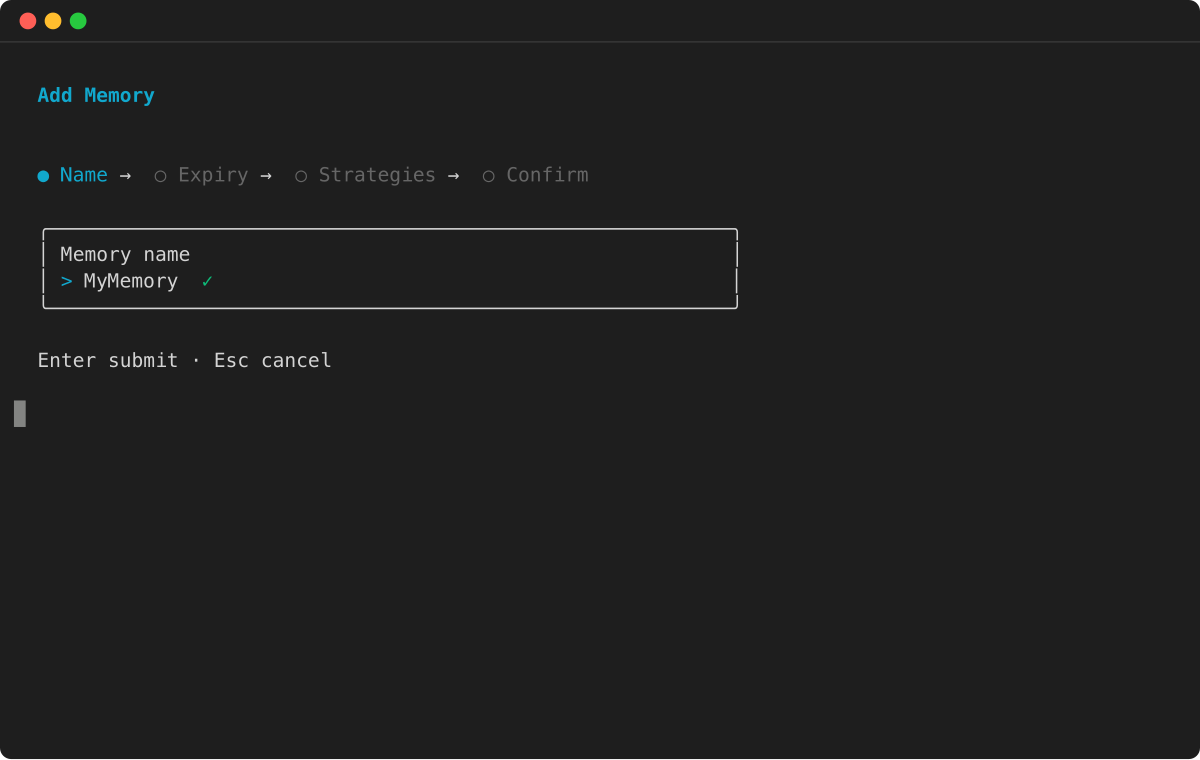
Execute agentcore para abrir a TUI, selecione adicionar e escolha Memória:
-
Digite o nome da memória:
-
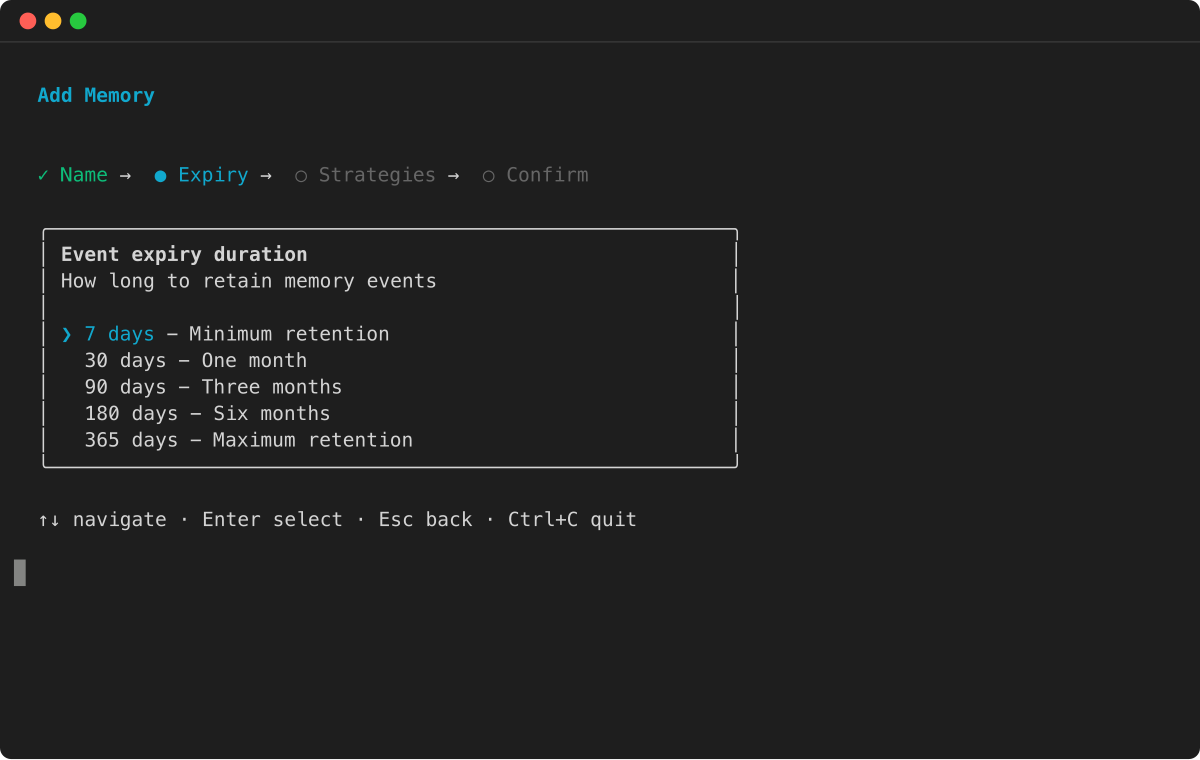
Selecione a duração da expiração do evento:
-
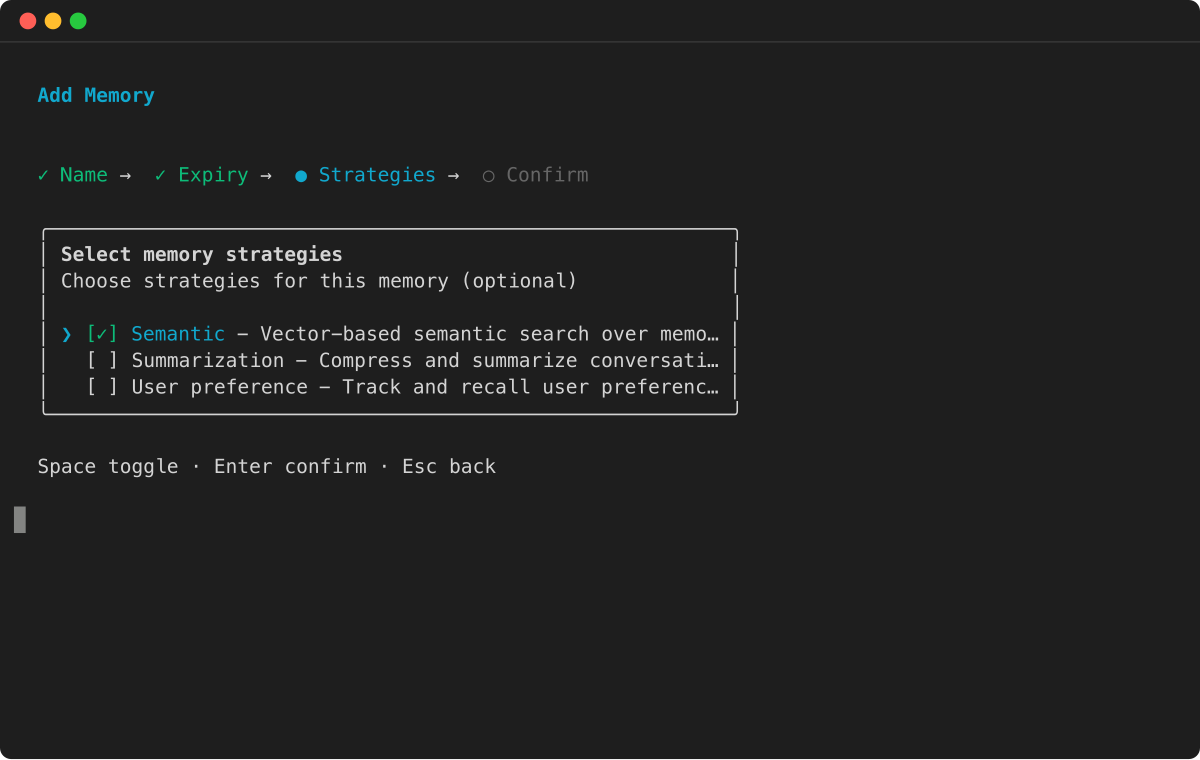
Escolha estratégias de memória para extração de memória de longo prazo:
-
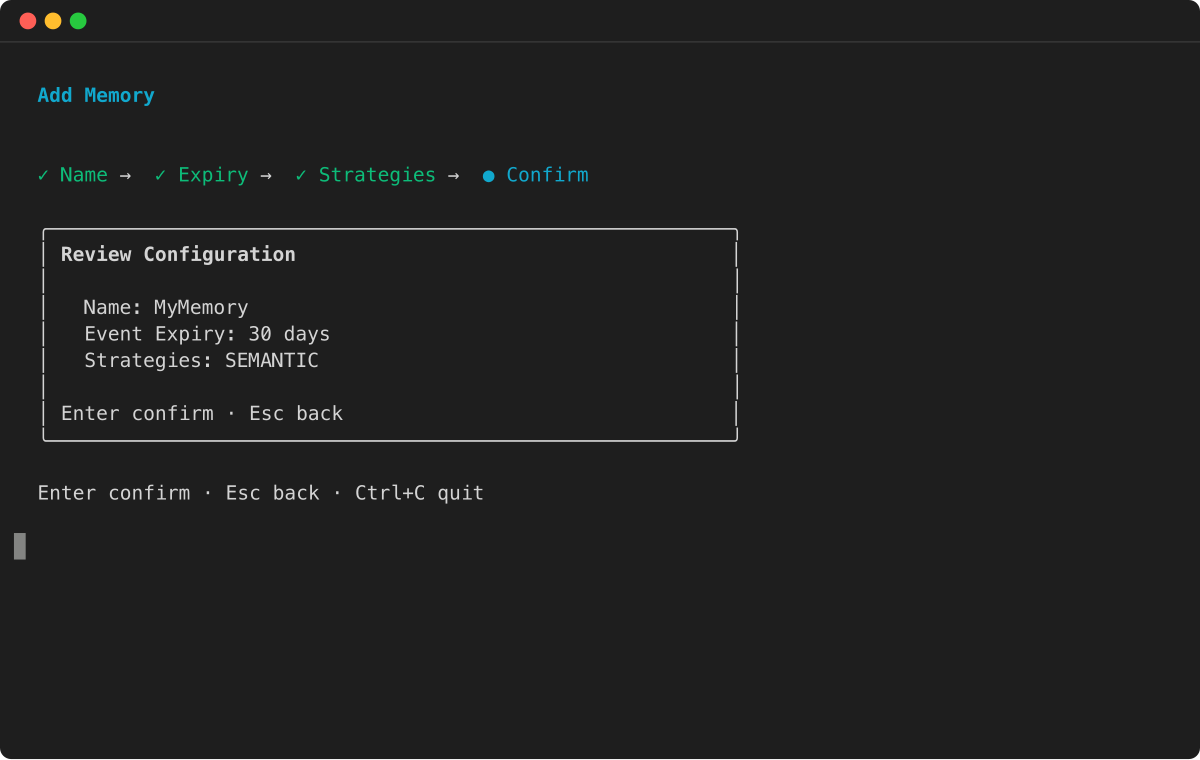
Revise a configuração e pressione Enter para confirmar:
- AWS SDK
-
-
Para obter mais informações, consulte SDKs da AWS.
import boto3
import time

# Initialize the Boto3 clients for control plane and data plane operations
control_client = boto3.client('bedrock-agentcore-control')
data_client = boto3.client('bedrock-agentcore')

print("Creating a new memory resource...")

# Create the memory resource with defined strategies
response = control_client.create_memory(
    name="ShoppingSupportAgentMemory",
    description="Memory for a customer support agent.",
    memoryStrategies=[
        {
            'summaryMemoryStrategy': {
                'name': 'SessionSummarizer',
                'namespaceTemplates': ['/summaries/{actorId}/{sessionId}/']
            }
        },
        {
            'userPreferenceMemoryStrategy': {
                'name': 'UserPreferenceExtractor',
                'namespaceTemplates': ['/users/{actorId}/preferences/']
            }
        }
    ]
)

memory_id = response['memory']['id']
print(f"Memory resource created with ID: {memory_id}")

# Poll the memory status until it becomes ACTIVE
while True:
    mem_status_response = control_client.get_memory(memoryId=memory_id)
    status = mem_status_response.get('memory', {}).get('status')
    if status == 'ACTIVE':
        print("Memory resource is now ACTIVE.")
        break
    elif status == 'FAILED':
        raise Exception("Memory resource creation FAILED.")
    print("Waiting for memory to become active...")
    time.sleep(10)
- Console
-
-
====== Para criar uma memória AgentCore
-
Abra o console do Amazon Bedrock AgentCore.
-
No painel de navegação esquerdo, escolha Memória.
-
Escolha Criar memória.
-
Em Nome da memória, insira um nome para a AgentCore memória.
-
(Opcional) Para a expiração da Short-term memória (evento bruto), defina a duração (dias) para a qual a AgentCore memória armazenará eventos.
-
(Opcional) Em Configurações adicionais, defina o seguinte:
-
Em Descrição da memória, insira uma descrição para a AgentCore memória.
-
Se você quiser usar sua própria chave AWS KMS para criptografar seus dados, faça o seguinte:
-
Na chave KMS, escolha Personalizar configurações de criptografia (avançado).
-
Em Escolher uma chave AWS KMS, escolha ou insira o ARN de uma chave AWS KMS existente. Como alternativa, escolha Criar um AWS KMS para criar uma nova chave AWS KMS.
-
(Opcional) Para estratégias de extração de Long-term memória, escolha uma ou mais estratégias de memória. Para obter mais informações:
-
Escolha Criar memória para criar a AgentCore memória.