기계 번역으로 제공되는 번역입니다. 제공된 번역과 원본 영어의 내용이 상충하는 경우에는 영어 버전이 우선합니다.
AgentCore 메모리 시작하기
Amazon Bedrock AgentCore 메모리를 사용하면 AI 에이전트에 대한 대화 컨텍스트를 저장하는 AgentCore 메모리 리소스를 생성하고 관리할 수 있습니다. 이 시작은 종속성을 설치하고 단기 및 장기 메모리 기능을 모두 구현하는 방법을 안내합니다. 지침은 AgentCore CLI를 사용합니다.
단계는 다음과 같습니다.
-
의미 체계 전략이 포함된 AgentCore 메모리 생성
-
메모리 리소스에 이벤트(대화 기록) 쓰기
-
장기 메모리에서 메모리 레코드 검색
다른 예제는 Amazon Bedrock AgentCore 메모리 예제를 참조하세요.
사전 조건
시작하기 전에 다음이 있는지 확인합니다.
-
AWS 자격 증명이 구성된 계정(
aws configure) -
Python 3.10 이상 설치됨
-
Node.js 20 이상 설치됨( AgentCore CLI용)
Amazon Bedrock AgentCore 메모리를 시작하려면 종속성을 설치하고, AgentCore CLI 프로젝트를 생성하고, 가상 환경을 설정합니다. 다음 명령은 터미널에서 직접 실행할 수 있습니다.
npm install -g @aws/agentcore
agentcore create --project-name MemoryQuickstart --no-agent
cd MemoryQuickstart
python -m venv .venv
source .venv/bin/activate
pip install bedrock-agentcore
AgentCore CLI는 메모리 리소스를 생성하고 관리하기 위한 명령을 제공합니다. agentcore add memory를 사용하여 메모리를 생성하고 agentcore deploy를 사용하여 메모리를 프로비저닝합니다 AWS. 이벤트 작업 및 세션 관리의 경우 AgentCore Python SDK()를 사용합니다bedrock-agentcore.
참고
AgentCore CLI를 사용하면 메모리 리소스를 생성하고 배포할 수 있습니다. 직접 서비스 API 작업은 Boto3 설명서인 bedrock-agentcore-control
전체 예: 1~3단계를 보여주는 Amazon Bedrock AgentCore 샘플을
1단계: AgentCore 메모리 생성
에이전트에 대한 정보 저장을 시작하려면 AgentCore 메모리가 필요합니다. 기본적으로 메모리 이벤트(단기 메모리라고 함)는 AgentCore 메모리에 쓸 수 있습니다. 인사이트를 추출하여 장기 메모리 레코드에 배치하려면 리소스에 대화형 데이터를 처리하는 방법과 추출할 정보(예: 사실, 기본 설정 또는 요약)를 정의하는 구성인 메모리 전략이 필요합니다.
이 단계에서는 단기 및 장기 메모리를 모두 활용할 수 있도록 의미 체계 전략을 사용하여 AgentCore 메모리를 생성합니다. 이 작업은 2~3분 정도 걸립니다. AWS 콘솔에서 AgentCore 메모리 리소스를 생성할 수도 있습니다.
의미 체계 전략을 사용하여 메모리를 생성합니다.
예
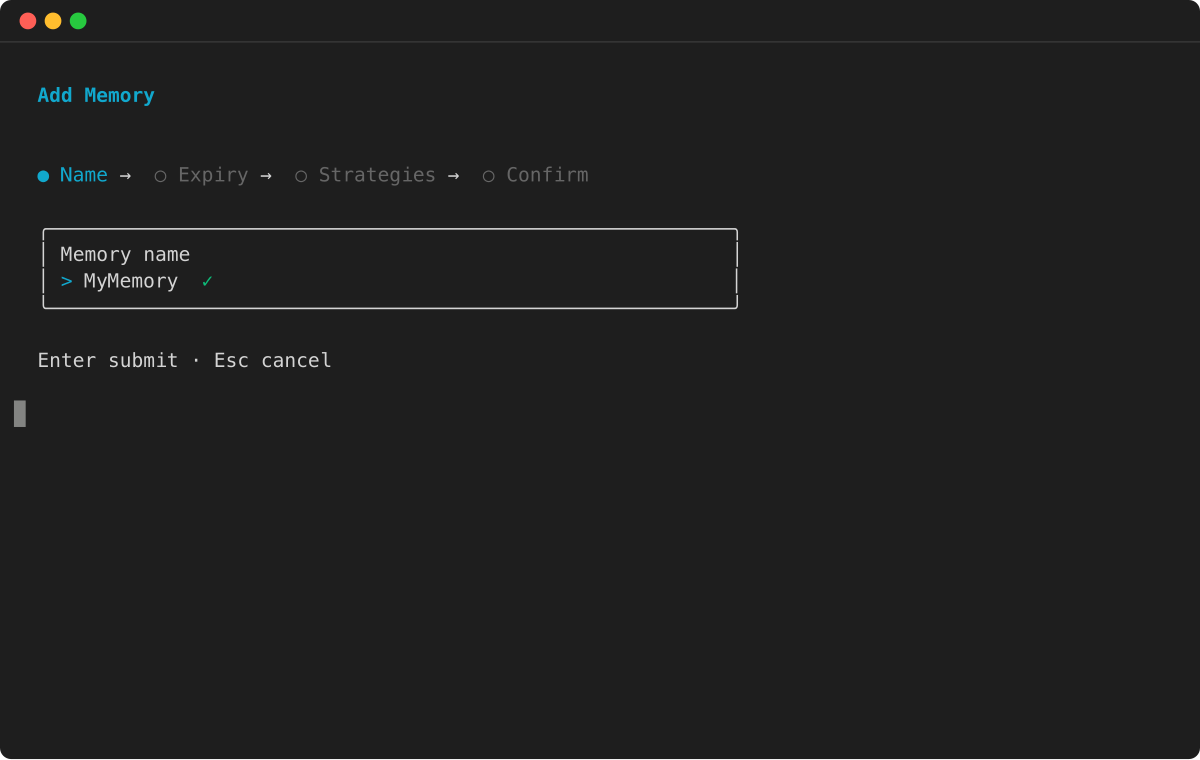
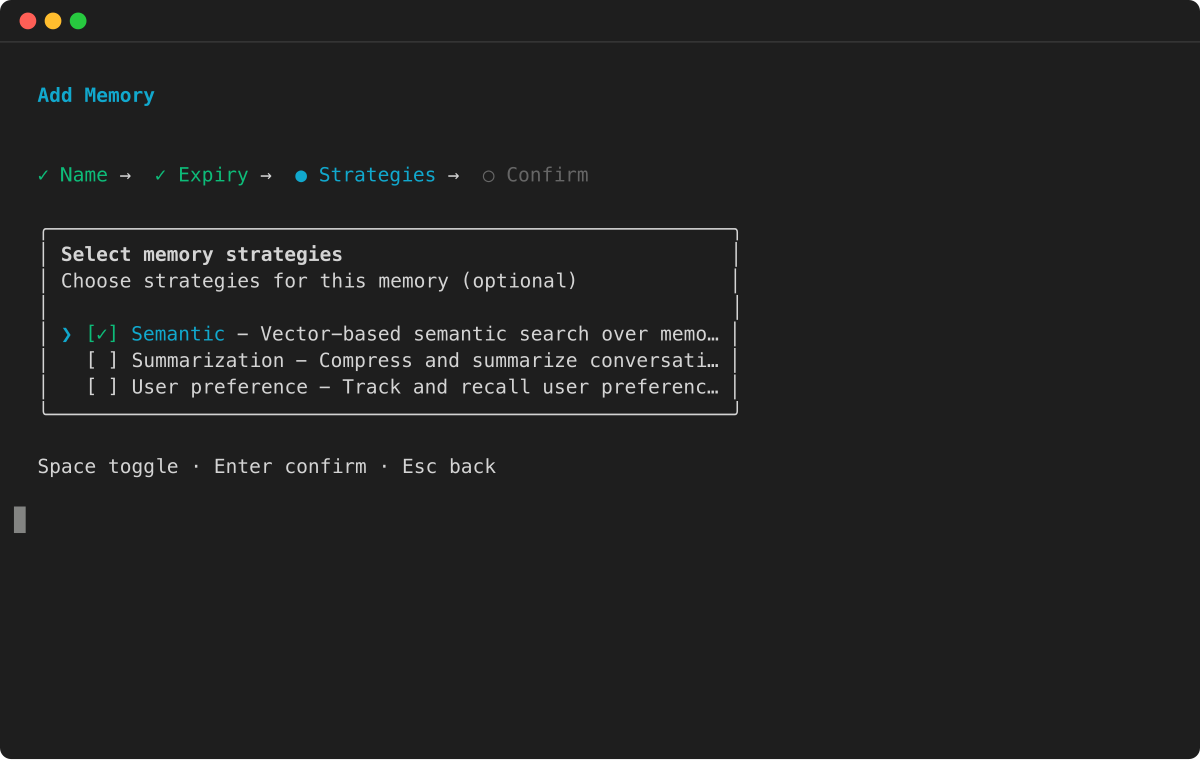
배포 후 메모리가 생성되었는지 확인합니다.
agentcore status
2단계: 메모리에 이벤트 쓰기
AgentCore 메모리에 이벤트를 단기 메모리로 작성하고 장기 메모리에 대한 인사이트를 추출할 수 있습니다.
메모리에 이벤트를 쓰는 데는 여러 가지 용도가 있습니다. 먼저 이벤트 콘텐츠(가장 일반적인 대화 기록)는 단기 메모리로 저장됩니다. 둘째, 이벤트에서 관련 인사이트를 가져와 장기 메모리의 일부로 메모리 레코드에 기록합니다.
이벤트를 생성하려면 메모리 리소스 ID, 액터 ID 및 세션 ID가 필요합니다. 이 단계에서는 최종 사용자와 채팅 봇 간의 메시지를 시뮬레이션하는 세 가지 이벤트를 생성합니다.
import boto3
from bedrock_agentcore.memory import MemorySessionManager
from bedrock_agentcore.memory.constants import ConversationalMessage, MessageRole

control_client = boto3.client('bedrock-agentcore-control', region_name='us-west-2')

# Retrieve the memory created in Step 1
response = control_client.list_memories()
memory = response['memories'][0]
memory_id = memory['id']

# Create a session to store memory events
session_manager = MemorySessionManager(
    memory_id=memory_id,
    region_name="us-west-2")

session = session_manager.create_memory_session(
    actor_id="User1",
    session_id="OrderSupportSession1"
)

# Write memory events (conversation turns)
session.add_turns(
    messages=[
        ConversationalMessage(
            "Hi, how can I help you today?",
            MessageRole.ASSISTANT)],
)

session.add_turns(
    messages=[
        ConversationalMessage(
            "Hi, I am a new customer. I just made an order, but it hasn't arrived. The Order number is #35476",
            MessageRole.USER)],
)

session.add_turns(
    messages=[
        ConversationalMessage(
            "I'm sorry to hear that. Let me look up your order.",
            MessageRole.ASSISTANT)],
)
특정 액터에 대한 이벤트(턴)는 작성된 후 가져올 수 있습니다.
# Get the last k turns in the session
turns = session.get_last_k_turns(k=5)

for turn in turns:
    print(f"Turn: {turn}")
이 경우 액터 및 세션에 대한 마지막 3개의 이벤트를 볼 수 있습니다.
3단계: 장기 메모리에서 레코드 검색
이벤트가 메모리 리소스에 기록된 후 이벤트가 분석되고 유용한 정보가 장기 메모리로 전송되었습니다. 메모리에는 의미론적 장기 메모리 전략이 포함되어 있으므로 시스템은 사실적 정보를 추출하고 저장합니다.
다음을 사용하여 모든 메모리 레코드를 나열할 수 있습니다.
# List all memory records
memory_records = session.list_long_term_memory_records(
    namespace_path="/"
)

for record in memory_records:
    print(f"Memory record: {record}")
    print("--------------------------------------------------------------------")
또는 의미 체계 검색의 일부로 가장 관련성이 높은 정보를 요청합니다.
# Perform a semantic search
memory_records = session.search_long_term_memories(
    query="can you summarize the support issue",
    namespace_path="/",
    top_k=3
)
사용자에 대한 중요한 정보는 장기 메모리로 저장될 수 있습니다. 에이전트는 전체 대화 기록 대신 장기 메모리를 사용하여 LLMs에 컨텍스트가 과부하되지 않도록 할 수 있습니다.
기존 에이전트에 메모리 추가
메모리 없이 Strands 에이전트를 생성한 후 나중에 추가하려면 다음 단계를 따르세요.
-
프로젝트에 메모리 리소스를 추가합니다.
agentcore add memory --name MyMemory --strategies SEMANTIC,SUMMARIZATION agentcore deploy -
에이전트에서
memory/디렉터리를 생성합니다.mkdir -p app/MyAgent/memory -
생성
app/MyAgent/memory/session.py:import os from typing import Optional from bedrock_agentcore.memory.integrations.strands.config import AgentCoreMemoryConfig, RetrievalConfig from bedrock_agentcore.memory.integrations.strands.session_manager import AgentCoreMemorySessionManager MEMORY_ID = os.getenv("MEMORY_MYMEMORY_ID") REGION = os.getenv("AWS_REGION") def get_memory_session_manager(session_id: str, actor_id: str) -> Optional[AgentCoreMemorySessionManager]: if not MEMORY_ID: return None retrieval_config = { f"/users/{actor_id}/facts": RetrievalConfig(top_k=3, relevance_score=0.5), f"/summaries/{actor_id}/{session_id}": RetrievalConfig(top_k=3, relevance_score=0.5) } return AgentCoreMemorySessionManager( AgentCoreMemoryConfig( memory_id=MEMORY_ID, session_id=session_id, actor_id=actor_id, retrieval_config=retrieval_config, ), REGION ) -
세션 관리자
main.py를 사용하도록를 업데이트합니다.from memory.session import get_memory_session_manager @app.entrypoint async def invoke(payload, context): session_id = getattr(context, 'session_id', 'default-session') user_id = getattr(context, 'user_id', 'default-user') agent = Agent( model=load_model(), session_manager=get_memory_session_manager(session_id, user_id), system_prompt="You are a helpful assistant.", ) response = agent(str(payload.get("prompt", ""))) return response -
업데이트된 프로젝트를 배포합니다.
agentcore deploy
참고
각 메모리 리소스는 배포 후 에이전트의 런타임 환경에서 자동으로 사용할 수 있는 환경 변수MEMORY_<NAME>_ID(대문자, 밑줄 포함)를 가져옵니다.
정리
메모리 리소스 사용을 마치면 삭제할 수 있습니다.
agentcore remove memory --name CustomerSupportSemantic
agentcore deploy
다음 단계
다음을 고려하세요.
-
메모리 리소스에 다른 전략을 추가합니다.
-
메모리 작동 방식에 대한 가시성을 높이기 위해 관찰성 활성화
-
추가 예제를 살펴봅니다.
