기계 번역으로 제공되는 번역입니다. 제공된 번역과 원본 영어의 내용이 상충하는 경우에는 영어 버전이 우선합니다.
장기 메모리 활성화
장기 메모리는 AgentCore 메모리를 처음 생성할 때 전략을 추가하거나 기존 리소스를 업데이트하여 포함하는 두 가지 방법으로 활성화할 수 있습니다.
장기 전략을 사용하여 새 메모리 생성
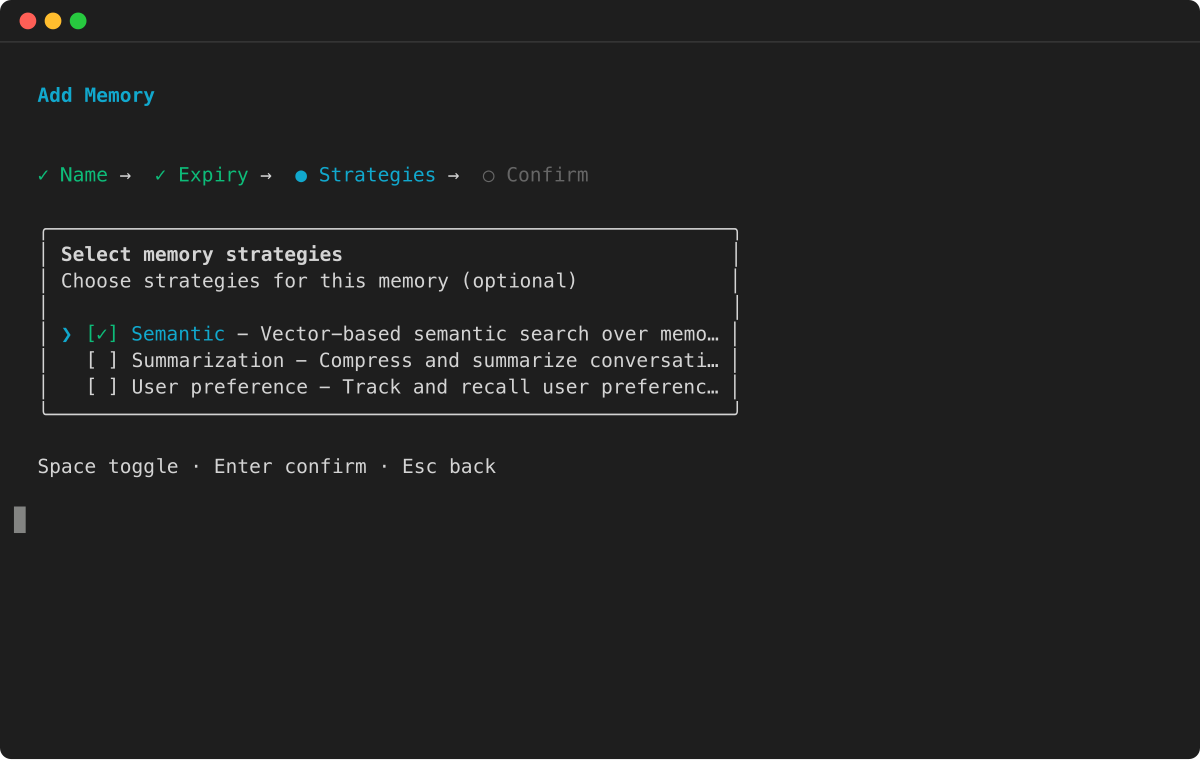
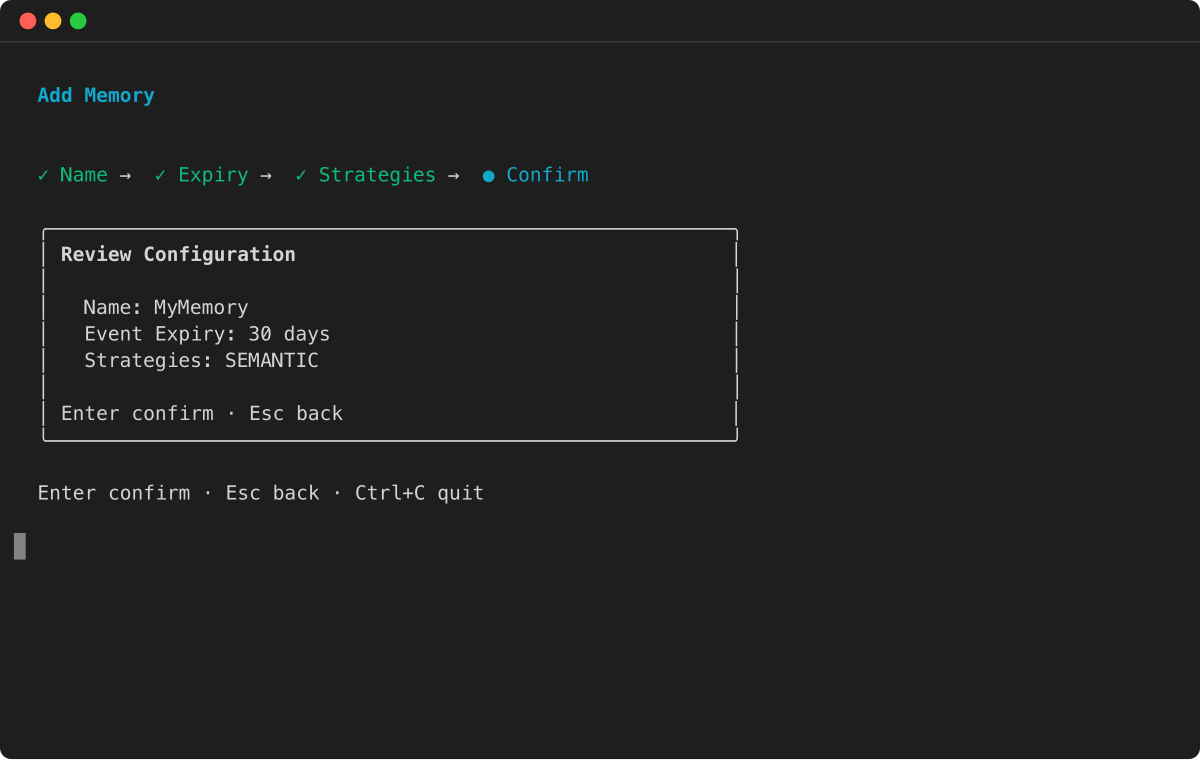
가장 직접적인 방법은 새 AgentCore 메모리를 생성할 때 전략을 포함하는 것입니다. 를 호출create_memory한 후 AgentCore 메모리 상태가 될 때까지 기다려야 사용할 ACTIVE 수 있습니다.
예
기존 AgentCore 메모리에 장기 전략 추가
기존 AgentCore 메모리에 장기 기능을 추가하려면 update_memory 작업을 사용합니다. 기존 메모리에 대한 전략을 추가, 수정 또는 삭제할 수 있습니다.
참고
AgentCore CLI는 메모리 리소스 생성 및 관리를 지원합니다. 기존 메모리의 메모리 전략을 업데이트하려면 AWS SDK를 사용합니다.
예제 기존 AgentCore 메모리에 세션 요약 전략 추가
import boto3

# Initialize the Boto3 client for control plane operations
control_client = boto3.client('bedrock-agentcore-control', region_name='us-west-2')

# Assume 'memory_id' is the ID of an existing AgentCore Memory that has no strategies attached to it
memory_id = "your-existing-memory-id"

# Update the memory to add a summary strategy
response = control_client.update_memory(
    memoryId=memory_id,
    memoryStrategies=[
        {
            'summaryMemoryStrategy': {
                'name': 'SessionSummarizer',
                'description': 'Summarizes conversation sessions for context',
                'namespaceTemplates': ['/summaries/{actorId}/{sessionId}/']
            }
        }
    ]
)

print(f"Successfully submitted update for memory ID: {memory_id}")

# Validate strategy was added to the memory
memory_response = control_client.get_memory(memoryId=memory_id)
strategies = memory_response.get('memory', {}).get('strategies', [])
print(f"Memory strategies for memoryID: {memory_id} are: {strategies}")
참고
장기 메모리 레코드는 새 전략이 ACTIVE이 된 후에 저장된 대화 이벤트에서만 추출됩니다. 전략이 추가되기 전에 저장된 대화는 장기 메모리에 대해 처리되지 않습니다.
