CLI를 사용하여 대상 추가
AgentCore CLI를 사용하여 간소화된 명령을 사용하여 기존 게이트웨이에 대상을 추가할 수 있습니다.
예
- AgentCore CLI
-
-
MCP 서버 대상 추가:
agentcore add gateway-target \
  --name MyMCPTarget \
  --type mcp-server \
  --endpoint https://your-mcp-server.example.com/mcp \
  --gateway MyGateway
agentcore deploy
Lambda 함수 대상 추가:
agentcore add gateway-target \
  --name MyLambdaTarget \
  --type lambda-function-arn \
  --lambda-arn arn:aws:lambda:us-east-1:123456789012:function:MyFunction \
  --tool-schema-file tools.json \
  --gateway MyGateway
agentcore deploy
OpenAPI 스키마 대상 추가:
agentcore add gateway-target \
  --name MyOpenAPITarget \
  --type open-api-schema \
  --schema path/to/openapi-spec.json \
  --outbound-auth none|api-key|oauth \
  --gateway MyGateway
agentcore deploy
웹 검색 도구를 사용하여 커넥터 대상 추가:
agentcore add gateway-target \
  --name MyWebSearchToolTarget \
  --type connector \
  --connector web-search \
  --exclude-domains blocked-website-1.com,blocked-website-2.com \
  --gateway MyGateway
agentcore deploy
-
- Interactive
-
-
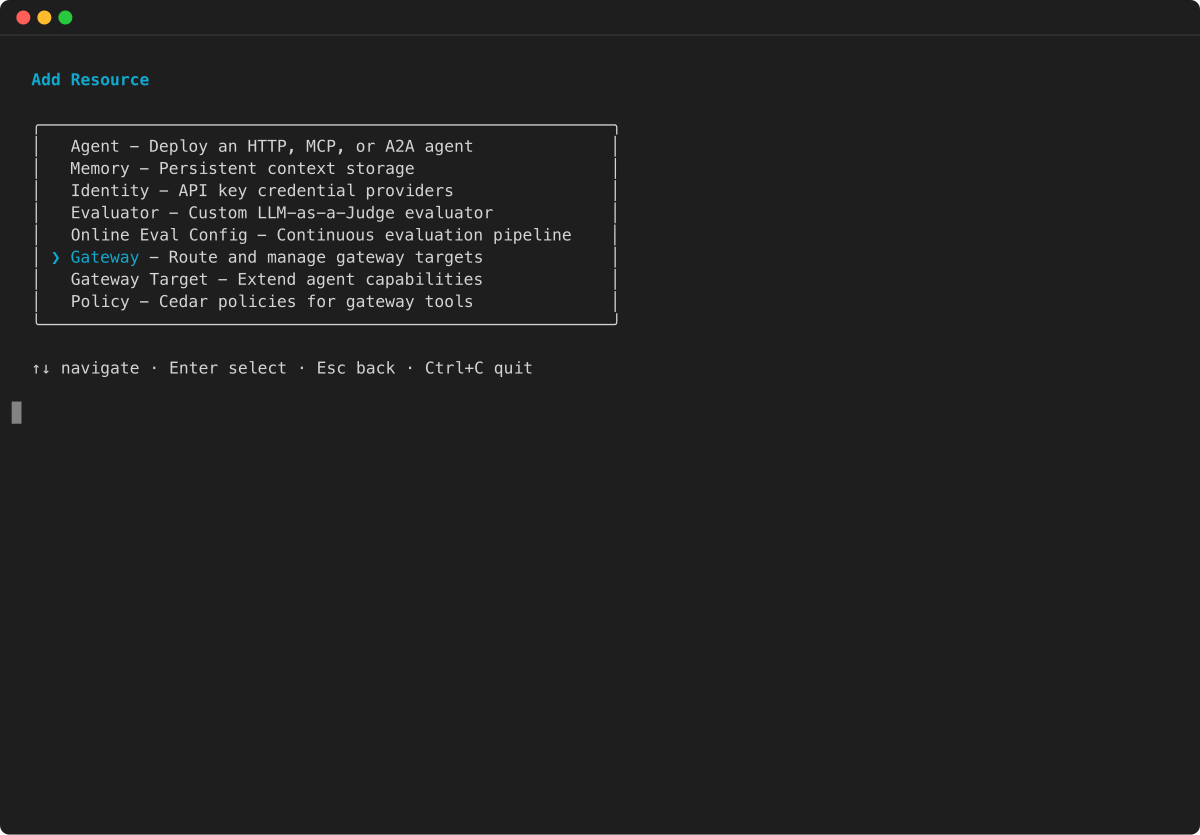
AgentCore CLI 대화형 터미널 UI를 사용할 수도 있습니다. 를 실행
agentcore하여 TUI를 연 다음 추가를 선택하고 게이트웨이 대상을 선택합니다. -
리소스 추가 메뉴에서 게이트웨이 대상을 선택하고 Enter 키를 누릅니다.
-
게이트웨이의 대상 유형을 선택합니다. 마법사는 MCP 서버 엔드포인트, API Gateway REST API, OpenAPI 스키마, Smithy 모델 및 Lambda 함수를 포함하여 사용 가능한 대상 유형을 보여줍니다.

-
나머지 마법사 프롬프트에 따라 대상 이름, 엔드포인트 또는 스키마 세부 정보, 아웃바운드 권한 부여 구성을 제공합니다. 특정 필드는 선택한 대상 유형에 따라 다릅니다.
-
추가 CLI 예제는 AgentCore Gateway 시작하기를 참조하세요.

AWS 관리 콘솔을 사용하여 대상 추가
API를 사용하여 대상 추가