翻訳は機械翻訳により提供されています。提供された翻訳内容と英語版の間で齟齬、不一致または矛盾がある場合、英語版が優先します。
VPC ネットワークを作成する
Amazon Managed Workflows for Apache Airflow には、環境をサポートするために Amazon VPC と特定のネットワークコンポーネントが必要です。このガイドでは、Amazon Managed Workflows for Apache Airflow 用に Amazon VPC ネットワークを作成するためのさまざまなオプションについて説明します。
注記
Apache Airflow は、ローレイテンシーのネットワーク環境で最もよく機能します。既存の Amazon VPC を使用しており、トラフィックが他のリージョンやオンプレミス環境にルーティングされている場合、Amazon SQS、CloudWatch、Amazon S3、および AWS KMSの AWS PrivateLink エンドポイントを追加することをお勧めします。Amazon MWAA AWS PrivateLink の の設定の詳細については、「インターネットアクセスのない Amazon VPC ネットワークの作成」を参照してください。
目次
前提条件
AWS Command Line Interface (AWS CLI) は、コマンドラインシェルのコマンドを使用して AWS サービスとやり取りするために使用できるオープンソースツールです。このページのステップを完了するには、以下のものが必要です。
[開始する前に]
-
環境に指定する VPC ネットワーク の内容は、環境作成後に変更することはできません。
-
Amazon VPC と Apache Airflow ウェブサーバーには、プライベートルーティングまたはパブリックルーティングを使用できます。オプションのリストにアクセスするには、Amazon VPC と Apache エアフローアクセスモードのユースケース例 を参照してください。
Amazon VPC ネットワークを作成するためのオプション
次のセクションでは、環境用の Amazon VPC ネットワークを作成するために使用するオプションについて説明します。
注記
Amazon MWAA は、米国東部 (バージニア北部) リージョンでの use1-az3 アベイラビリティーゾーン (AZ) の使用をサポートしていません。米国東部 (バージニア北部) リージョンで Amazon MWAA 用の VPC を作成する場合は、 CloudFormation (CFN) テンプレートAvailabilityZoneで を明示的に割り当てる必要があります。割り当てられたアベイラビリティーゾーン名を use1-az3 にマッピングすることはできません。次のコマンドを実行すると、AZ 名と対応する AZ IDs の詳細なマッピングを取得できます。
aws ec2 describe-availability-zones --region us-east-1
オプション 1: Amazon MWAA コンソールで VPC ネットワークを作成する
次のセクションでは、Amazon MWAA コンソールで Amazon VPC ネットワークの作成方法を説明します。このオプションは インターネット経由のパブリックルーティング を使用します。これは、プライベートネットワーク または パブリックネットワーク アクセスモードを持つ Apache Airflow ウェブサーバーに使用できます。
次の図は、Amazon MWAA コンソールの MWAA VPC の作成 ボタンの場所を示しています。
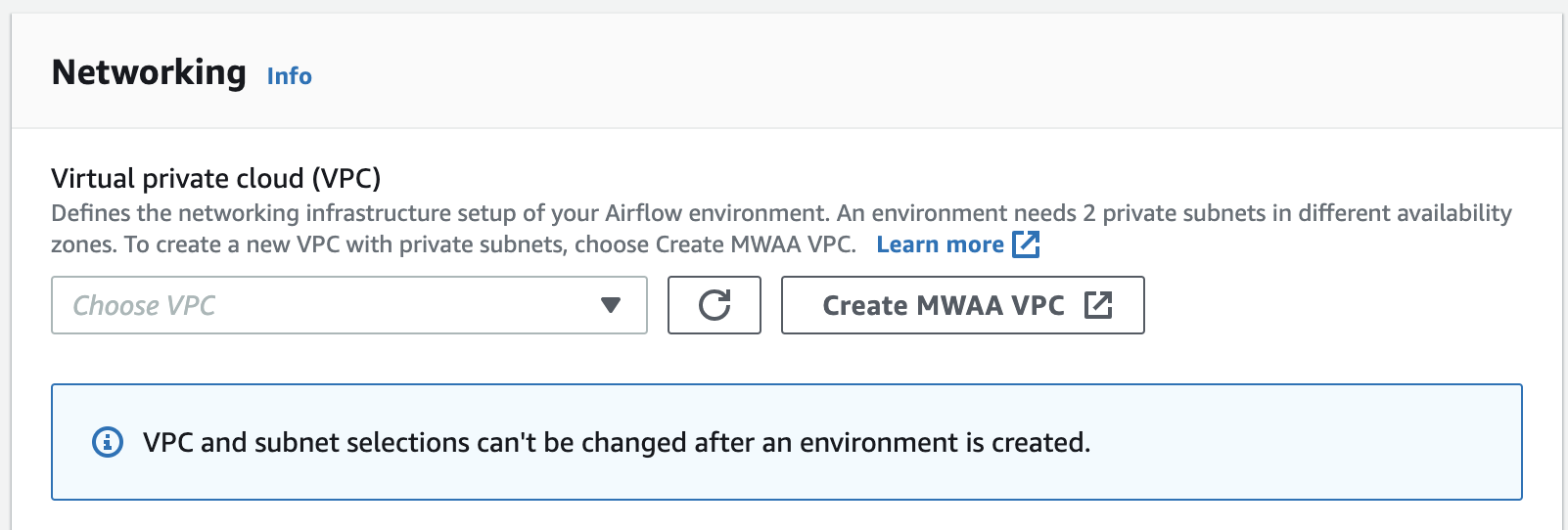
オプション 2: インターネットにアクセス 可能な Amazon VPC ネットワークの作成
次の CloudFormation テンプレートは、デフォルトでインターネットアクセスを備えた Amazon VPC ネットワークを作成します AWS リージョン。このオプションは インターネット経由のパブリックルーティング を使用します。このテンプレートは、プライベートネットワーク または パブリックネットワーク アクセスモードを持つ Apache Airflow ウェブサーバーに使用できます。
-
次のテンプレートの内容をコピーし、
cfn-vpc-public-private.yamlとしてローカルに保存します。テンプレートをダウンロードする こともできます。Description: This template deploys a VPC, with a pair of public and private subnets spread across two Availability Zones. It deploys an internet gateway, with a default route on the public subnets. It deploys a pair of NAT gateways (one in each AZ), and default routes for them in the private subnets. Parameters: EnvironmentName: Description: An environment name that is prefixed to resource names Type: String Default: mwaa- VpcCIDR: Description: Please enter the IP range (CIDR notation) for this VPC Type: String Default: 10.192.0.0/16 PublicSubnet1CIDR: Description: Please enter the IP range (CIDR notation) for the public subnet in the first Availability Zone Type: String Default: 10.192.10.0/24 PublicSubnet2CIDR: Description: Please enter the IP range (CIDR notation) for the public subnet in the second Availability Zone Type: String Default: 10.192.11.0/24 PrivateSubnet1CIDR: Description: Please enter the IP range (CIDR notation) for the private subnet in the first Availability Zone Type: String Default: 10.192.20.0/24 PrivateSubnet2CIDR: Description: Please enter the IP range (CIDR notation) for the private subnet in the second Availability Zone Type: String Default: 10.192.21.0/24 Resources: VPC: Type: AWS::EC2::VPC Properties: CidrBlock: !Ref VpcCIDR EnableDnsSupport: true EnableDnsHostnames: true Tags: - Key: Name Value: !Ref EnvironmentName InternetGateway: Type: AWS::EC2::InternetGateway Properties: Tags: - Key: Name Value: !Ref EnvironmentName InternetGatewayAttachment: Type: AWS::EC2::VPCGatewayAttachment Properties: InternetGatewayId: !Ref InternetGateway VpcId: !Ref VPC PublicSubnet1: Type: AWS::EC2::Subnet Properties: VpcId: !Ref VPC AvailabilityZone: !Select [ 0, !GetAZs '' ] CidrBlock: !Ref PublicSubnet1CIDR MapPublicIpOnLaunch: true Tags: - Key: Name Value: !Sub ${EnvironmentName} Public Subnet (AZ1) PublicSubnet2: Type: AWS::EC2::Subnet Properties: VpcId: !Ref VPC AvailabilityZone: !Select [ 1, !GetAZs '' ] CidrBlock: !Ref PublicSubnet2CIDR MapPublicIpOnLaunch: true Tags: - Key: Name Value: !Sub ${EnvironmentName} Public Subnet (AZ2) PrivateSubnet1: Type: AWS::EC2::Subnet Properties: VpcId: !Ref VPC AvailabilityZone: !Select [ 0, !GetAZs '' ] CidrBlock: !Ref PrivateSubnet1CIDR MapPublicIpOnLaunch: false Tags: - Key: Name Value: !Sub ${EnvironmentName} Private Subnet (AZ1) PrivateSubnet2: Type: AWS::EC2::Subnet Properties: VpcId: !Ref VPC AvailabilityZone: !Select [ 1, !GetAZs '' ] CidrBlock: !Ref PrivateSubnet2CIDR MapPublicIpOnLaunch: false Tags: - Key: Name Value: !Sub ${EnvironmentName} Private Subnet (AZ2) NatGateway1EIP: Type: AWS::EC2::EIP DependsOn: InternetGatewayAttachment Properties: Domain: vpc NatGateway2EIP: Type: AWS::EC2::EIP DependsOn: InternetGatewayAttachment Properties: Domain: vpc NatGateway1: Type: AWS::EC2::NatGateway Properties: AllocationId: !GetAtt NatGateway1EIP.AllocationId SubnetId: !Ref PublicSubnet1 NatGateway2: Type: AWS::EC2::NatGateway Properties: AllocationId: !GetAtt NatGateway2EIP.AllocationId SubnetId: !Ref PublicSubnet2 PublicRouteTable: Type: AWS::EC2::RouteTable Properties: VpcId: !Ref VPC Tags: - Key: Name Value: !Sub ${EnvironmentName} Public Routes DefaultPublicRoute: Type: AWS::EC2::Route DependsOn: InternetGatewayAttachment Properties: RouteTableId: !Ref PublicRouteTable DestinationCidrBlock: 0.0.0.0/0 GatewayId: !Ref InternetGateway PublicSubnet1RouteTableAssociation: Type: AWS::EC2::SubnetRouteTableAssociation Properties: RouteTableId: !Ref PublicRouteTable SubnetId: !Ref PublicSubnet1 PublicSubnet2RouteTableAssociation: Type: AWS::EC2::SubnetRouteTableAssociation Properties: RouteTableId: !Ref PublicRouteTable SubnetId: !Ref PublicSubnet2 PrivateRouteTable1: Type: AWS::EC2::RouteTable Properties: VpcId: !Ref VPC Tags: - Key: Name Value: !Sub ${EnvironmentName} Private Routes (AZ1) DefaultPrivateRoute1: Type: AWS::EC2::Route Properties: RouteTableId: !Ref PrivateRouteTable1 DestinationCidrBlock: 0.0.0.0/0 NatGatewayId: !Ref NatGateway1 PrivateSubnet1RouteTableAssociation: Type: AWS::EC2::SubnetRouteTableAssociation Properties: RouteTableId: !Ref PrivateRouteTable1 SubnetId: !Ref PrivateSubnet1 PrivateRouteTable2: Type: AWS::EC2::RouteTable Properties: VpcId: !Ref VPC Tags: - Key: Name Value: !Sub ${EnvironmentName} Private Routes (AZ2) DefaultPrivateRoute2: Type: AWS::EC2::Route Properties: RouteTableId: !Ref PrivateRouteTable2 DestinationCidrBlock: 0.0.0.0/0 NatGatewayId: !Ref NatGateway2 PrivateSubnet2RouteTableAssociation: Type: AWS::EC2::SubnetRouteTableAssociation Properties: RouteTableId: !Ref PrivateRouteTable2 SubnetId: !Ref PrivateSubnet2 SecurityGroup: Type: AWS::EC2::SecurityGroup Properties: GroupName: "mwaa-security-group" GroupDescription: "Security group with a self-referencing inbound rule." VpcId: !Ref VPC SecurityGroupIngress: Type: AWS::EC2::SecurityGroupIngress Properties: GroupId: !Ref SecurityGroup IpProtocol: "-1" SourceSecurityGroupId: !Ref SecurityGroup Outputs: VPC: Description: A reference to the created VPC Value: !Ref VPC PublicSubnets: Description: A list of the public subnets Value: !Join [ ",", [ !Ref PublicSubnet1, !Ref PublicSubnet2 ]] PrivateSubnets: Description: A list of the private subnets Value: !Join [ ",", [ !Ref PrivateSubnet1, !Ref PrivateSubnet2 ]] PublicSubnet1: Description: A reference to the public subnet in the 1st Availability Zone Value: !Ref PublicSubnet1 PublicSubnet2: Description: A reference to the public subnet in the 2nd Availability Zone Value: !Ref PublicSubnet2 PrivateSubnet1: Description: A reference to the private subnet in the 1st Availability Zone Value: !Ref PrivateSubnet1 PrivateSubnet2: Description: A reference to the private subnet in the 2nd Availability Zone Value: !Ref PrivateSubnet2 SecurityGroupIngress: Description: Security group with self-referencing inbound rule Value: !Ref SecurityGroupIngress -
コマンドプロンプトで、
cfn-vpc-public-private.yamlが保存されているディレクトリに移動します。例えば、次のようになります。cd mwaaproject -
AWS CLIを使用してスタックを作成するには、
aws cloudformation create-stackコマンドを用います。aws cloudformation create-stack --stack-name mwaa-environment --template-body file://cfn-vpc-public-private.yaml注記
Amazon VPC インフラストラクチャの作成には 30 分ほどかかります。
オプション 3: インターネットにアクセス せずに Amazon VPC ネットワークを作成する
次の CloudFormation テンプレートは、デフォルトでインターネットアクセスのない Amazon VPC ネットワークを作成します AWS リージョン。
このオプションは インターネットにアクセスできないプライベートルーティング を使用します。このテンプレートは、プライベートネットワーク アクセスモードを持つ Apache Airflow ウェブサーバーでのみ使用できます。環境で使用される AWS サービスに必要な VPC エンドポイントが作成されます。
-
次のテンプレートの内容をコピーし、
cfn-vpc-private.yamlとしてローカルに保存します。テンプレートをダウンロードする こともできます。AWSTemplateFormatVersion: "2010-09-09" Parameters: VpcCIDR: Description: The IP range (CIDR notation) for this VPC Type: String Default: 10.192.0.0/16 PrivateSubnet1CIDR: Description: The IP range (CIDR notation) for the private subnet in the first Availability Zone Type: String Default: 10.192.10.0/24 PrivateSubnet2CIDR: Description: The IP range (CIDR notation) for the private subnet in the second Availability Zone Type: String Default: 10.192.11.0/24 Resources: VPC: Type: AWS::EC2::VPC Properties: CidrBlock: !Ref VpcCIDR EnableDnsSupport: true EnableDnsHostnames: true Tags: - Key: Name Value: !Ref AWS::StackName RouteTable: Type: AWS::EC2::RouteTable Properties: VpcId: !Ref VPC Tags: - Key: Name Value: !Sub "${AWS::StackName}-route-table" PrivateSubnet1: Type: AWS::EC2::Subnet Properties: VpcId: !Ref VPC AvailabilityZone: !Select [ 0, !GetAZs '' ] CidrBlock: !Ref PrivateSubnet1CIDR MapPublicIpOnLaunch: false Tags: - Key: Name Value: !Sub "${AWS::StackName} Private Subnet (AZ1)" PrivateSubnet2: Type: AWS::EC2::Subnet Properties: VpcId: !Ref VPC AvailabilityZone: !Select [ 1, !GetAZs '' ] CidrBlock: !Ref PrivateSubnet2CIDR MapPublicIpOnLaunch: false Tags: - Key: Name Value: !Sub "${AWS::StackName} Private Subnet (AZ2)" PrivateSubnet1RouteTableAssociation: Type: AWS::EC2::SubnetRouteTableAssociation Properties: RouteTableId: !Ref RouteTable SubnetId: !Ref PrivateSubnet1 PrivateSubnet2RouteTableAssociation: Type: AWS::EC2::SubnetRouteTableAssociation Properties: RouteTableId: !Ref RouteTable SubnetId: !Ref PrivateSubnet2 S3VpcEndoint: Type: AWS::EC2::VPCEndpoint Properties: ServiceName: !Sub "com.amazonaws.${AWS::Region}.s3" VpcEndpointType: Gateway VpcId: !Ref VPC RouteTableIds: - !Ref RouteTable SecurityGroup: Type: AWS::EC2::SecurityGroup Properties: VpcId: !Ref VPC GroupDescription: Security Group for Amazon MWAA Environments to access VPC endpoints GroupName: !Sub "${AWS::StackName}-mwaa-vpc-endpoints" SecurityGroupIngress: Type: AWS::EC2::SecurityGroupIngress Properties: GroupId: !Ref SecurityGroup IpProtocol: "-1" SourceSecurityGroupId: !Ref SecurityGroup SqsVpcEndoint: Type: AWS::EC2::VPCEndpoint Properties: ServiceName: !Sub "com.amazonaws.${AWS::Region}.sqs" VpcEndpointType: Interface VpcId: !Ref VPC PrivateDnsEnabled: true SubnetIds: - !Ref PrivateSubnet1 - !Ref PrivateSubnet2 SecurityGroupIds: - !Ref SecurityGroup CloudWatchLogsVpcEndoint: Type: AWS::EC2::VPCEndpoint Properties: ServiceName: !Sub "com.amazonaws.${AWS::Region}.logs" VpcEndpointType: Interface VpcId: !Ref VPC PrivateDnsEnabled: true SubnetIds: - !Ref PrivateSubnet1 - !Ref PrivateSubnet2 SecurityGroupIds: - !Ref SecurityGroup CloudWatchMonitoringVpcEndoint: Type: AWS::EC2::VPCEndpoint Properties: ServiceName: !Sub "com.amazonaws.${AWS::Region}.monitoring" VpcEndpointType: Interface VpcId: !Ref VPC PrivateDnsEnabled: true SubnetIds: - !Ref PrivateSubnet1 - !Ref PrivateSubnet2 SecurityGroupIds: - !Ref SecurityGroup KmsVpcEndoint: Type: AWS::EC2::VPCEndpoint Properties: ServiceName: !Sub "com.amazonaws.${AWS::Region}.kms" VpcEndpointType: Interface VpcId: !Ref VPC PrivateDnsEnabled: true SubnetIds: - !Ref PrivateSubnet1 - !Ref PrivateSubnet2 SecurityGroupIds: - !Ref SecurityGroup Outputs: VPC: Description: A reference to the created VPC Value: !Ref VPC MwaaSecurityGroupId: Description: Associates the Security Group to the environment to allow access to the VPC endpoints Value: !Ref SecurityGroup PrivateSubnets: Description: A list of the private subnets Value: !Join [ ",", [ !Ref PrivateSubnet1, !Ref PrivateSubnet2 ]] PrivateSubnet1: Description: A reference to the private subnet in the 1st Availability Zone Value: !Ref PrivateSubnet1 PrivateSubnet2: Description: A reference to the private subnet in the 2nd Availability Zone Value: !Ref PrivateSubnet2 -
コマンドプロンプトで、
cfn-vpc-private.yamlが保存されているディレクトリに移動します。例えば、次のようになります。cd mwaaproject -
AWS CLIを使用してスタックを作成するには、
aws cloudformation create-stackコマンドを用います。aws cloudformation create-stack --stack-name mwaa-private-environment --template-body file://cfn-vpc-private.yaml注記
Amazon VPC インフラストラクチャの作成には 30 分ほどかかります。
-
お客様のコンピュータから、これらの VPC エンドポイントにアクセスするためのメカニズムを作成する必要があります。詳細については、Amazon MWAA でのサービス固有の Amazon VPC エンドポイントへのアクセスの管理 を参照してください。
注記
Amazon MWAA セキュリティグループの CIDR でアウトバウンドアクセスをさらに制限することができます。例えば、自己参照型のアウトバウンドルール、Amazon S3 の プレフィックスリスト、Amazon VPC の CIDR を追加することで、それ自体に制限することができます。
次のステップ
-
Amazon MWAA 環境を作成する で Amazon MWAA 環境を作成する方法を学びます。
-
チュートリアル: を使用したプライベートネットワークアクセスの設定 AWS Client VPN で専用ルートを使用して、コンピュータから Amazon VPC への VPN トンネルを作成する方法を学習します。
