Le traduzioni sono generate tramite traduzione automatica. In caso di conflitto tra il contenuto di una traduzione e la versione originale in Inglese, quest'ultima prevarrà.
Crea un AgentCore ricordo
È possibile creare una AgentCore memoria con la AgentCore CLI, la AWS console o con l'operazione CreateMemory AWS SDK. Quando si crea una memoria, è possibile configurare impostazioni come nome, descrizione, impostazioni di crittografia, data di scadenza per gli eventi raw e strategie di memoria se si desidera estrarre memoria a lungo termine.
Quando crei una AgentCore memoria, considera i seguenti fattori per mantenere che soddisfi le esigenze dell'applicazione:
Conservazione degli eventi: scegli per quanto tempo conservare gli eventi non elaborati (fino a 365 giorni) per la memoria a breve termine.
eventExpiryDurationviene applicato per evento in fase di scrittura. L'aggiornamento ha effetto solo sugli eventi creati dopo la modifica. Gli eventi precedentemente archiviati mantengono la loro scadenza originale e non possono essere estesi, mentre gli eventi scaduti non possono essere recuperati.
Requisiti di sicurezza: se l'applicazione gestisce informazioni sensibili, valuta la possibilità di utilizzare una chiave AWS KMS gestita dal cliente per la crittografia. Il servizio continua a crittografare i dati utilizzando una chiave gestita dal servizio, anche se non fornisci una chiave KMS gestita dal cliente AWS .
Strategie di memoria: definisci come gli eventi vengono elaborati in memorie significative a lungo termine utilizzando strategie integrate o integrate con sostituzioni. Se non si definisce alcuna strategia, viene archiviata solo la memoria a breve termine contenente eventi non elaborati. Per ulteriori informazioni, consulta Usare la memoria a lungo termine.
Convenzioni di denominazione: utilizza nomi chiari e descrittivi che aiutino a identificare lo scopo di ciascuna AgentCore memoria, soprattutto se l'applicazione utilizza più archivi.
Esempio
- AgentCore CLI
-
-
I comandi di memoria AgentCore CLI devono essere eseguiti all'interno di un progetto agentcore esistente. Se non ne hai ancora uno, crea prima un progetto:
agentcore create --project-name MemoryProject --no-agent
cd MemoryProject
Crea una memoria di base (solo a breve termine):
agentcore add memory --name my_agent_memory
agentcore deploy
Crea memoria con strategie a lungo termine:
agentcore add memory --name ShoppingSupportAgentMemory \
  --strategies SUMMARIZATION,USER_PREFERENCE
agentcore deploy
Controlla lo stato della memoria:
agentcore status
- Interactive
-
-
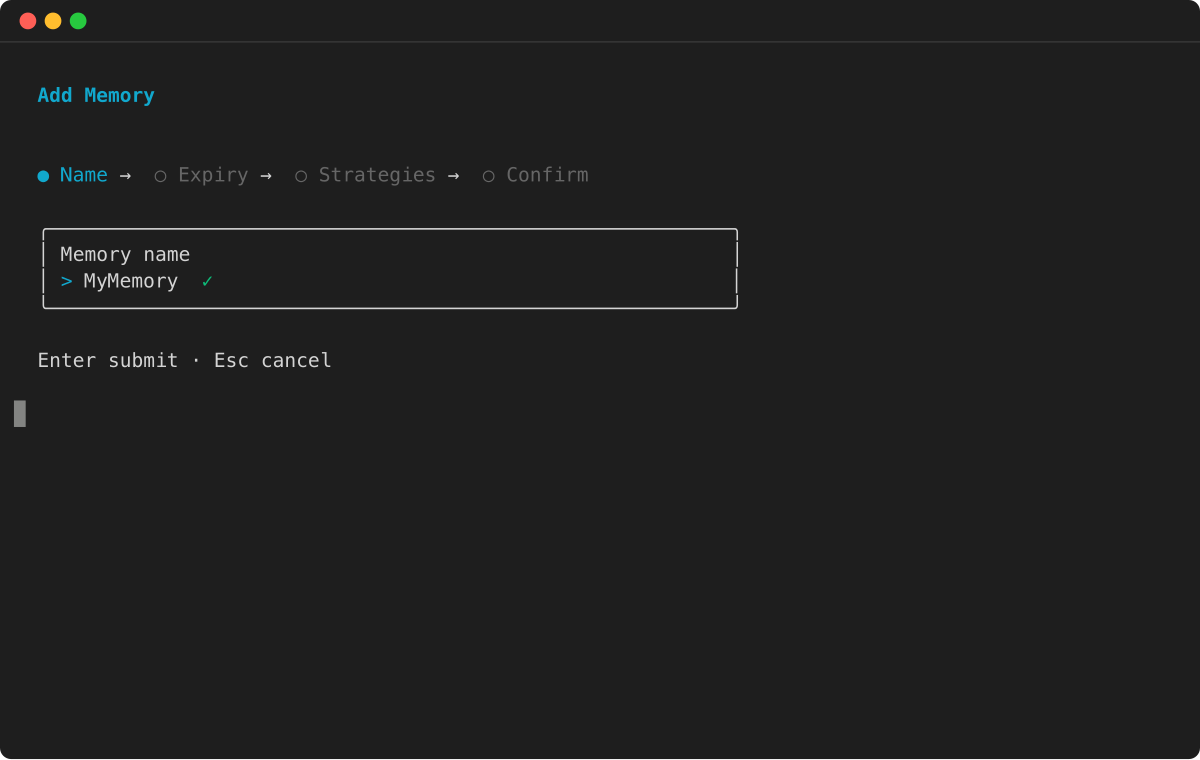
Esegui agentcore per aprire il TUI, quindi seleziona Aggiungi e scegli Memoria:
-
Inserisci il nome della memoria:
-
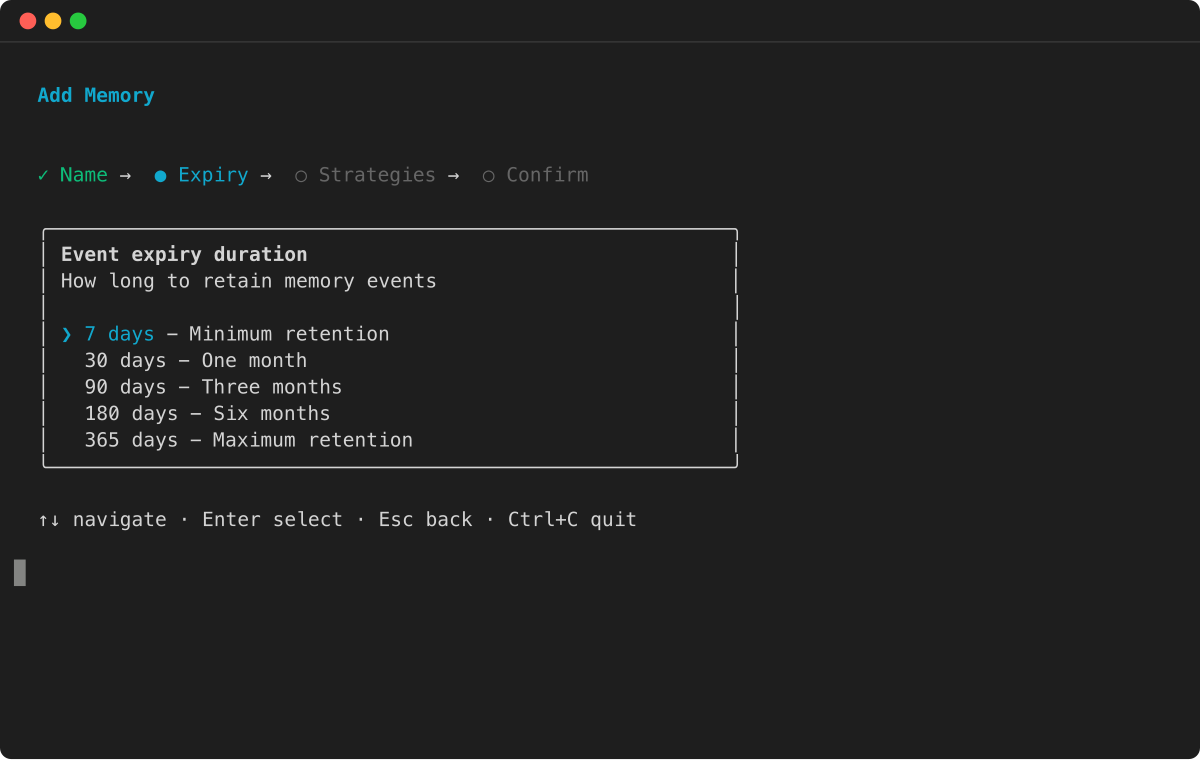
Seleziona la durata di scadenza dell'evento:
-
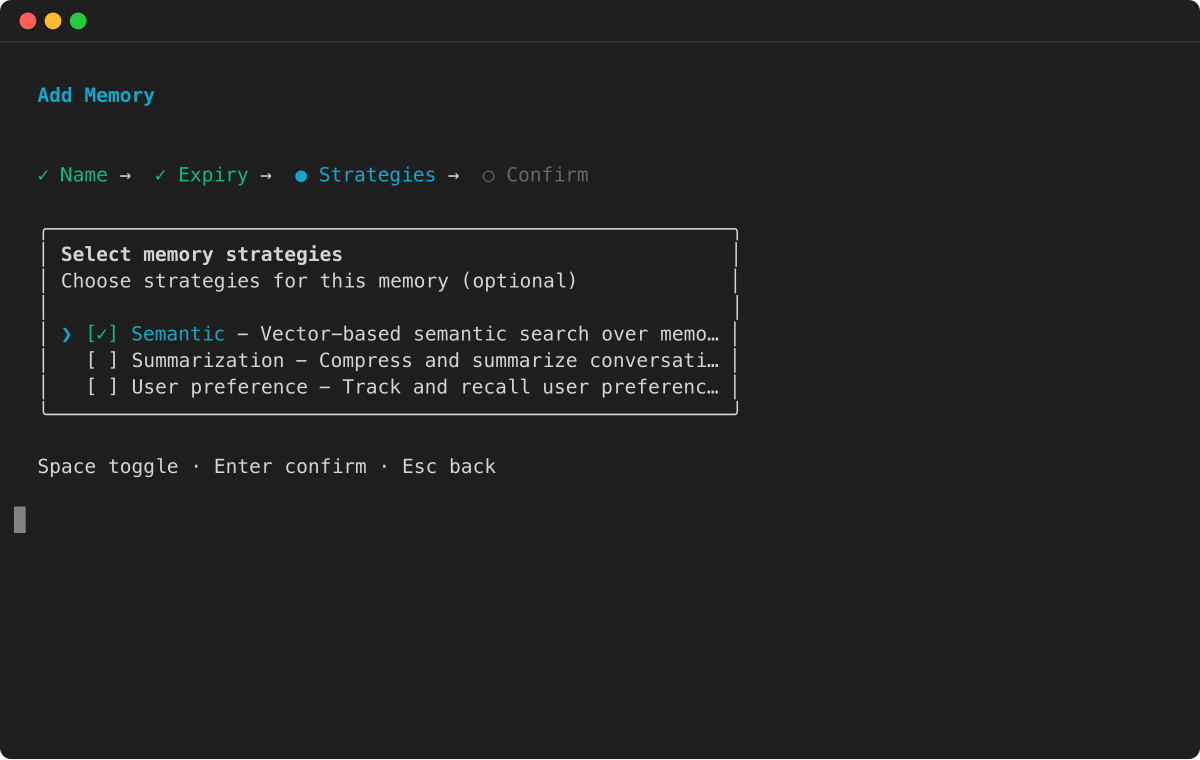
Scegli le strategie di memoria per l'estrazione della memoria a lungo termine:
-
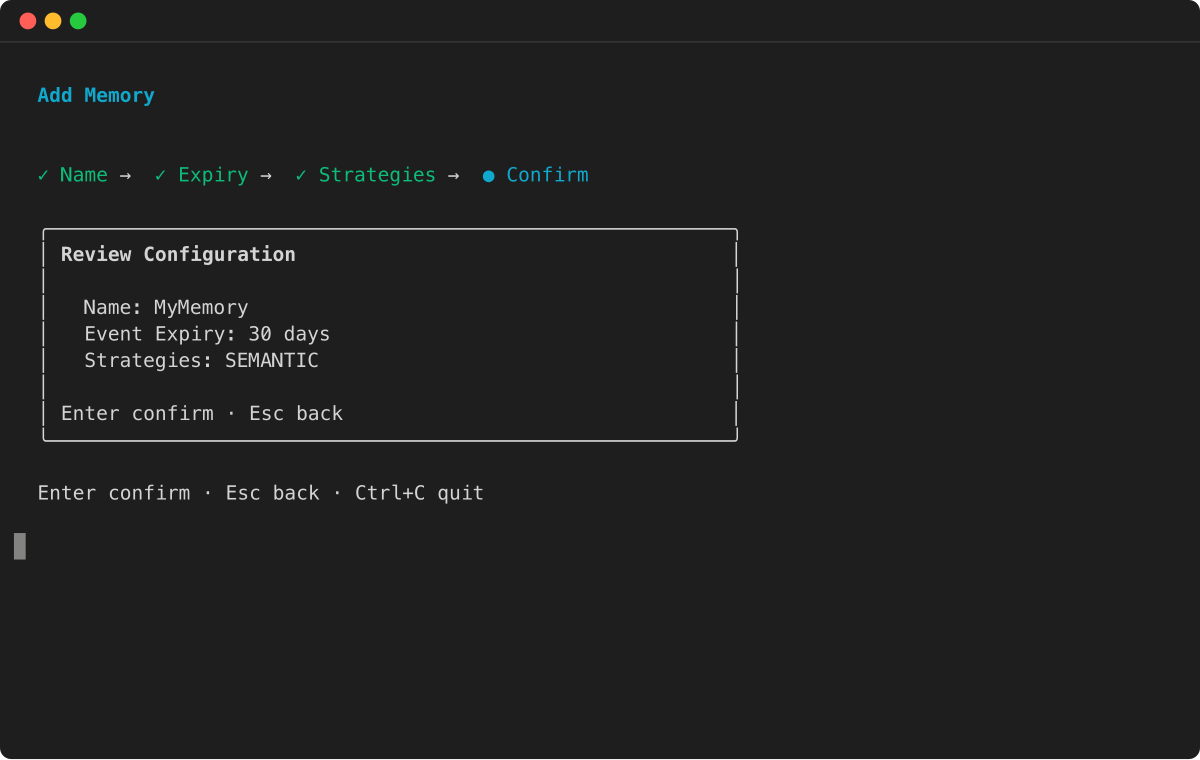
Rivedi la configurazione e premi Invio per confermare:
- AWS SDK
-
-
Per ulteriori informazioni, consulta AWS SDK.
import boto3
import time

# Initialize the Boto3 clients for control plane and data plane operations
control_client = boto3.client('bedrock-agentcore-control')
data_client = boto3.client('bedrock-agentcore')

print("Creating a new memory resource...")

# Create the memory resource with defined strategies
response = control_client.create_memory(
    name="ShoppingSupportAgentMemory",
    description="Memory for a customer support agent.",
    memoryStrategies=[
        {
            'summaryMemoryStrategy': {
                'name': 'SessionSummarizer',
                'namespaceTemplates': ['/summaries/{actorId}/{sessionId}/']
            }
        },
        {
            'userPreferenceMemoryStrategy': {
                'name': 'UserPreferenceExtractor',
                'namespaceTemplates': ['/users/{actorId}/preferences/']
            }
        }
    ]
)

memory_id = response['memory']['id']
print(f"Memory resource created with ID: {memory_id}")

# Poll the memory status until it becomes ACTIVE
while True:
    mem_status_response = control_client.get_memory(memoryId=memory_id)
    status = mem_status_response.get('memory', {}).get('status')
    if status == 'ACTIVE':
        print("Memory resource is now ACTIVE.")
        break
    elif status == 'FAILED':
        raise Exception("Memory resource creation FAILED.")
    print("Waiting for memory to become active...")
    time.sleep(10)
- Console
-
-
====== Per creare una memoria AgentCore
-
Apri la console Amazon Bedrock AgentCore.
-
Nel riquadro di navigazione a sinistra, scegli Memoria.
-
Scegli Crea memoria.
-
Per Nome memoria, immettete un nome per la AgentCore memoria.
-
(Facoltativo) Per la scadenza Short-term della memoria (evento non elaborato), imposta la durata (giorni), per la quale la AgentCore memoria memorizzerà gli eventi.
-
(Facoltativo) Nelle configurazioni aggiuntive, imposta quanto segue:
-
Per Descrizione della memoria, immettere una descrizione della AgentCore memoria.
-
Se desideri utilizzare la tua chiave AWS KMS per crittografare i tuoi dati, procedi come segue:
-
Nella chiave KMS, scegli Personalizza le impostazioni di crittografia (avanzate).
-
In Scegli una chiave AWS KMS scegli o inserisci l'ARN di una chiave KMS esistente AWS . In alternativa, scegli Crea un AWS KMS per creare una nuova chiave KMS. AWS
-
(Facoltativo) Per le strategie di estrazione Long-term della memoria, scegli una o più strategie di memoria. Per ulteriori informazioni:
-
Scegli Crea memoria per creare la AgentCore memoria.