Conditions préalables aux paiements AgentCore
Remplissez les conditions requises sur cette page avant d'utiliser AgentCore les paiements.
Astuce
Vous pouvez automatiser les étapes de cette page à l'aide de la compétence AgentCore Paiements de la boîte à outils de l' AWS agent. Cette compétence fait partie du plugin aws-agents et permet à un agent de codage basé sur l'IA de créer votre gestionnaire de paiement, votre connecteur, votre fournisseur d'informations d'identification, votre instrument de paiement et votre session à l'aide de la agentcore CLI, et d'ajouter un outil de paiement x402 à votre agent. Pour plus de détails, consultez le guide de démarrage rapide et le kit d'outils de l'AWS agent sur GitHub
AWS compte et informations d'identification
Vous avez besoin d'un AWS compte avec des informations d'identification configurées. Pour configurer les informations d'identification, installez et utilisez l'interface de ligne de AWS commande en suivant les étapes décrites dans Getting started with the AWS CLI.
# Verify installation
aws --version  # Should show version 2.x
Python et AWS Kit SDK
Pour accéder à vos AWS informations d'identification et les configurer pour les utiliser avec les SDK, suivez les étapes de la section Utilisation d'IAM Identity Center pour authentifier le AWS SDK et les outils. Si vous envisagez d'utiliser le SDK AWS Python (Boto3) pour interagir avec AgentCore les paiements de manière programmatique :
-
Installez Python 3.10+.
-
Installez le AWS SDK :
pip install boto3 -
Vérifiez que vos informations d'identification sont configurées :
aws sts get-caller-identity
Pour plus d'informations sur la configuration et l'utilisation du AWS SDK, consultez AWS Builder Tools
Informations d'identification du fournisseur de paiement
AgentCore payments se connecte à des fournisseurs de paiement externes pour les opérations de portefeuille de cryptomonnaies. Vous devez obtenir des informations d'identification auprès d'au moins un fournisseur pris en charge avant de créer un PaymentConnector.
Informations d'identification Coinbase CDP
Si vous envisagez d'utiliser Coinbase CDP comme fournisseur de paiement pour les portefeuilles gérés par des développeurs, obtenez les informations d'identification suivantes auprès de la plateforme de développement Coinbase.
-
Créez ou connectez-vous à un compte et à un projet sur la plateforme de développement Coinbase.
-
Générez une clé d'API et un secret de portefeuille (ou réutilisez une clé existante) :
-
Générez une clé d'API et notez les valeurs suivantes :
Informations d'identification Description API Key IDL'identifiant public de votre projet CDP
API Key SecretLe secret privé utilisé pour signer les demandes d'API adressées au plan de contrôle CDP

-
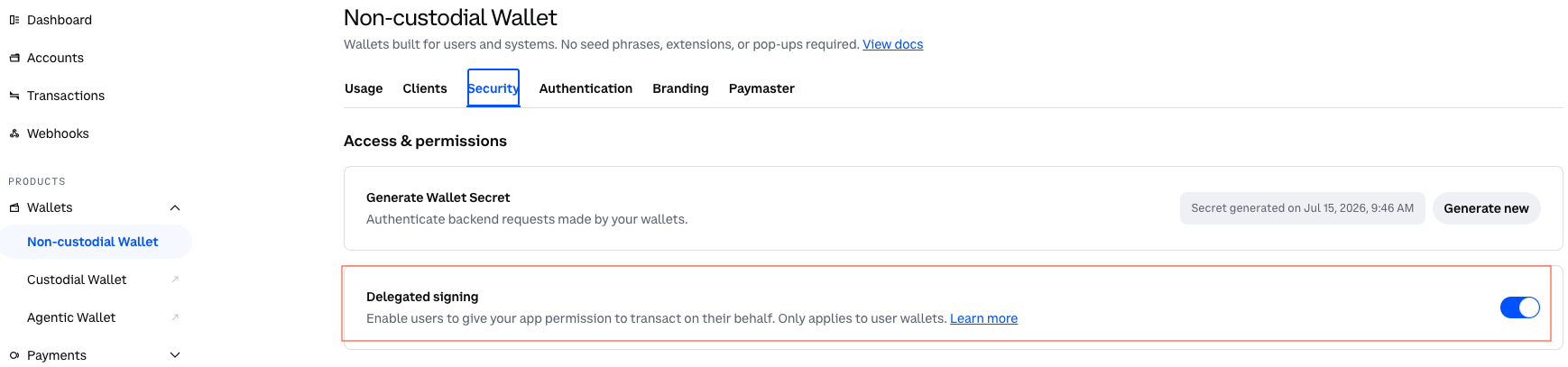
Sous Projet > Portefeuilles > Non-custodial Portefeuille > Sécurité, générez un secret de portefeuille et notez la valeur suivante :
Informations d'identification Description Wallet SecretUn secret spécialisé pour les opérations de portefeuille cryptographique telles que la dérivation d'adresses et la signature de transactions

-
-
Sous Projet > Portefeuilles > Non-custodial Portefeuille > Sécurité, activez la signature déléguée.
Informations d'identification privées
Si vous envisagez d'utiliser Privy pour les flux de portefeuille intégrés appartenant à l'utilisateur, obtenez les informations d'identification suivantes sur le Privy
-
Créez une application Privy dédiée aux AgentCore opérations sur dashboard.privy.io
. Ne réutilisez pas les applications Privy à d'autres fins. -
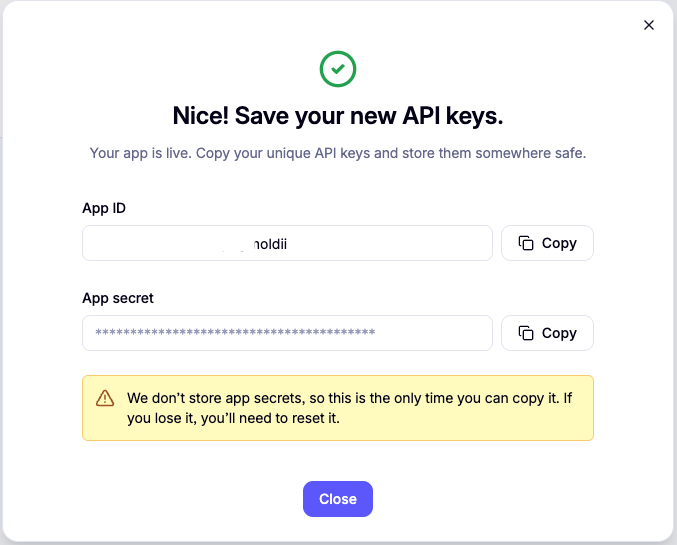
Copiez l'identifiant et le secret de l'application depuis les paramètres de votre application.
-
Dans votre application Privy, accédez à Wallet Infrastructure > Authorization et choisissez New Key pour générer une paire de P-256 clés. Notez les valeurs suivantes :
Informations d'identification Description App IDL'identifiant de votre application Privy, envoyé sous forme d'
privy-app-iden-tête lors des appels d'APIApp SecretIdentifiant secret associé à l'ID de l'application, utilisé pour l'authentification de base de serveur à serveur
Authorization ID(ID du signataire)L'identifiant de clé publique issu de la paire de P-256 clés générée
Authorization Private KeyLa clé privée de la paire de P-256 clés générée, utilisée pour signer les opérations du portefeuille.
Bonnes pratiques de sécurité pour les informations d'identification privées
Créez une application Privy dédiée pour AgentCore
Créez une application Privy distincte utilisée exclusivement pour les AgentCore paiements. Cela réduit la portée des informations d'identification et simplifie l'audit des opérations du portefeuille.
Restreindre l'accès secret aux AgentCore services
Lorsque vous stockez vos données privées App Secret dans AgentCore Identity as a PaymentCredentialProvider, assurez-vous que seul le service de AgentCore paiement peut récupérer le secret. N'accordez l'accès au secret sous-jacent dans AWS Secrets Manager à aucun autre administrateur IAM. La politique de ressources suivante concernant le secret restreint l'accès au rôle de AgentCore service :
{
    "Version": "2012-10-17",
    "Statement": [
        {
            "Effect": "Deny",
            "Principal": "*",
            "Action": "secretsmanager:GetSecretValue",
            "Resource": "*",
            "Condition": {
                "StringNotEquals": {
                    "aws:PrincipalArn": "arn:aws:iam::111122223333:role/AgentCorePaymentsResourceRetrievalRole"
                }
            }
        }
    ]
}
Avertissement
Si les secrets privés sont accessibles aux principaux au-delà du rôle de AgentCore service, une identité IAM compromise pourrait récupérer les secrets et exécuter des opérations de portefeuille non autorisées en dehors de l'application AgentCore du budget et des contrôles d'audit.
Faites régulièrement alterner les secrets
Modifiez régulièrement vos informations d'identification privées afin de réduire la période d'exposition à tout secret compromis.
| Informations d'identification | Fréquence de rotation recommandée |
|---|---|
|
|
Tous les 90 jours |
|
|
Tous les 90 jours |
|
|
Ne nécessite pas de rotation (identifiant public) |
|
|
Rotation automatique lorsque vous générez une nouvelle paire de clés |
Pour alterner les informations d'identification :
-
Générez une nouvelle paire de clés ou un nouveau secret d'application dans le tableau de bord privé.
-
Mettez à jour le PaymentCredentialProvider in AgentCore Identity avec les nouvelles valeurs.
-
Vérifiez que les opérations de paiement aboutissent avec les nouvelles informations d'identification.
-
Révoquez les anciennes informations d'identification dans le tableau de bord privé.
Note
Prévoyez une brève période de chevauchement pendant laquelle les anciennes et les nouvelles informations d'identification seront actives. Cela permet d'éviter les temps d'arrêt pendant la rotation.
Après avoir obtenu les informations d'identification de votre fournisseur, vous les stockez dans AgentCore Identity en tant que PaymentCredentialProvider. Pour obtenir des instructions, voir Configurer les fournisseurs d'informations de paiement. Pour le schéma complet de demande et de réponse, reportez-vous CreatePaymentCredentialProviderà la référence de l'API.
(Facultatif) Fournisseur d'identité pour l'autorisation JWT
Si vous envisagez d'utiliser l'autorisation JWT pour l'accès entrant à votre gestionnaire de paiements (afin de permettre aux consommateurs d'accéder au gestionnaire de paiements en utilisant des identités autres que celles d'IAM), configurez Amazon Cognito ou votre propre fournisseur d'identité avant de créer le gestionnaire de paiements :
-
Créez un groupe d'utilisateurs Cognito (ou utilisez votre fournisseur d'identité existant).
-
Enregistrez un client d'application et notez l'ID du client.
-
Créez un utilisateur de test avec un nom d'utilisateur et un mot de passe.
Vous pouvez également choisir de créer rapidement des configurations avec Cognito lors de la création de Payment Manager, et AgentCore Payments crée les configurations d'autorisation en votre nom.
Pour obtenir des instructions détaillées, voir Configurer l'autorisateur JWT entrant.
