Die vorliegende Übersetzung wurde maschinell erstellt. Im Falle eines Konflikts oder eines Widerspruchs zwischen dieser übersetzten Fassung und der englischen Fassung (einschließlich infolge von Verzögerungen bei der Übersetzung) ist die englische Fassung maßgeblich.
Konfigurieren Sie Drittanbieter für Sprach-zu-Text (STT)
Verwenden Sie die folgenden Anweisungen, um einen Drittanbieter für Sprach-zu-Text (STT) zu konfigurieren.
Voraussetzungen
-
Ein Bot mit einem vorhandenen Gebietsschema.
-
Ein API-Schlüssel eines Drittanbieters für STT-Anbieter, der in gespeichert ist. AWS Secrets Manager Weitere Informationen zum Speichern von API-Schlüsseln als Geheimnisse in Secrets Manager finden Sie unter Create an AWS Secrets Manager secret.
-
Eine Secrets Manager-Ressourcenrichtlinie, die es Connect Customer ermöglicht, das Geheimnis abzurufen. Weitere Informationen finden Sie unter Verwaltung von Geheimnissen und Ressourcenrichtlinien.
-
AWS KMS key Berechtigungen, die eine Entschlüsselung ermöglichen. Weitere Informationen finden Sie unter Verwaltung von Geheimnissen und Ressourcenrichtlinien.
-
Eine Anbieter-Modell-ID und ein Secrets Manager-ARN.
Schritt 1: Öffnen Sie das Konfigurationsfenster für das Sprachmodell
-
Melden Sie sich auf der Admin-Website von Connect Customer an.
-
Wählen Sie Bots und dann den Bot aus.
-
Wähle das Gebietsschema.
-
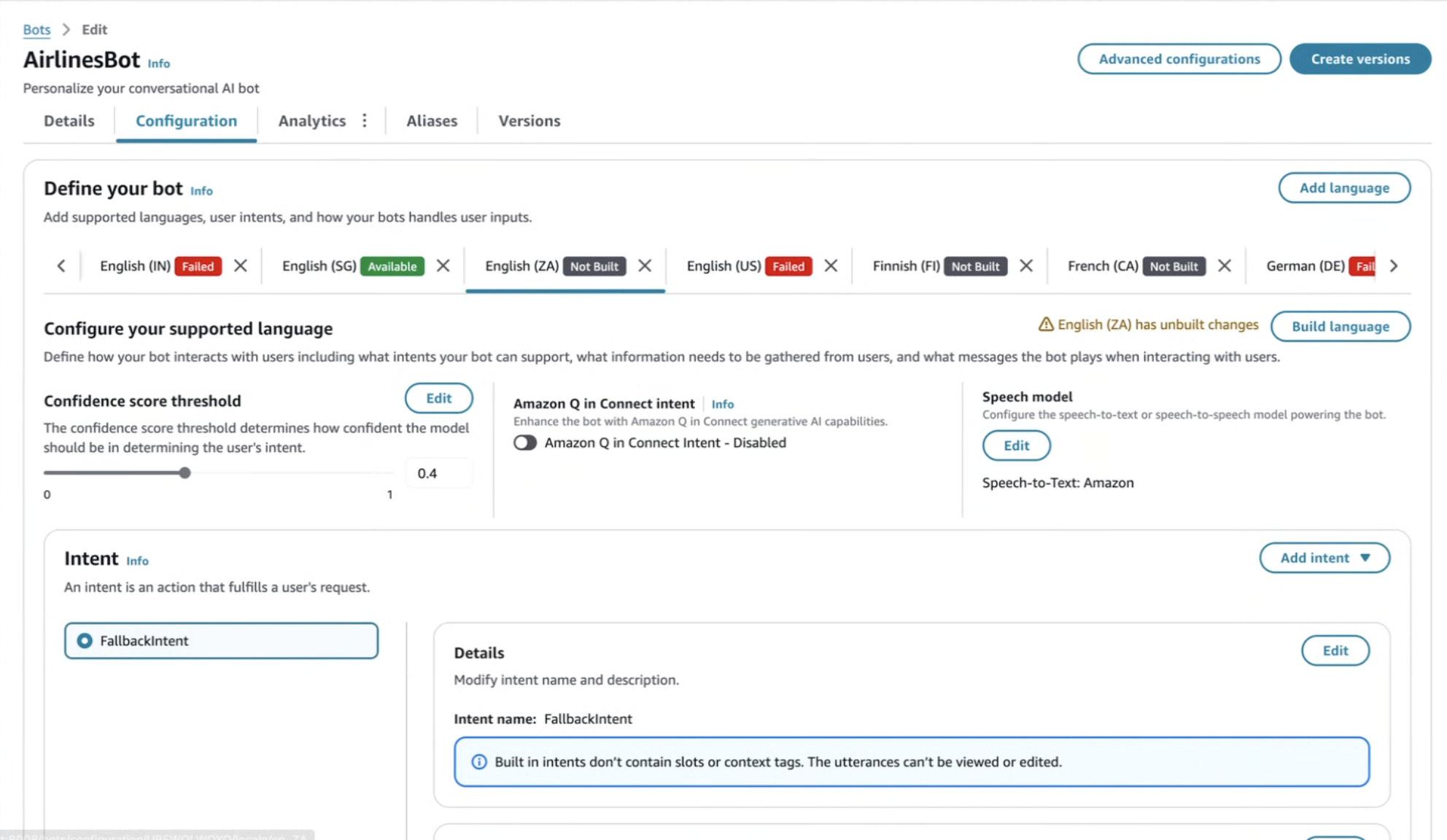
Wählen Sie im Abschnitt Sprachmodell die Option Bearbeiten aus, um das Konfigurations-Modal zu öffnen.
Schritt 2: Wählen Sie den Modelltyp
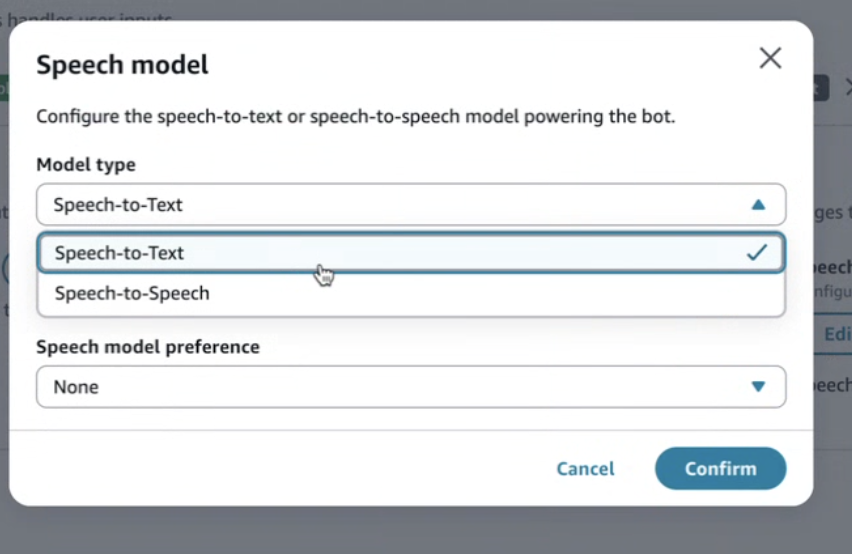
Wählen Sie in der Dropdownliste Modelltyp die Option Speech-to-Text (STT) aus. Dadurch wird sichergestellt, dass das Gebietsschema für die Transkription und nicht für Sprache-to-Speech konfiguriert ist.
Schritt 3: Überprüfen Sie die Standardeinstellungen für das Sprachmodell
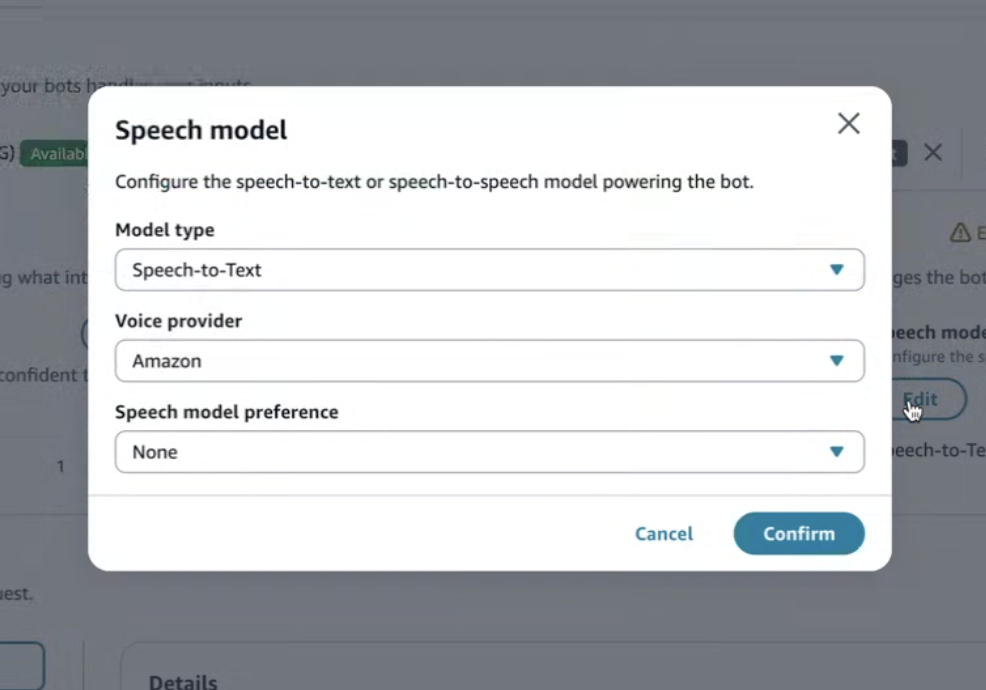
Standardmäßig ist Amazon als Sprache-zu-Text-Anbieter ausgewählt. Überprüfen Sie die aktuellen Einstellungen, bevor Sie zu einem Drittanbieter wechseln.
Schritt 4: Wählen Sie einen STT-Drittanbieter
Öffnen Sie das Drop-down-Menü Sprachanbieter und wählen Sie einen unterstützten Sprach-zu-Text-Drittanbieter aus.
Schritt 5: Geben Sie die Modell-ID und den Secrets Manager-ARN ein
-
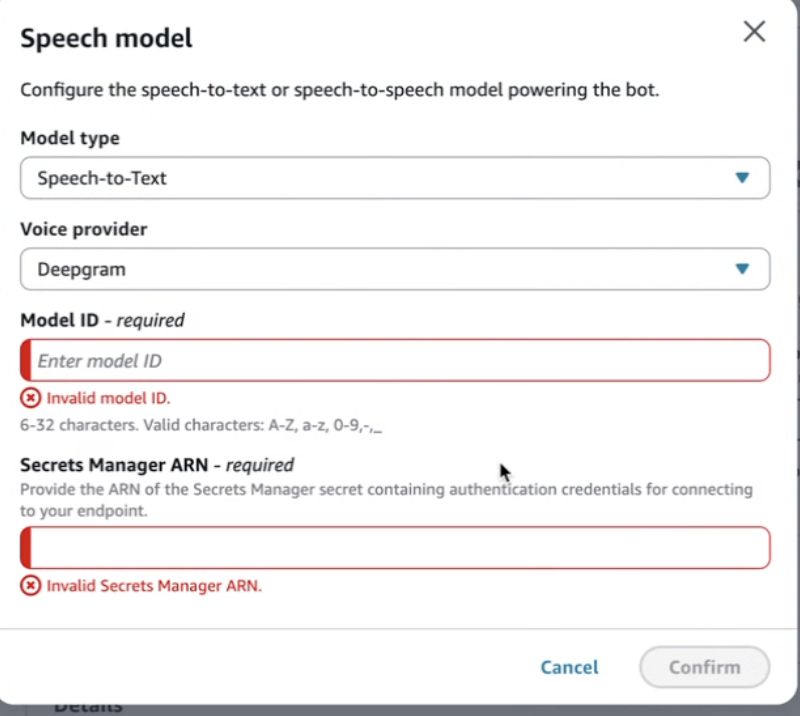
Geben Sie unter Model-ID den Modellnamen des Anbieters ein.
-
Einige Anbieter verlangen eine Mindest- oder Höchstlänge.
-
Bei Modell-IDs wird zwischen Groß- und Kleinschreibung unterschieden und sie müssen mit der Anbieterdokumentation übereinstimmen.
-
-
Geben Sie in Secrets Manager ARN den ARN des Secrets ein, das den Provider-API-Schlüssel enthält.
-
Das Geheimnis muss sich in derselben Region wie Ihre Connect Customer-Instanz befinden.
-
Die Secrets Manager- und KMS-Schlüsselrichtlinien müssen es dem Connect-Kunden ermöglichen, auf den Schlüssel zuzugreifen und ihn zu entschlüsseln. Weitere Informationen finden Sie unter Verwaltung von Geheimnissen und Ressourcenrichtlinien.
-
-
Wählen Sie Weiter, um Ihre Änderungen zu speichern.
Erstellen und aktivieren Sie das Gebietsschema
Wenn das Gebietsschema Unbuilt-Änderungen anzeigt, wählen Sie Sprache erstellen. Die neuen STT-Einstellungen werden nach einem erfolgreichen Build aktiv.
Laufzeitverhalten (STT)
-
Connect Customer leitet Audio an den ausgewählten Drittanbieter für Sprache-zu-Text-Kommunikation weiter.
-
Es sind keine Änderungen an Flows oder Lambda-Funktionen erforderlich.
-
Fehler wie ungültige Anmeldeinformationen oder ungültige Modell-IDs werden in den Protokollen angezeigt.
-
Metriken und Analysen funktionieren weiterhin normal.
Problembehandlung (STT)
-
Ungültige Modell-ID: Bestätigen Sie den Wert in der Dokumentation des Anbieters.
-
Zugriff verweigert: Überprüfen Sie die Secrets Manager- und KMS-Berechtigungen.
-
Die Erstellung des Gebietsschemas schlägt fehl: Stellen Sie sicher, dass die erforderlichen Felder gültig sind.
-
Hohe Latenz: Überprüfen Sie die Konfiguration der Anbieterregion.
