Online-Bewertung erstellen
Die CreateOnlineEvaluationConfig API erstellt eine neue Konfiguration für die Online-Evaluierung, die die Leistung Ihres Agenten anhand von Live-Traffic kontinuierlich überwacht. Dieser asynchrone Vorgang richtet den Dienst so ein, dass er Agenten-Traces auswertet, die während des normalen Betriebs generiert werden.
Wenn Sie eine Online-Evaluierung erstellen, geben Sie einen eindeutigen Konfigurationsnamen, die zu überwachende Datenquelle (entweder eine Liste von CloudWatch Protokollgruppen oder einen Agenten-Endpunkt) und eine Liste der anzuwendenden Evaluatoren (bis zu 10, kombiniert integrierte und benutzerdefinierte Evaluatoren) an. Sie stellen auch einen ARN für die IAM-Dienstrolle zur Ausführung bereit. Der enableOnCreate Parameter ist erforderlich und bestimmt, ob die Evaluierung sofort nach der Erstellung ausgeführt wird (executionStatus= true) oder deaktiviert bleibt, bis sie explizit aktiviert wird (executionStatus= false).
Themen
Kontrolle des Ausführungsstatus
Der executionStatus Parameter bestimmt, ob der Evaluierungsjob aktiv Traces verarbeitet:
-
AKTIVIERT — Der Evaluierungsjob wird kontinuierlich ausgeführt, verarbeitet eingehende Ablaufverfolgungen und generiert Auswertungsergebnisse.
-
DEAKTIVIERT — Die Testkonfiguration ist vorhanden, aber der Job wurde angehalten. Es werden keine Traces verarbeitet oder ausgewertet.
Sie können den Ausführungsstatus mit der CLI steuern:
# Pause a running online evaluation
agentcore pause online-eval "your_config_name"

# Resume a paused online evaluation
agentcore resume online-eval "your_config_name"
Schutz durch den Evaluator
Wenn Sie eine Testkonfiguration mit der executionStatus Einstellung auf erstellenENABLED, sperrt das System automatisch alle benutzerdefinierten Evaluatoren, die Sie ausgewählt haben. Nach dem Sperren:
-
Keine Änderungen zulässig — Sie können die Konfiguration, Eingabeaufforderungen oder Einstellungen des Evaluators nicht aktualisieren. Klonen Sie einen neuen Evaluator, wenn Sie Änderungen vornehmen müssen.
-
Kein Löschen zulässig — Sie können den Evaluator nicht löschen, solange er von einem Evaluierungsjob verwendet wird (ausgeführt) wird.
Codebeispiele für AgentCore CLI, AgentCore SDK und AWS SDK
Die folgenden Codebeispiele zeigen, wie Online-Evaluierungskonfigurationen mithilfe verschiedener Entwicklungsansätze erstellt werden. Wählen Sie die Methode, die am besten zu Ihrer Entwicklungsumgebung und Ihren Präferenzen passt.
Beispiel
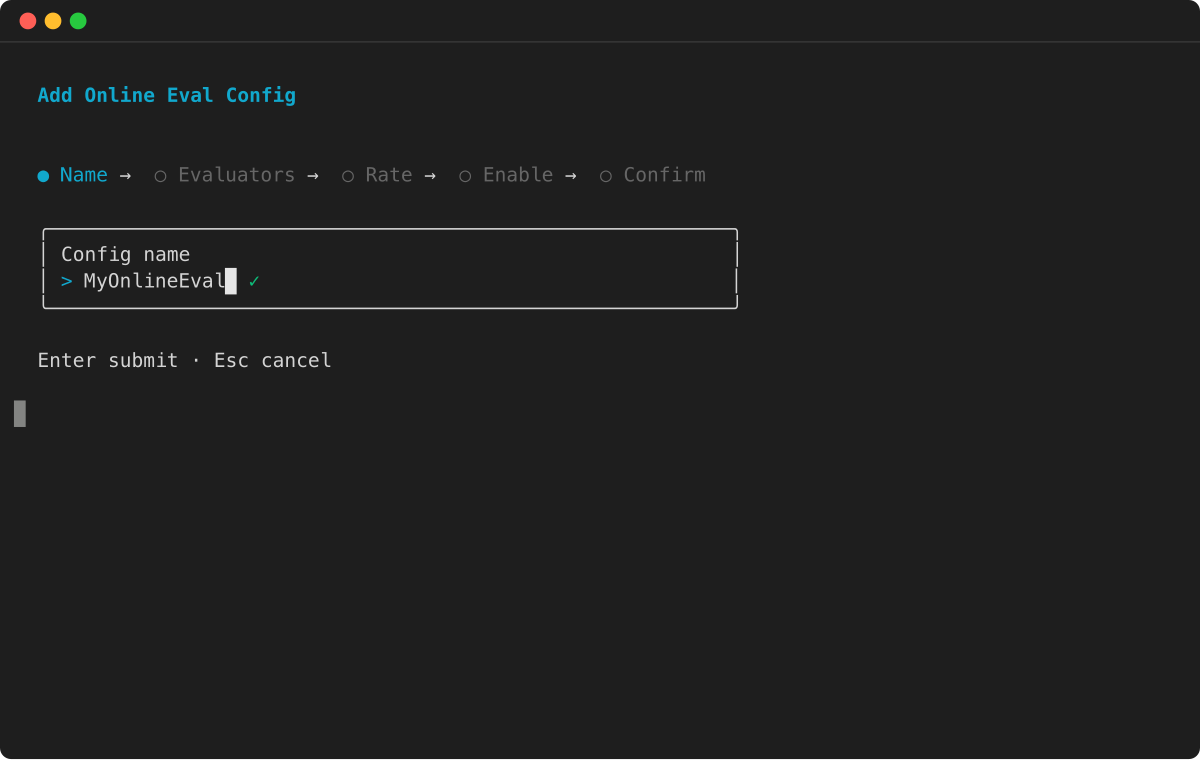
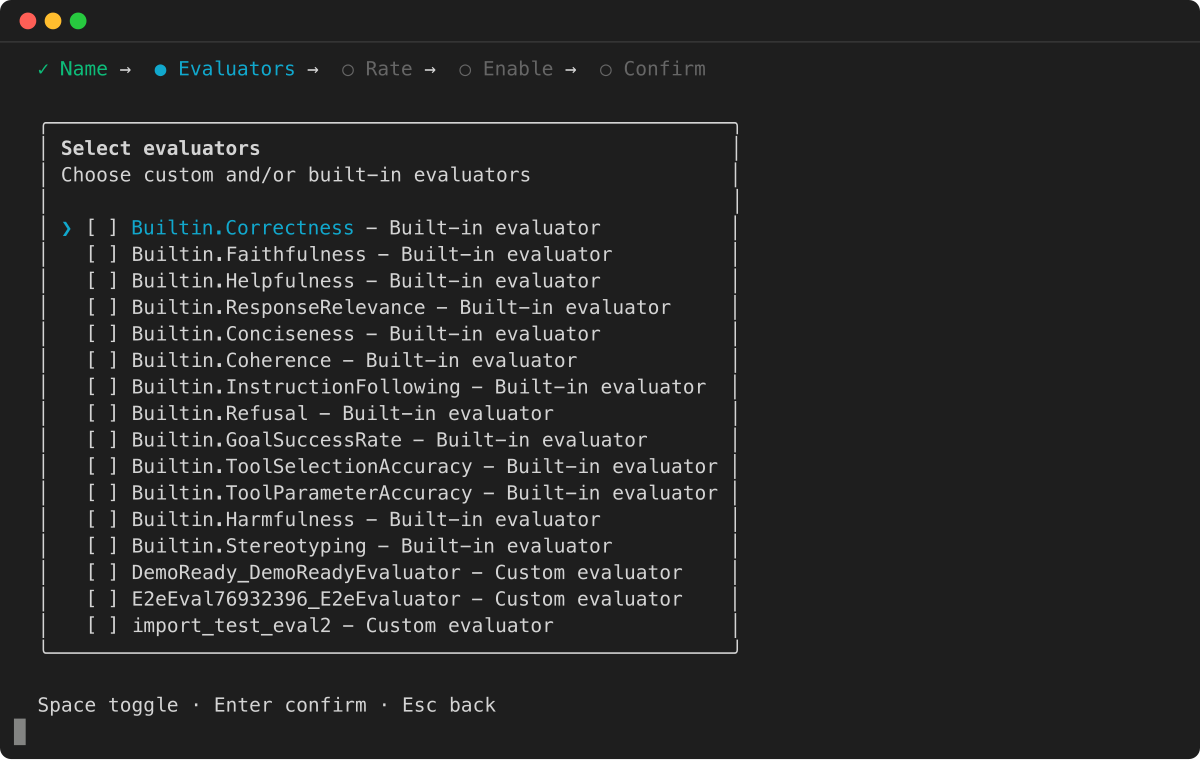
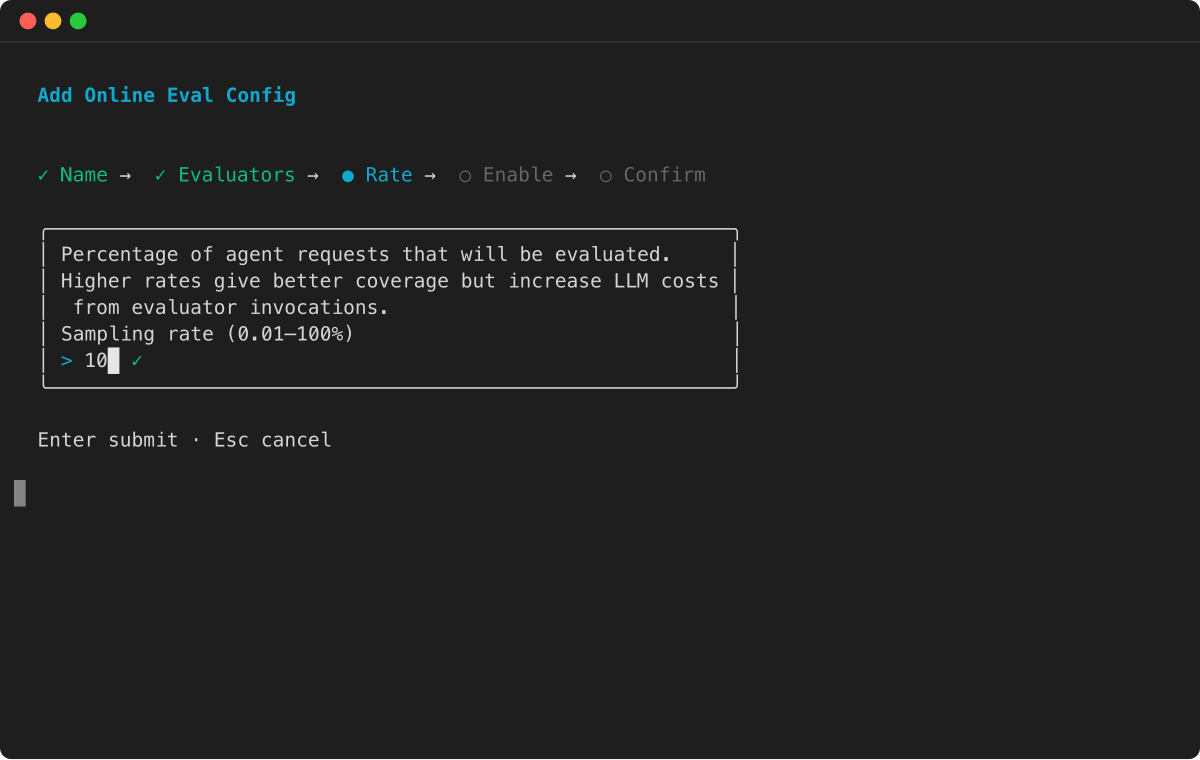
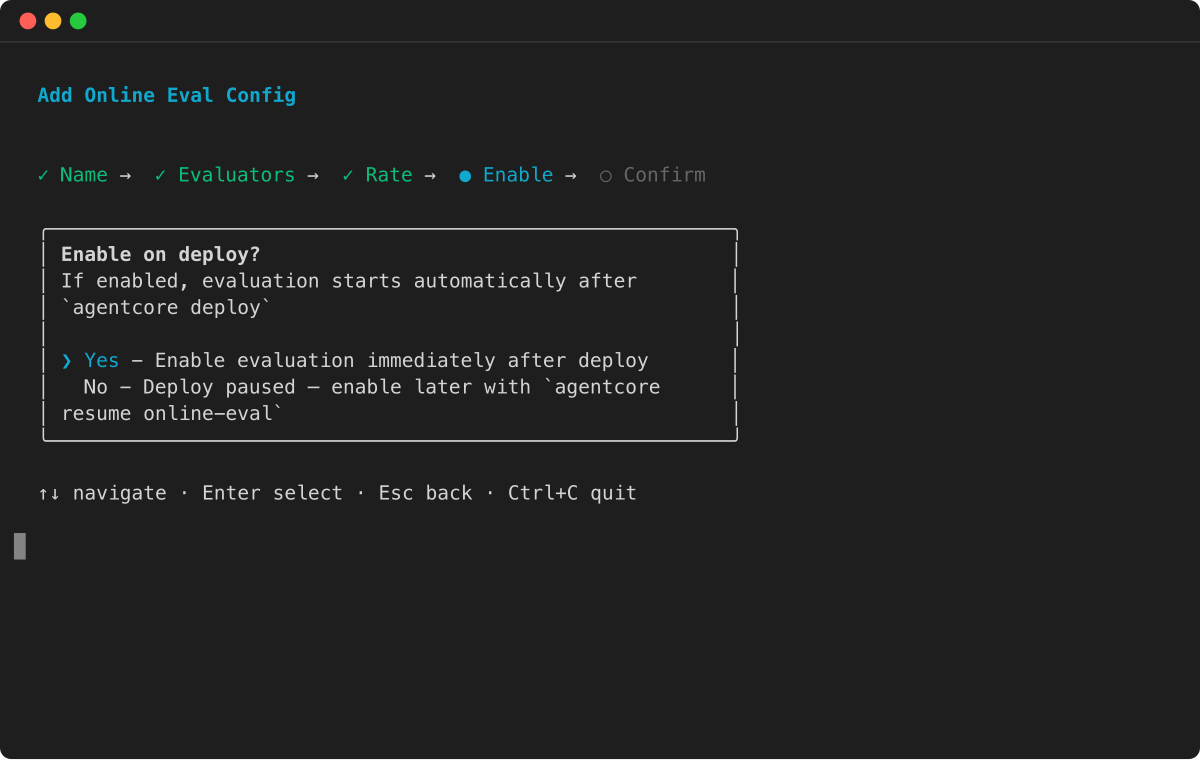
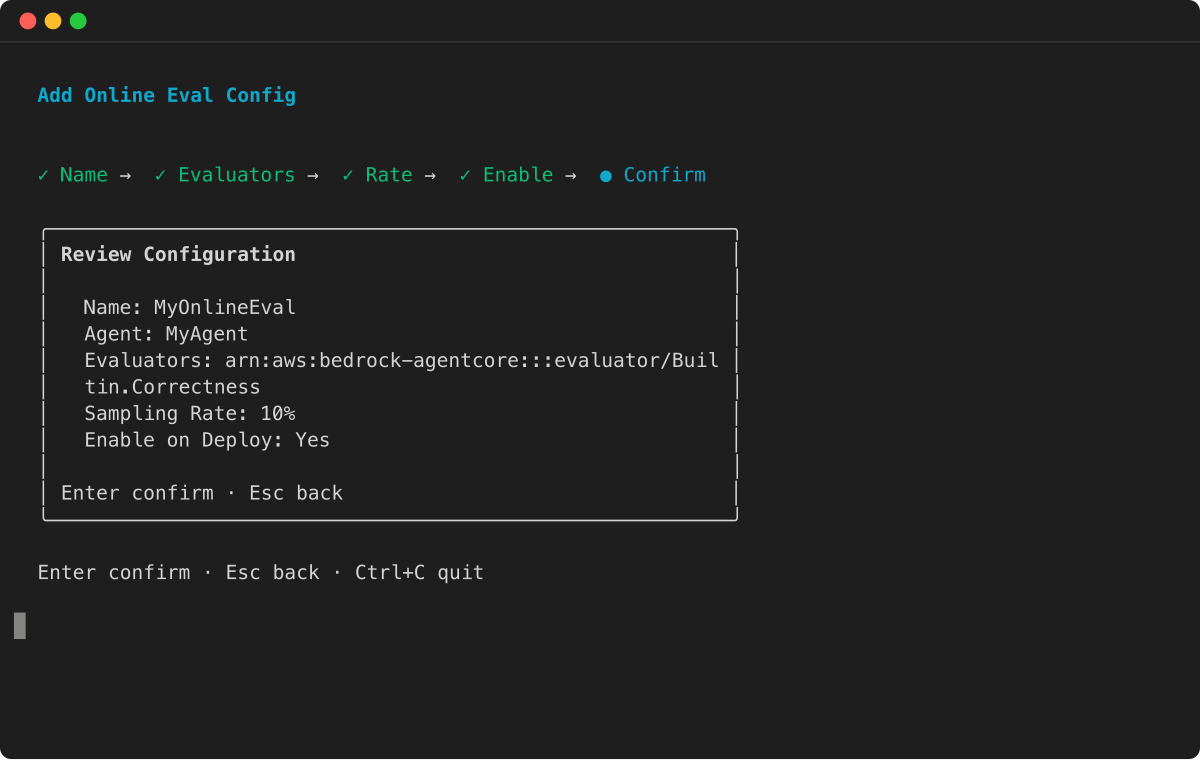
Konsole
Sie können Online-Testkonfigurationen mithilfe der visuellen Oberfläche der Amazon AgentCore Bedrock-Konsole erstellen. Diese Methode bietet geführte Formulare und Validierungen, die Sie bei der Konfiguration Ihrer Testeinstellungen unterstützen.
Um eine AgentCore Online-Bewertung zu erstellen
-
Öffnen Sie die Amazon AgentCore Bedrock-Konsole.
-
Wählen Sie im linken Navigationsbereich Evaluation aus.
-
Wählen Sie Testkonfiguration erstellen aus.
-
(Optional) Geben Sie unter Testname einen Namen für die Online-Evaluierungskonfiguration ein.
-
(Optional) Um die Testkonfiguration nach ihrer Erstellung zu aktivieren, aktivieren Sie das Kontrollkästchen unter dem Namen der Evaluierung.
-
(Optional) Geben Sie unter Beschreibung der Testkonfiguration eine Beschreibung für die AgentCore Testkonfiguration ein.
-
(Optional) Geben Sie für das Timeout bei Sitzungsinaktivität eine Dauer zwischen 1 und 60 Minuten ein. Der Standardwert ist 15 Minuten.
-
-
Wählen Sie als Datenquelle eine der folgenden Optionen aus:
-
Mit einem Agenten-Endpunkt definieren — Wählen Sie einen Agenten aus, den Sie zuvor in AgentCore Runtime erstellt haben, oder erstellen Sie einen neuen Agenten, indem Sie Agenten wählen. Wählen Sie dann einen Endpunkt aus dem Agenten aus.
-
Wählen Sie eine CloudWatch Protokollgruppe aus — Wählen Sie bis zu 5 Protokollgruppen aus. Geben Sie den Servicenamen ein, den Ihr Agent für die Observability verwendet hat. <agent-runtime-name>Bei Agenten, die auf AgentCore Runtime gehostet werden, folgt der Dienstname dem Format. <agent-runtime-endpoint-name>. Für Agenten, die außerhalb von AgentCore Runtime ausgeführt werden, ist der Dienstname in der Umgebungsvariablen OTEL_RESOURCE_ATTRIBUTES konfiguriert.
-
-
Wählen Sie für Evaluatoren bis zu 10 Evaluatoren pro Evaluierungskonfiguration aus, einschließlich integrierter und benutzerdefinierter Evaluatoren.
-
(Optional) Fügen Sie für Filter bis zu 5 Filter hinzu, um zu ermitteln, welche Sitzungen ausgewertet werden sollen.
-
(Optional) Wählen Sie für die Stichprobenauswahl einen Prozentsatz zwischen 0,01% und 100%, um den Prozentsatz der auszuwertenden Sitzungen zu kontrollieren. Die Standardeinstellung ist 10%.
-
Wählen Sie für die Amazon Bedrock IAM-Rolle eine der folgenden Optionen:
-
Eine bestehende Rolle verwenden — Wählen Sie eine IAM-Servicerolle aus, die bereits über die erforderlichen Berechtigungen verfügt.
-
Neue Rolle erstellen — Erstellen Sie eine neue IAM-Servicerolle.
-
-
Wählen Sie Testkonfiguration erstellen aus, um die AgentCore Online-Testkonfiguration zu erstellen.
