本文為英文版的機器翻譯版本,如內容有任何歧義或不一致之處,概以英文版為準。
將 Direct Connect 連線至 Transit Gateway
您可以使用現有的 Direct Connect 連線,或在現有帳戶中建立新的 Direct Connect 連線 AWS 。Direct Connect 連線應為以 1 Gbps 或更高速度執行的專用或託管連線。
注意
如需搭配 AWS 服務使用 Direct Connect 的詳細資訊,請參閱 AWS Direct Connect 位置入門。
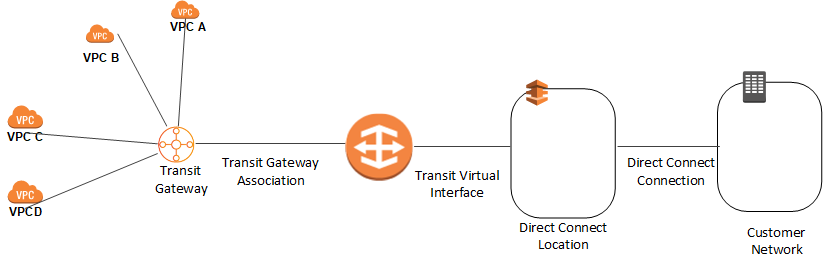
若要使用現有的 Direct Connect 專用連線,連線上建立的傳輸虛擬介面不得超過 3 個。這是因為 Direct Connect 專用連線每個連線有 4 個傳輸虛擬介面的限制。
如需 Direct Connect 限制的詳細資訊,請參閱 AWS Direct Connect 限制。
Direct Connect 連線可用後,會發生下列情況:
AMS 會在聯網帳戶中建立 Direct Connect Gateway。您必須為 Direct Connect Gateway 提供自治系統編號 (ASN) 號碼,以及必須從 Direct Connect Gateway 公告的字首。此 ASN 用作 Amazon ASN。
您可以建立新的 Transit VIF,並將虛擬介面擁有者設定為聯網帳戶。
AMS 會登入聯網帳戶並接受連線提案。
AMS 會將傳輸閘道與 Direct Connect 閘道建立關聯。
AMS 會將附件與內部部署 Transit Gateway 路由表建立關聯。
注意
為 Direct Connect 閘道和 Transit Gateway 提供的 ASN 必須不同。
為了提高連線能力,最佳實務是將至少 2 個傳輸虛擬介面從不同的 AWS Direct Connect 位置連接到 Direct Connect 閘道。如需詳細資訊,請參閱Direct Connect 彈性建議
