使用 CLI 建立 AgentCore 閘道
您可以使用 AgentCore CLI 建立具有簡化命令的閘道。CLI 會自動處理常見的組態,包括 IAM 角色建立和授權設定。
範例
- AgentCore CLI
-
-
未經授權建立閘道:
agentcore add gateway \
  --name MyGateway \
  --authorizer-type NONE \
  --runtimes MyAgent
agentcore deploy
使用 JWT 授權建立閘道:
agentcore add gateway \
  --name MyGateway \
  --authorizer-type CUSTOM_JWT \
  --discovery-url https://your-idp.example.com/.well-known/openid-configuration \
  --allowed-audience your-audience
agentcore deploy
語意搜尋預設為啟用。若要停用它,請傳遞
--no-semantic-search旗標:agentcore add gateway \ --name MyGateway \ --authorizer-type NONE \ --runtimes MyAgent \ --no-semantic-search agentcore deploy
-
- Interactive
-
-
您也可以使用 AgentCore CLI 互動式終端機 UI。執行
agentcore以開啟 TUI,然後選取新增,然後選擇閘道 : -
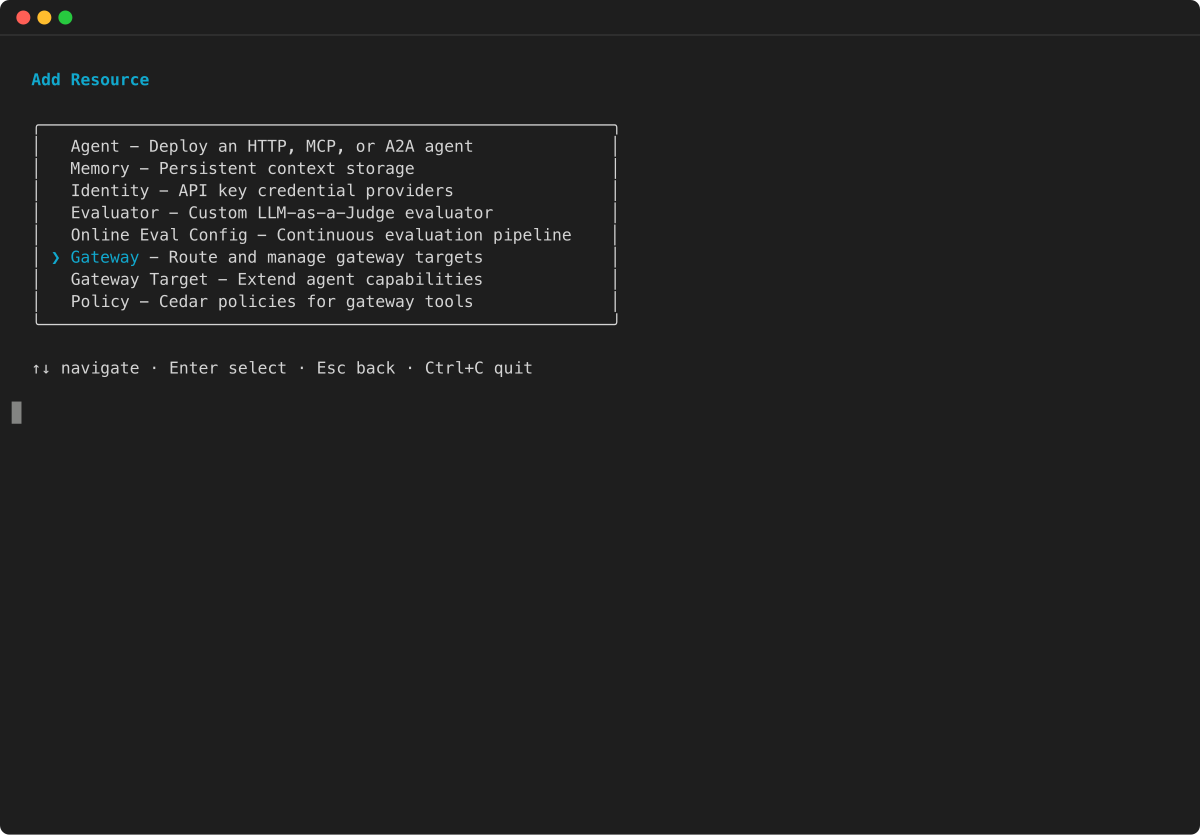
在新增資源功能表中,選取閘道,然後按 Enter 鍵。
-
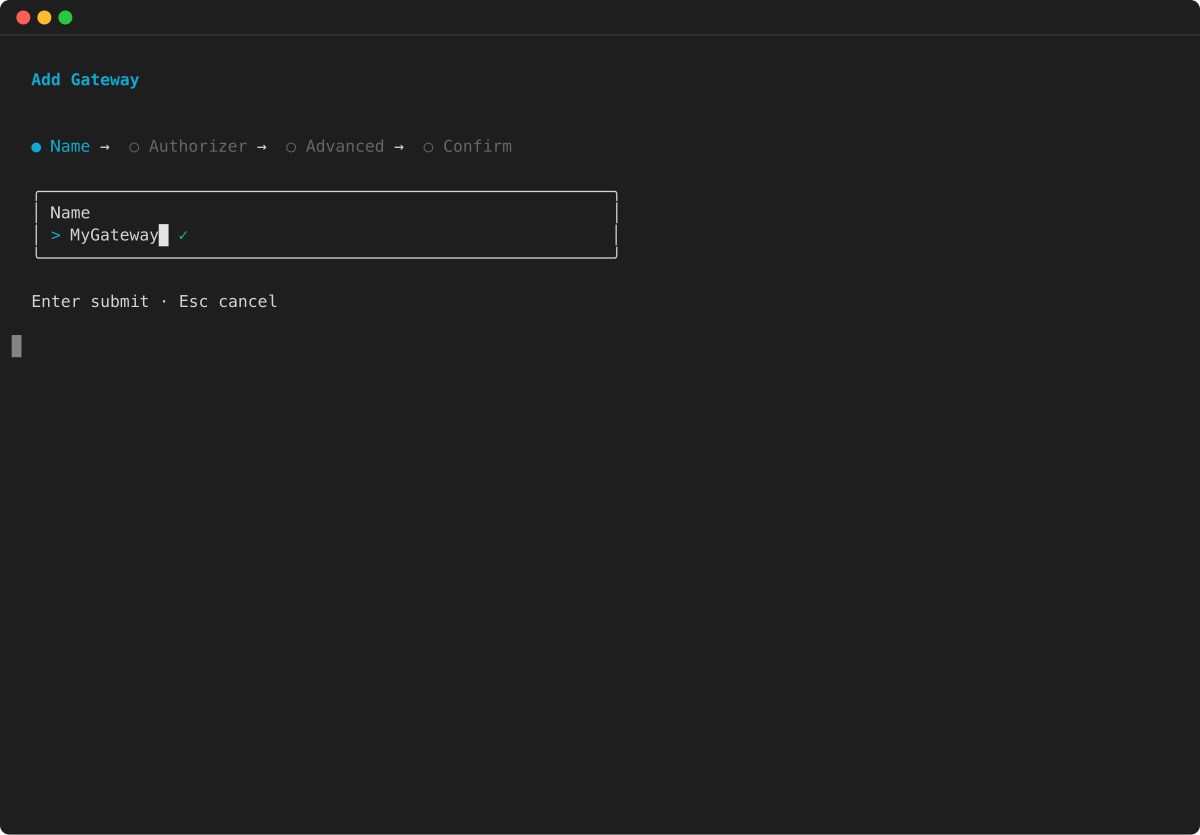
輸入閘道的名稱,然後按 Enter 鍵。
-
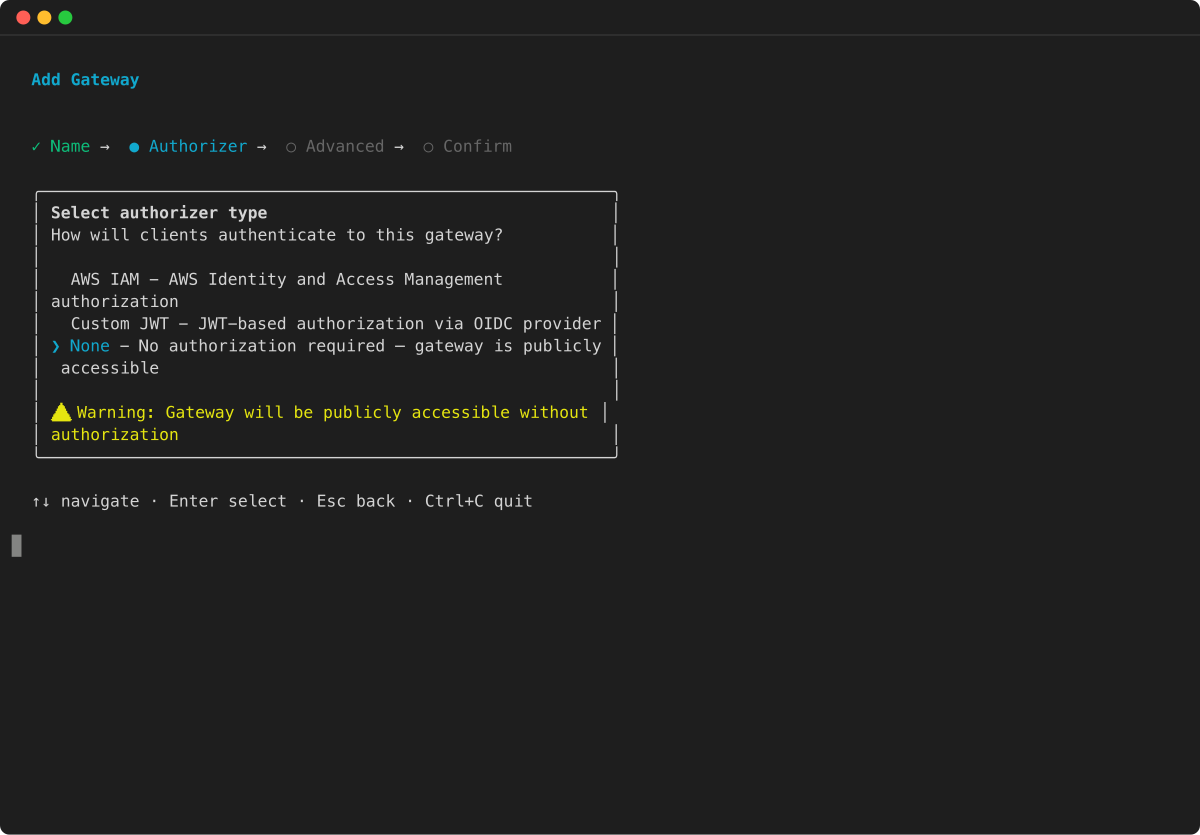
選取閘道的授權方類型。選擇無 、自訂 JWT 或 IAM ,然後按 Enter。
-
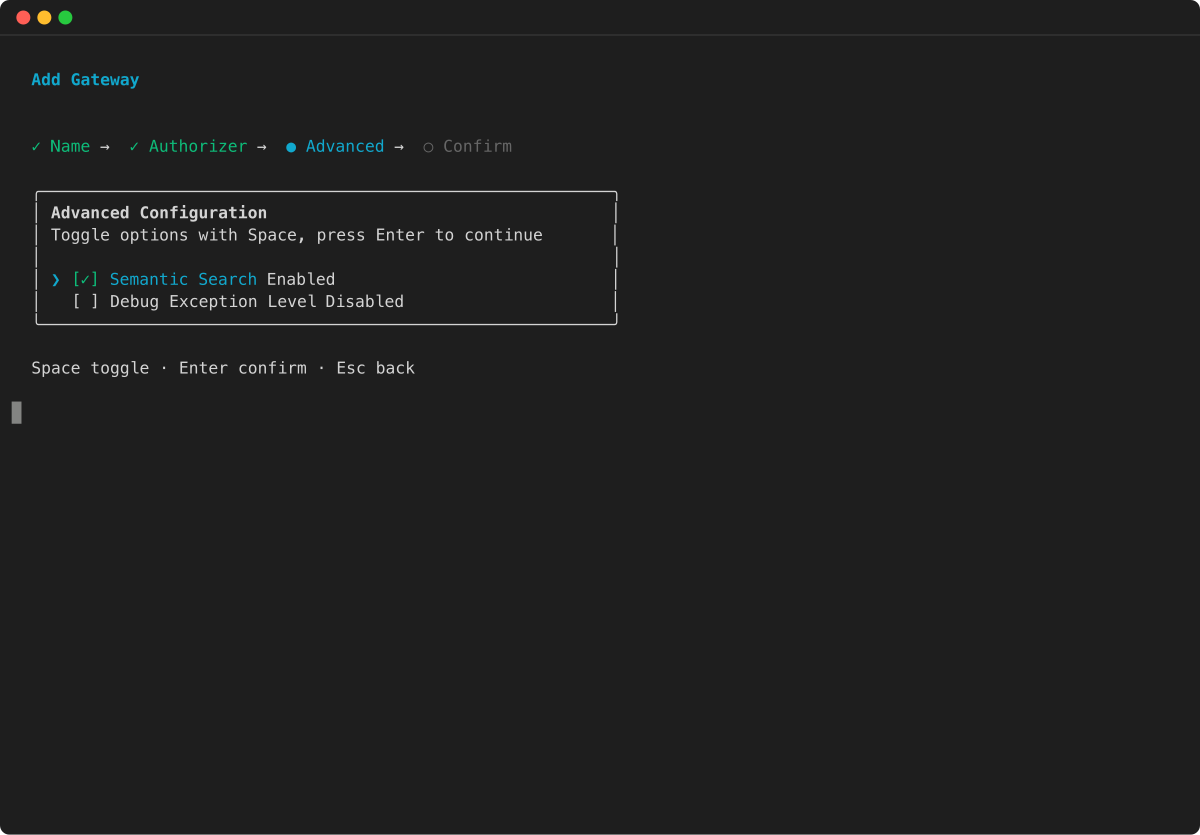
(選用) 設定進階設定,例如語意搜尋和偵錯例外狀況層級。使用空格切換選項,然後按 Enter 繼續。
-
檢閱閘道組態摘要,然後按 Enter 鍵確認。
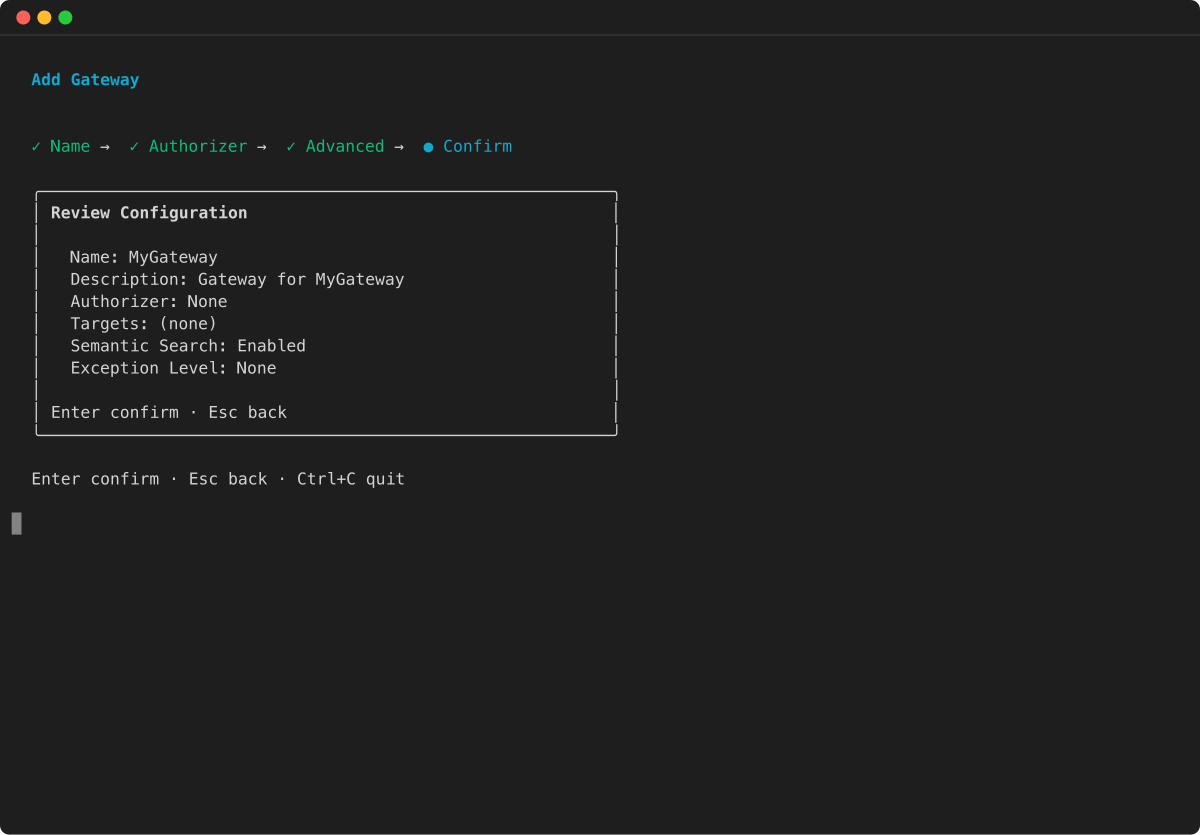
-
建立閘道之後,您可以使用 agentcore add gateway-target命令新增目標。如需 CLI 命令的詳細資訊,請參閱 AgentCore Gateway 入門。

建立閘道 (主控台)
建立閘道 (API)