本文為英文版的機器翻譯版本,如內容有任何歧義或不一致之處,概以英文版為準。
刪除自訂端點
使用 AWS 管理主控台 AWS CLI或 Amazon RDS API 刪除自訂端點。
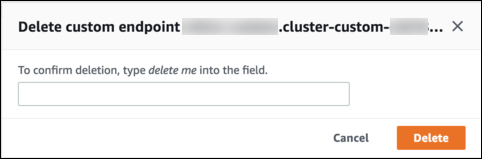
若要使用 刪除自訂端點 AWS 管理主控台,請前往叢集詳細資訊頁面,選取適當的自訂端點,然後選取刪除動作。
若要使用 刪除自訂端點 AWS CLI,請執行 delete-db-cluster-endpoint 命令。
下列命令會刪除自訂端點。您不需要指定相關聯的叢集,但必須指定區域。
對於 Linux、macOS 或 Unix:
aws rds delete-db-cluster-endpoint --db-cluster-endpoint-identifiercustom-end-point-id\ --regionregion_name
在 Windows 中:
aws rds delete-db-cluster-endpoint --db-cluster-endpoint-identifiercustom-end-point-id^ --regionregion_name
若要使用 RDS API 刪除自訂端點,請執行 DeleteDBClusterEndpoint 操作。
