本文属于机器翻译版本。若本译文内容与英语原文存在差异,则一律以英文原文为准。
在模型注册表中自动注册 SageMaker AI SageMaker 模型
你可以使用 Python SDK 或直接通过 mlFlow 用户界面记录 mlFlow SageMaker 模型并自动将其注册到模型注册表。
注意
请勿在模型名称中使用空格。虽然 mlFlow 支持带空格的模型名称,但 SageMaker AI Model Package 不支持。如果在模型名称中使用空格,自动注册过程将失败。
使用 SageMaker Python 软件开发工具包注册模型
create_registered_model在 mlFlow 客户端中使用,在 SageMaker AI 中自动创建与您选择的现有 mlFlow 模型相对应的模型包组。
import mlflow from mlflow import MlflowClient mlflow.set_tracking_uri(arn) client = MlflowClient() mlflow_model_name ='AutoRegisteredModel'client.create_registered_model(mlflow_model_name, tags={"key1":"value1"})
mlflow.register_model()用于在模型训练期间自动向 SageMaker 模型注册表注册模型。注册 mlFlow 模型时,会在 SageMaker AI 中创建相应的模型包组和模型包版本。
import mlflow.sklearn
from mlflow.models import infer_signature
from sklearn.datasets import make_regression
from sklearn.ensemble import RandomForestRegressor

mlflow.set_tracking_uri(arn)
params = {"n_estimators": 3, "random_state": 42}
X, y = make_regression(n_features=4, n_informative=2, random_state=0, shuffle=False)

# Log MLflow entities
with mlflow.start_run() as run:
    rfr = RandomForestRegressor(**params).fit(X, y)
    signature = infer_signature(X, rfr.predict(X))
    mlflow.log_params(params)
    mlflow.sklearn.log_model(rfr, artifact_path="sklearn-model", signature=signature)

model_uri = f"runs:/{run.info.run_id}/sklearn-model"
mv = mlflow.register_model(model_uri, "RandomForestRegressionModel")

print(f"Name: {mv.name}")
print(f"Version: {mv.version}")
使用 MLflow 用户界面注册模型
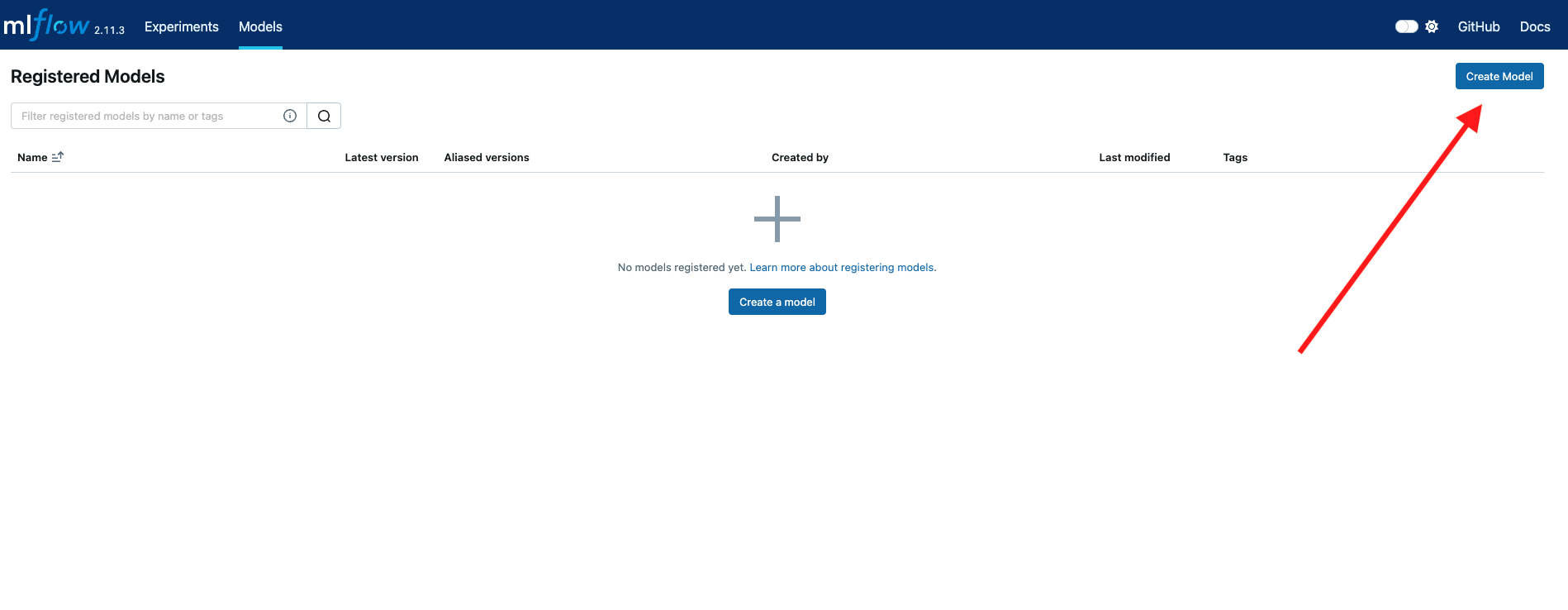
您也可以直接在 MLFlow 用户界面中向 SageMaker 模型注册表注册模型。在 MLflow 用户界面的模型菜单中选择 创建模型。以这种方式新创建的所有模型都将添加到 SageMaker 模型注册表中。
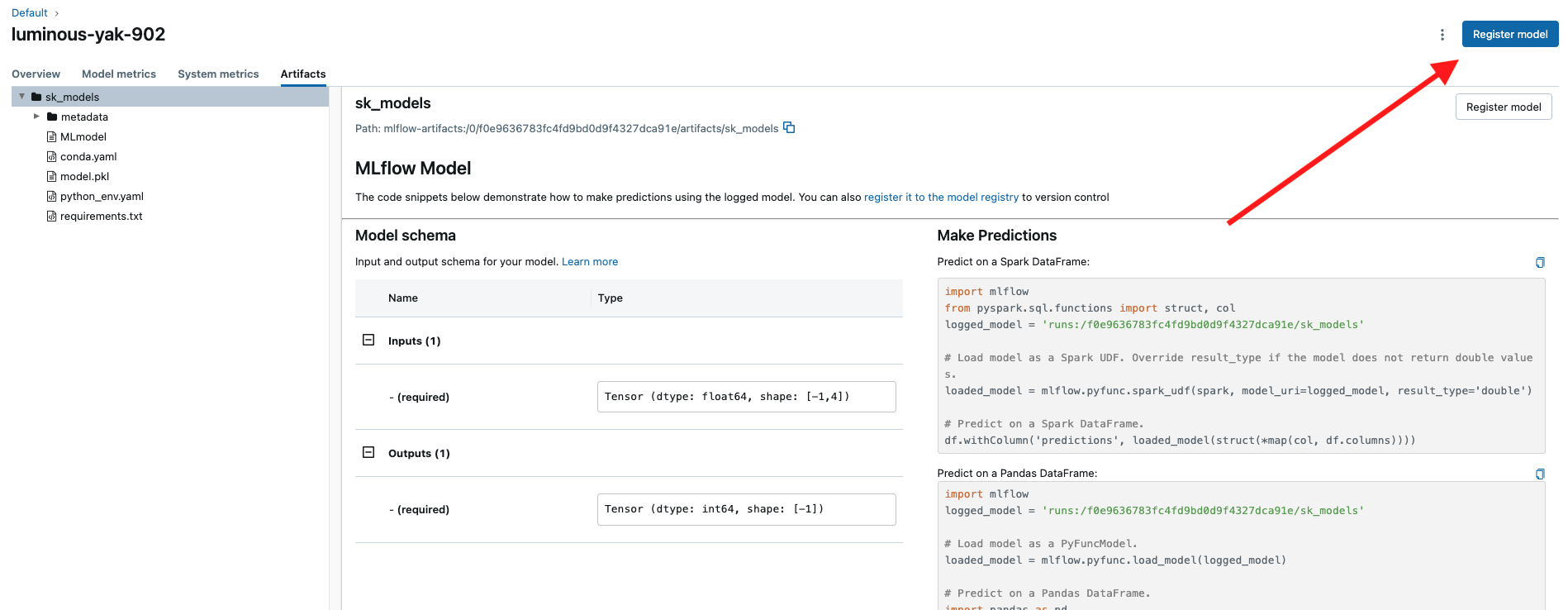
在实验跟踪过程中记录模型后,导航到 MLflow 用户界面中的运行页面。选择 Art i facts 窗格并选择右上角的 “注册模型”,在 mlFlow 和 Model Registry 中注册 SageMaker 模型版本。
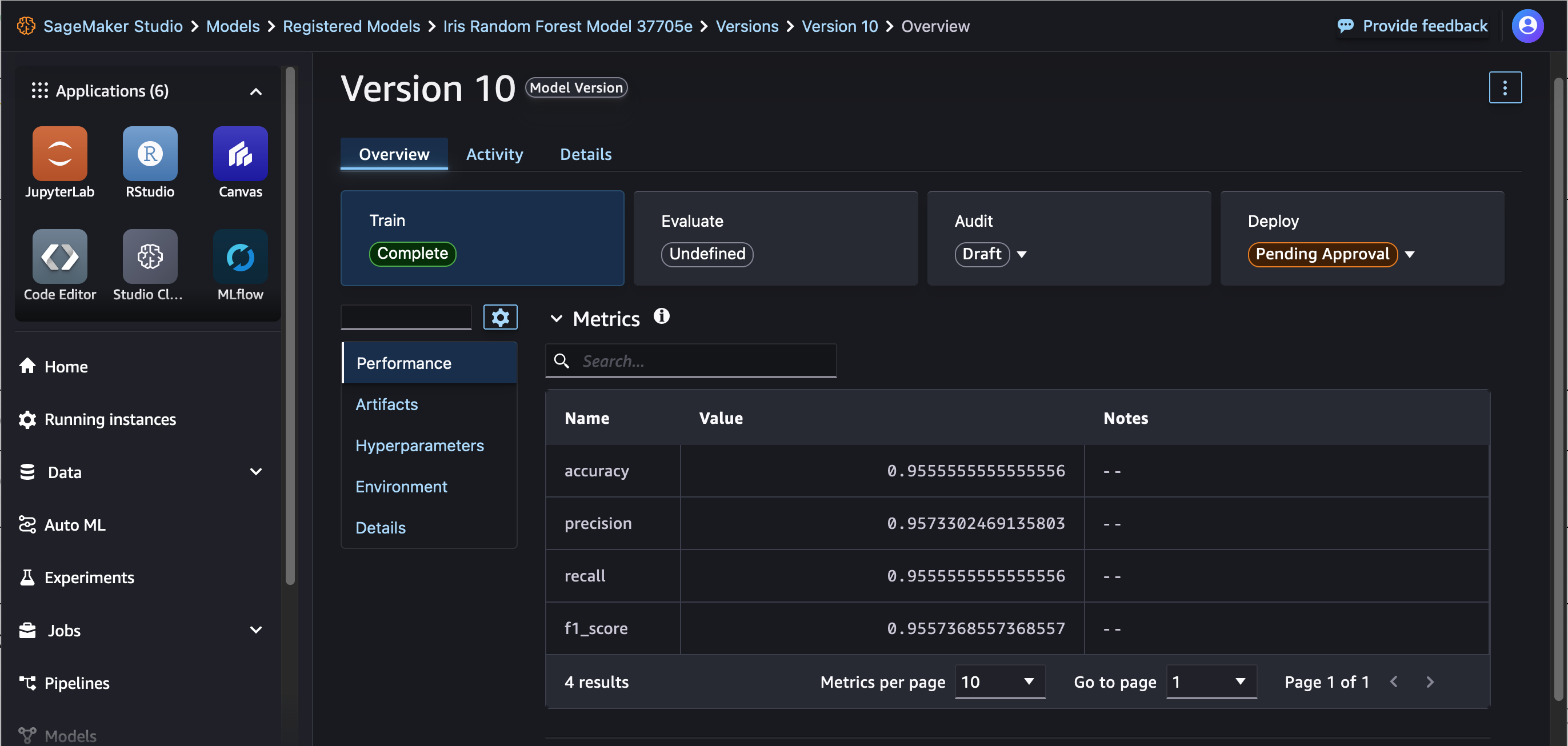
查看 Studio 中已注册的模型
在 SageMaker Studio 登录页面中,选择左侧导航窗格中的模特以查看您注册的模特。有关 Studio 入门的更多信息,请参阅启动 Amazon SageMaker Studio。