本文属于机器翻译版本。若本译文内容与英语原文存在差异,则一律以英文原文为准。
Stability AI 图像服务
您可以将 Stability AI 图像服务与 Amazon Bedrock 结合使用,访问十三种专业图像编辑工具。这些工具旨在加快专业创作工作流程。借助 Stability AI 图像服务,您可以根据草图生成图像,对现有图像进行重构和重新设计样式。您也可以移除和替换图像中的对象。
本节介绍如何使用向稳定性 AI 图像服务进行推理调用。 InvokeModel 此部分还提供了 Python 中的代码示例,以及使用 Stability AI 图像服务之前和之后的图像示例。
Stability AI 图像服务分为以下类别:
订阅任何编辑或控制 Stability AI Image Service 会自动注册所有 13 种可用的 Stability AI 图像服务。
请求和响应
请求正文在请求的body字段中传递给InvokeModel。
模型调用请求正文字段
当您使用稳定性人工智能图像服务 InvokeModel 拨打电话时,在正文字段中填充如下所示的 JSON 对象。
{
    'prompt': 'Create an image of a panda'
}
模型调用响应正文字段
当你使用 Stability AI Image Services InvokeModel 拨打电话时,响应如下所示
{
    'seeds': [2130420379],
    'finish_reasons': [null],
    'images': ['...']
}
seeds –(字符串)用于为模型生成图像的种子列表。
-
finish_reasons – 表示请求是否被过滤的枚举。null 表示请求成功。当前可能的值:"Filter reason: prompt", "Filter reason: output image", "Filter reason: input image", "Inference error", null。
-
images – 以 base64 字符串格式生成的图像列表。
有关更多信息,请参阅 https://platform.us.stability.ai/docs/api-reference # tag/v1generation 。
高档
以下部分描述了高档的稳定性 AI 图像服务。
Creative Upscale 可拍摄 64x64 到 100 万像素之间的图像,并将其升级到 4K 分辨率。该服务可以将图像放大20到40倍,同时保持并通常提高质量。Creative Upscale 最适合处理高度降级的图像,不适用于 100 万像素或以上的照片,因为它会进行大量的重新构想。
Creative Upscale 具有以下必需参数:
prompt — 您希望在输出图像中看到的内容。清晰定义元素、颜色和主题的有效描述性提示可带来更好的结果。要控制给定单词的权重,请使用格式(word:weight),其中 word 是您要控制权重的单词,权重是一个值。值 0 和 1.0 会降低单词的权重,1.1 和 2 之间的值会增加单词的权重。例如:天空很清晰(blue:0.3)和(green:1.8),表达的意思是天空是蓝绿色的,但更偏向于绿色。最少 0 个字符,最多 10000 个字符。
image —(字符串)要升级的 Base64 图像。图像的每个边都必须至少为 64 像素。总像素数必须介于 4,096 到 1,048,576 像素之间。支持的格式:jpeg、png、webp。
以下参数可选:
创造力 —(数字)表示放大图像时模型应具有的创造力。较高的值将导致在放大过程中向图像添加更多细节。范围介于 0.1 和 0.5 之间。默认 0.3
negative_prompt —(字符串)描述您不希望在输出图像中看到的内容的文本简介。这是一项高级功能。最多 10000 个字符。
seed –(数字)用于说明生成的随机性的特定值。(省略此参数或输入 0 以使用随机种子。) 范围:0 至 4294967294。默认值:0。
output_format —(字符串)决定生成图像的内容类型。枚举:jpeg、png、webp。默认值:png。
style_preset — 引导图像模型朝着特定的样式前进。枚举:3d-model、analog-film、anime、cinematic、comic-book、digital-art、enhance、fantasy-art、isometric、line-art、low-poly、modeling-compound、neon-punk、origami、photographic、pixel-art、tile-texture。
- API
-
import base64
import json
import requests
import io
import os
from PIL import Image

image = "./content/input.jpg"

region = "us-east-1"
model_id = "us.stability.stable-creative-upscale-v1:0"
url = f"https://bedrock-runtime.{region}.amazonaws.com/model/{model_id}/invoke"
api_key = os.getenv("AWS_BEARER_TOKEN_BEDROCK") # https://docs.aws.amazon.com/bedrock/latest/userguide/getting-started-api-keys.html
headers = {
    "Content-Type":"application/json",
    "Authorization":f"Bearer {api_key}"
}

try:
    with open(image, "rb") as image_file:
        image_base64 = base64.b64encode(image_file.read()).decode('utf-8')

    params = {
        "image": image_base64,
        "prompt": "This dreamlike digital art captures a vibrant, kaleidoscopic Big Ben in London",
        "creativity": 0.30
    }
    response = requests.request("POST", url, json=params, headers=headers)
    response.raise_for_status()
    model_response = json.loads(response.text)
    base64_image_data = model_response["images"][0]

    if not base64_image_data:
        raise ValueError("No image data found in model response.")

    image_data = base64.b64decode(base64_image_data)
    image = Image.open(io.BytesIO(image_data))
    image.save("image.png")
    print("Successfully saved image.")

except Exception as e:
    print(e)
- Python
-
import boto3
import base64
import io
import json
from PIL import Image

image = "./content/input.jpg"

region = "us-east-1"
model_id = "us.stability.stable-creative-upscale-v1:0"

bedrock = boto3.client("bedrock-runtime", region_name=region)

try:
    with open(image, "rb") as image_file:
        image_base64 = base64.b64encode(image_file.read()).decode('utf-8')

    params = {
        "image": image_base64,
        "prompt": "This dreamlike digital art captures a vibrant, kaleidoscopic Big Ben in London",
        "creativity": 0.30
    }
    request = json.dumps(params)
    response = bedrock.invoke_model(modelId=model_id, body=request)
    model_response = json.loads(response["body"].read())
    base64_image_data = model_response["images"][0]

    if not base64_image_data:
        raise ValueError("No image data found in model response.")

    image_data = base64.b64decode(base64_image_data)
    image = Image.open(io.BytesIO(image_data))
    image.save("image.png")
    print("Successfully saved image.")

except Exception as e:
    print(e)
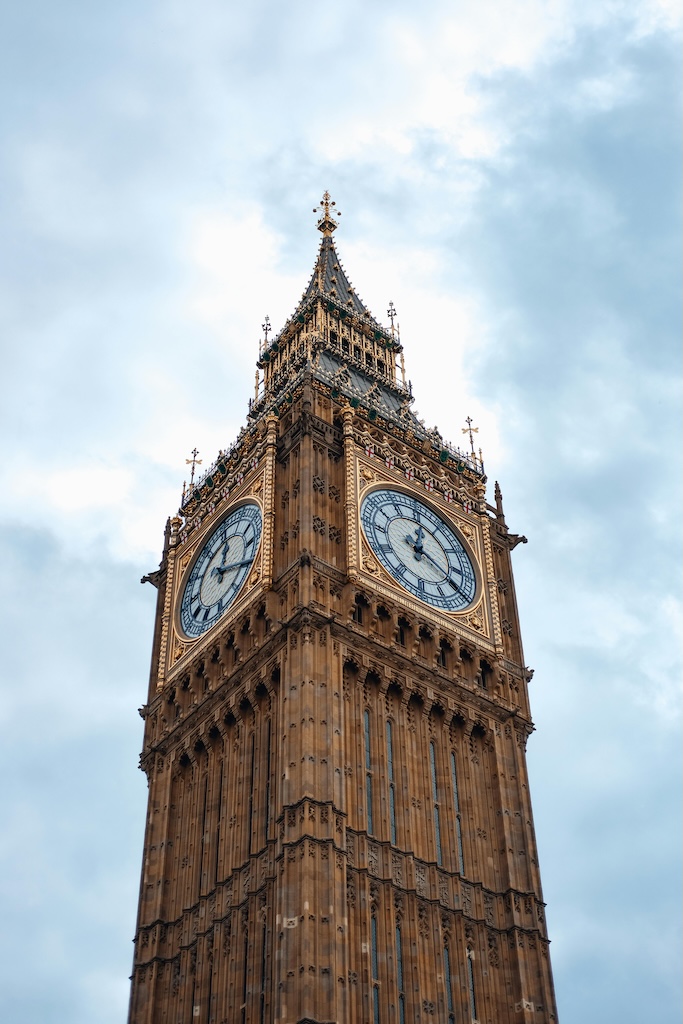
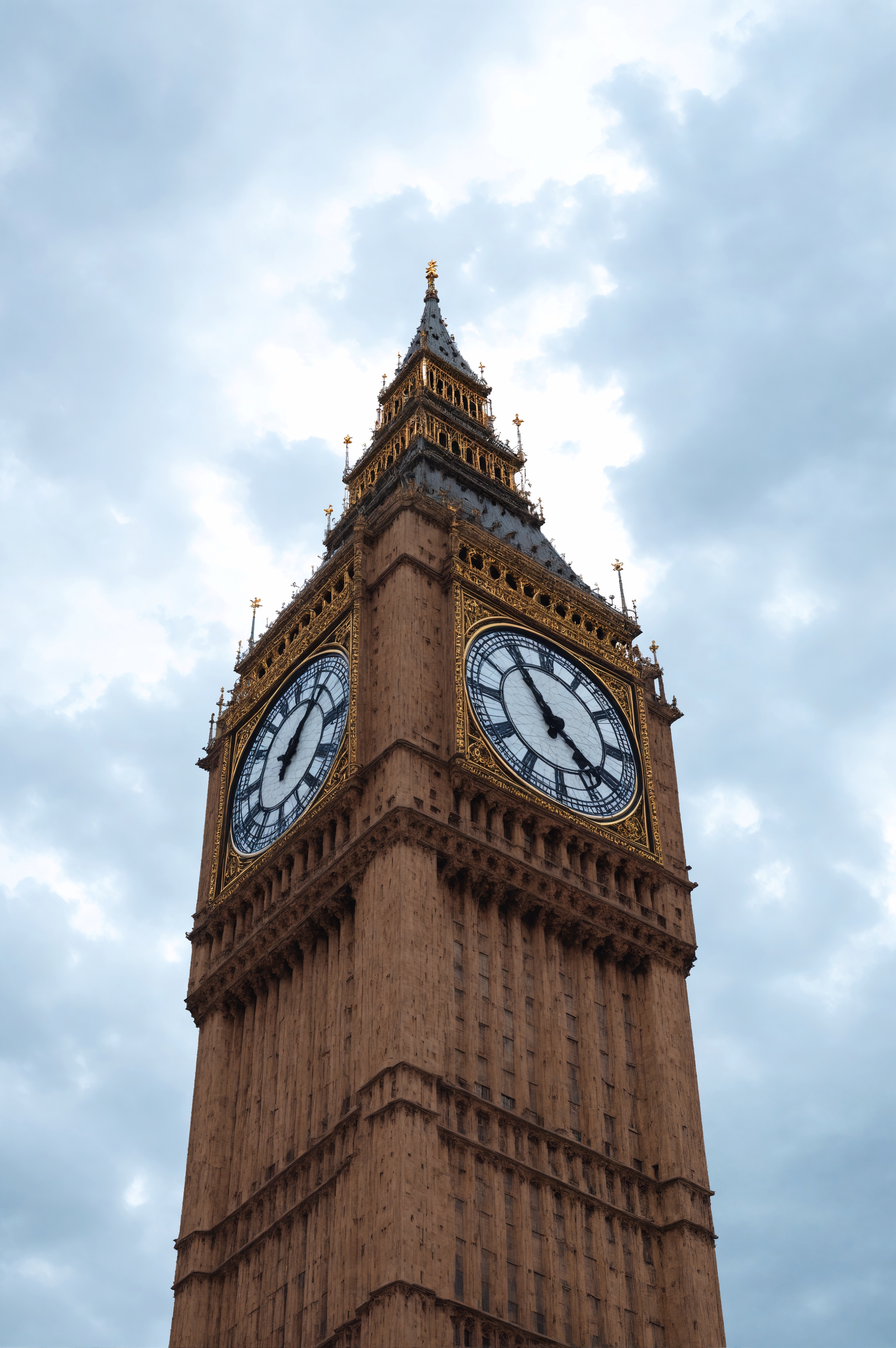
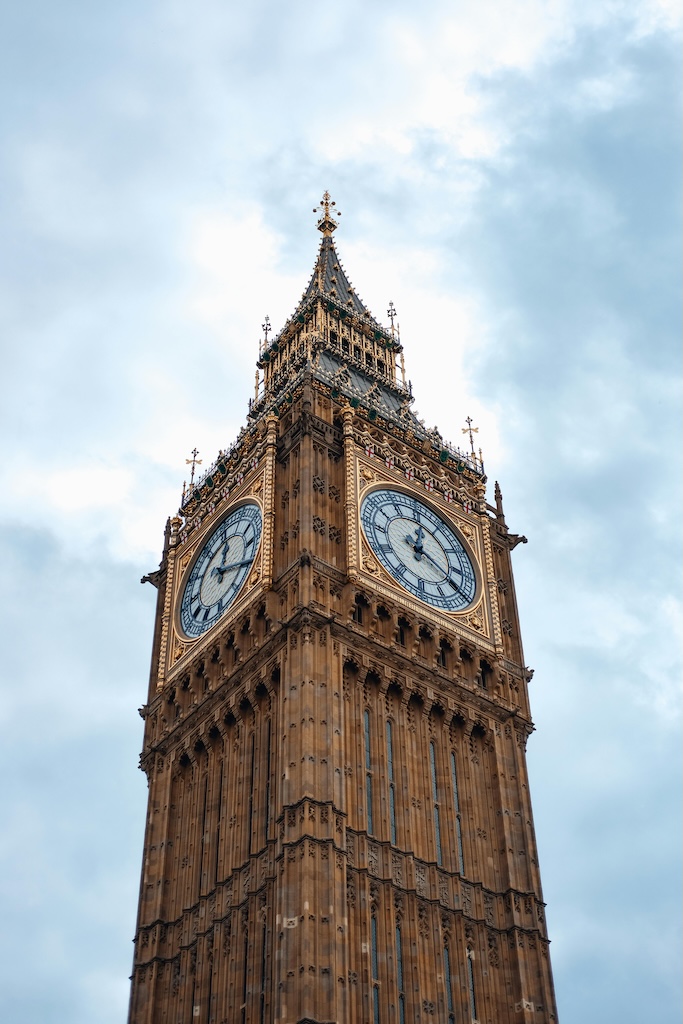
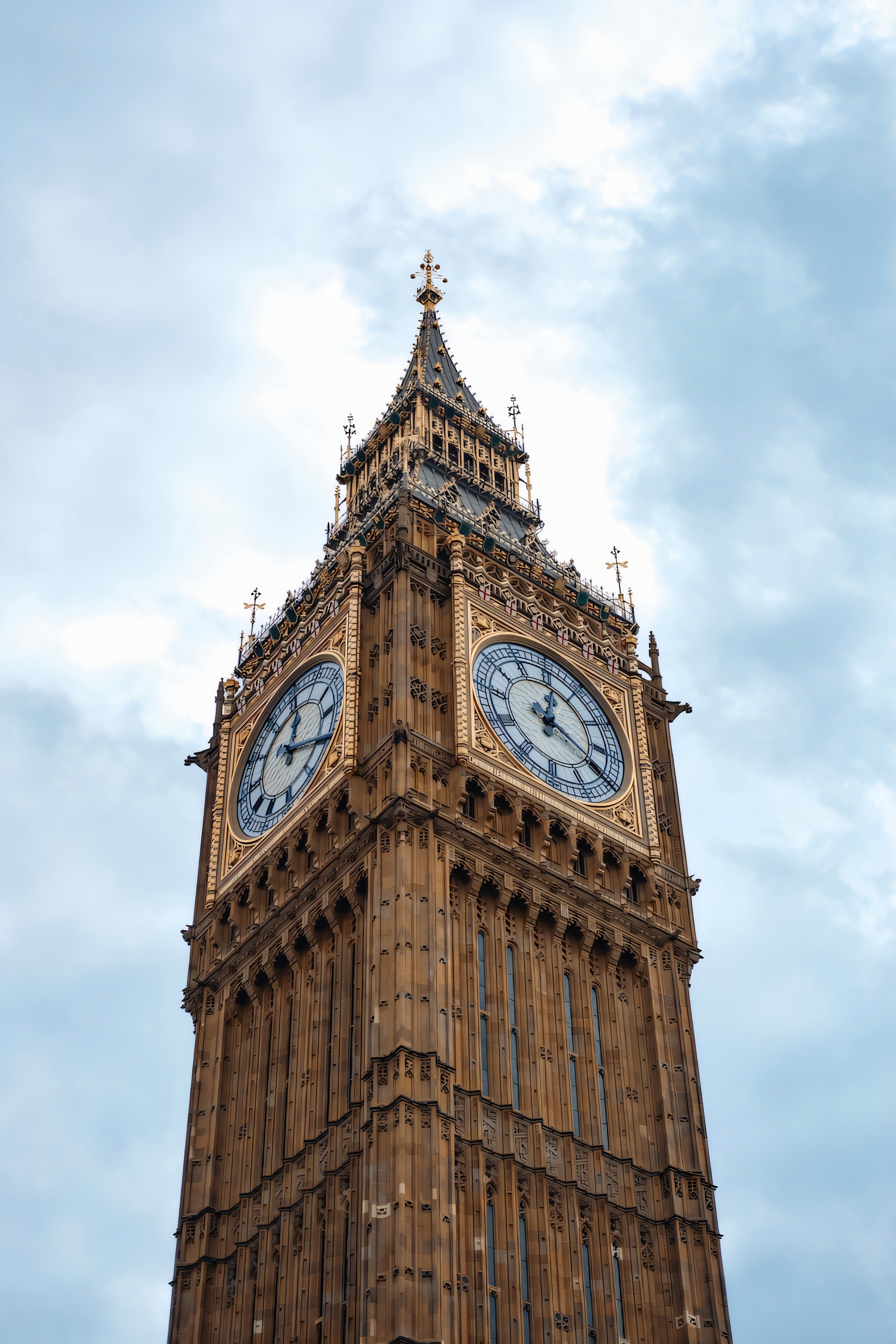
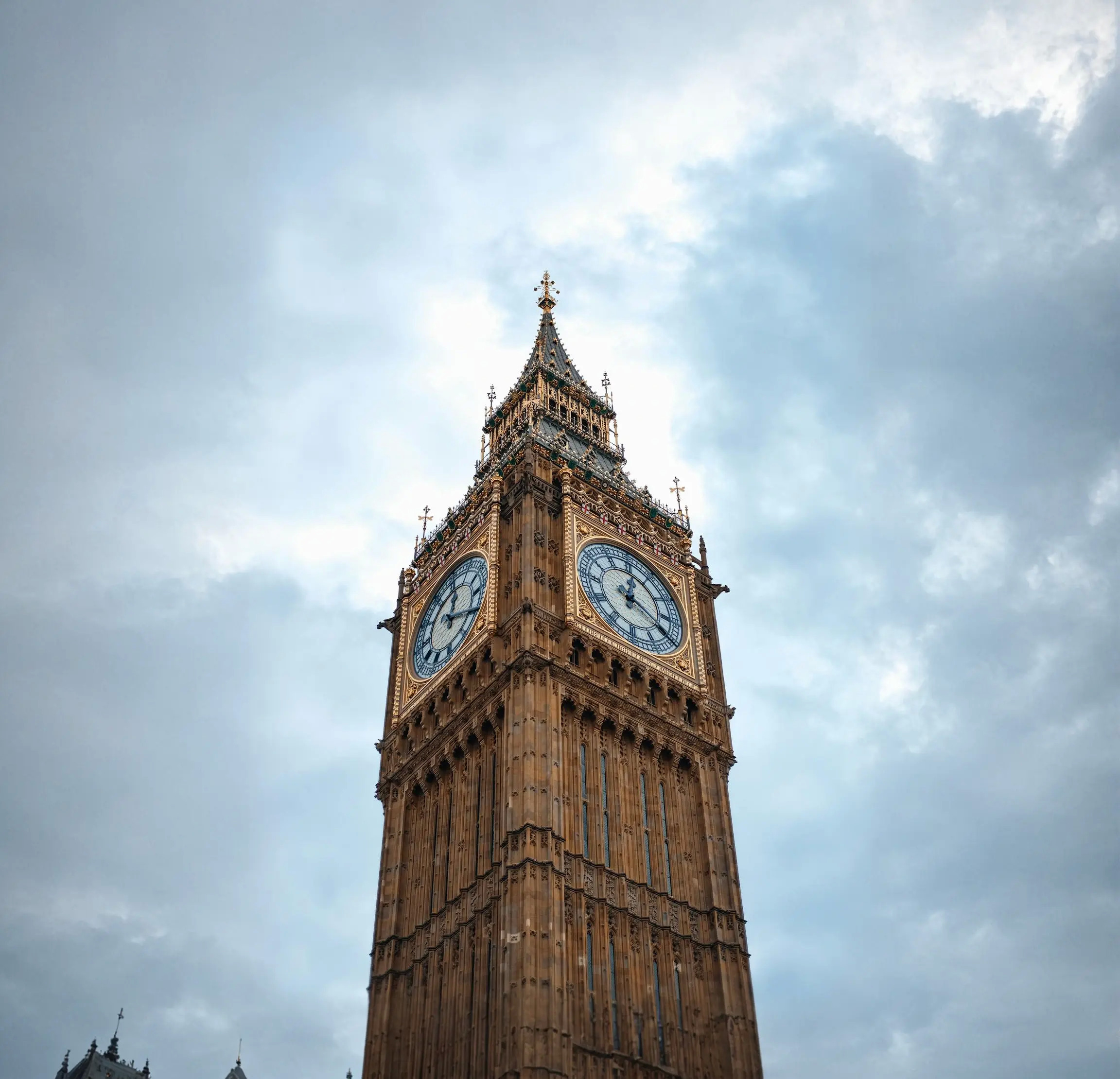
下表显示了 Creative Upscale 操作的输入和输出图像。使用的提示是:这幅梦幻般的数字艺术捕捉了伦敦一座充满活力、千变万化的大本钟。
保守的 Upscale 拍摄介于 64x64 到 1 兆像素之间的图像,并将其放大到 4K 分辨率。该服务可以将图像放大20到40倍,同时保留所有方面。保守的 Upscale 可最大限度地减少对图像的更改,因此不应用于重新构想图像。
保守的 Upscale 具有以下必需参数:
prompt — 您希望在输出图像中看到的内容。清晰定义元素、颜色和主题的有效描述性提示可带来更好的结果。要控制给定单词的权重,请使用格式(word:weight),其中 word 是您要控制权重的单词,权重是一个值。值 0 和 1.0 会降低单词的权重,1.1 和 2 之间的值会增加单词的权重。例如:天空很清晰(blue:0.3)和(green:1.8),表达的意思是天空是蓝绿色的,但更偏向于绿色。最少 0 个字符,最多 10000 个字符。
image —(字符串)要升级的 Base64 图像。图像的每个边都必须至少为 64 像素。总像素不能超过 9437184 个像素。宽高比必须在 1:2.5 到 2.5:1 之间。支持的格式:jpeg、png、webp。
以下参数可选:
创造力 —(数字)表示放大图像时模型应具有的创造力。较高的值将导致在放大过程中向图像添加更多细节。范围介于 0.1 和 0.5 之间。默认 0.35
negative_prompt —(字符串)描述您不希望在输出图像中看到的内容的文本简介。这是一项高级功能。最多 10000 个字符。
seed –(数字)用于说明生成的随机性的特定值。(省略此参数或输入 0 以使用随机种子。) 范围:0 至 4294967294。默认值:0。
output_format —(字符串)决定生成图像的内容类型。枚举:jpeg、png、webp。默认值:png。
- API
-
import base64
import json
import requests
import io
import os
from PIL import Image

image = "./content/input.jpg"

region = "us-east-1"
model_id = "us.stability.stable-conservative-upscale-v1:0"
url = f"https://bedrock-runtime.{region}.amazonaws.com/model/{model_id}/invoke"
api_key = os.getenv("AWS_BEARER_TOKEN_BEDROCK") # https://docs.aws.amazon.com/bedrock/latest/userguide/getting-started-api-keys.html
headers = {
    "Content-Type":"application/json",
    "Authorization":f"Bearer {api_key}"
}

try:
    with open(image, "rb") as image_file:
        image_base64 = base64.b64encode(image_file.read()).decode('utf-8')

    params = {
        "image": image_base64,
        "prompt": "This dreamlike digital art captures a vibrant, kaleidoscopic Big Ben in London",
        "creativity": 0.30
    }
    response = requests.request("POST", url, json=params, headers=headers)
    response.raise_for_status()
    model_response = json.loads(response.text)
    base64_image_data = model_response["images"][0]

    if not base64_image_data:
        raise ValueError("No image data found in model response.")

    image_data = base64.b64decode(base64_image_data)
    image = Image.open(io.BytesIO(image_data))
    image.save("image.png")
    print("Successfully saved image.")

except Exception as e:
    print(e)
- Python
-
import boto3
import base64
import io
import json
from PIL import Image

image = "./content/input.jpg"

region = "us-east-1"
model_id = "us.stability.stable-conservative-upscale-v1:0"

bedrock = boto3.client("bedrock-runtime", region_name=region)

try:
    with open(image, "rb") as image_file:
        image_base64 = base64.b64encode(image_file.read()).decode('utf-8')

    params = {
        "image": image_base64,
        "prompt": "This dreamlike digital art captures a vibrant, kaleidoscopic Big Ben in London",
        "creativity": 0.30
    }
    request = json.dumps(params)
    response = bedrock.invoke_model(modelId=model_id, body=request)
    model_response = json.loads(response["body"].read())
    base64_image_data = model_response["images"][0]

    if not base64_image_data:
        raise ValueError("No image data found in model response.")

    image_data = base64.b64decode(base64_image_data)
    image = Image.open(io.BytesIO(image_data))
    image.save("image.png")
    print("Successfully saved image.")

except Exception as e:
    print(e)
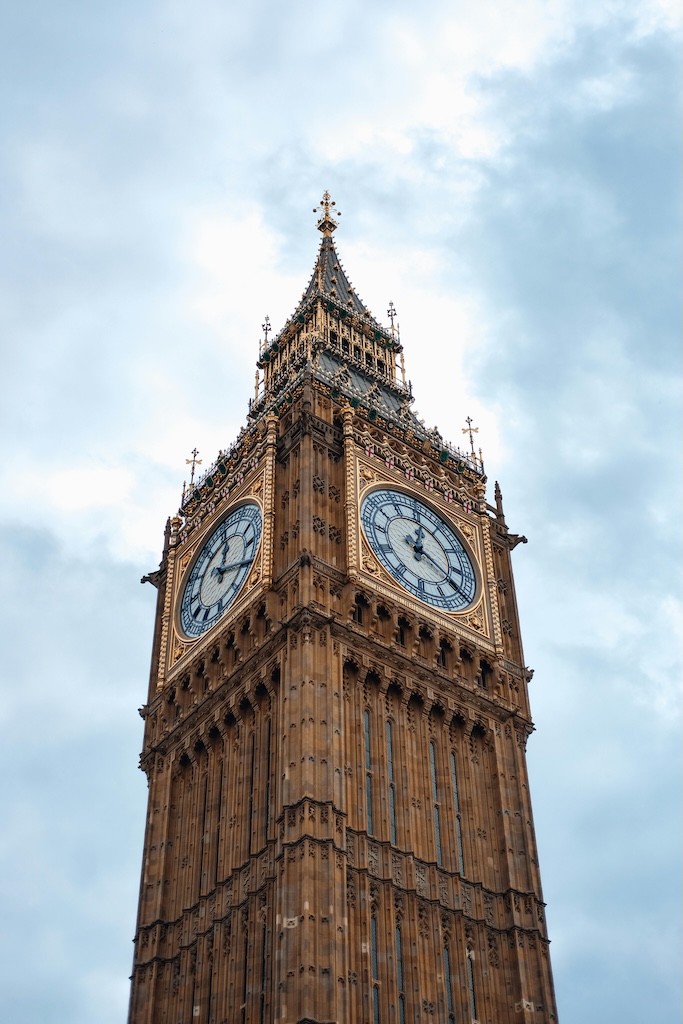
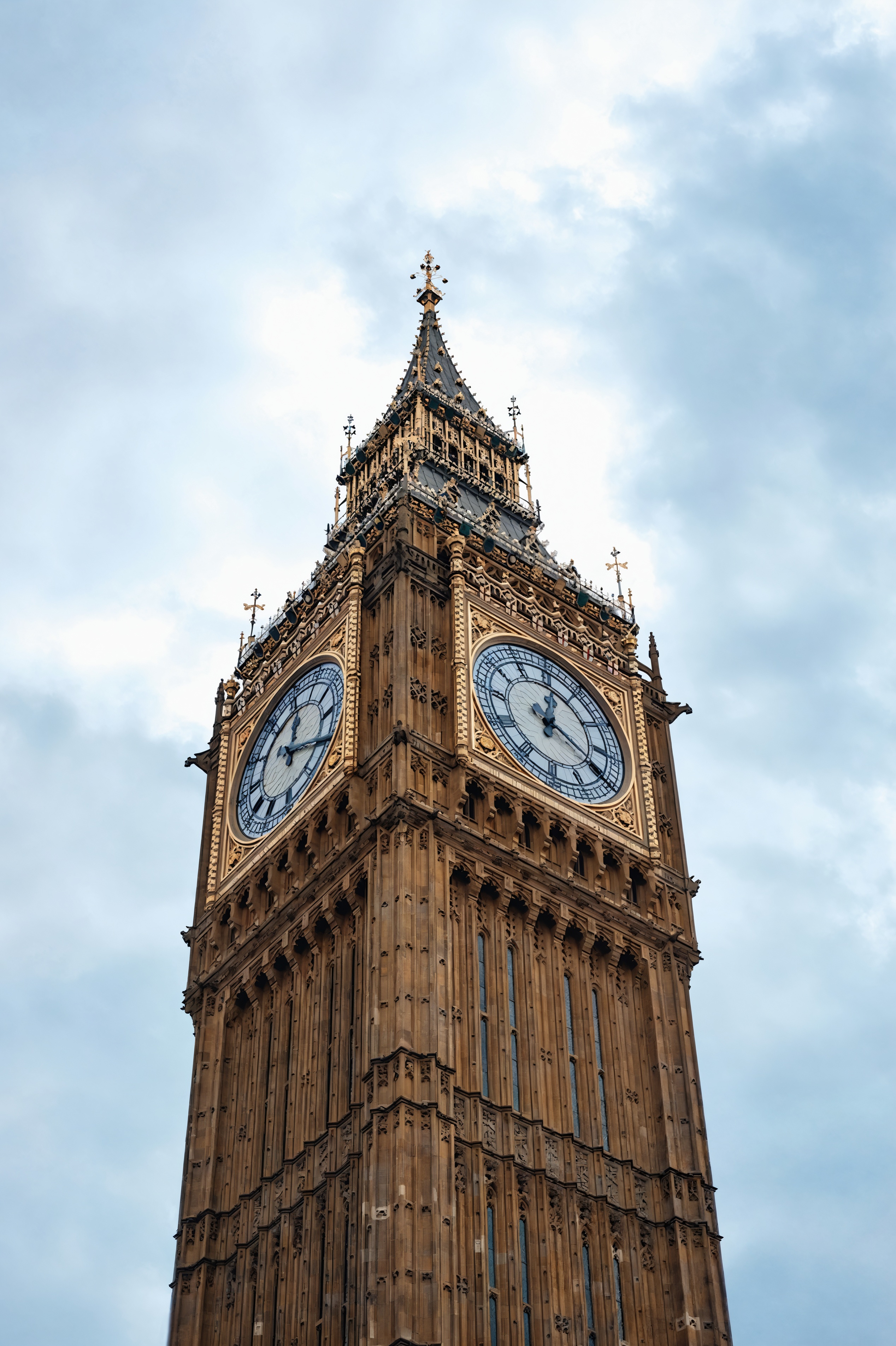
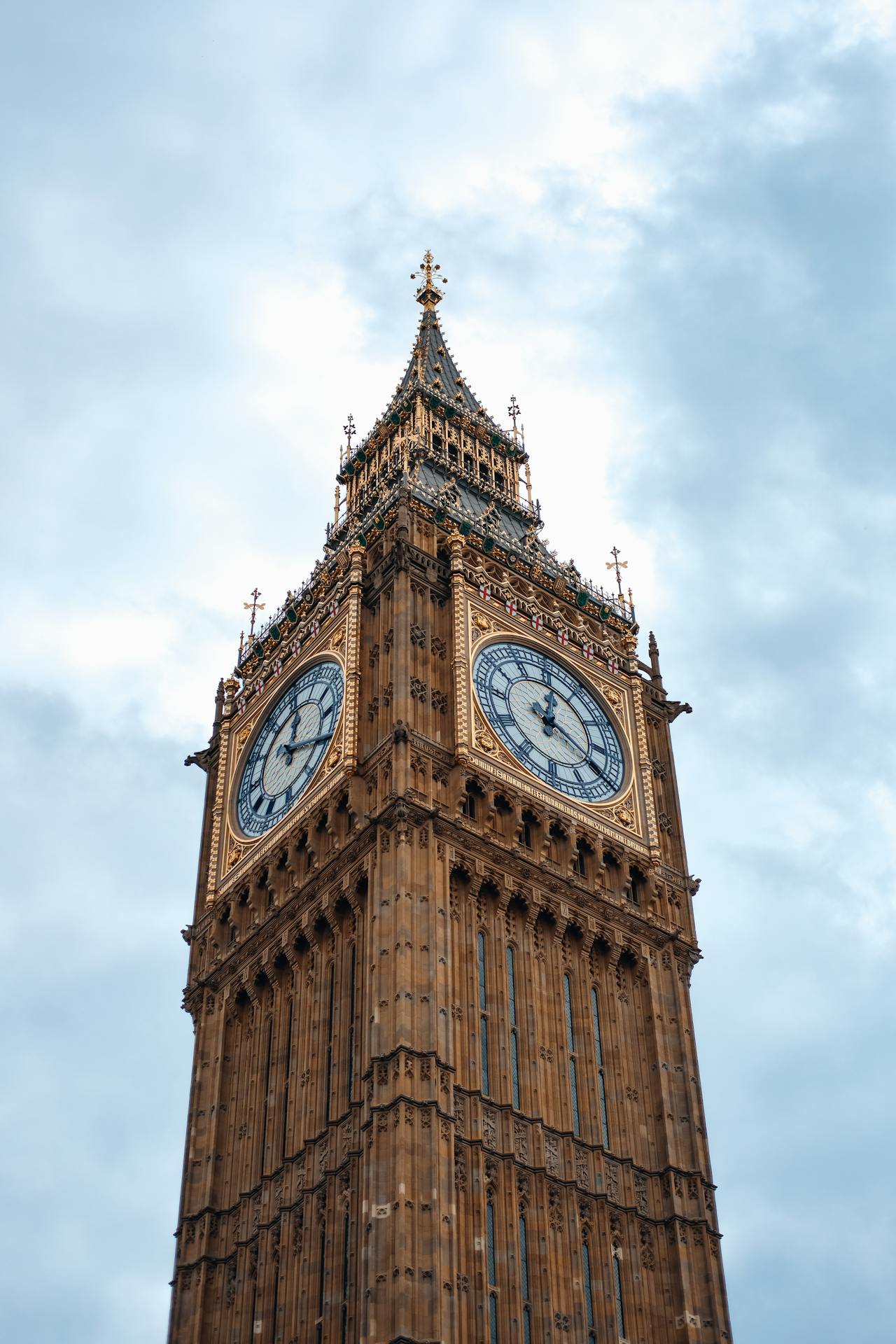
下表显示了 “保守升级” 操作的输入和输出图像。使用的提示是:这幅梦幻般的数字艺术捕捉了伦敦一座充满活力、千变万化的大本钟。
Fast Upscale 使用预测和生成式 AI 将图像分辨率提高了 4 倍。这种轻巧而快速的服务非常适合提高压缩图像的质量,使其适用于社交媒体帖子和其他应用程序。
Fast upscale 具有以下必需参数:
image —(字符串)要升级的 Base64 图像。宽度必须介于 32 到 1,536 像素之间。高度必须介于 32 到 1,536 像素之间。总像素数必须介于 1,024 到 1,048,576 像素之间。支持的格式:jpeg、png、webp。
output_format —(字符串)决定生成图像的内容类型。枚举:jpeg、png、webp。默认值:png。
- API
-
import base64
import json
import requests
import io
import os
from PIL import Image

image = "./content/input.jpg"

region = "us-east-1"
model_id = "us.stability.stable-fast-upscale-v1:0"
url = f"https://bedrock-runtime.{region}.amazonaws.com/model/{model_id}/invoke"
api_key = os.getenv("AWS_BEARER_TOKEN_BEDROCK") # https://docs.aws.amazon.com/bedrock/latest/userguide/getting-started-api-keys.html
headers = {
    "Content-Type":"application/json",
    "Authorization":f"Bearer {api_key}"
}

try:
    with open(image, "rb") as image_file:
        image_base64 = base64.b64encode(image_file.read()).decode('utf-8')

    params = {
        "image": image_base64
    }
    response = requests.request("POST", url, json=params, headers=headers)
    response.raise_for_status()
    model_response = json.loads(response.text)
    base64_image_data = model_response["images"][0]

    if not base64_image_data:
        raise ValueError("No image data found in model response.")

    image_data = base64.b64decode(base64_image_data)
    image = Image.open(io.BytesIO(image_data))
    image.save("image.png")
    print("Successfully saved image.")

except Exception as e:
    print(e)
- Python
-
import boto3
import base64
import io
import json
from PIL import Image

image = "./content/input.jpg"

region = "us-east-1"
model_id = "us.stability.stable-fast-upscale-v1:0"

bedrock = boto3.client("bedrock-runtime", region_name=region)

try:
    with open(image, "rb") as image_file:
        image_base64 = base64.b64encode(image_file.read()).decode('utf-8')

    params = {
        "image": image_base64
    }
    request = json.dumps(params)
    response = bedrock.invoke_model(modelId=model_id, body=request)
    model_response = json.loads(response["body"].read())
    base64_image_data = model_response["images"][0]

    if not base64_image_data:
        raise ValueError("No image data found in model response.")

    image_data = base64.b64decode(base64_image_data)
    image = Image.open(io.BytesIO(image_data))
    image.save("image.png")
    print("Successfully saved image.")

except Exception as e:
    print(e)
下表显示了 “快速升级” 操作的输入和输出图像。
编辑
以下部分介绍如何编辑 Stability AI 图像服务。
Inpaint 可以智能地修改图像,根据蒙版图像的内容填充指定区域或用新内容替换指定区域。
Inpaint 具有以下必需参数:
prompt — 您希望在输出图像中看到的内容。清晰定义元素、颜色和主题的有效描述性提示可带来更好的结果。要控制给定单词的权重,请使用格式(word:weight),其中 word 是您要控制权重的单词,权重是一个值。值 0 和 1.0 会降低单词的权重,1.1 和 2 之间的值会增加单词的权重。例如:天空很清晰(blue:0.3)和(green:1.8),表达的意思是天空是蓝绿色的,但更偏向于绿色。最少 0 个字符,最多 10000 个字符。
image —(字符串)要绘制的 Base64 图像。图像的每个边都必须至少为 64 像素。总像素不能超过 9437184 个像素。宽高比必须在 1:2.5 到 2.5:1 之间。支持的格式:jpeg、png、webp。
以下参数可选:
style_preset –(字符串)引导图像模型生成特定风格的内容。枚举:3d-model、analog-film、anime、cinematic、comic-book、digital-art、enhance、fantasy-art、isometric、line-art、low-poly、modeling-compound、neon-punk、origami、photographic、pixel-art、tile-texture。
negative_prompt —(字符串)描述您不希望在输出图像中看到的内容的文本简介。这是一项高级功能。最多 10000 个字符。
seed –(数字)用于说明生成的随机性的特定值。(省略此参数或输入 0 以使用随机种子。) 范围:0 至 4294967294。默认值:0。
output_format —(字符串)决定生成图像的内容类型。枚举:jpeg、png、webp。默认值:png。
mask —(字符串)在每个像素的基础上控制修复过程的强度。您可以通过第二张图像(传递到此参数中)或通过图像参数的 alpha 通道对其进行控制。
传入蒙版 — 传递给此参数的图像应为黑白图像,该图像根据给定像素的暗度或亮度在任何像素处表示修补强度。全黑像素表示没有补绘强度,而全白像素代表最大强度。如果蒙版的尺寸与图像参数的大小不同,则会自动调整其大小。
Alpha 通道支持 — 如果您不提供明确的掩码,则将从图像参数的 Alpha 通道中派生出一个掩码。透明像素将会补绘,而不透明像素将会保留。在同时提供带有 Alpha 通道的图像以及蒙版时,蒙版将优先。
grow_mask — 按指定数量的像素将蒙版边缘向所有方向向外扩大。蒙版周围的扩展区域将进行模糊处理,这有助于平滑补绘的内容与原始图像之间的过渡。范围介于 0 到 20 之间。默认值:5。如果您注意到补绘内容的周围有接缝或粗糙边缘,请尝试使用此参数。请注意,过度增长可能会掩盖遮罩区域附近的蒙版 and/or 合并中的精细细节。
- API
-
import base64
import json
import requests
import io
import os
from PIL import Image

image = "./content/input.png"
mask = "./content/mask.png"

region = "us-east-1"
model_id = "us.stability.stable-image-inpaint-v1:0"
url = f"https://bedrock-runtime.{region}.amazonaws.com/model/{model_id}/invoke"
api_key = os.getenv("AWS_BEARER_TOKEN_BEDROCK") # https://docs.aws.amazon.com/bedrock/latest/userguide/getting-started-api-keys.html
headers = {
    "Content-Type":"application/json",
    "Authorization":f"Bearer {api_key}"
}

try:
    with open(image, "rb") as image_file:
        image_base64 = base64.b64encode(image_file.read()).decode('utf-8')
    with open(mask, "rb") as mask_file:
        mask_base64 = base64.b64encode(mask_file.read()).decode('utf-8')

    params = {
        "image": image_base64,
        "mask": mask_base64,
        "prompt": "artificer of time and space"
    }
    response = requests.request("POST", url, json=params, headers=headers)
    response.raise_for_status()
    model_response = json.loads(response.text)
    base64_image_data = model_response["images"][0]

    if not base64_image_data:
        raise ValueError("No image data found in model response.")

    image_data = base64.b64decode(base64_image_data)
    image = Image.open(io.BytesIO(image_data))
    image.save("image.png")

    print("Successfully saved image.")

except Exception as e:
    print(e)
- Python
-
import boto3
import base64
import io
import json
from PIL import Image

image = "./content/input.png"
mask = "./content/mask.png"

region = "us-east-1"
model_id = "us.stability.stable-image-inpaint-v1:0"

bedrock = boto3.client("bedrock-runtime", region_name=region)

try:
    with open(image, "rb") as image_file:
        image_base64 = base64.b64encode(image_file.read()).decode('utf-8')
    with open(mask, "rb") as mask_file:
        mask_base64 = base64.b64encode(mask_file.read()).decode('utf-8')

    params = {
        "image": image_base64,
        "mask": mask_base64,
        "prompt": "artificer of time and space"
    }
    request = json.dumps(params)
    response = bedrock.invoke_model(modelId=model_id, body=request)
    model_response = json.loads(response["body"].read())
    base64_image_data = model_response["images"][0]

    if not base64_image_data:
        raise ValueError("No image data found in model response.")

    image_data = base64.b64decode(base64_image_data)
    image = Image.open(io.BytesIO(image_data))
    image.save("image.png")

    print("Successfully saved image.")

except Exception as e:
    print(e)
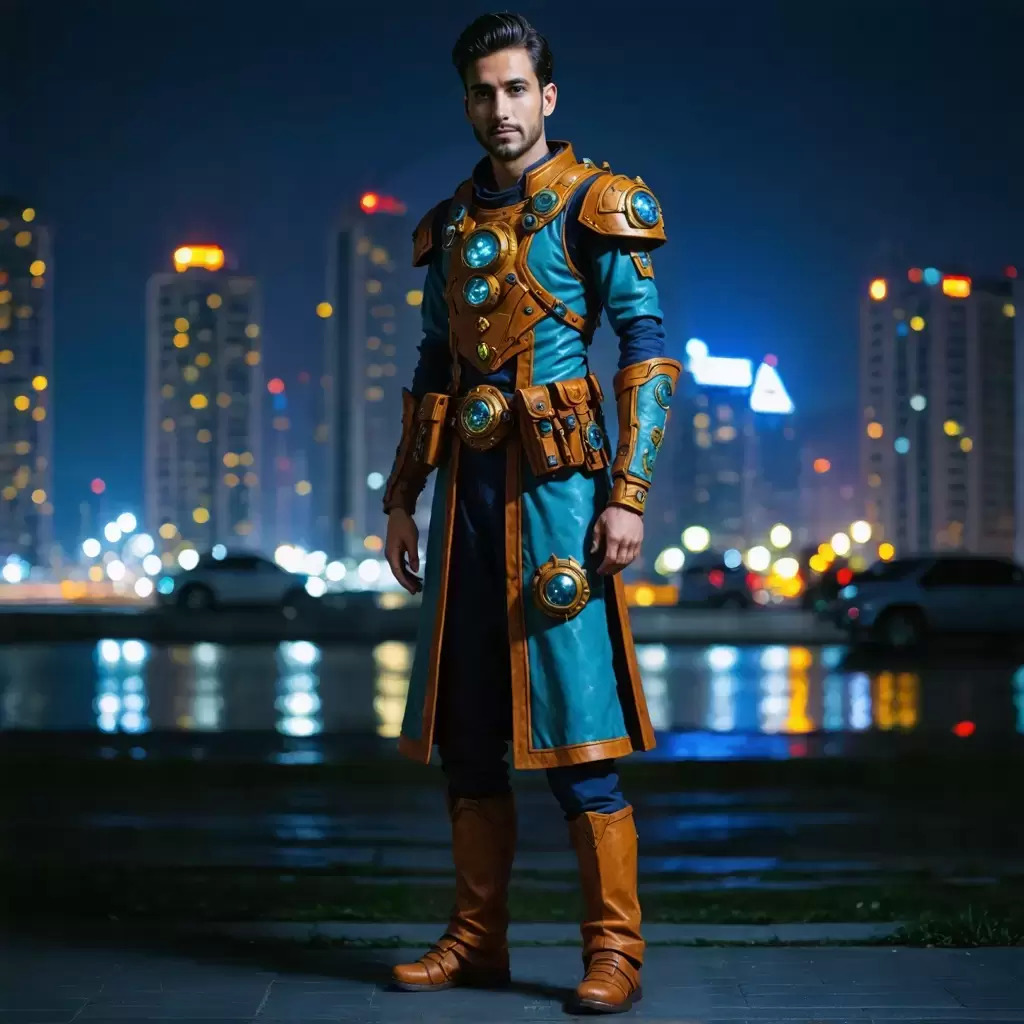
下表显示补绘操作的输入和输出图像。
Outpaint 在图像中插入其他内容以向任何方向填充空间。其他扩展图像内容的自动或手动方法可能会留下可见的伪影。Outpaint 服务最大限度地减少了原始图像已被编辑的迹象。
Outpaint 具有以下必需的参数:
以下参数可选:
prompt — 您希望在输出图像中看到的内容。清晰定义元素、颜色和主题的有效描述性提示可带来更好的结果。要控制给定单词的权重,请使用格式(word:weight),其中 word 是您要控制权重的单词,权重是一个值。值 0 和 1.0 会降低单词的权重,1.1 和 2 之间的值会增加单词的权重。例如:天空很清晰(blue:0.3)和(green:1.8),表达的意思是天空是蓝绿色的,但更偏向于绿色。最少 0 个字符,最多 10000 个字符。
style_preset –(字符串)引导图像模型生成特定风格的内容。枚举:3d-model、analog-film、anime、cinematic、comic-book、digital-art、enhance、fantasy-art、isometric、line-art、low-poly、modeling-compound、neon-punk、origami、photographic、pixel-art、tile-texture。
seed –(数字)用于说明生成的随机性的特定值。(省略此参数或输入 0 以使用随机种子。) 范围:0 至 4294967294。默认值:0。
output_format —(字符串)决定生成图像的内容类型。枚举:jpeg、png、webp。默认值:png。
创造力 —(数字)表示模型在绘制图像时应具有的创造力。较高的值将导致在外绘期间向图像添加更多创意内容。范围介于 0.1 和 1.0 之间。默认值:0.5。
left —(整数)图像左侧要超过绘制的像素数。必须为至少一个绘制方向提供非零值。范围为 0 到 2000。默认 0。
right —(整数)图像右侧要超过绘制的像素数。必须为至少一个绘制方向提供非零值。范围为 0 到 2000。默认 0。
up —(整数)图像顶部要超过绘制的像素数。必须为至少一个绘制方向提供非零值。范围为 0 到 2000。默认 0。
down —(整数)图像底部要超过绘制的像素数。必须为至少一个绘制方向提供非零值。范围为 0 到 2000。默认 0。
- API
-
import base64
import json
import requests
import io
import os
from PIL import Image

image = "./content/input.jpg"

region = "us-east-1"
model_id = "us.stability.stable-outpaint-v1:0"
url = f"https://bedrock-runtime.{region}.amazonaws.com/model/{model_id}/invoke"
api_key = os.getenv("AWS_BEARER_TOKEN_BEDROCK") # https://docs.aws.amazon.com/bedrock/latest/userguide/getting-started-api-keys.html
headers = {
    "Content-Type":"application/json",
    "Authorization":f"Bearer {api_key}"
}

try:
    with open(image, "rb") as image_file:
        image_base64 = base64.b64encode(image_file.read()).decode('utf-8')

    params = {
        "image": image_base64,
        "left": 512,
        "right": 512,
        "up": 200,
        "down": 100
    }
    response = requests.request("POST", url, json=params, headers=headers)
    response.raise_for_status()
    model_response = json.loads(response.text)
    base64_image_data = model_response["images"][0]

    if not base64_image_data:
        raise ValueError("No image data found in model response.")

    image_data = base64.b64decode(base64_image_data)
    image = Image.open(io.BytesIO(image_data))
    image.save("image.png")
    print("Successfully saved image.")

except Exception as e:
    print(e)
- Python
-
import boto3
import base64
import io
import json
from PIL import Image

image = "./content/input.png"

region = "us-east-1"
model_id = "us.stability.stable-outpaint-v1:0"

bedrock = boto3.client("bedrock-runtime", region_name=region)

try:
    with open(image, "rb") as image_file:
        image_base64 = base64.b64encode(image_file.read()).decode('utf-8')

    params = {
        "image": image_base64,
        "left": 512,
        "right": 512,
        "up": 200,
        "down": 100
    }
    request = json.dumps(params)
    response = bedrock.invoke_model(modelId=model_id, body=request)
    model_response = json.loads(response["body"].read())
    base64_image_data = model_response["images"][0]

    if not base64_image_data:
        raise ValueError("No image data found in model response.")

    image_data = base64.b64decode(base64_image_data)
    image = Image.open(io.BytesIO(image_data))
    image.save("image.png")
    print("Successfully saved image.")

except Exception as e:
    print(e)
下表显示了 Outpaint 操作的输入和输出图像。
通过 Search and Recolor,您可以使用提示更改图像中特定对象的颜色。此服务是补绘的特定版本,不需要蒙版。服务会自动划分对象,并使用提示中要求的颜色对其进行重新着色。
Search and Recolor 具有以下必需参数:
prompt — 您希望在输出图像中看到的内容。清晰定义元素、颜色和主题的有效描述性提示可带来更好的结果。要控制给定单词的权重,请使用格式(word:weight),其中 word 是您要控制权重的单词,权重是一个值。值 0 和 1.0 会降低单词的权重,1.1 和 2 之间的值会增加单词的权重。例如:天空很清晰(blue:0.3)和(green:1.8),表达的意思是天空是蓝绿色的,但更偏向于绿色。最少 0 个字符,最多 10000 个字符。
image —(字符串)要重新着色的Base64图像。图像的每个边都必须至少为 64 像素。总像素不能超过 9437184 个像素。宽高比必须在 1:2.5 到 2.5:1 之间。支持的格式:jpeg、png、webp。
select_prompt —(字符串)对图像中要搜索的内容的简短描述。最多 10000 个字符。
以下参数可选:
style_preset –(字符串)引导图像模型生成特定风格的内容。枚举:3d-model、analog-film、anime、cinematic、comic-book、digital-art、enhance、fantasy-art、isometric、line-art、low-poly、modeling-compound、neon-punk、origami、photographic、pixel-art、tile-texture。
negative_prompt —(字符串)描述您不希望在输出图像中看到的内容的文本简介。这是一项高级功能。最多 10000 个字符。
seed –(数字)用于说明生成的随机性的特定值。(省略此参数或输入 0 以使用随机种子。) 范围:0 至 4294967294。默认值:0。
output_format —(字符串)决定生成图像的内容类型。枚举:jpeg、png、webp。默认值:png。
grow_mask — 按指定数量的像素将蒙版边缘向所有方向向外扩大。蒙版周围的扩展区域将进行模糊处理,这有助于平滑补绘的内容与原始图像之间的过渡。范围介于 0 到 20 之间。默认值:5。如果您注意到补绘内容的周围有接缝或粗糙边缘,请尝试使用此参数。请注意,过度增长可能会掩盖遮罩区域附近的蒙版 and/or 合并中的精细细节。
- API
-
import base64
import json
import requests
import io
import os
from PIL import Image

image = "./content/input.png"

region = "us-east-1"
model_id = "us.stability.stable-image-search-recolor-v1:0"
url = f"https://bedrock-runtime.{region}.amazonaws.com/model/{model_id}/invoke"
api_key = os.getenv("AWS_BEARER_TOKEN_BEDROCK") # https://docs.aws.amazon.com/bedrock/latest/userguide/getting-started-api-keys.html
headers = {
    "Content-Type":"application/json",
    "Authorization":f"Bearer {api_key}"
}

try:
    with open(image, "rb") as image_file:
        image_base64 = base64.b64encode(image_file.read()).decode('utf-8')

    params = {
        "image": image_base64,
        "prompt": "pink jacket",
        "select_prompt": "jacket"
    }
    response = requests.request("POST", url, json=params, headers=headers)
    response.raise_for_status()
    model_response = json.loads(response.text)

    base64_image_data = model_response["images"][0]
    if not base64_image_data:
        raise ValueError("No image data found in model response.")

    image_data = base64.b64decode(base64_image_data)
    image = Image.open(io.BytesIO(image_data))
    image.save("image.png")

    print("Successfully saved image.")

except Exception as e:
    print(e)
- Python
-
import boto3
import base64
import io
import json
from PIL import Image

image = "./content/input.png"

region = "us-east-1"
model_id = "us.stability.stable-image-search-recolor-v1:0"

bedrock = boto3.client("bedrock-runtime", region_name=region)

try:
    with open(image, "rb") as image_file:
        image_base64 = base64.b64encode(image_file.read()).decode('utf-8')

    params = {
        "image": image_base64,
        "prompt": "pink jacket",
        "select_prompt": "jacket"
    }
    request = json.dumps(params)
    response = bedrock.invoke_model(modelId=model_id, body=request)
    model_response = json.loads(response["body"].read())
    base64_image_data = model_response["images"][0]

    if not base64_image_data:
        raise ValueError("No image data found in model response.")

    image_data = base64.b64decode(base64_image_data)
    image = Image.open(io.BytesIO(image_data))
    image.save("image.png")

    print("Successfully saved image.")

except Exception as e:
    print(e)
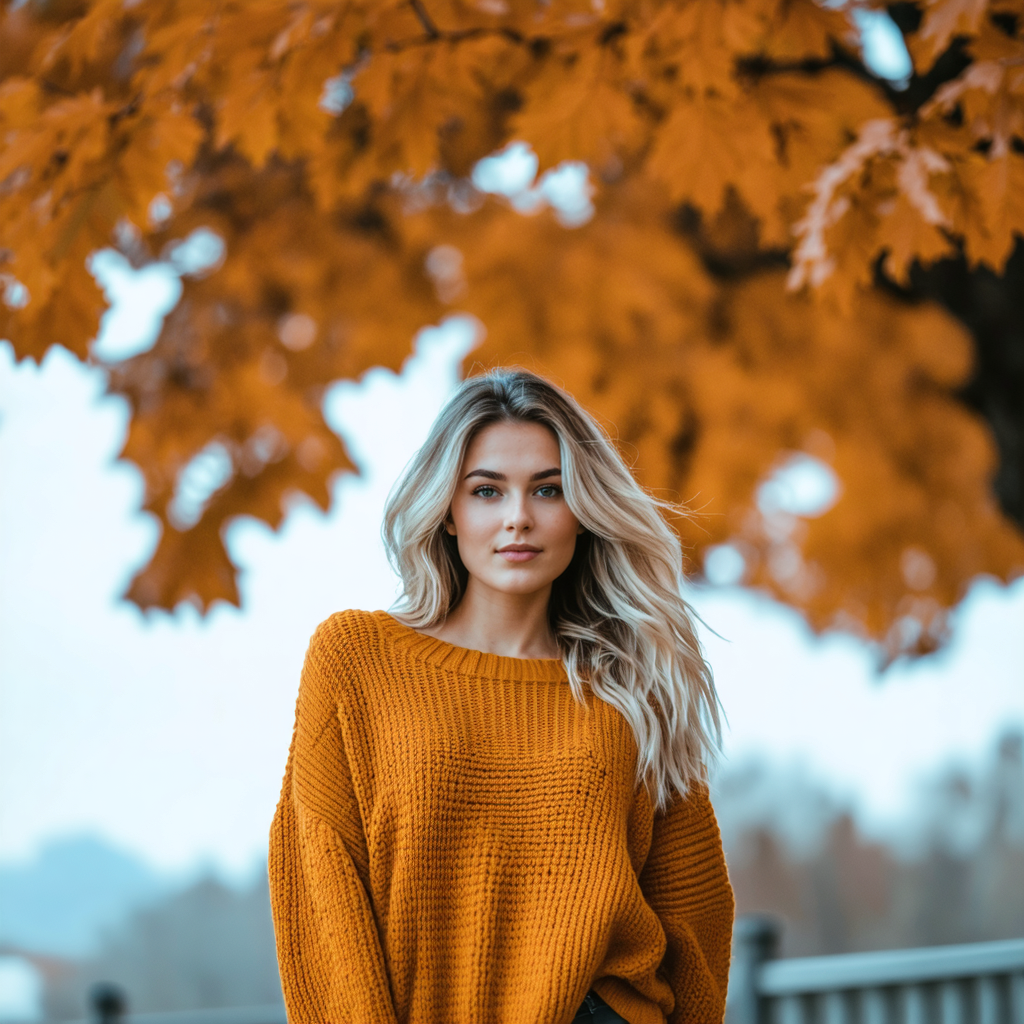
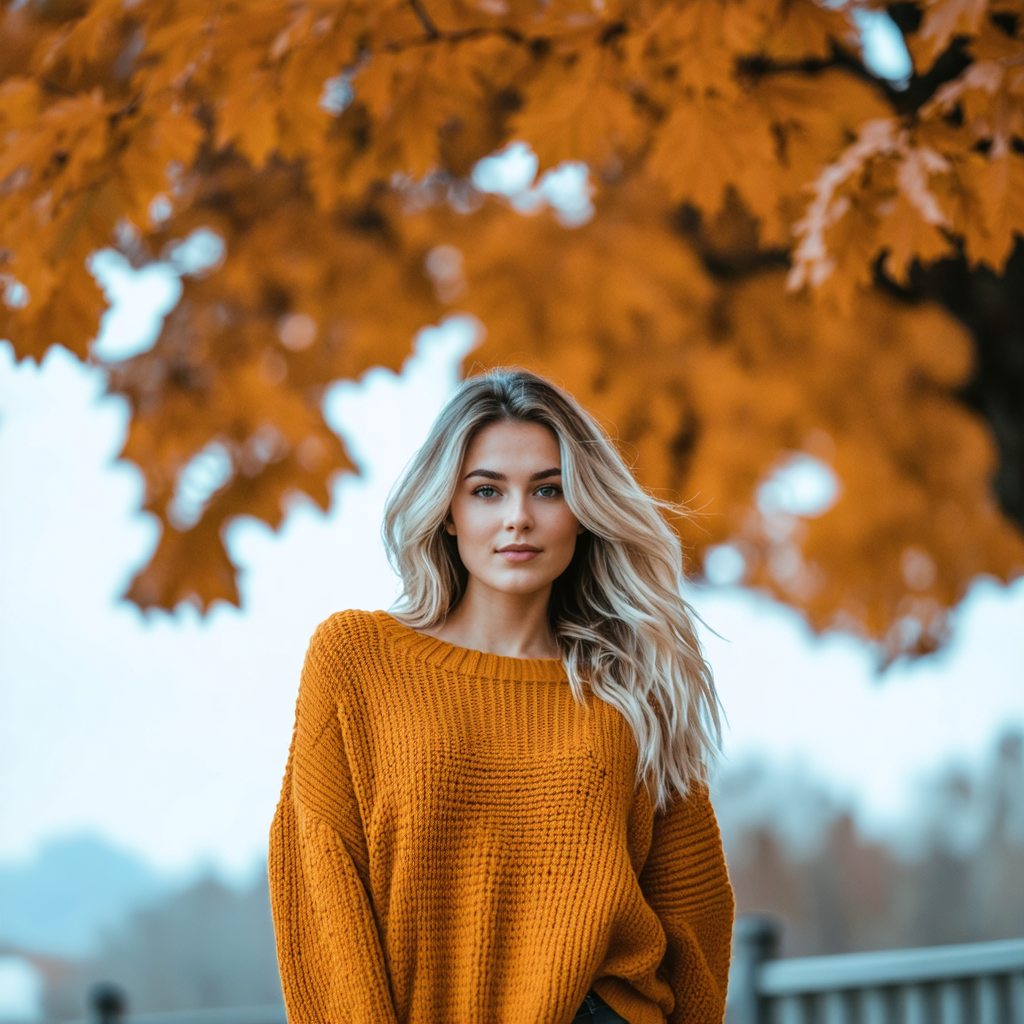
下表显示了 “搜索和重新着色” 操作的输入和输出图像。使用的提示是:粉色外套。
通过 Search and Replace,您可以使用搜索提示,通过简单语言来标识要替换的对象。该服务将自动划分对象,并将其替换为提示中提出的对象,而无需使用蒙版。
Search and Replace 具有以下必需参数:
prompt — 您希望在输出图像中看到的内容。清晰定义元素、颜色和主题的有效描述性提示可带来更好的结果。要控制给定单词的权重,请使用格式(word:weight),其中 word 是您要控制权重的单词,权重是一个值。值 0 和 1.0 会降低单词的权重,1.1 和 2 之间的值会增加单词的权重。例如:天空很清晰(blue:0.3)和(green:1.8),表达的意思是天空是蓝绿色的,但更偏向于绿色。最少 0 个字符,最多 10000 个字符。
image —(字符串)要重新着色的Base64图像。图像的每个边都必须至少为 64 像素。总像素不能超过 9437184 个像素。宽高比必须在 1:2.5 到 2.5:1 之间。支持的格式:jpeg、png、webp。
search_prompt —(字符串)对图像中要绘制的内容的简短描述。最多 10000 个字符。
以下参数可选:
style_preset –(字符串)引导图像模型生成特定风格的内容。枚举:3d-model、analog-film、anime、cinematic、comic-book、digital-art、enhance、fantasy-art、isometric、line-art、low-poly、modeling-compound、neon-punk、origami、photographic、pixel-art、tile-texture。
negative_prompt —(字符串)描述您不希望在输出图像中看到的内容的文本简介。这是一项高级功能。最多 10000 个字符。
seed –(数字)用于说明生成的随机性的特定值。(省略此参数或输入 0 以使用随机种子。) 范围:0 至 4294967294。默认值:0。
output_format —(字符串)决定生成图像的内容类型。枚举:jpeg、png、webp。默认值:png。
grow_mask — 按指定数量的像素将蒙版边缘向所有方向向外扩大。蒙版周围的扩展区域将进行模糊处理,这有助于平滑补绘的内容与原始图像之间的过渡。范围介于 0 到 20 之间。默认值:5。如果您注意到补绘内容的周围有接缝或粗糙边缘,请尝试使用此参数。请注意,过度增长可能会掩盖遮罩区域附近的蒙版 and/or 合并中的精细细节。
- API
-
import base64
import json
import requests
import io
import os
from PIL import Image

image = "./content/input.png"

region = "us-east-1"
model_id = "us.stability.stable-image-search-replace-v1:0"
url = f"https://bedrock-runtime.{region}.amazonaws.com/model/{model_id}/invoke"
api_key = os.getenv("AWS_BEARER_TOKEN_BEDROCK") # https://docs.aws.amazon.com/bedrock/latest/userguide/getting-started-api-keys.html
headers = {
    "Content-Type":"application/json",
    "Authorization":f"Bearer {api_key}"
}

try:
    with open(image, "rb") as image_file:
        image_base64 = base64.b64encode(image_file.read()).decode('utf-8')

    params = {
        "image": image_base64,
        "prompt": "jacket",
        "search_prompt": "sweater",
    }
    response = requests.request("POST", url, json=params, headers=headers)
    response.raise_for_status()
    model_response = json.loads(response.text)
    base64_image_data = model_response["images"][0]

    if not base64_image_data:
        raise ValueError("No image data found in model response.")

    image_data = base64.b64decode(base64_image_data)
    image = Image.open(io.BytesIO(image_data))
    image.save("image.png")

    print("Successfully saved image.")

except Exception as e:
    print(e)
- Python
-
import boto3
import base64
import io
import json
from PIL import Image

image = "./content/input.png"

region = "us-east-1"
model_id = "us.stability.stable-image-search-replace-v1:0"

bedrock = boto3.client("bedrock-runtime", region_name=region)

try:
    with open(image, "rb") as image_file:
        image_base64 = base64.b64encode(image_file.read()).decode('utf-8')

    params = {
        "image": image_base64,
        "prompt": "jacket",
        "search_prompt": "sweater",
    }
    request = json.dumps(params)
    response = bedrock.invoke_model(modelId=model_id, body=request)
    model_response = json.loads(response["body"].read())
    base64_image_data = model_response["images"][0]

    if not base64_image_data:
        raise ValueError("No image data found in model response.")
    image_data = base64.b64decode(base64_image_data)

    image = Image.open(io.BytesIO(image_data))
    image.save("image.png")

    print("Successfully saved image.")

except Exception as e:
    print(e)
下表显示了 “搜索和替换” 操作的输入和输出图像。使用的提示是:夹克。
通过 Erase,您可以使用图像蒙版移除不需要的元素,同时智能地保持背景一致性。
Erase 具有以下必需参数:
以下参数可选:
seed –(数字)用于说明生成的随机性的特定值。(省略此参数或输入 0 以使用随机种子。) 范围:0 至 4294967294。默认值:0。
output_format —(字符串)决定生成图像的内容类型。枚举:jpeg、png、webp。默认值:png。
mask —(字符串)在每个像素的基础上控制修复过程的强度。您可以通过第二张图像(传递到此参数中)或通过图像参数的 alpha 通道对其进行控制。
传入蒙版 — 传递给此参数的图像应为黑白图像,该图像根据给定像素的暗度或亮度在任何像素处表示修补强度。全黑像素表示没有补绘强度,而全白像素代表最大强度。如果蒙版的尺寸与图像参数的大小不同,则会自动调整其大小。
Alpha 通道支持 — 如果您不提供明确的掩码,则将从图像参数的 Alpha 通道中派生出一个掩码。透明像素将会补绘,而不透明像素将会保留。在同时提供带有 Alpha 通道的图像以及蒙版时,蒙版将优先。
grow_mask — 按指定数量的像素将蒙版边缘向所有方向向外扩大。蒙版周围的扩展区域将进行模糊处理,这有助于平滑补绘的内容与原始图像之间的过渡。范围介于 0 到 20 之间。默认值:5。如果您注意到补绘内容的周围有接缝或粗糙边缘,请尝试使用此参数。请注意,过度增长可能会掩盖遮罩区域附近的蒙版 and/or 合并中的精细细节。
为获得最佳擦除效果,请确保您的口罩准确定义要移除的区域。如果未显式提供掩码,则服务将使用输入图像的 Alpha 通道。如果同时提供两者,则蒙版将优先。
- API
-
import base64
import json
import requests
import io
import os
from PIL import Image

image = "./content/input.png"
mask = "./content/mask.png"

region = "us-east-1"
model_id = "us.stability.stable-image-erase-object-v1:0"
url = f"https://bedrock-runtime.{region}.amazonaws.com/model/{model_id}/invoke"
api_key = os.getenv("AWS_BEARER_TOKEN_BEDROCK") # https://docs.aws.amazon.com/bedrock/latest/userguide/getting-started-api-keys.html
headers = {
    "Content-Type":"application/json",
    "Authorization":f"Bearer {api_key}"
}

try:
    with open(image, "rb") as image_file:
        image_base64 = base64.b64encode(image_file.read()).decode('utf-8'),
    with open(mask, "rb") as mask_file:
        mask_base64 = base64.b64encode(mask_file.read()).decode('utf-8')

    params = {
        "image": image_base64,
        "mask": mask_base64
    }
    response = requests.request("POST", url, json=params, headers=headers)
    response.raise_for_status()
    model_response = json.loads(response.text)
    base64_image_data = model_response["images"][0]

    if not base64_image_data:
        raise ValueError("No image data found in model response.")

    image_data = base64.b64decode(base64_image_data)
    image = Image.open(io.BytesIO(image_data))
    image.save("image.png")

    print("Successfully saved image.")

except Exception as e:
    print(e)
- Python
-
import boto3
import base64
import io
import json
from PIL import Image

image = "./content/input.png"
mask = "./content/mask.png"

region = "us-east-1"
model_id = "us.stability.stable-image-erase-object-v1:0"

bedrock = boto3.client("bedrock-runtime", region_name=region)

try:
    with open(image, "rb") as image_file:
        image_base64 = base64.b64encode(image_file.read()).decode('utf-8'),
    with open(mask, "rb") as mask_file:
        mask_base64 = base64.b64encode(mask_file.read()).decode('utf-8')

    params = {
        "image": image_base64,
        "mask": mask_base64
    }
    request = json.dumps(params)
    response = bedrock.invoke_model(modelId=model_id, body=request)
    model_response = json.loads(response["body"].read())
    base64_image_data = model_response["images"][0]

    if not base64_image_data:
        raise ValueError("No image data found in model response.")

    image_data = base64.b64decode(base64_image_data)
    image = Image.open(io.BytesIO(image_data))
    image.save("image.png")

    print("Successfully saved image.")

except Exception as e:
    print(e)
下表显示 Erase 操作的输入和输出图像。
通过 Remove Background,您可以精准地将主体与背景隔离开来。
Remove Background 具有以下必需参数:
以下参数可选:
- API
-
import base64
import json
import requests
import io
import os
from PIL import Image

image = "./content/input.png"

region = "us-east-1"
model_id = "us.stability.stable-image-remove-background-v1:0"
url = f"https://bedrock-runtime.{region}.amazonaws.com/model/{model_id}/invoke"
api_key = os.getenv("AWS_BEARER_TOKEN_BEDROCK") # https://docs.aws.amazon.com/bedrock/latest/userguide/getting-started-api-keys.html
headers = {
    "Content-Type":"application/json",
    "Authorization":f"Bearer {api_key}"
}

try:
    with open(image, "rb") as image_file:
        image_base64 = base64.b64encode(image_file.read()).decode('utf-8')

    params = {
        "image": image_base64,
    }
    response = requests.request("POST", url, json=params, headers=headers)
    response.raise_for_status()
    model_response = json.loads(response.text)
    base64_image_data = model_response["images"][0]

    if not base64_image_data:
        raise ValueError("No image data found in model response.")

    image_data = base64.b64decode(base64_image_data)
    image = Image.open(io.BytesIO(image_data))
    image.save("image.png")

    print("Successfully saved image.")

except Exception as e:
    print(e)
- Python
-
import boto3
import base64
import io
import json
from PIL import Image

image = "./content/input.png"

region = "us-east-1"
model_id = "us.stability.stable-image-remove-background-v1:0"

bedrock = boto3.client("bedrock-runtime", region_name=region)

try:
    with open(image, "rb") as image_file:
        image_base64 = base64.b64encode(image_file.read()).decode('utf-8')

    params = {
        "image": image_base64
    }
    request = json.dumps(params)
    response = bedrock.invoke_model(modelId=model_id, body=request)
    model_response = json.loads(response["body"].read())
    base64_image_data = model_response["images"][0]

    if not base64_image_data:
        raise ValueError("No image data found in model response.")

    image_data = base64.b64decode(base64_image_data)
    image = Image.open(io.BytesIO(image_data))
    image.save("image.png")

    print("Successfully saved image.")

except Exception as e:
    print(e)
下表显示 Remove Background 操作的输入和输出图像。
控件
以下部分介绍如何控制 Stability AI 图像服务。
通过精确的控制,将粗略的手绘草图提升为精致的输出图像。对于非草图图像,Control Sketch 允许使用图像内的轮廓线和边缘对最终外观进行详细处理。
Control Sketch 具有以下必需参数:
prompt — 您希望在输出图像中看到的内容。清晰定义元素、颜色和主题的有效描述性提示可带来更好的结果。要控制给定单词的权重,请使用格式(word:weight),其中 word 是您要控制权重的单词,权重是一个值。值 0 和 1.0 会降低单词的权重,1.1 和 2 之间的值会增加单词的权重。例如:天空很清晰(blue:0.3)和(green:1.8),表达的意思是天空是蓝绿色的,但更偏向于绿色。最少 0 个字符,最多 10000 个字符。
image —(字符串)草图的 Base64 图像。图像的每个边都必须至少为 64 像素。总像素不能超过 9437184 个像素。宽高比必须在 1:2.5 到 2.5:1 之间。支持的格式:jpeg、png、webp。
以下参数可选:
control_strength —(数字)图像对生成的影响或控制力有多大。使用 0 和 1 之间的浮点数表示,0 表示影响最小,1 表示影响最大。默认值:0.7。
negative_prompt —(字符串)描述您不希望在输出图像中看到的内容的文本简介。这是一项高级功能。最多 10000 个字符。
seed –(数字)用于说明生成的随机性的特定值。(省略此参数或输入 0 以使用随机种子。) 范围:0 至 4294967294。默认值:0。
output_format —(字符串)决定生成图像的内容类型。枚举:jpeg、png、webp。默认值:png。
style_preset — 引导图像模型朝着特定的样式前进。枚举:3d-model、analog-film、anime、cinematic、comic-book、digital-art、enhance、fantasy-art、isometric、line-art、low-poly、modeling-compound、neon-punk、origami、photographic、pixel-art、tile-texture。
- API
-
import base64
import json
import requests
import io
import os
from PIL import Image

image = "./content/input.jpg"

region = "us-east-1"
model_id = "us.stability.stable-image-control-sketch-v1:0"
url = f"https://bedrock-runtime.{region}.amazonaws.com/model/{model_id}/invoke"
api_key = os.getenv("AWS_BEARER_TOKEN_BEDROCK") # https://docs.aws.amazon.com/bedrock/latest/userguide/getting-started-api-keys.html
headers = {
    "Content-Type":"application/json",
    "Authorization":f"Bearer {api_key}"
}

try:
    with open(image, "rb") as image_file:
        image_base64 = base64.b64encode(image_file.read()).decode('utf-8')

    params = {
        "image": image_base64,
        "prompt": "a house with background of mountains and river flowing nearby"
    }
    response = requests.request("POST", url, json=params, headers=headers)
    response.raise_for_status()
    model_response = json.loads(response.text)
    base64_image_data = model_response["images"][0]

    if not base64_image_data:
        raise ValueError("No image data found in model response.")

    image_data = base64.b64decode(base64_image_data)
    image = Image.open(io.BytesIO(image_data))
    image.save("image.png")
    print("Successfully saved image.")

except Exception as e:
    print(e)
- Python
-
import boto3
import base64
import io
import json
from PIL import Image

image = "./content/input.jpg"

region = "us-east-1"
model_id = "us.stability.stable-image-control-sketch-v1:0"

bedrock = boto3.client("bedrock-runtime", region_name=region)

try:
    with open(image, "rb") as image_file:
        image_base64 = base64.b64encode(image_file.read()).decode('utf-8')

    params = {
        "image": image_base64,
        "prompt": "a house with background of mountains and river flowing nearby"
    }
    request = json.dumps(params)
    response = bedrock.invoke_model(modelId=model_id, body=request)
    model_response = json.loads(response["body"].read())
    base64_image_data = model_response["images"][0]

    if not base64_image_data:
        raise ValueError("No image data found in model response.")

    image_data = base64.b64decode(base64_image_data)
    image = Image.open(io.BytesIO(image_data))
    image.save("image.png")
    print("Successfully saved image.")

except Exception as e:
    print(e)
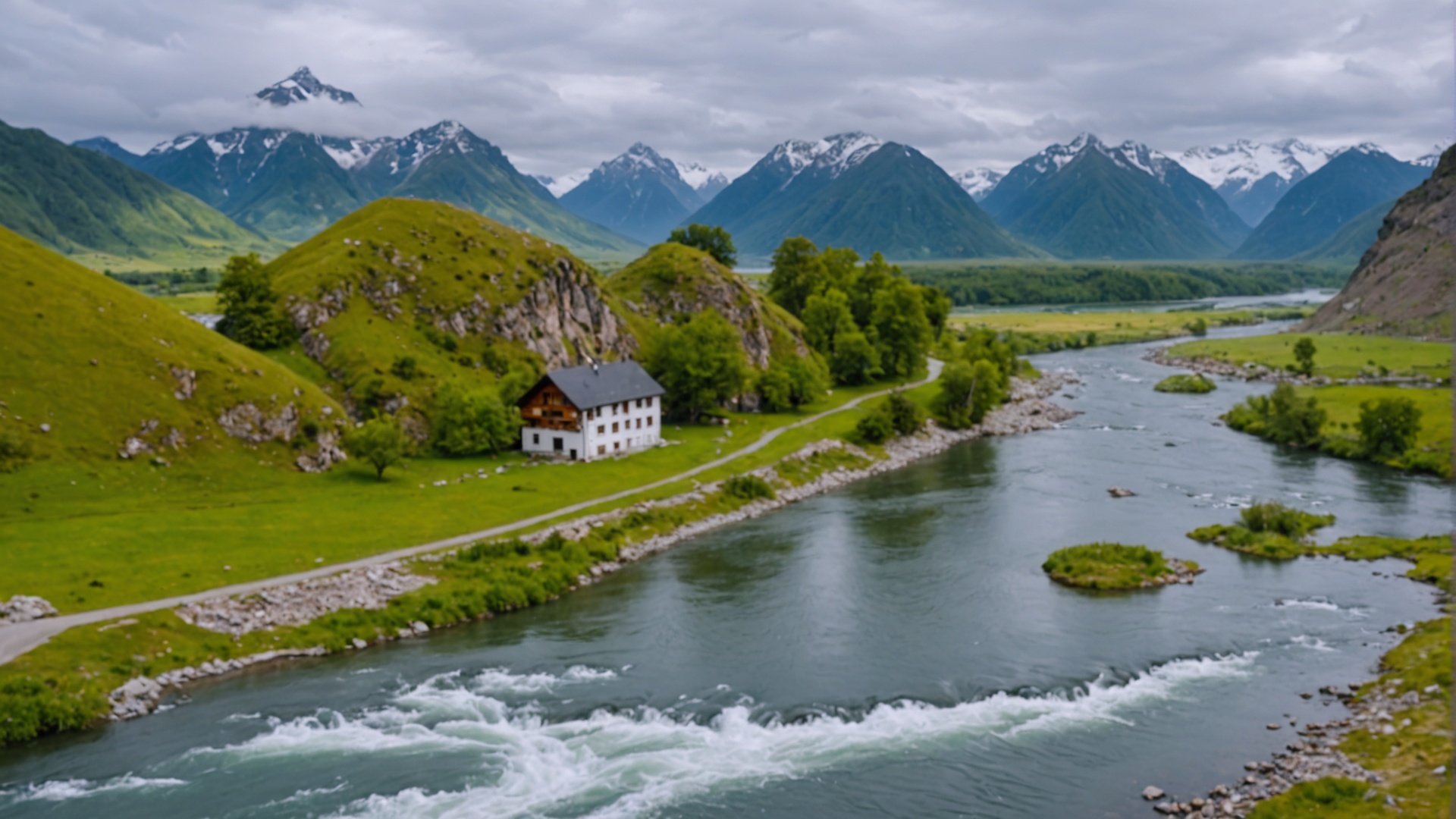
下表显示了 Control Sketch 调用的输入和输出图像。使用的提示是:一栋以山脉和河流为背景的房子,附近有河流。
通过 Control Structure,您可以在保持输入图像结构的情况下生成图像。这在高级内容创作场景中尤为有用,例如重新创建场景或渲染模型中的角色。
Control Structure 具有以下必需参数:
prompt — 您希望在输出图像中看到的内容。清晰定义元素、颜色和主题的有效描述性提示可带来更好的结果。要控制给定单词的权重,请使用格式(word:weight),其中 word 是您要控制权重的单词,权重是一个值。值 0 和 1.0 会降低单词的权重,1.1 和 2 之间的值会增加单词的权重。例如:天空很清晰(blue:0.3)和(green:1.8),表达的意思是天空是蓝绿色的,但更偏向于绿色。最少 0 个字符,最多 10000 个字符。
image —(字符串)草图的 Base64 图像。图像的每个边都必须至少为 64 像素。总像素不能超过 9437184 个像素。宽高比必须在 1:2.5 到 2.5:1 之间。支持的格式:jpeg、png、webp。
以下参数可选:
control_strength —(数字)图像对生成的影响或控制力有多大。使用 0 和 1 之间的浮点数表示,0 表示影响最小,1 表示影响最大。默认值:0.7。
negative_prompt —(字符串)描述您不希望在输出图像中看到的内容的文本简介。这是一项高级功能。最多 10000 个字符。
seed –(数字)用于说明生成的随机性的特定值。(省略此参数或输入 0 以使用随机种子。) 范围:0 至 4294967294。默认值:0。
output_format —(字符串)决定生成图像的内容类型。枚举:jpeg、png、webp。默认值:png。
style_preset — 引导图像模型朝着特定的样式前进。枚举:3d-model、analog-film、anime、cinematic、comic-book、digital-art、enhance、fantasy-art、isometric、line-art、low-poly、modeling-compound、neon-punk、origami、photographic、pixel-art、tile-texture。
- API
-
import base64
import json
import requests
import io
import os
from PIL import Image

image = "./content/input.jpg"

region = "us-east-1"
model_id = "us.stability.stable-image-control-structure-v1:0"
url = f"https://bedrock-runtime.{region}.amazonaws.com/model/{model_id}/invoke"
api_key = os.getenv("AWS_BEARER_TOKEN_BEDROCK") # https://docs.aws.amazon.com/bedrock/latest/userguide/getting-started-api-keys.html
headers = {
    "Content-Type":"application/json",
    "Authorization":f"Bearer {api_key}"
}

try:
    with open(image, "rb") as image_file:
        image_base64 = base64.b64encode(image_file.read()).decode('utf-8')

    params = {
        "image": image_base64,
        "prompt": "surreal structure with motion generated sparks lighting the scene"

    }
    response = requests.request("POST", url, json=params, headers=headers)
    response.raise_for_status()
    model_response = json.loads(response.text)
    base64_image_data = model_response["images"][0]

    if not base64_image_data:
        raise ValueError("No image data found in model response.")

    image_data = base64.b64decode(base64_image_data)
    image = Image.open(io.BytesIO(image_data))
    image.save("image.png")
    print("Successfully saved image.")

except Exception as e:
    print(e)
- Python
-
import boto3
import base64
import io
import json
from PIL import Image

image = "./content/input.jpg"

region = "us-east-1"
model_id = "us.stability.stable-image-control-structure-v1:0"

bedrock = boto3.client("bedrock-runtime", region_name=region)

try:
    with open(image, "rb") as image_file:
        image_base64 = base64.b64encode(image_file.read()).decode('utf-8')

    params = {
        "image": image_base64,
        "prompt": "surreal structure with motion generated sparks lighting the scene"

    }
    request = json.dumps(params)
    response = bedrock.invoke_model(modelId=model_id, body=request)
    model_response = json.loads(response["body"].read())
    base64_image_data = model_response["images"][0]

    if not base64_image_data:
        raise ValueError("No image data found in model response.")

    image_data = base64.b64decode(base64_image_data)
    image = Image.open(io.BytesIO(image_data))
    image.save("image.png")
    print("Successfully saved image.")

except Exception as e:
    print(e)
下表显示了控制结构操作的输入和输出图像。使用的提示是:超现实的结构,运动产生的火花照亮场景。
风格指南允许您从输入图像中提取风格元素。它使用它们来指导根据提示创建输出图像。这会得到与输入图像具有相同风格的新图像。
Style Guide 具有以下必需参数:
prompt — 您希望在输出图像中看到的内容。清晰定义元素、颜色和主题的有效描述性提示可带来更好的结果。要控制给定单词的权重,请使用格式(word:weight),其中 word 是您要控制权重的单词,权重是一个值。值 0 和 1.0 会降低单词的权重,1.1 和 2 之间的值会增加单词的权重。例如:天空很清晰(blue:0.3)和(green:1.8),表达的意思是天空是蓝绿色的,但更偏向于绿色。最少 0 个字符,最多 10000 个字符。
image —(字符串)草图的 Base64 图像。图像的每个边都必须至少为 64 像素。总像素不能超过 9437184 个像素。宽高比必须在 1:2.5 到 2.5:1 之间。支持的格式:jpeg、png、webp。
以下参数可选:
aspect_ratio –(字符串)控制生成的图像的宽高比。此参数仅对文本到图像请求有效。默认为 1:1。枚举:16:9、1:1、21:9、2:3、3:2、4:5、5:4、9:16、9:21。默认为 1:1。
negative_prompt —(字符串)描述您不希望在输出图像中看到的内容的文本简介。这是一项高级功能。最多 10000 个字符。
seed –(数字)用于说明生成的随机性的特定值。(省略此参数或输入 0 以使用随机种子。) 范围:0 至 4294967294。默认值:0。
output_format —(字符串)决定生成图像的内容类型。枚举:jpeg、png、webp。默认值:png。
保真度 —(数字)输出图像的样式与输入图像样式的相似程度。范围:0 至 1。默认值:0.5。
style_preset — 引导图像模型朝着特定的样式前进。枚举:3d-model、analog-film、anime、cinematic、comic-book、digital-art、enhance、fantasy-art、isometric、line-art、low-poly、modeling-compound、neon-punk、origami、photographic、pixel-art、tile-texture。
- API
-
import base64
import json
import requests
import io
import os
from PIL import Image

image = "./content/input.jpg"

region = "us-east-1"
model_id = "us.stability.stable-image-style-guide-v1:0"
url = f"https://bedrock-runtime.{region}.amazonaws.com/model/{model_id}/invoke"
api_key = os.getenv("AWS_BEARER_TOKEN_BEDROCK") # https://docs.aws.amazon.com/bedrock/latest/userguide/getting-started-api-keys.html
headers = {
    "Content-Type":"application/json",
    "Authorization":f"Bearer {api_key}"
}

try:
    with open(image, "rb") as image_file:
        image_base64 = base64.b64encode(image_file.read()).decode('utf-8')

    params = {
        "image": image_base64,
        "prompt": "wide shot of modern metropolis"
    }
    response = requests.request("POST", url, json=params, headers=headers)
    response.raise_for_status()
    model_response = json.loads(response.text)
    base64_image_data = model_response["images"][0]

    if not base64_image_data:
        raise ValueError("No image data found in model response.")

    image_data = base64.b64decode(base64_image_data)
    image = Image.open(io.BytesIO(image_data))
    image.save("image.png")
    print("Successfully saved image.")

except Exception as e:
    print(e)
- Python
-
import boto3
import base64
import io
import json
from PIL import Image

image = "./content/input.jpg"

region = "us-east-1"
model_id = "us.stability.stable-image-style-guide-v1:0"

bedrock = boto3.client("bedrock-runtime", region_name=region)

try:
    with open(image, "rb") as image_file:
        image_base64 = base64.b64encode(image_file.read()).decode('utf-8')

    params = {
        "image": image_base64,
        "prompt": "wide shot of modern metropolis"
    }
    request = json.dumps(params)
    response = bedrock.invoke_model(modelId=model_id, body=request)
    model_response = json.loads(response["body"].read())
    base64_image_data = model_response["images"][0]

    if not base64_image_data:
        raise ValueError("No image data found in model response.")

    image_data = base64.b64decode(base64_image_data)
    image = Image.open(io.BytesIO(image_data))
    image.save("image.png")
    print("Successfully saved image.")

except Exception as e:
    print(e)
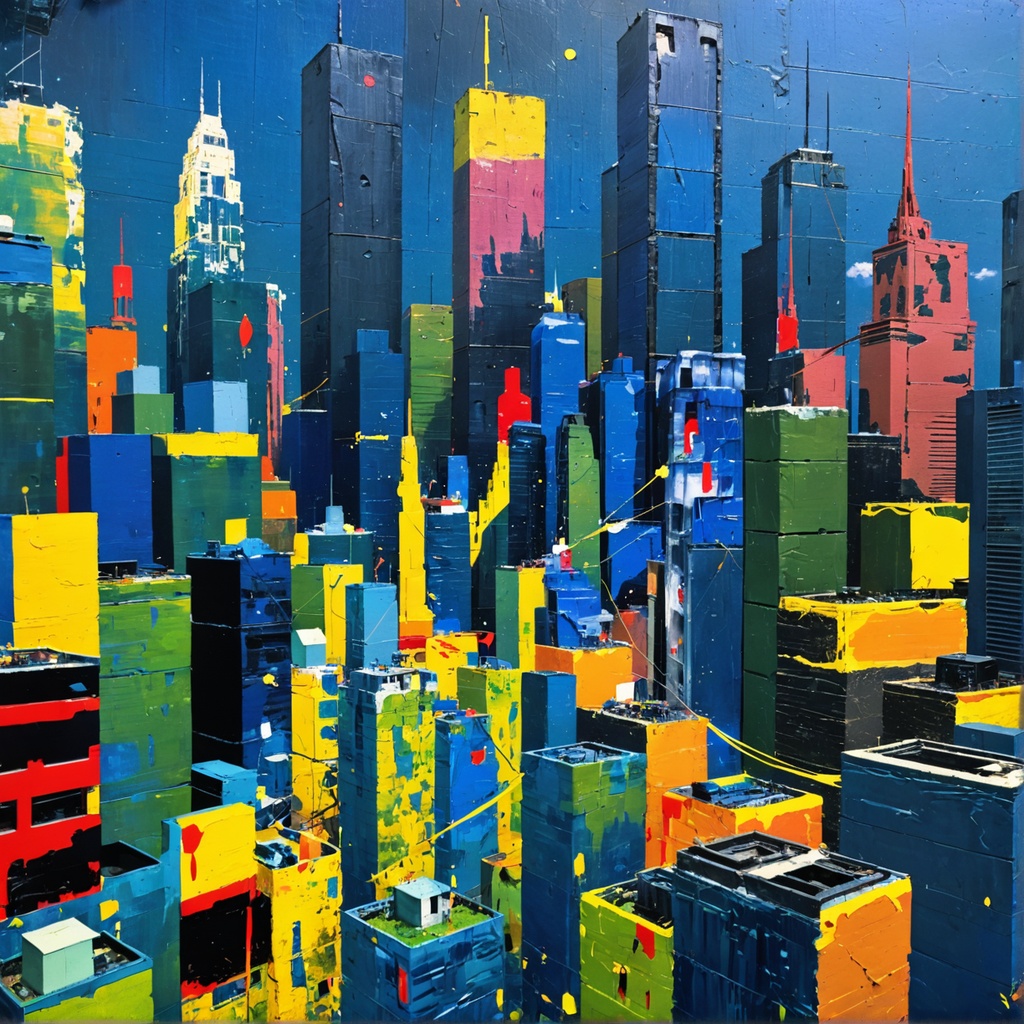
下表显示了 Style Guide 调用的输入和输出图像。使用的提示是:现代大都市的广角镜头。
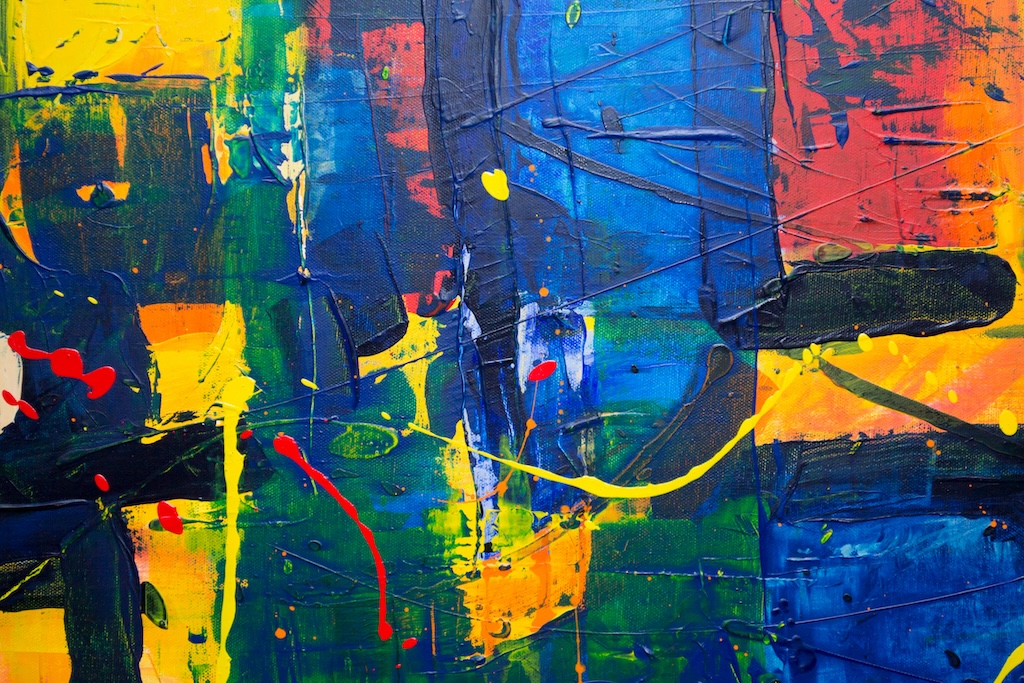
利用 Style Transfer,您可以将参考风格图像中的视觉特征应用于目标图像。Style Guide 服务从输入图像中提取风格元素,并使用它们来指导根据提示创建输出图像。Style Transfer 专门转换现有内容,同时保留原始构图。此工具可帮助在多个资产之间打造出一致风格的内容。
Style Transfer 具有以下必需参数:
init_image —(字符串)一张 Base64 图像,其中包含你想要重新设置样式的主题。图像的每个边都必须至少为 64 像素。总像素不能超过 9437184 个像素。宽高比必须在 1:2.5 到 2.5:1 之间。支持的格式:jpeg、png、webp。
style_image —(字符串)一张 Base64 图像,其中包含你想要重新设置样式的主题。图像的每个边都必须至少为 64 像素。总像素不能超过 9437184 个像素。宽高比必须在 1:2.5 到 2.5:1 之间。支持的格式:jpeg、png、webp。
以下参数可选:
prompt –(字符串)您希望在输出图像中看到的内容。清晰定义元素、颜色和主题的有效描述性提示可带来更好的结果。要控制给定单词的权重,请使用格式(word:weight),其中 word 是您要控制权重的单词,权重是一个值。值 0 和 1.0 会降低单词的权重,1.1 和 2 之间的值会增加单词的权重。例如:天空很清晰(blue:0.3)和(green:1.8),表达的意思是天空是蓝绿色的,但更偏向于绿色。
negative_prompt —(字符串)描述您不希望在输出图像中看到的内容的文本简介。这是一项高级功能。最多 10000 个字符。
seed –(数字)用于说明生成的随机性的特定值。(省略此参数或输入 0 以使用随机种子。) 范围:0 至 4294967294。默认值:0。
output_format —(字符串)决定生成图像的内容类型。枚举:jpeg、png、webp。默认值:png。
composition_fidelity —(数字)输出图像的样式与输入图像样式的相似程度。范围介于 0 到 1 之间。默认值:0.9。
style_strength —(数字)有时也称为去噪,此参数控制 style_image 参数对生成的图像的影响程度。值为 0 时将生成与输入图像完全相同的图像。值为 1 时相当于您没有传入任何图像。范围介于 0 到 1 之间。默认值:1。
change_st rength —(数字)原始图像应更改多少。范围介于 0.1 到 1 之间。默认值:0.9。
- API
-
import base64
import json
import requests
import io
import os
from PIL import Image

image = "./content/input.jpg"
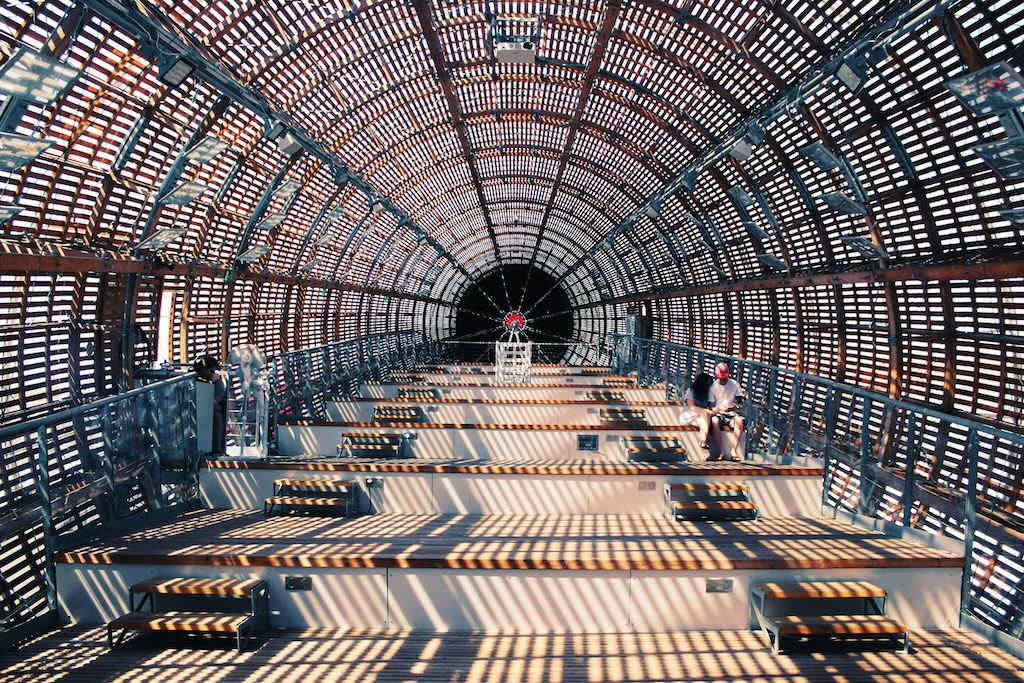
style_image = "./content/style.jpg"

region = "us-east-1"
model_id = "us.stability.stable-style-transfer-v1:0"
url = f"https://bedrock-runtime.{region}.amazonaws.com/model/{model_id}/invoke"
api_key = os.getenv("AWS_BEARER_TOKEN_BEDROCK") # https://docs.aws.amazon.com/bedrock/latest/userguide/getting-started-api-keys.html
headers = {
    "Content-Type":"application/json",
    "Authorization":f"Bearer {api_key}"
}

try:
    with open(image, "rb") as image_file:
        image_base64 = base64.b64encode(image_file.read()).decode('utf-8')

    with open(style_image, "rb") as style_image_file:
        style_image_base64 = base64.b64encode(style_image_file.read()).decode('utf-8')

    params = {
        "init_image": image_base64,
        "style_image": style_image_base64,
        "prompt": "statue"
    }
    response = requests.request("POST", url, json=params, headers=headers)
    response.raise_for_status()
    model_response = json.loads(response.text)
    base64_image_data = model_response["images"][0]

    if not base64_image_data:
        raise ValueError("No image data found in model response.")

    image_data = base64.b64decode(base64_image_data)
    image = Image.open(io.BytesIO(image_data))
    image.save("image.png")
    print("Successfully saved image.")

except Exception as e:
    print(e)
- Python
-
import boto3
import base64
import io
import json
from PIL import Image

image = "./content/cat_statue_512x512.jpg"
style_image = "./content/glowbot_style.jpg"

region = "us-east-1"
model_id = "us.stability.stable-style-transfer-v1:0"

bedrock = boto3.client("bedrock-runtime", region_name=region)

try:
    with open(image, "rb") as image_file:
        image_base64 = base64.b64encode(image_file.read()).decode('utf-8')

    with open(style_image, "rb") as style_image_file:
        style_image_base64 = base64.b64encode(style_image_file.read()).decode('utf-8')

    params = {
        "init_image": image_base64,
        "style_image": style_image_base64,
        "prompt": "statue"
    }
    request = json.dumps(params)
    response = bedrock.invoke_model(modelId=model_id, body=request)
    model_response = json.loads(response["body"].read())
    base64_image_data = model_response["images"][0]

    if not base64_image_data:
        raise ValueError("No image data found in model response.")

    image_data = base64.b64decode(base64_image_data)
    image = Image.open(io.BytesIO(image_data))
    image.save("image.png")
    print("Successfully saved image.")

except Exception as e:
    print(e)
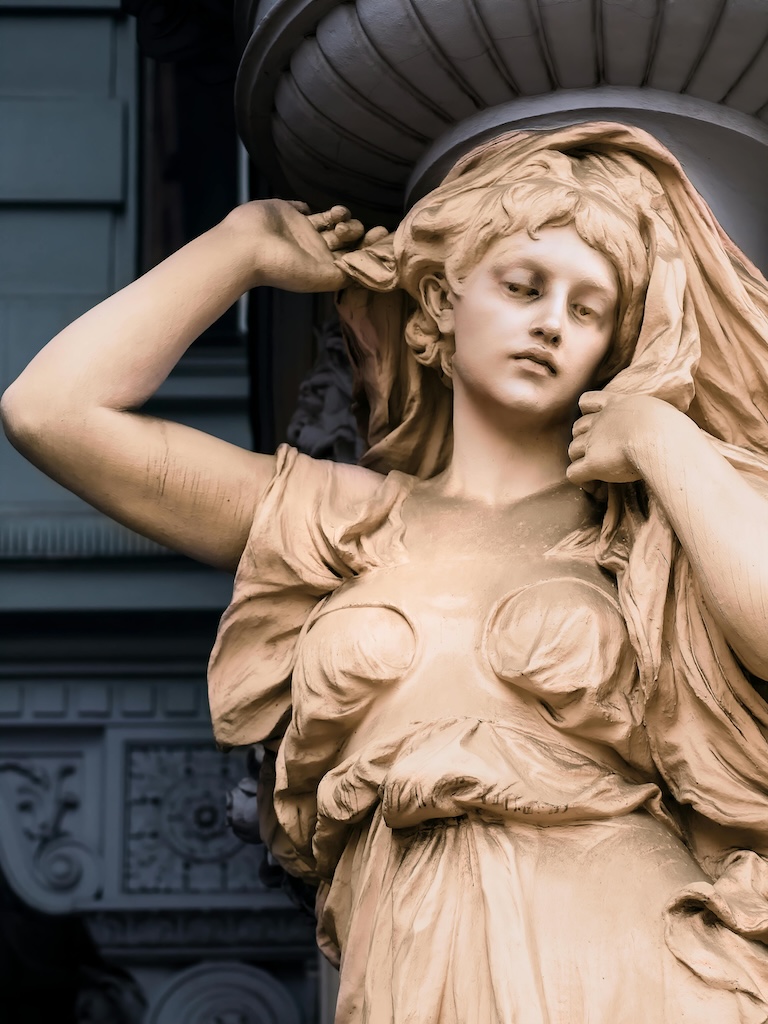
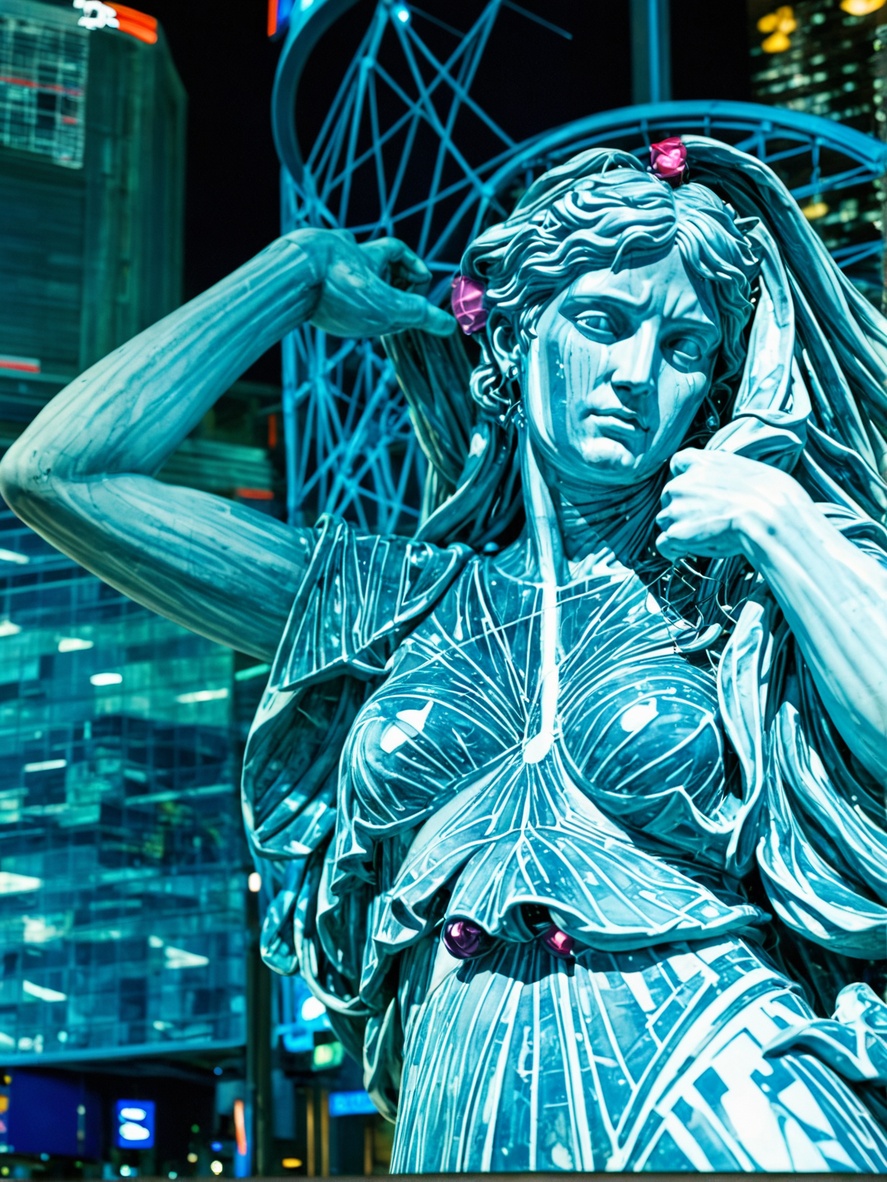
下表显示 Style Transfer 调用的输入和输出图像。