End of support notice: On March 31, 2027, AWS will end support for Amazon WorkSpaces Thin Client. After March 31, 2027, you will no longer be able to access the WorkSpaces Thin Client console or WorkSpaces Thin Client resources. For more information, see Amazon WorkSpaces Thin Client end of support.
Adding a new network
If you have a specific Wi-Fi network that you would like to use, you can connect it to your WorkSpaces Thin Client device.
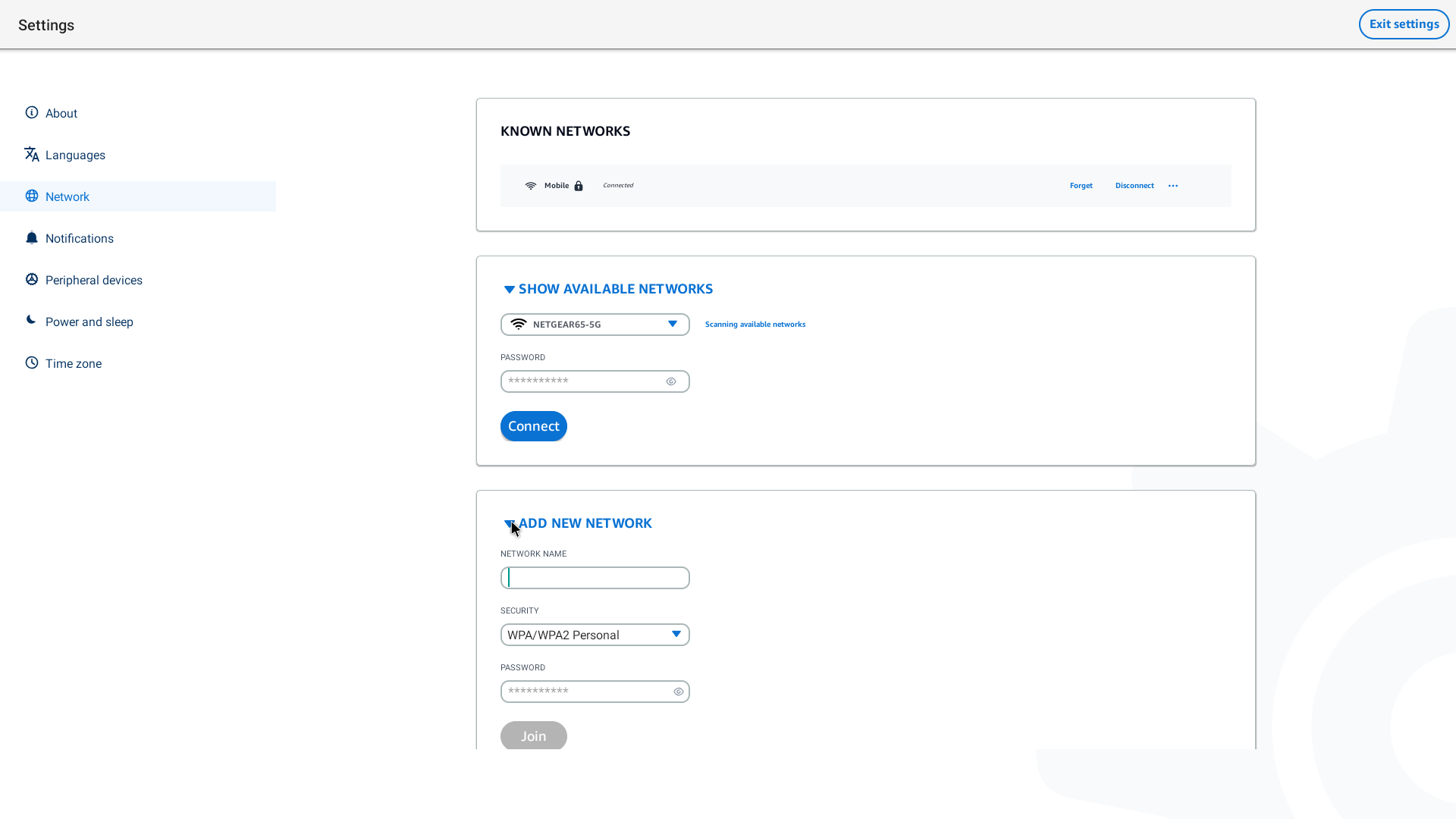
Go to Settings, Network, Add New Network.
Enter the name of your network in the Network Name field.
Select the security protocol from the list in Security.
Enter the password for your network in the Password field.
Select Join.
Your device will connect to the selected network and add it to the Known Networks list.
