Communication preferences
Configure your communication preferences to control how you receive notifications and interact with the incident response system during security incidents.
Manage Team Communication Preferences
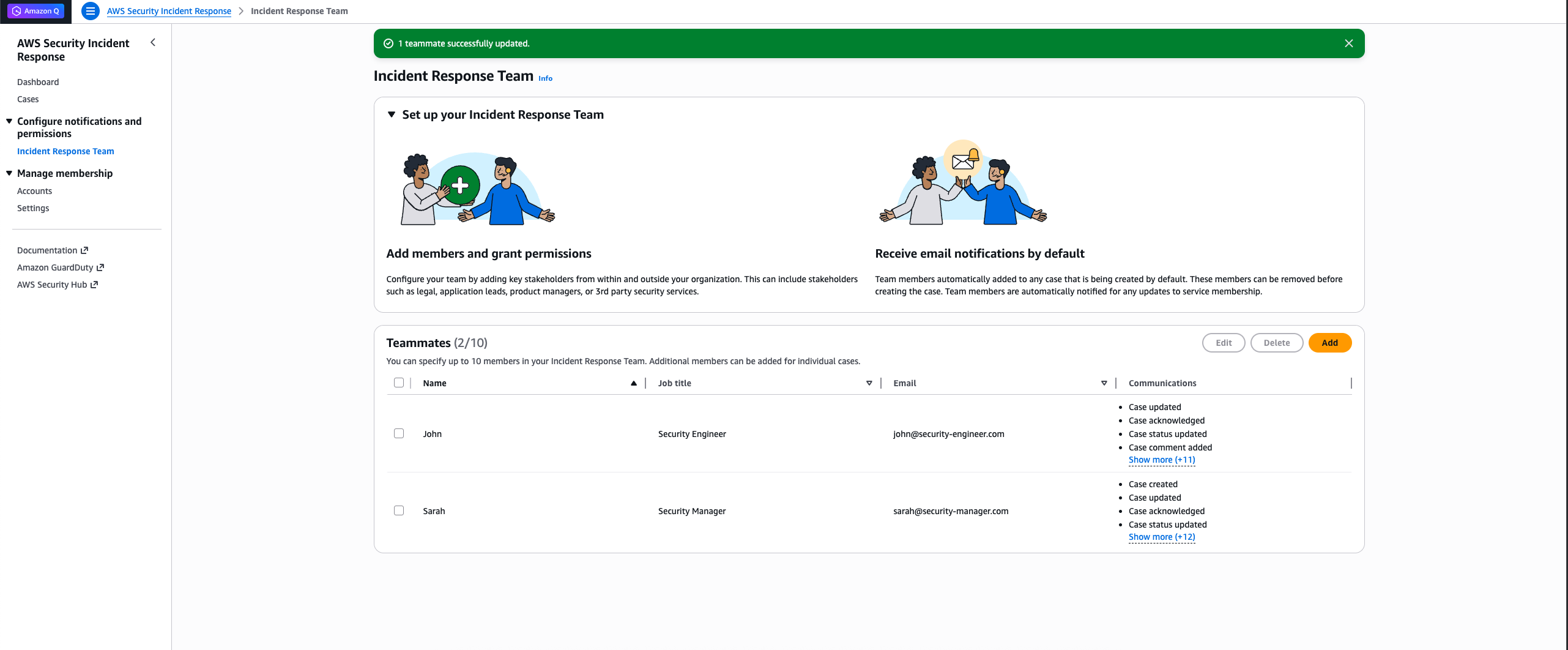
You can configure communication preferences for individuals in your incident response team from the dashboard page.
Follow these steps to manage team member communication settings:
-
Navigate to the incident response team page from your dashboard
-
Do one of the following:
-
To update an existing team member: Select the teammate whose communication preferences you want to modify, then choose Edit
-
To add a new team member: Choose Add
-
-
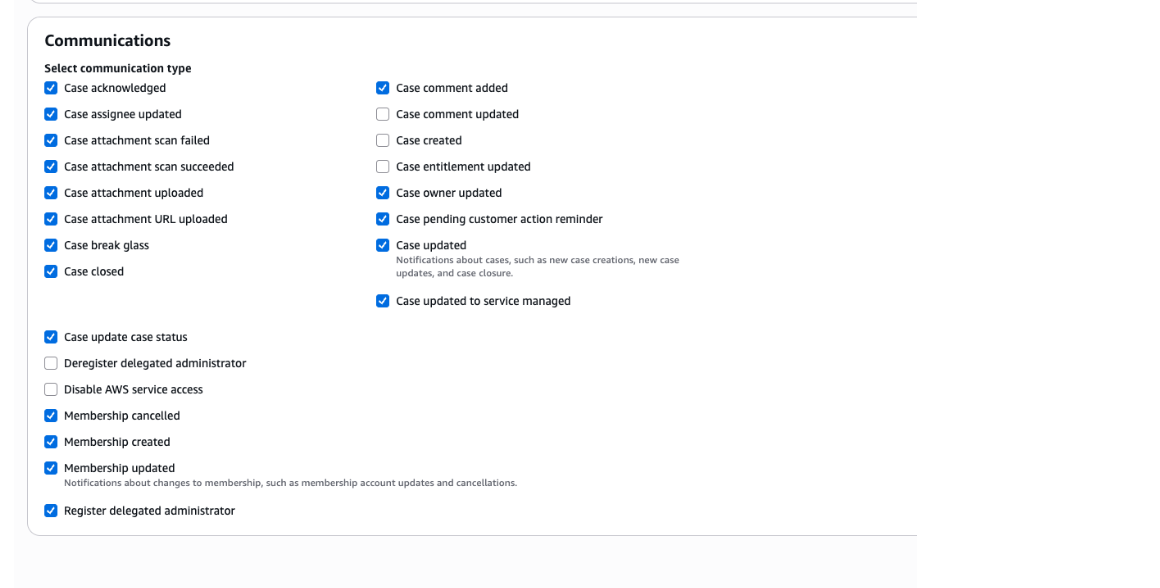
At the bottom of the form you will see Communications
-
Select the checkboxes for communications you want to receive
-
Clear the checkboxes for communications you do not want to receive
-
-
Save your changes
Default Communication Settings
By default, incident response team members will have all communications enabled. You can modify these settings at any time using the steps above.
Communication Options
Your communication preferences control how you interact with the incident response system and how notifications are delivered to you during security incidents.
Note
These preferences apply to all future communications within the Security Incident Response system. You can modify these settings at any time by repeating the steps above.
