Configuring File browser access
RES Administrators can toggle Access data on or off under File browser permissions. If Access data is turned off, users will not see File Browser navigation in their web portal and cannot upload or download data attached to their global file system. When Access data is enabled, users have access to File Browser navigation in their web portal which allows them to upload or download data that is attached to their global file system.
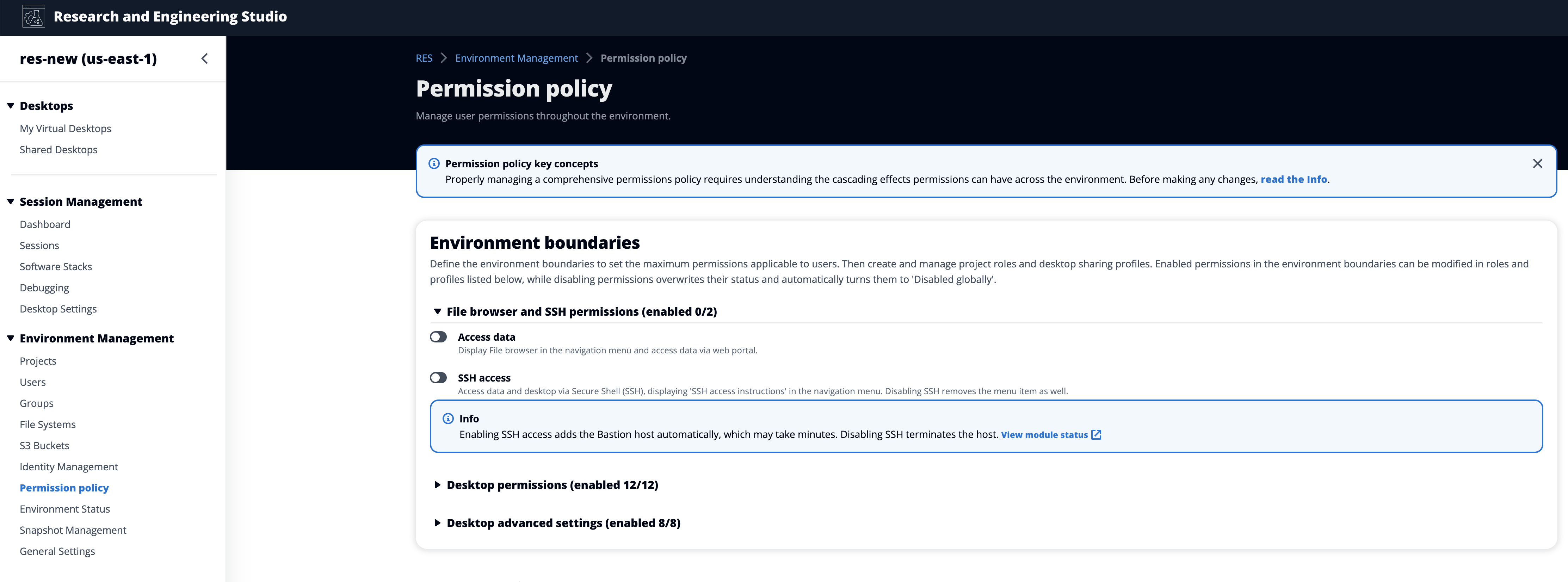
When the Access data feature is turned on and then later turned off, users who are already logged in to the web portal will be unable to upload or download files, even if they are on the corresponding page. Additionally, the navigation menu will disappear when they refresh the page.
