AWS Mainframe Modernization self-managed experience is no longer open to new customers. For capabilities similar to AWS Mainframe Modernization self-managed experience, explore capabilities from vendor-direct offerings and from AWS Transform. Existing customers can continue to use the service as normal. For more information, see AWS Mainframe Modernization availability change.
AWS Mainframe Modernization Service (Managed Runtime Environment experience) is no longer open to new customers. For capabilities similar to AWS Mainframe Modernization Service (Managed Runtime Environment experience) explore AWS Mainframe Modernization Service (Self-Managed Experience). Existing customers can continue to use the service as normal. For more information, see AWS Mainframe Modernization availability change.
Test the PlanetsDemo application
To check the status of the deployed PlanetsDemo application, run the following commands after
you replace load-balancer-DNS-name, listener-port, and
web-binary-name with the correct values for your setup.
curl http://load-balancer-DNS-name:listener-port/gapwalk-application/
If the application is running, you see the following output message: Jics
application is running.
Next, run the following command.
curl http://load-balancer-DNS-name:listener-port/jac/api/services/rest/jicsservice/
If the application is running, you see the following output message: Jics
application is running.
Jics application is runningIf you have configured Blusam, you can expect an empty response when you run the following command.
curl http://load-balancer-DNS-name:listener-port/bac/api/services/rest/bluesamserver/serverIsUp
Note the name of the web binary (PlanetsDemo-web-1.0.0, if unchanged). To access the PlanetsDemo application, use a URL of the following format.
https://load-balancer-DNS-name:listener-port/web-binary-name
After the PlanetsDemo application starts, the home page is displayed.

Enter PINQ in the text box and then press Enter. The data inquiry page is displayed.
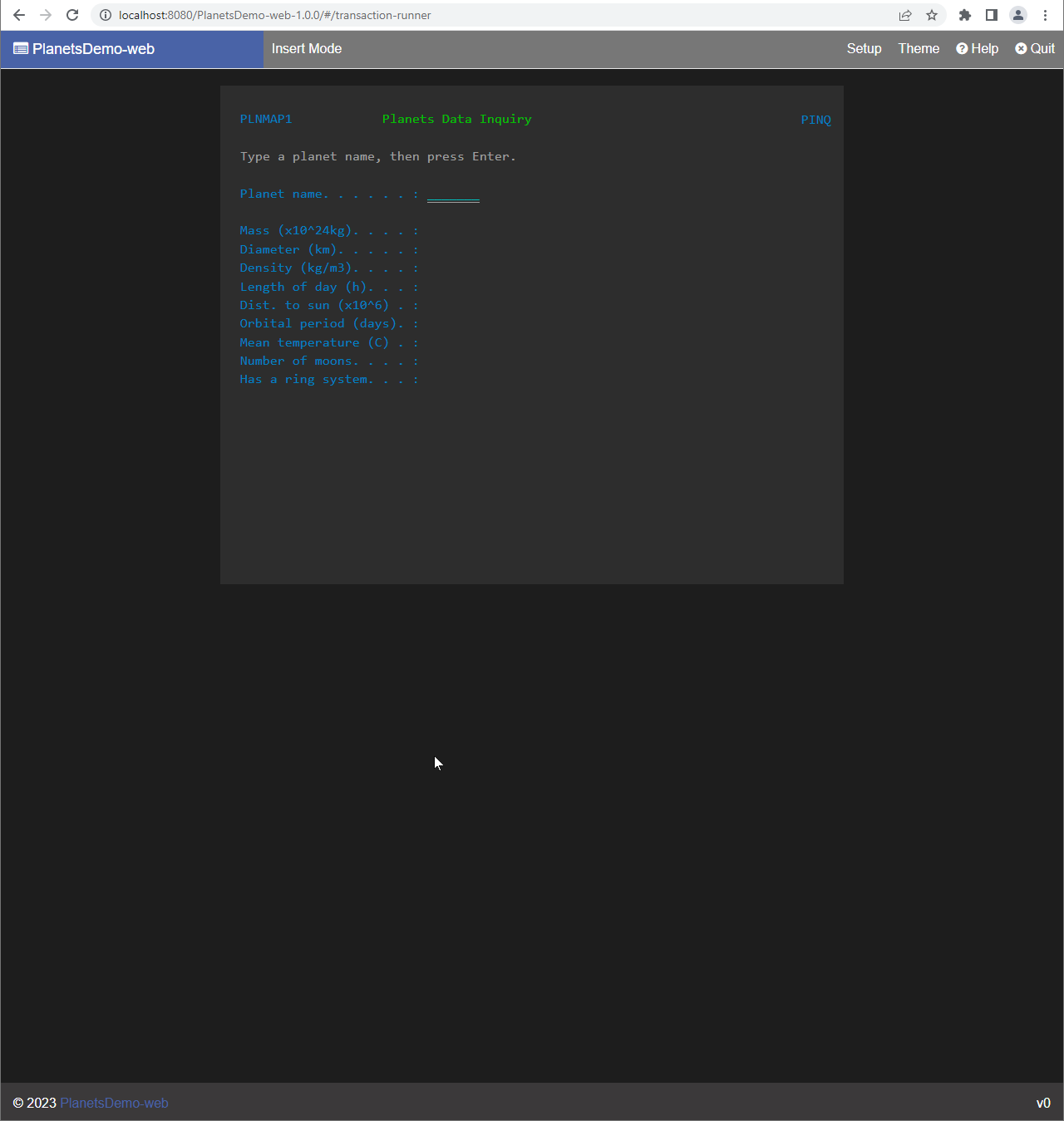
For example, enter EARTH in the PlanetsDemo name field, and then press Enter. The page for the planet you entered is displayed.

