기계 번역으로 제공되는 번역입니다. 제공된 번역과 원본 영어의 내용이 상충하는 경우에는 영어 버전이 우선합니다.
정적 맵에 다각형을 추가하는 방법
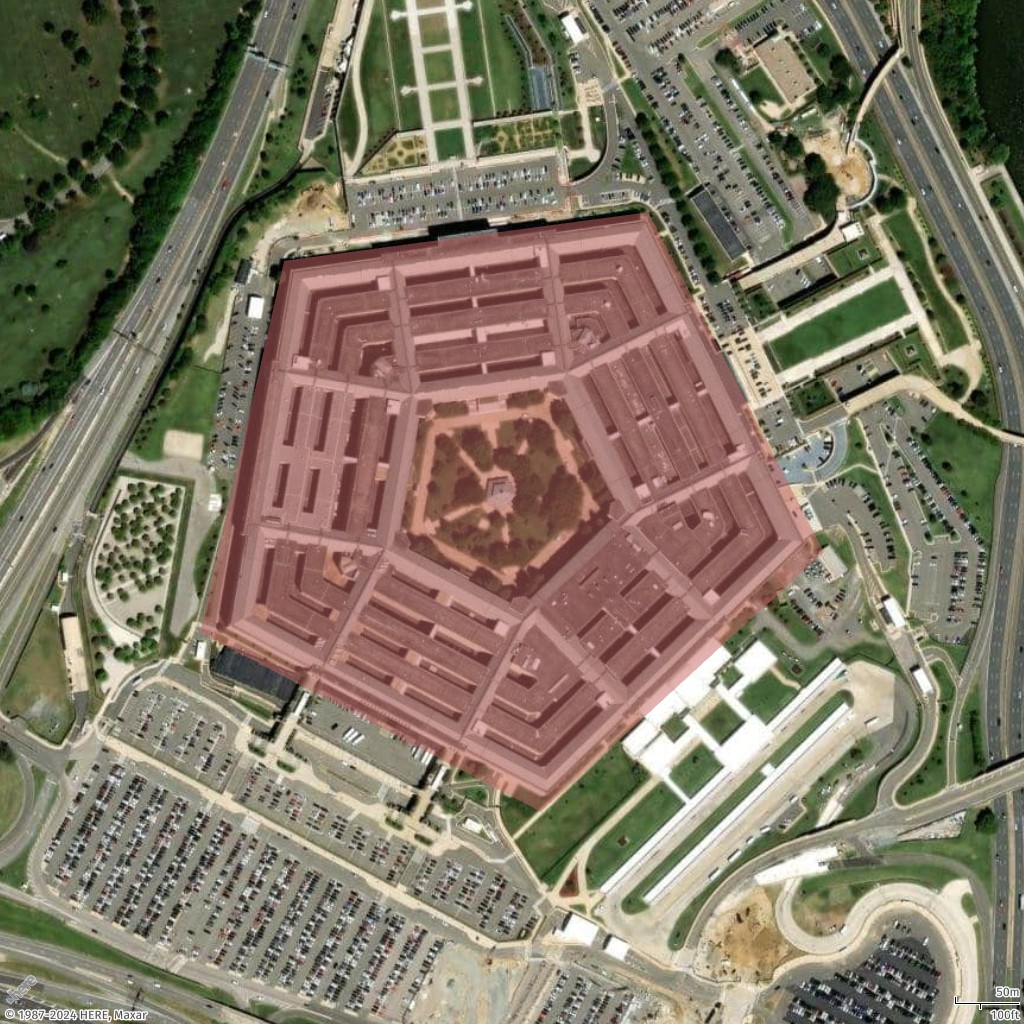
건물과 위치는 Pentagon(워싱턴 D.C.에 위치)과 같이 주변에 다각형을 지정하여 맵에서 강조 표시할 수 있습니다.
단일 다각형 추가
이 예제에서는 맵에서 Pentagon 건물에 대해 다각형(오각형)을 추가합니다.
- Geo JSON
-
{ "type": "FeatureCollection", "features": [ { "type": "Feature", "geometry": { "coordinates": [ [ [ -77.0579282196337, 38.87264268371487 ], [ -77.05868880963534, 38.87003145971428 ], [ -77.05560979468949, 38.86876862025221 ], [ -77.05305311263672, 38.87059509268525 ], [ -77.0546384387842, 38.872985132206225 ], [ -77.0579282196337, 38.87264268371487 ] ] ], "type": "Polygon" } } ] } - Request URL
-
https://maps.geo.eu-central-1.amazonaws.com/v2/static/map?style=Satellite&width=600&height=1024&padding=200&scale-unit=KilometersMiles&geojson-overlay=%7B%22type%22%3A%22FeatureCollection%22,%22features%22%3A%5B%7B%22type%22%3A%22Feature%22,%22geometry%22%3A%7B%22coordinates%22%3A%5B%5B%5B-77.0579282196337,38.87264268371487%5D,%5B-77.05868880963534,38.87003145971428%5D,%5B-77.05560979468949,38.86876862025221%5D,%5B-77.05305311263672,38.87059509268525%5D,%5B-77.0546384387842,38.872985132206225%5D,%5B-77.0579282196337,38.87264268371487%5D%5D%5D,%22type%22%3A%22Polygon%22%7D%7D%5D%7D&key=your_API_Key - Response image
-
스타일 다각형 추가
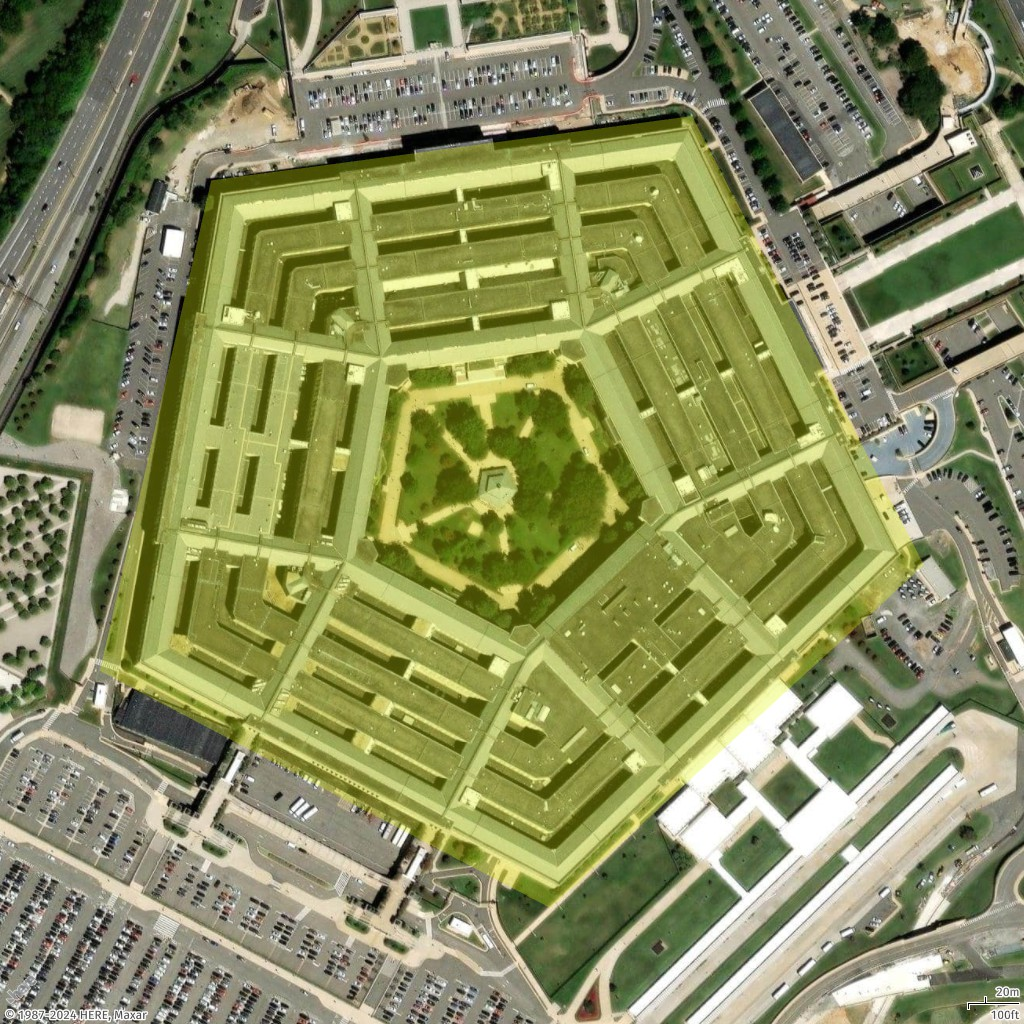
이 예제에서는 이전 예제에 표시된 다각형의 스타일을 변경합니다. 다각형을 다른 색상(#E3F70550)으로 그립니다. 색상 구성 요소는 다음과 같습니다.
-
E3은 빨간색 구성 요소를 나타냅니다.
-
F7은 녹색 구성 요소를 나타냅니다.
-
05는 파란색 구성 요소를 나타냅니다.
-
50은 알파(불투명) 구성 요소를 나타냅니다.
- Geo JSON
-
{ "type": "FeatureCollection", "features": [ { "type": "Feature", "geometry": { "coordinates": [ [ [ -77.0579282196337, 38.87264268371487 ], [ -77.05868880963534, 38.87003145971428 ], [ -77.05560979468949, 38.86876862025221 ], [ -77.05305311263672, 38.87059509268525 ], [ -77.0546384387842, 38.872985132206225 ], [ -77.0579282196337, 38.87264268371487 ] ] ], "type": "Polygon" }, "properties": { "color": "#E3F70550" } } ] } - Request URL
-
https://maps.geo.eu-central-1.amazonaws.com/v2/static/map?style=Satellite&width=1024&height=1024&padding=100&scale-unit=KilometersMiles&geojson-overlay=%7B%22type%22%3A%22FeatureCollection%22,%22features%22%3A%5B%7B%22type%22%3A%22Feature%22,%22geometry%22%3A%7B%22coordinates%22%3A%5B%5B%5B-77.0579282196337,38.87264268371487%5D,%5B-77.05868880963534,38.87003145971428%5D,%5B-77.05560979468949,38.86876862025221%5D,%5B-77.05305311263672,38.87059509268525%5D,%5B-77.0546384387842,38.872985132206225%5D,%5B-77.0579282196337,38.87264268371487%5D%5D%5D,%22type%22%3A%22Polygon%22%7D,%22properties%22%3A%7B%22color%22%3A%22%23E3F70550%22%7D%7D%5D%7D&key=your_API_Key - Response image
-
여러 다각형 추가
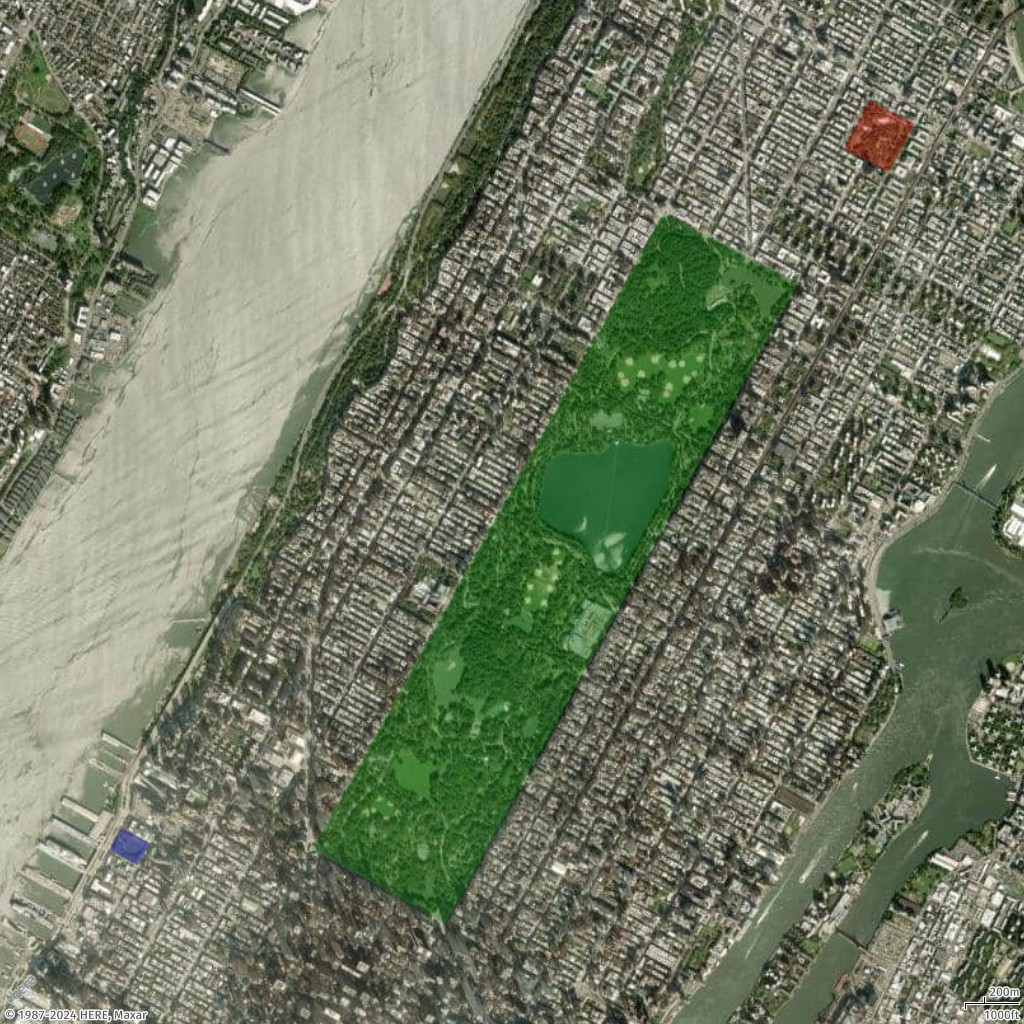
이 예제에서는 여러 다각형을 추가하여 뉴욕의 여러 공원을 강조 표시합니다.
- Geo JSON
-
{ "type": "FeatureCollection", "features": [ { "type": "Feature", "properties": { "color": "#00800050" }, "geometry": { "type": "Polygon", "coordinates": [ [ [ -73.95824708489555, 40.80055774655358 ], [ -73.9818875523859, 40.76810261850716 ], [ -73.9729556303776, 40.7642422333698 ], [ -73.94916953372382, 40.79699323614054 ], [ -73.95824708489555, 40.80055774655358 ] ] ] } }, { "type": "Feature", "properties": { "color": "#FF000050" }, "geometry": { "type": "Polygon", "coordinates": [ [ [ -73.94432602794981, 40.80634757577718 ], [ -73.94607200977896, 40.803869579741644 ], [ -73.94301654157768, 40.80263972513214 ], [ -73.94127055974795, 40.805099411561145 ], [ -73.94432602794981, 40.80634757577718 ] ] ] } }, { "type": "Feature", "properties": { "color": "#0000FF50" }, "geometry": { "type": "Polygon", "coordinates": [ [ [ -73.9947948382843, 40.7691390468232 ], [ -73.99564708262241, 40.76802192177411 ], [ -73.99372953286147, 40.76723992306512 ], [ -73.99289367783732, 40.76835706126087 ], [ -73.9947948382843, 40.7691390468232 ] ] ] } } ] } - Request URL
-
https://maps.geo.eu-central-1.amazonaws.com/v2/static/map?style=Satellite&width=1024&height=1024&padding=100&scale-unit=KilometersMiles&geojson-overlay=%7B%22type%22%3A%22FeatureCollection%22,%22features%22%3A%5B%7B%22type%22%3A%22Feature%22,%22properties%22%3A%7B%22color%22%3A%22%2300800050%22%7D,%22geometry%22%3A%7B%22type%22%3A%22Polygon%22,%22coordinates%22%3A%5B%5B%5B-73.95824708489555,40.80055774655358%5D,%5B-73.9818875523859,40.76810261850716%5D,%5B-73.9729556303776,40.7642422333698%5D,%5B-73.94916953372382,40.79699323614054%5D,%5B-73.95824708489555,40.80055774655358%5D%5D%5D%7D%7D,%7B%22type%22%3A%22Feature%22,%22properties%22%3A%7B%22color%22%3A%22%23FF000050%22%7D,%22geometry%22%3A%7B%22type%22%3A%22Polygon%22,%22coordinates%22%3A%5B%5B%5B-73.94432602794981,40.80634757577718%5D,%5B-73.94607200977896,40.803869579741644%5D,%5B-73.94301654157768,40.80263972513214%5D,%5B-73.94127055974795,40.805099411561145%5D,%5B-73.94432602794981,40.80634757577718%5D%5D%5D%7D%7D,%7B%22type%22%3A%22Feature%22,%22properties%22%3A%7B%22color%22%3A%22%230000FF50%22%7D,%22geometry%22%3A%7B%22type%22%3A%22Polygon%22,%22coordinates%22%3A%5B%5B%5B-73.9947948382843,40.7691390468232%5D,%5B-73.99564708262241,40.76802192177411%5D,%5B-73.99372953286147,40.76723992306512%5D,%5B-73.99289367783732,40.76835706126087%5D,%5B-73.9947948382843,40.7691390468232%5D%5D%5D%7D%7D%5D%7D&key=your_API_Key - Response image
-

정적 맵에 경로 추가
정적 맵에 대한 언어 설정