このページの改善にご協力ください
このユーザーガイドに貢献するには、すべてのページの右側のペインにある「GitHub でこのページを編集する」リンクを選択してください。
Helm を使用して Prometheus をデプロイする
Amazon Managed Service for Prometheus の代わりに、Helm を使用してクラスターに Prometheus をデプロイできます。既に Helm がインストールされている場合は、helm version コマンドでバージョンを確認できます。Helm は Kubernetes クラスターのパッケージマネージャーです。Helm の詳細およびインストール方法については、「Helm を使用して Amazon EKS にアプリケーションをデプロイする」を参照してください。
Amazon EKS クラスター用に Helm を設定した後、次の手順で、それを使用して Prometheus をデプロイできます。
-
Prometheus 名前空間を作成します。
kubectl create namespace prometheus -
prometheus-communityグラフリポジトリの追加helm repo add prometheus-community https://prometheus-community.github.io/helm-charts -
Prometheus をデプロイします。
helm upgrade -i prometheus prometheus-community/prometheus \
    --namespace prometheus \
    --set alertmanager.persistence.storageClass="gp2" \
    --set server.persistentVolume.storageClass="gp2"
注記
このコマンドの実行時に
Error: failed to download "stable/prometheus" (hint: running helm repo update may help)エラーが発生した場合、helm repo update prometheus-communityを実行し、ステップ 3 のコマンドをもう一度実行してみてください。Error: rendered manifests contain a resource that already existsエラーが発生した場合、helm uninstallを実行し、ステップ 3 のコマンドをもう一度実行してみてください。your-release-name-nnamespace -
prometheus名前空間のすべての Pod がREADY状態になっていることを確認します。kubectl get pods -n prometheus出力例は次のとおりです。
NAME READY STATUS RESTARTS AGE prometheus-alertmanager-59b4c8c744-r7bgp 1/2 Running 0 48s prometheus-kube-state-metrics-7cfd87cf99-jkz2f 1/1 Running 0 48s prometheus-node-exporter-jcjqz 1/1 Running 0 48s prometheus-node-exporter-jxv2h 1/1 Running 0 48s prometheus-node-exporter-vbdks 1/1 Running 0 48s prometheus-pushgateway-76c444b68c-82tnw 1/1 Running 0 48s prometheus-server-775957f748-mmht9 1/2 Running 0 48s -
kubectlを使用して、Prometheus コンソールをローカルマシンにポート転送します。kubectl --namespace=prometheus port-forward deploy/prometheus-server 9090 -
ウェブブラウザで
http://localhost:9090にアクセスして、Prometheus コンソールを表示します。 -
[- カーソルの位置のメトリクスを挿入] メニューからメトリクスを選択し、[実行] を選択します。[グラフ] タブを選択して、一定期間のメトリクスを表示します。次の図では、一定期間の
container_memory_usage_bytesを示します。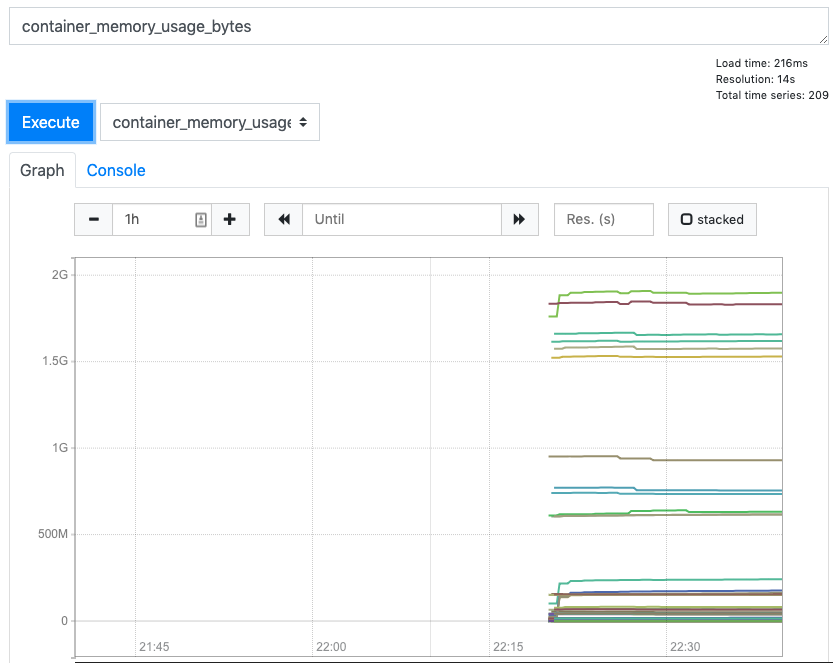
-
上部のナビゲーションバーから、[ステータス]、[ターゲット] の順に選択します。
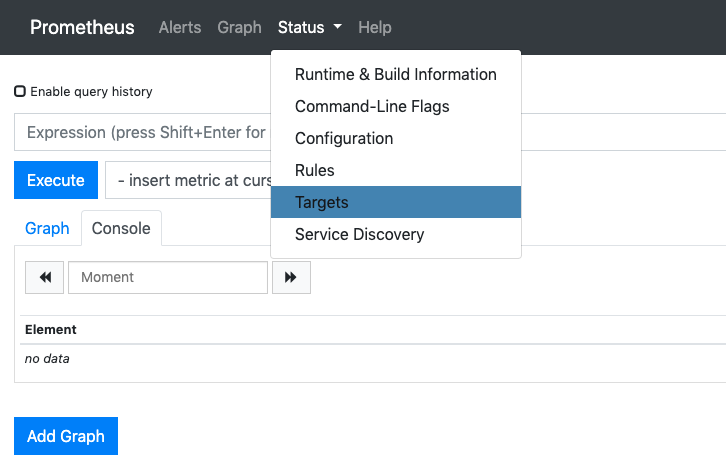
サービス検出を使用して Prometheus に接続されているすべての Kubernetes エンドポイントが表示されます。
