View a markdown version of this page

定期的なインサイトレポート - Amazon Bedrock AgentCore

定期的なインサイトレポート

インサイトとクラスタリングスケジュールを使用してオンライン評価設定を作成します。サービスは、手動による介入なしで、設定された頻度でインサイト分析を自動的に実行します。

設定を作成する

AgentCore CLI
agentcore add online-insights --name my_agent_insights --runtime MyAgent --insights Builtin.Insight.FailureAnalysis --sampling-rate 100 --clustering-frequency DAILY --enable-on-create --json

次に、CloudFormation 経由でデプロイします。

agentcore deploy -y --json
Interactive
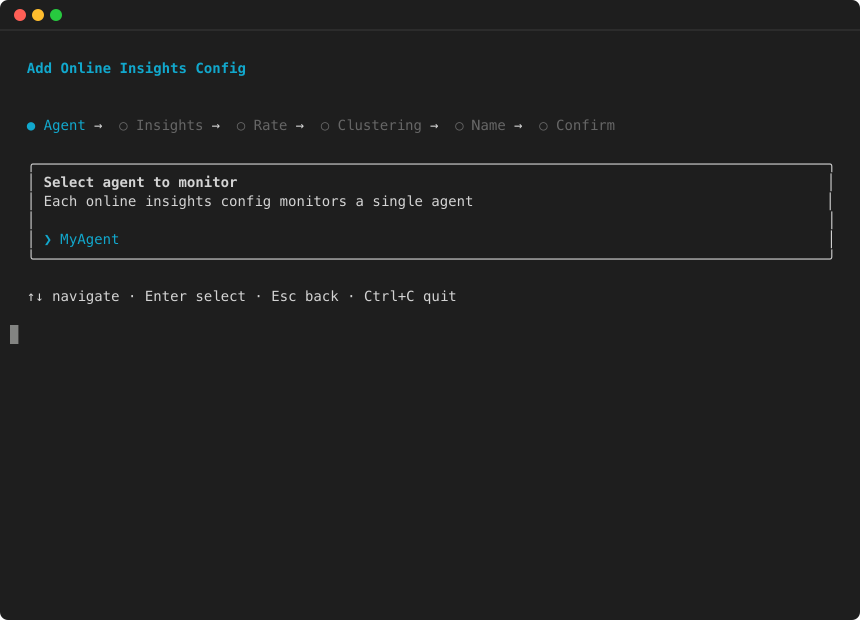
  1. agentcore を実行して TUI を開き、追加を選択して Online Insights を選択します。

    Insights ウィザード: モニタリングするエージェントを選択する
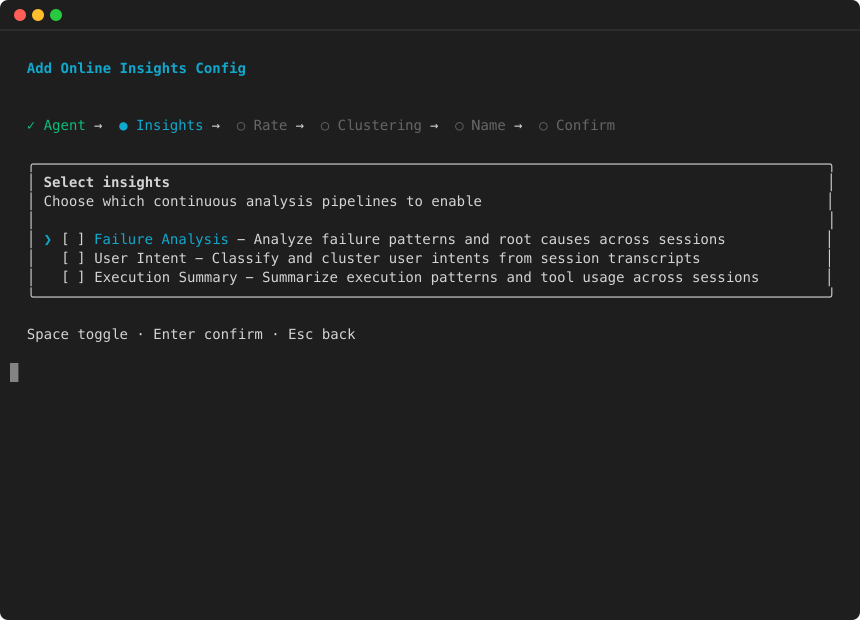
  2. 有効にするインサイトを選択します。

    インサイトウィザード: インサイトの選択
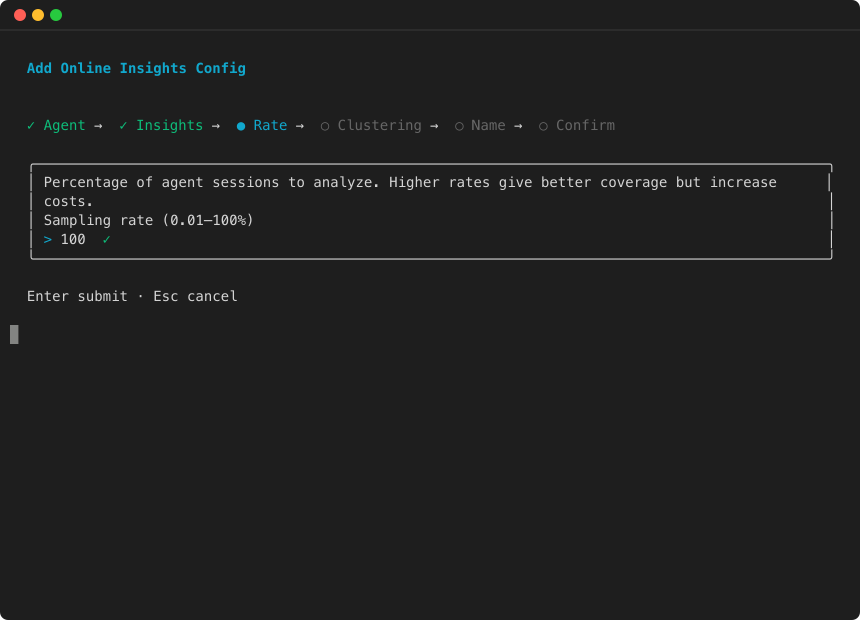
  3. サンプリングレートを設定します。

    Insights ウィザード: サンプリングレートの設定
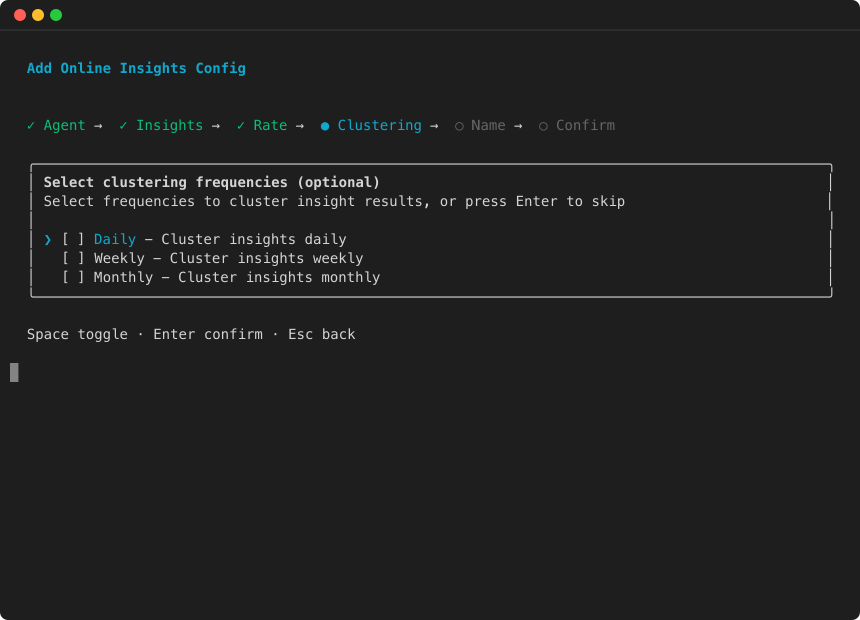
  4. クラスタリング頻度を選択します。

    Insights ウィザード: クラスタリング頻度の選択
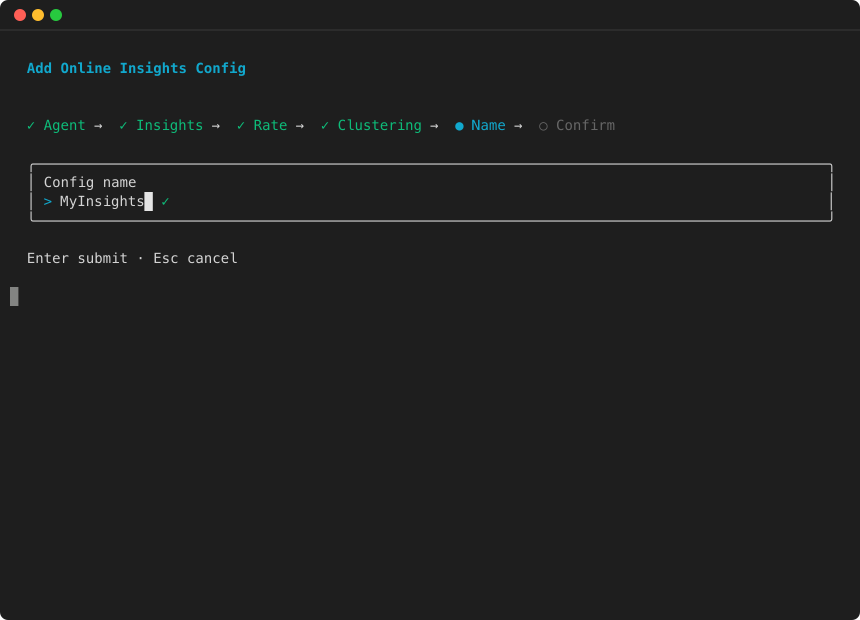
  5. 設定名を入力します。

    Insights ウィザード: 設定名を入力します
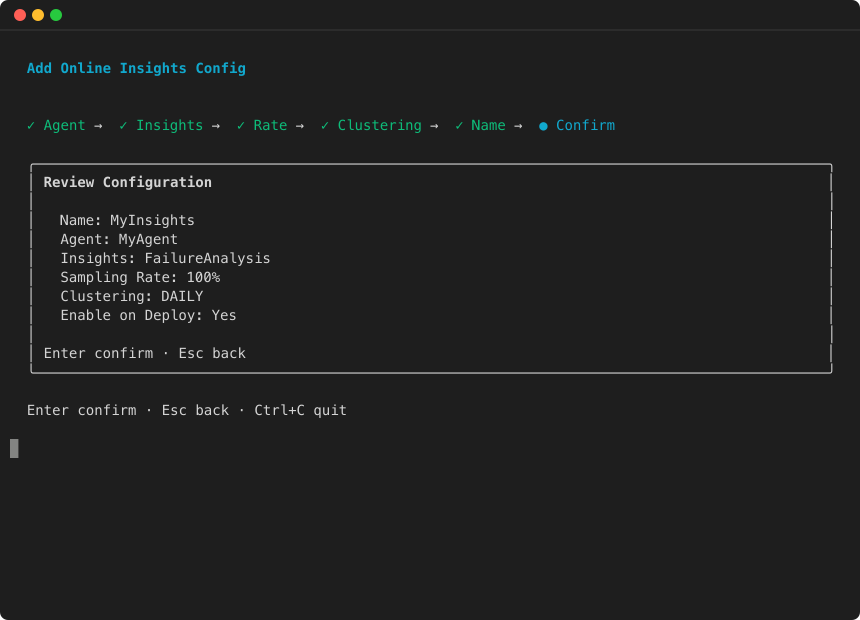
  6. 設定を確認し、Enter キーを押して以下を確認します。

    Insights ウィザード: 設定の確認
AWS SDK (boto3)
import boto3 client_cp = boto3.client("bedrock-agentcore-control", region_name="us-west-2") response = client_cp.create_online_evaluation_config( onlineEvaluationConfigName="my_agent_insights", rule={ "samplingConfig": {"samplingPercentage": 100.0}, "sessionConfig": {"sessionTimeoutMinutes": 30}, }, dataSourceConfig={ "cloudWatchLogs": { "serviceNames": ["MyAgent.DEFAULT"], "logGroupNames": [ "/aws/bedrock-agentcore/runtimes/MyAgent-abc123-DEFAULT" ], } }, insights=[ {"insightId": "Builtin.Insight.FailureAnalysis"}, {"insightId": "Builtin.Insight.UserIntent"}, ], clusteringConfig={"frequencies": ["DAILY"]}, evaluationExecutionRoleArn="arn:aws:iam::123456789012:role/AgentCoreEvaluationRole", enableOnCreate=True, ) config_id = response["onlineEvaluationConfigId"] print(f"Created config: {config_id}")

これにより、 サービスに以下を指示します。

  • 設定されたレートのサンプルセッション (この例では 100% — トラフィックのサブセットを分析するsamplingPercentageために --sampling-rateまたは を調整します)。

  • サンプリングされたセッションごとに障害分析とユーザーインテント抽出を実行します。

  • クラスタリングレポートを毎日トリガーします。

設定パラメータ

パラメータ タイプ 必須 説明

insights

[List] (リスト)

必須 ( と相互排他的evaluators)

実行するインサイトタイプのリスト。各エントリには がありますinsightId。最大 10。

rule.samplingConfig.samplingPercentage

Number

いいえ (デフォルト: 100)

分析するセッションの割合 (1~100)。トラフィックの多いエージェントにはより低いサンプリングレートを使用して、障害パターンを表面化させながらコストを制御します。

clusteringConfig

オブジェクト

いいえ

クラスタリングの定期的なバッチ評価ジョブを設定します。frequencies リストが含まれます。insights が指定されている場合にのみ使用できます。

clusteringConfig.frequencies

文字列のリスト

はい ( 内clusteringConfig)

1 つ以上: DAILYWEEKLYMONTHLY。最大 3 つの値。

注記

インサイトと評価者は相互に排他的です。両方ではなく、どちらか一方を指定する必要があります。同じエージェントの品質スコアリングと障害のトリアージの両方が必要な場合は、同じデータソースを指す 2 つの個別の設定を作成します。

設定を更新する

インサイトまたはクラスタリングの頻度を変更します。

client_cp.update_online_evaluation_config( onlineEvaluationConfigId=config_id, insights=[ {"insightId": "Builtin.Insight.FailureAnalysis"}, {"insightId": "Builtin.Insight.UserIntent"}, ], clusteringConfig={"frequencies": ["DAILY", "WEEKLY"]}, )

定期的なレポート結果を表示する

定期的なレポートでは、バッチ評価ジョブが自動的に生成されます。ListBatchEvaluations を使用して完了したレポートを検索し、次に GetBatchEvaluationを使用して結果を取得します。

client = boto3.client("bedrock-agentcore", region_name="us-west-2") # List recent batch evaluations evaluations = client.list_batch_evaluations() for eval_summary in evaluations.get("batchEvaluations", []): if eval_summary["status"] == "COMPLETED" and eval_summary.get("insights"): result = client.get_batch_evaluation( batchEvaluationId=eval_summary["batchEvaluationId"] ) print(f"Report: {eval_summary['batchEvaluationName']}") if "failureAnalysisResult" in result: failures = result["failureAnalysisResult"]["failures"] print(f" Found {len(failures)} failure categories")

設定を管理する

AgentCore CLI

一時停止:

agentcore pause online-insights my_agent_insights --json

再開:

agentcore resume online-insights my_agent_insights --json

削除:

agentcore remove online-insights --name my_agent_insights --yes --json
AWS SDK (boto3)

一時停止または再開:

# Pause client_cp.update_online_evaluation_config( onlineEvaluationConfigId=config_id, executionStatus="DISABLED", ) # Resume client_cp.update_online_evaluation_config( onlineEvaluationConfigId=config_id, executionStatus="ENABLED", )

Delete:

client_cp.delete_online_evaluation_config( onlineEvaluationConfigId=config_id, )
警告

設定を削除しても、過去のバッチ評価結果は削除されません。履歴インサイトの結果は、 を通じて引き続きアクセスできますGetBatchEvaluation