Getting Started with the IVS Chat Client Messaging iOS SDK
We recommend that you integrate the SDK via Swift Package Manager. Alternatively, you can integrate the framework manually.
After integrating the SDK, you can import the SDK by adding the following code at the top of your relevant Swift file:
import AmazonIVSChatMessaging
Swift Package Manager
To use the AmazonIVSChatMessaging library in a Swift Package Manager
project, add it to the dependencies for your package and the dependencies for your
relevant targets:
-
Download the latest
.xcframeworkfrom https://ivschat.live-video.net/1.0.1/AmazonIVSChatMessaging.xcframework.zip. -
In your Terminal, run:
shasum -a 256 path/to/downloaded/AmazonIVSChatMessaging.xcframework.zip -
Take the output of the previous step and paste it into the checksum property of
.binaryTargetas shown below within your project’sPackage.swiftfile:let package = Package( // name, platforms, products, etc. dependencies: [ // other dependencies ], targets: [ .target( name: "<target-name>", dependencies: [ // If you want to only bring in the SDK .binaryTarget( name: "AmazonIVSChatMessaging", url: "https://ivschat.live-video.net/1.0.1/AmazonIVSChatMessaging.xcframework.zip", checksum: "<SHA-extracted-using-steps-detailed-above>" ), // your other dependencies ], ), // other targets ] )
Manual Installation
-
Download the latest version from https://ivschat.live-video.net/1.0.1/AmazonIVSChatMessaging.xcframework.zip
. -
Extract the contents of the archive.
AmazonIVSChatMessaging.xcframeworkcontains the SDK for both device and simulator. -
Embed the extracted
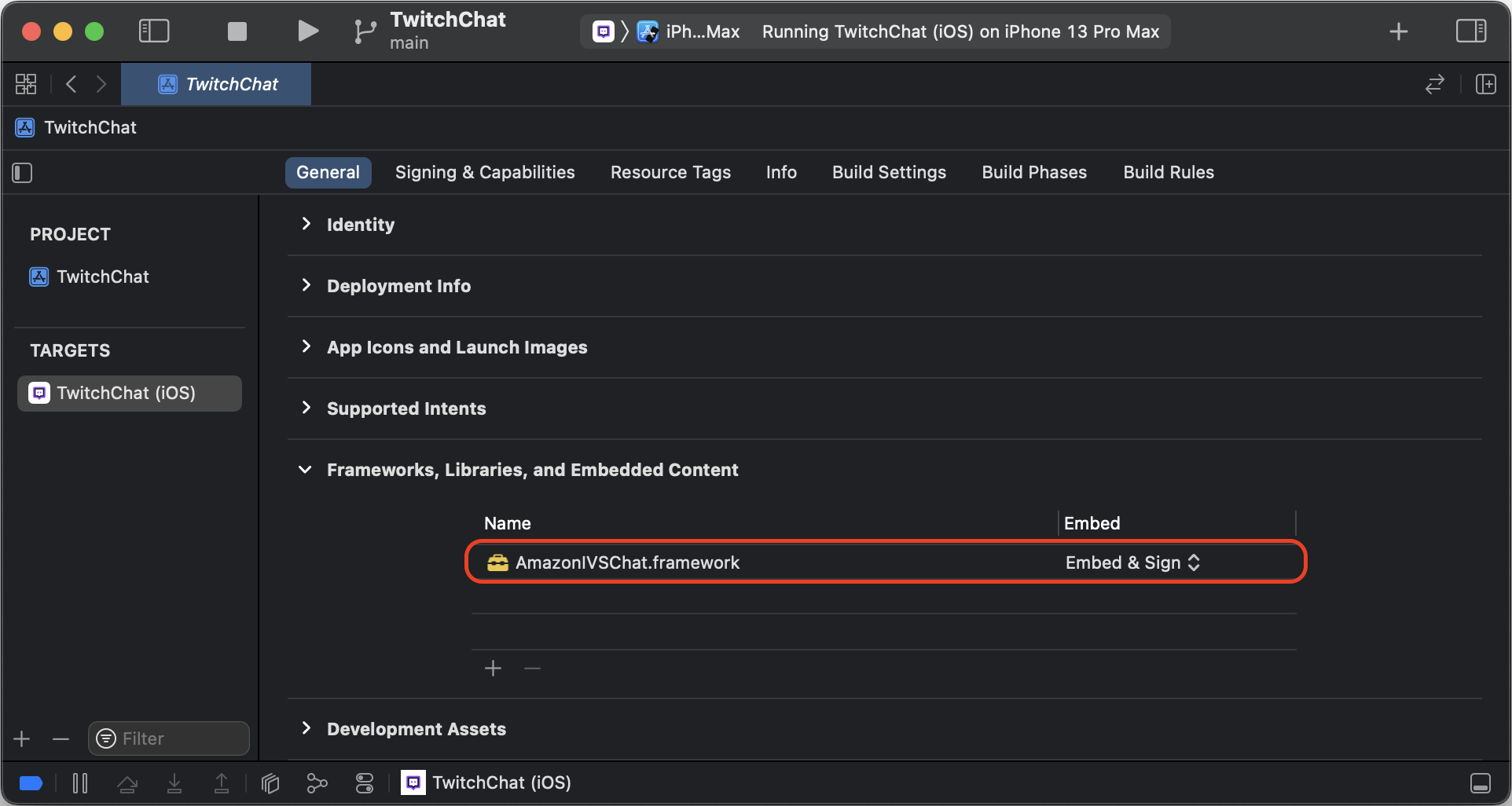
AmazonIVSChatMessaging.xcframeworkby dragging it into the Frameworks, Libraries, and Embedded Content section of the General tab for your application target: