Kiro CLI in Amazon SageMaker Unified Studio
Kiro CLI is an AI coding agent in your Amazon SageMaker Unified Studio JupyterLab terminal. It gives you chat, code creation, and AWS tools. Kiro CLI comes pre-installed in the SageMaker image. It works with your project context and AWS credentials.
Kiro CLI uses Amazon Bedrock for AI. You don't need to set up any models.
Topics
Prerequisites
Before you use Kiro CLI, you need the following.
-
You need an Amazon SageMaker Unified Studio project with a JupyterLab space.
-
You need an AWS Builder ID or IAM Identity Center (IdC) account for Kiro login.
To sign in and start Kiro CLI
Use this process to sign in and start a chat session. It takes about 5 minutes.
-
Open your Amazon SageMaker Unified Studio project and navigate to your JupyterLab space.
-
Open a terminal by choosing New, then Terminal.
-
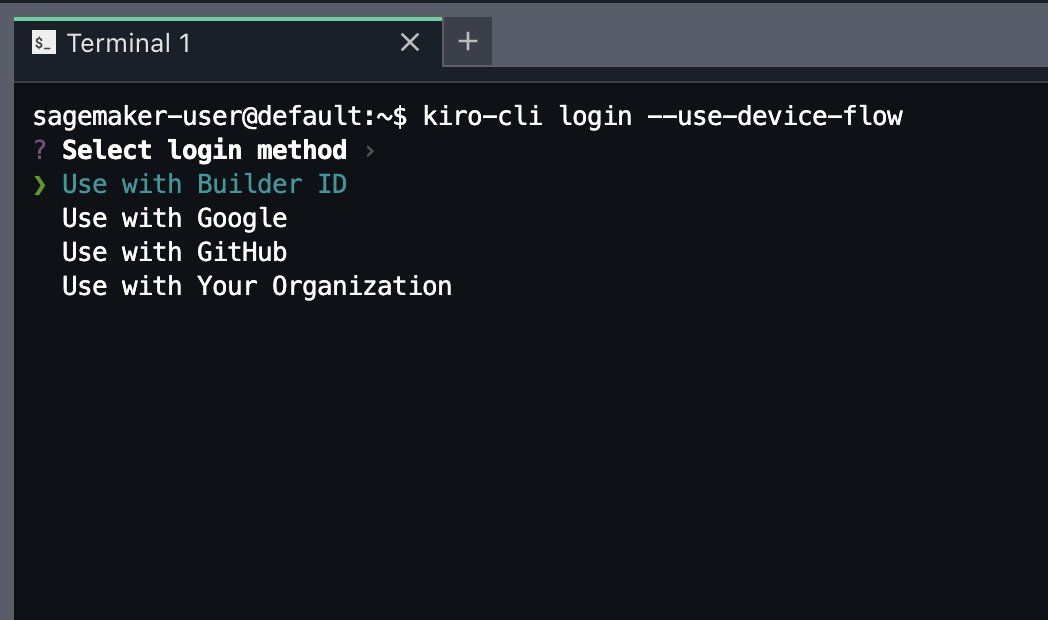
Sign in to Kiro CLI by running the following command.
kiro-cli login --use-device-flow -
When prompted, select your login method:
-
Use with Your Organization – for IAM Identity Center (SSO) users
-
Use with Builder ID – for individual AWS Builder ID accounts
-
-
Enter your Start URL and Region when prompted (for IAM Identity Center users). A device code appears.
-
Open the URL in your browser. Confirm the code and allow the device.
-
After you see "Logged in successfully", start a chat. Run one of these commands.
kiro-clikiro-cli chat
Using Kiro CLI
After you sign in, Kiro CLI gives you a chat where you can ask questions, create code, and run AWS commands.
To start a basic session, run the following command.
kiro-cli
To start a session with a specific message, run the following command.
kiro-cli chat "List the tables in my Glue Data Catalog"
Kiro CLI capabilities in Amazon SageMaker Unified Studio
Kiro CLI works with your Amazon SageMaker Unified Studio environment. The following list describes what Kiro CLI can do.
-
AWS operations – List and manage AWS resources, check IAM permissions, and run AWS CLI commands. Read-only operations run without asking. Write operations need your approval.
-
Code generation – Create Python scripts, SQL queries, notebooks, and config files based on your requests.
-
Project context – Kiro CLI detects your Amazon SageMaker Unified Studio project details. This includes domain ID, project ID, and Region. It uses the right AWS credentials for your project.
-
File operations – Read and write files in your workspace, create notebooks, and edit code.
Example: Explore your data catalog
This example shows how Kiro CLI helps you find and query data in your project.
To explore your data catalog
-
In the terminal, start a chat session.
kiro-cli chat -
Ask Kiro to explore your data by entering the following prompt.
List the tables in my Glue Data Catalog and show me the schema of any tables you findKiro CLI calls the AWS Glue API. It lists your databases and tables, and shows column names and types.
Example: Get project context
This example shows how Kiro CLI gives you project details for your Amazon SageMaker Unified Studio setup.
To get your project context
-
In the terminal, enter the following prompt.
Can you tell me my project and domain information?Kiro CLI shows your domain ID, project ID, Region, and AWS profiles.

Troubleshooting Kiro CLI
Use these solutions to fix common issues with Kiro CLI in Amazon SageMaker Unified Studio.
- "You're not signed in to Kiro yet"
-
Run
kiro-cli login --use-device-flowin a terminal to authenticate. - Login fails with timeout
-
Check that your browser can reach the IdC or Builder ID login URL. Test network access from your browser, not from the space.
- "Logged in successfully" but chat does not respond
-
Close and reopen the terminal, then run
kiro-cli chatagain.
Additional information
Keep these points in mind when you use Kiro CLI in Amazon SageMaker Unified Studio.
-
Login sessions persist across space restarts. Kiro stores credentials on Amazon Elastic Block Store (Amazon EBS).
-
Write operations need your approval. This includes making or deleting resources.
-
Kiro CLI uses Amazon Bedrock for AI. You don't need to set up models.
