Terjemahan disediakan oleh mesin penerjemah. Jika konten terjemahan yang diberikan bertentangan dengan versi bahasa Inggris aslinya, utamakan versi bahasa Inggris.
Tambahkan template peluncuran
Saat membuat atau mengedit proyek, Anda dapat menambahkan templat peluncuran menggunakan Opsi Lanjutan dalam konfigurasi proyek. Template peluncuran menyediakan konfigurasi tambahan, seperti grup keamanan, kebijakan IAM, dan skrip peluncuran ke semua instance VDI dalam proyek.
Tambahkan kebijakan
Anda dapat menambahkan kebijakan IAM untuk mengontrol akses VDI untuk semua instance yang diterapkan di proyek Anda. Untuk melakukan onboard kebijakan, beri tag kebijakan dengan pasangan nilai kunci berikut:
res:Resource/vdi-host-policy
Untuk informasi selengkapnya tentang peran IAM, lihat Kebijakan dan izin di IAM.
Tambahkan grup keamanan
Anda dapat menambahkan grup keamanan untuk mengontrol data keluar dan masuk untuk semua instans VDI di bawah proyek Anda. Untuk onboard grup keamanan, beri tag grup keamanan dengan pasangan kunci-nilai berikut:
res:Resource/vdi-security-group
Untuk informasi selengkapnya tentang grup keamanan, lihat Mengontrol lalu lintas ke AWS sumber daya Anda menggunakan grup keamanan di Panduan Pengguna Amazon VPC.
Tambahkan skrip peluncuran
Anda dapat menambahkan skrip peluncuran yang akan dimulai pada semua sesi VDI dalam proyek Anda. RES mendukung inisiasi skrip untuk Linux dan Windows. Untuk inisiasi skrip, Anda dapat memilih:
- Jalankan Script Saat VDI Dimulai
-
Opsi ini memulai skrip di awal instance VDI sebelum konfigurasi atau instalasi RES dijalankan.
- Jalankan Script saat VDI Dikonfigurasi
-
Opsi ini memulai skrip setelah konfigurasi RES selesai.
Skrip mendukung opsi berikut:
| Konfigurasi skrip | Contoh |
|---|---|
| URI S3 | s3://bucketname/script.sh |
| URL HTTPS | https://sample.samplecontent.com/sample |
| File lokal | berkas:///user/scripts/example.sh |
Semua skrip kustom yang di-host pada bucket S3 perlu disediakan dengan tag berikut:
res:EnvironmentName/<res-environment>
Untuk Argumen, berikan argumen apa pun yang dipisahkan dengan koma.
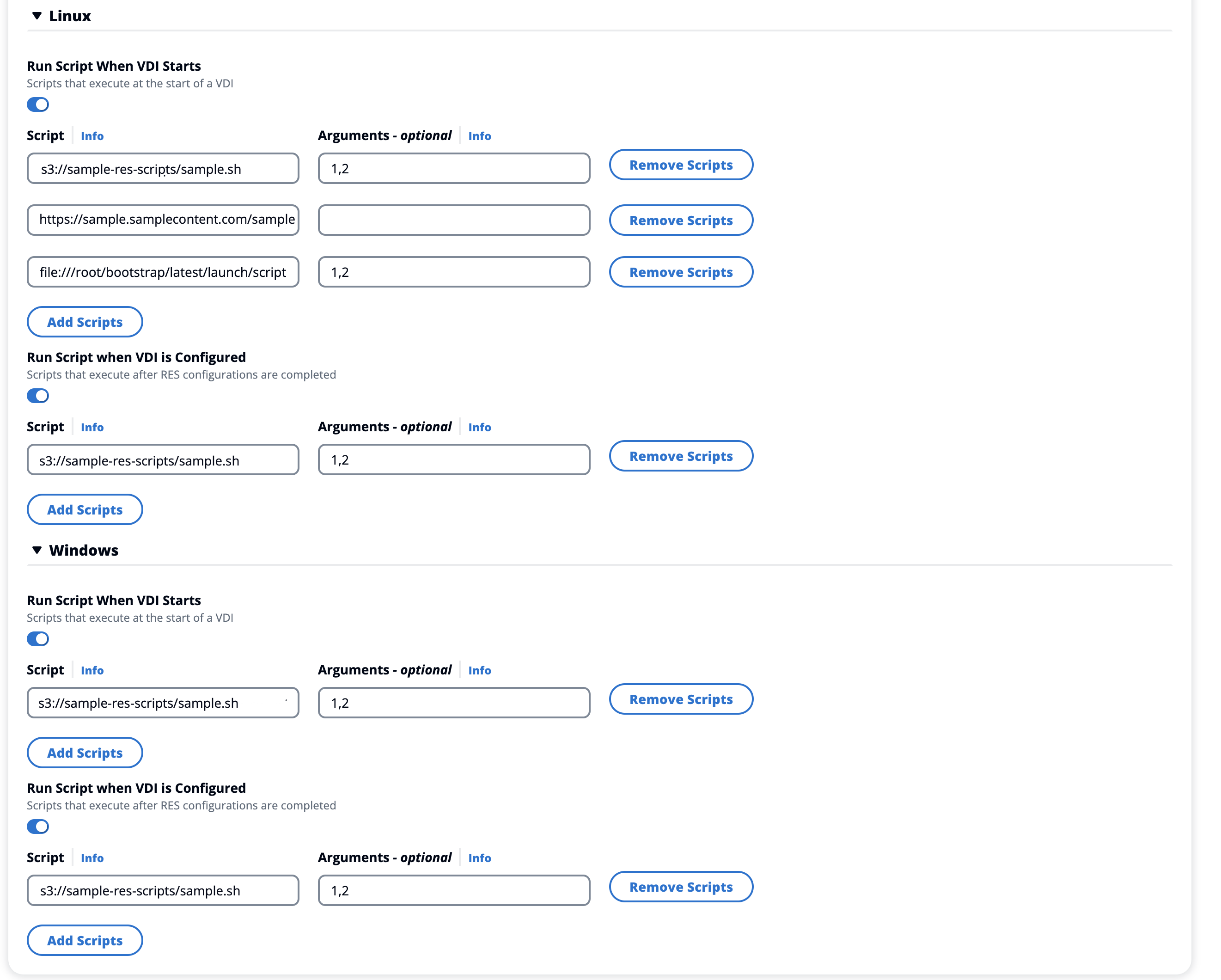
Contoh konfigurasi proyek
Contoh template untuk skrip peluncuran.
