Terjemahan disediakan oleh mesin penerjemah. Jika konten terjemahan yang diberikan bertentangan dengan versi bahasa Inggris aslinya, utamakan versi bahasa Inggris.
Buat aplikasi yang mereferensikan file eksternal di Infrastructure Composer
Contoh ini menggunakan AWS SAMCLI untuk membuat aplikasi yang mereferensikan file eksternal untuk definisi mesin statusnya. Anda kemudian memuat proyek Anda di Infrastructure Composer dengan file eksternal Anda direferensikan dengan benar.
Contoh
-
Pertama, gunakan sam init perintah AWS SAM CLI untuk menginisialisasi aplikasi baru bernama.
demoSelama alur interaktif, pilih template mulai cepat alur kerja multi-langkah.$sam init... Which template source would you like to use? 1 - AWS Quick Start Templates 2 - Custom Template Location Choice:1Choose an AWS Quick Start application template 1 - Hello World Example 2 - Multi-step workflow 3 - Serverless API 4 - Scheduled task ... Template:2Which runtime would you like to use? 1 - dotnet6 2 - dotnetcore3.1 ... 15 - python3.7 16 - python3.10 17 - ruby2.7 Runtime:16Based on your selections, the only Package type available is Zip. We will proceed to selecting the Package type as Zip. Based on your selections, the only dependency manager available is pip. We will proceed copying the template using pip. Would you like to enable X-Ray tracing on the function(s) in your application? [y/N]:ENTERWould you like to enable monitoring using CloudWatch Application Insights? For more info, please view https://docs.aws.amazon.com/AmazonCloudWatch/latest/monitoring/cloudwatch-application-insights.html [y/N]:ENTERProject name [sam-app]:demo----------------------- Generating application: ----------------------- Name: demo Runtime: python3.10 Architectures: x86_64 Dependency Manager: pip Application Template: step-functions-sample-app Output Directory: . Configuration file: demo/samconfig.toml Next steps can be found in the README file at demo/README.md ...Aplikasi ini mereferensikan file eksternal untuk definisi mesin negara.
...
Resources:
  StockTradingStateMachine:
    Type: AWS::Serverless::StateMachine
    Properties:
      DefinitionUri: statemachine/stock_trader.asl.json
...
File eksternal terletak di
statemachinesubdirektori aplikasi kami.demo ├── README.md ├── __init__.py ├── functions │ ├── __init__.py │ ├── stock_buyer │ ├── stock_checker │ └── stock_seller ├── samconfig.toml ├── statemachine │ └── stock_trader.asl.json ├── template.yaml └── tests
Selanjutnya, muat aplikasi Anda di Infrastructure Composer dari konsol. Dari halaman beranda Infrastructure Composer, pilih Load a CloudFormation template.
-
Pilih folder
demoproyek kami dan izinkan prompt untuk melihat file. Pilihtemplate.yamlfile kami dan pilih Buat. Saat diminta, pilih Simpan perubahan.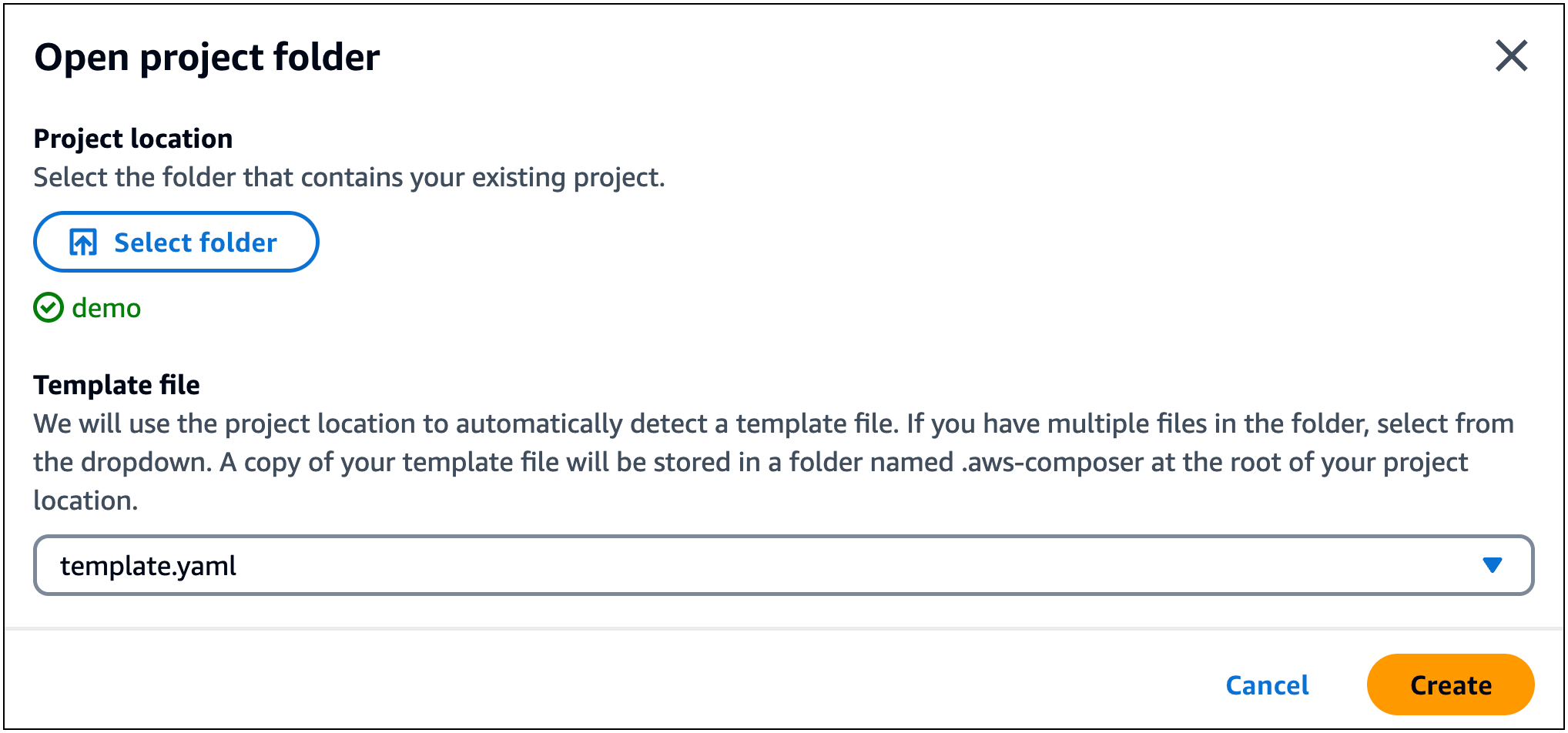
Infrastructure Composer secara otomatis mendeteksi file definisi mesin keadaan eksternal dan memuatnya. Pilih StockTradingStateMachinesumber daya kami dan pilih Detail untuk menampilkan panel Resource properties. Di sini, Anda dapat melihat bahwa Infrastructure Composer telah secara otomatis terhubung ke file definisi mesin keadaan eksternal kami.
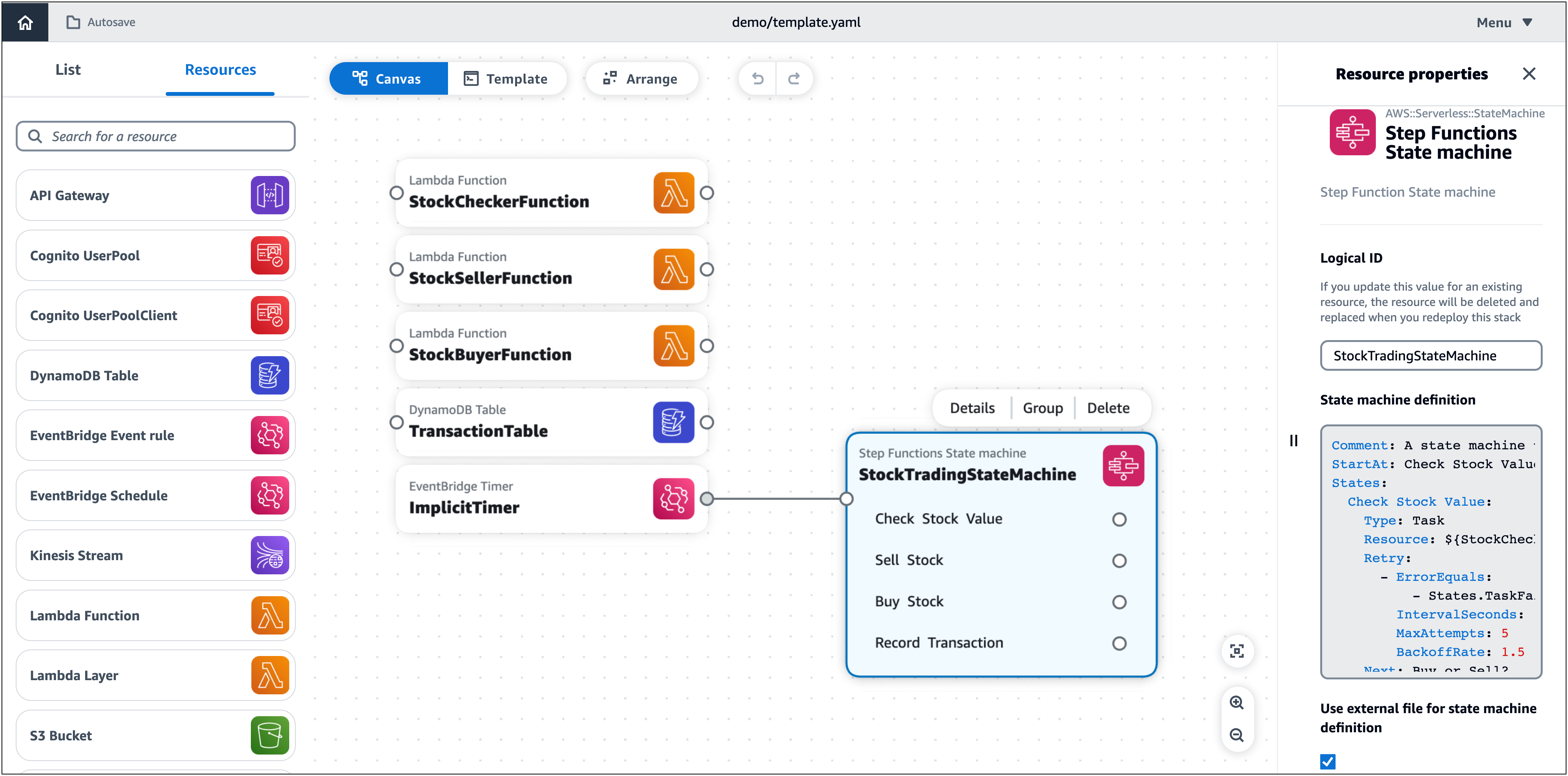
Setiap perubahan yang dilakukan pada file definisi mesin status akan secara otomatis tercermin dalam Infrastructure Composer.
