Step F: Upgrade node Y
After you remove the last worker node, the original cluster no longer exists. Node Y is no longer controlling any worker nodes. The deployment now looks like the following diagram.
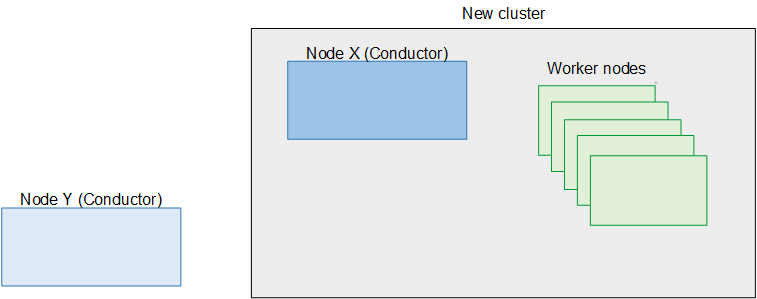
You can now upgrade node Y. Perform all the following steps on node Y.
-
On node Y, which will soon be the secondary Conductor in the new cluster, you must clean the database. Enter the configure commands as follows:
cd /opt/elemental_se; sudo ./configure -xeula --skip-all --cleandb --start -
Create a backup of the data on node Y. See Backing up data.
-
Set boot mode on the node to UEFI. See Switching boot mode to UEFI.
-
Perform a kickstart to upgrade the operating system to RHEL 9. See Installing RHEL 9.
-
Install Conductor Live version 3.26.x on the node. See Installing Conductor Live on nodes.
-
Restore the backup onto the node. See Restoring the database.
-
If you moved custom files to a safe location as part of your preparation, you can now copy these files back to their original location.
