Closing a session
After you’re completely done with your work, you can Close a session and release the underlying resource back to the host server.
Note
Closing a session can't be undone. All locally saved work will be lost. Closing a session doesn't shut down the underlying host server.
-
Go to the Sessions page.
-
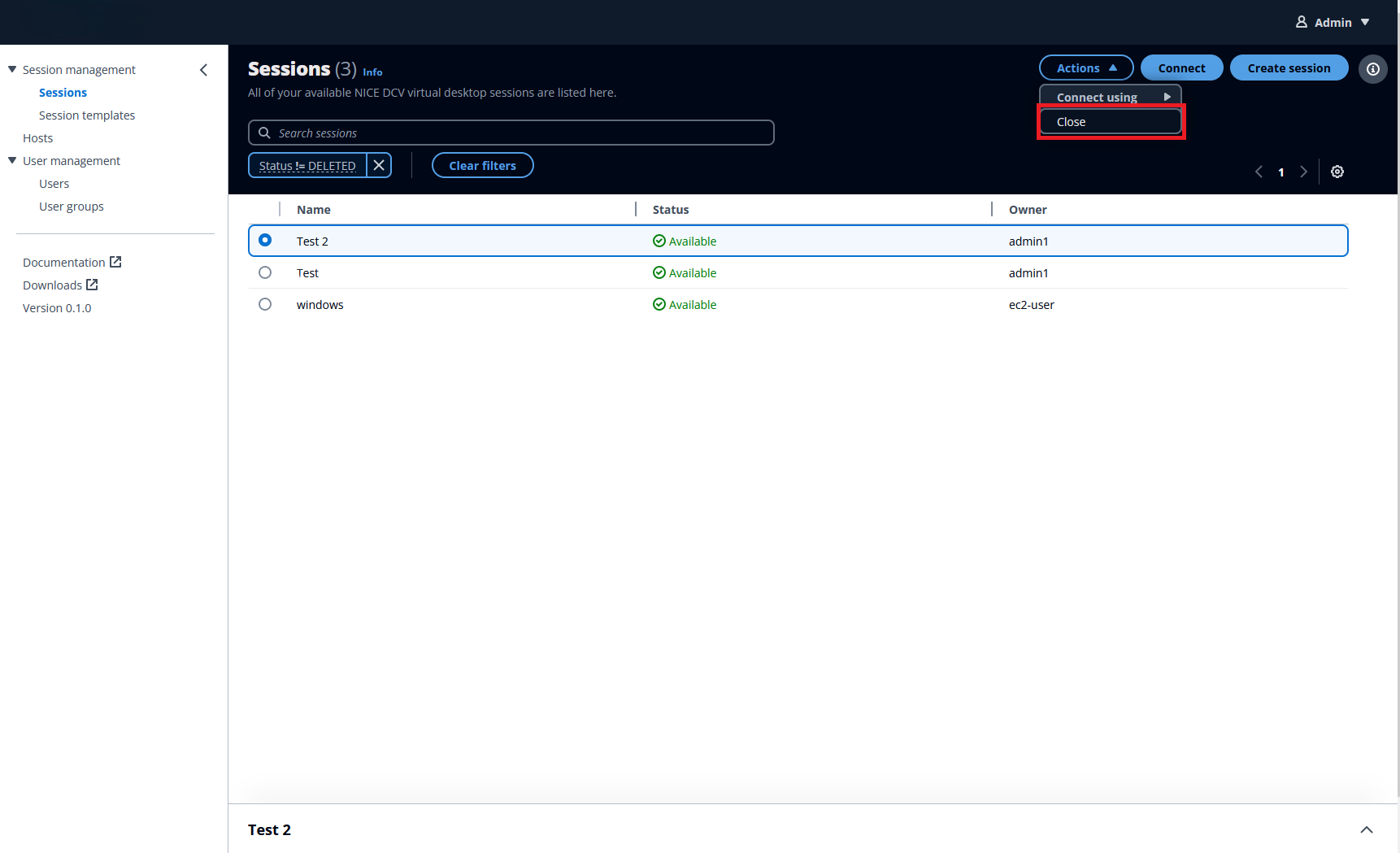
Select the session that you want to close.
-
Click the Actions button in the session window.
-
Select Close from the menu.
-
Select Close from the window that appears.
