Search for and view evaluations in Connect Customer
Users can search for evaluated contacts and view evaluations side-by-side alongside audio or screen recordings, conversation transcripts, summaries and insights.
Searching for evaluated contacts
-
Log in to Connect Customer with a user account that has permissions to search for and view contacts and either the Evaluation forms - perform evaluations or Evaluation forms – view my received evaluations permission.
-
In Connect Customer choose Analytics and optimization, Contact search.
-
Use the filters on the page to narrow your search. For the date selection, you can search for up to 8 weeks of contacts at a time. You can review contacts and associated evaluations from up to 2 years ago.

-
Choose the contact ID in the search results to open a contact and review associated evaluations.
View evaluations on the contact details page
-
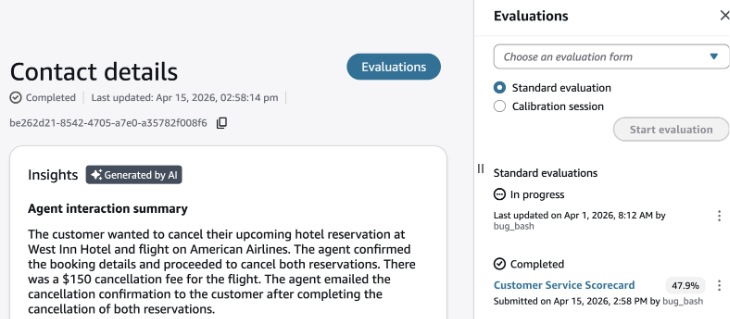
Choose Evaluations on the top right of the page.
-
If the contact has received an evaluation it will show under Completed.
-
Choose the evaluation to review the completed evaluation.

AI answer details in submitted evaluations
When you view a submitted evaluation that contains answers filled using native generative AI, you can also view the AI answer details. These details include the reasoning behind each AI answer and the relevant reference points from the transcript. AI answer details appear only when the submitted answer matches the answer that AI provided.
