Configure third-party speech-to-text (STT) providers
Use the following instructions to configure a third-party speech-to-text (STT) provider.
Prerequisites
-
A bot with an existing locale.
-
A third-party STT provider API key stored in AWS Secrets Manager. For more information about storing API keys as secrets in Secrets Manager, see Create an AWS Secrets Manager secret.
-
An Secrets Manager resource policy allowing Connect Customer to retrieve the secret. For more information, see Managing secrets and resource policies.
-
AWS KMS key permissions allowing decryption. For more information, see Managing secrets and resource policies.
-
A provider model ID and Secrets Manager ARN.
Step 1: Open the speech model configuration panel
-
Sign in to the Connect Customer admin website.
-
Choose Bots, then choose the bot.
-
Choose the locale.
-
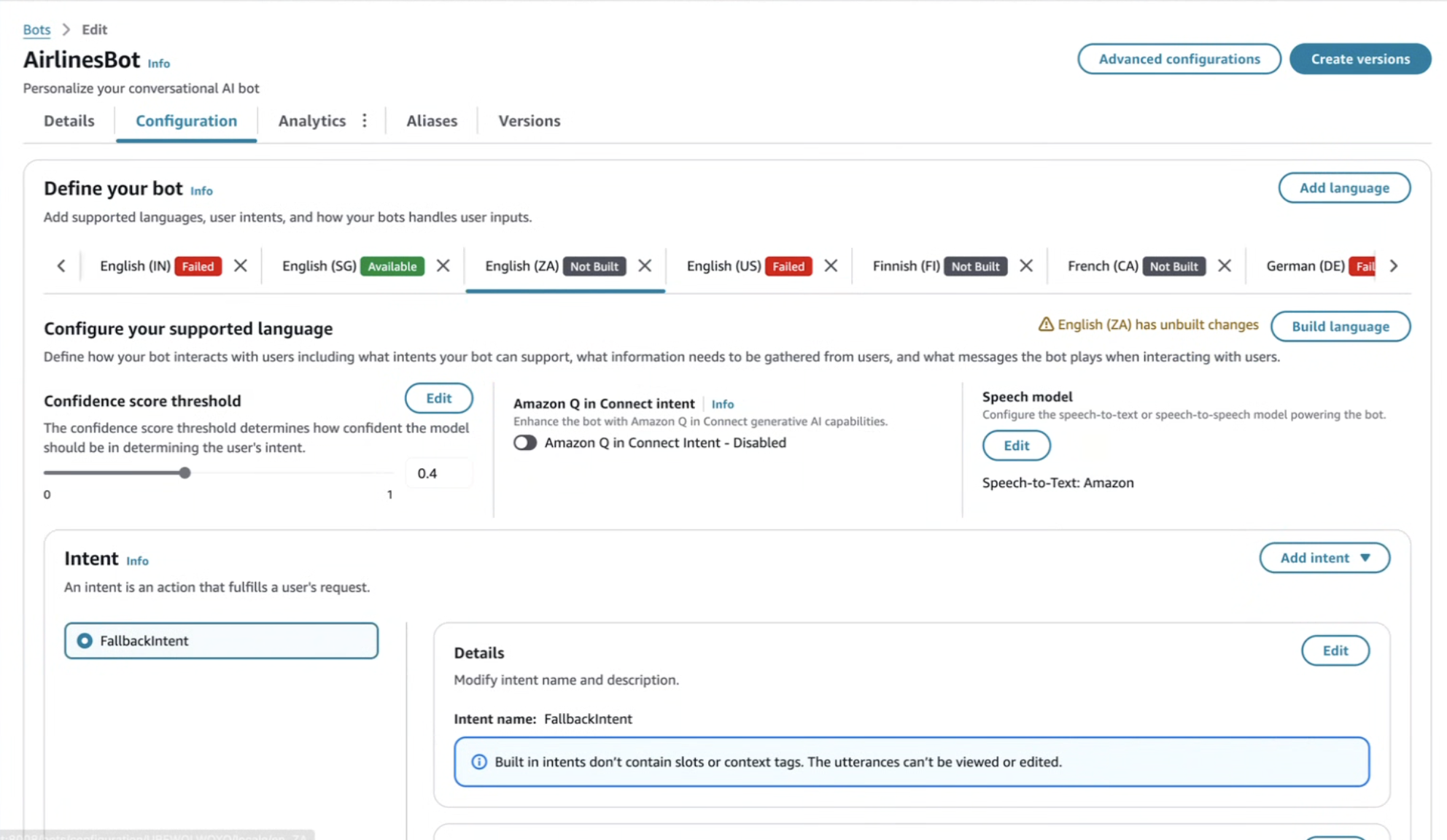
In the Speech model section, choose Edit to open the configuration modal.
Step 2: Choose the model type
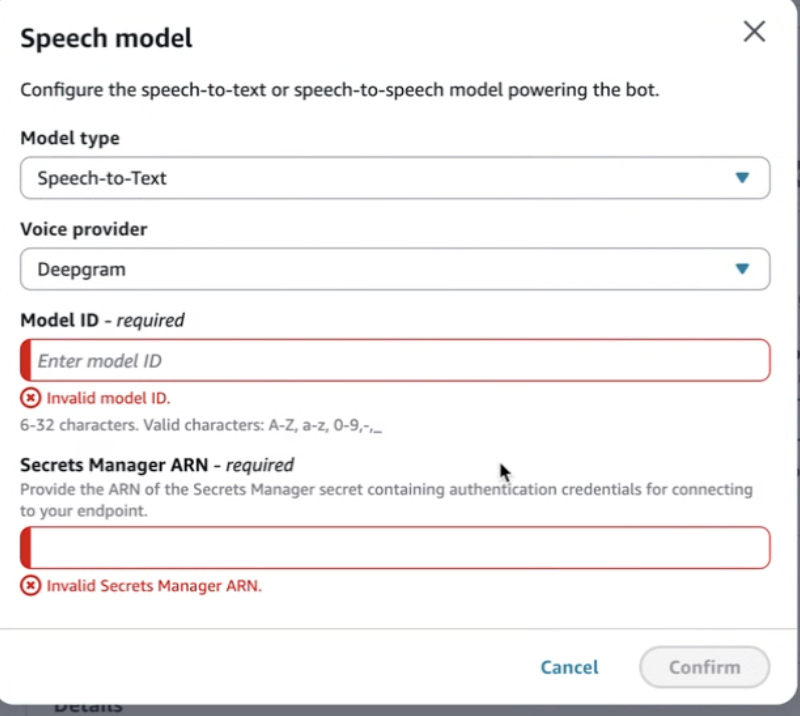
In the Model type dropdown, choose Speech-to-Text (STT). This ensures the locale is configured for transcription rather than speech-to-speech.

Step 3: Review the default speech model settings
By default, Amazon is selected as the speech-to-text provider. Review the current settings before switching to a third-party provider.

Step 4: Choose a third-party STT provider
Open the Voice provider dropdown and choose a supported third-party speech-to-text provider.
Step 5: Enter the model ID and Secrets Manager ARN
-
In Model ID, enter the provider's model name.
-
Some providers require a minimum or maximum length.
-
Model IDs are case-sensitive and must match provider documentation.
-
-
In Secrets Manager ARN, enter the ARN of the secret that contains the provider API key.
-
The secret must be in the same Region as your Connect Customer instance.
-
Secrets Manager and KMS key policies must permit Connect Customer to access and decrypt the key. For more information, see Managing secrets and resource policies.
-
-
Choose Continue to save your changes.
Build and activate the locale
If the locale shows Unbuilt changes, choose Build language. The new STT settings become active after a successful build.
Runtime behavior (STT)
-
Connect Customer routes audio to the chosen third-party speech-to-text provider.
-
No changes to flows or Lambda functions are required.
-
Errors such as invalid credentials or invalid model IDs appear in logs.
-
Metrics and analytics continue to function normally.
Troubleshooting (STT)
-
Invalid model ID: Confirm the value with provider documentation.
-
Access denied: Verify Secrets Manager and KMS permissions.
-
Locale build fails: Ensure required fields are valid.
-
High latency: Validate the provider region configuration.
