Choose an application admin
As an AWS console administrator, you choose an Amazon Connect Decisions application admin to manage the Amazon Connect Decisions web application access. The Amazon Connect Decisions application admin can add or remove user permission roles to the Amazon Connect Decisions web application.
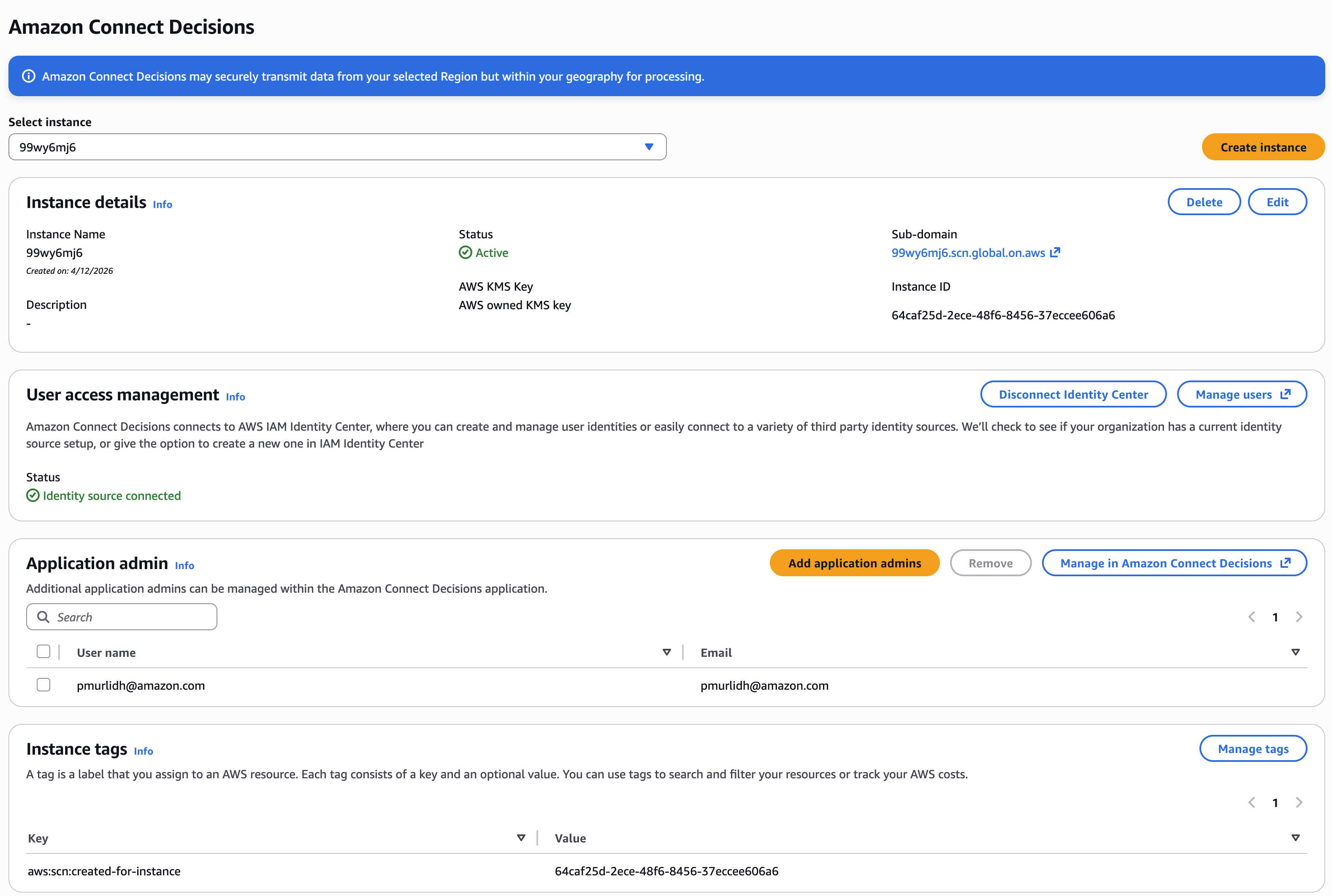
After the instance is created and an identity source is connected, follow these steps to choose an Amazon Connect Decisions application admin.
-
Open the Amazon Connect Decisions console dashboard.
-
Go to Select application admin and select a user to be an Amazon Connect Decisions application admin. Search results only show users matching the search criteria.
-
(Optional) Choose Go to IAM Identity Center to add more users. For more information on adding users, see Manage your identity source in AWS IAM Identity Center User Guide and for more information on user permission roles, see User permission roles.
Note
You can only add one user at a time from the Amazon Connect Decisions Console. You cannot add a group as an application admin in Amazon Connect Decisions.
-
Choose Send Invite. An email is sent to the web application administrator. Once the web application administrator receives the invite email, they will be able to select the application URL and log into the Amazon Connect Decisions.

In the Amazon Connect Decisions webapp, you will see the user listed under Application admin.
